

Error messages and what to do
Search this page for the exact message you saw. Each entry says what Reign was doing, why it failed, and what to try.
Install free (Reign Settings > Extend)
Section titled “Install free (Reign Settings > Extend)”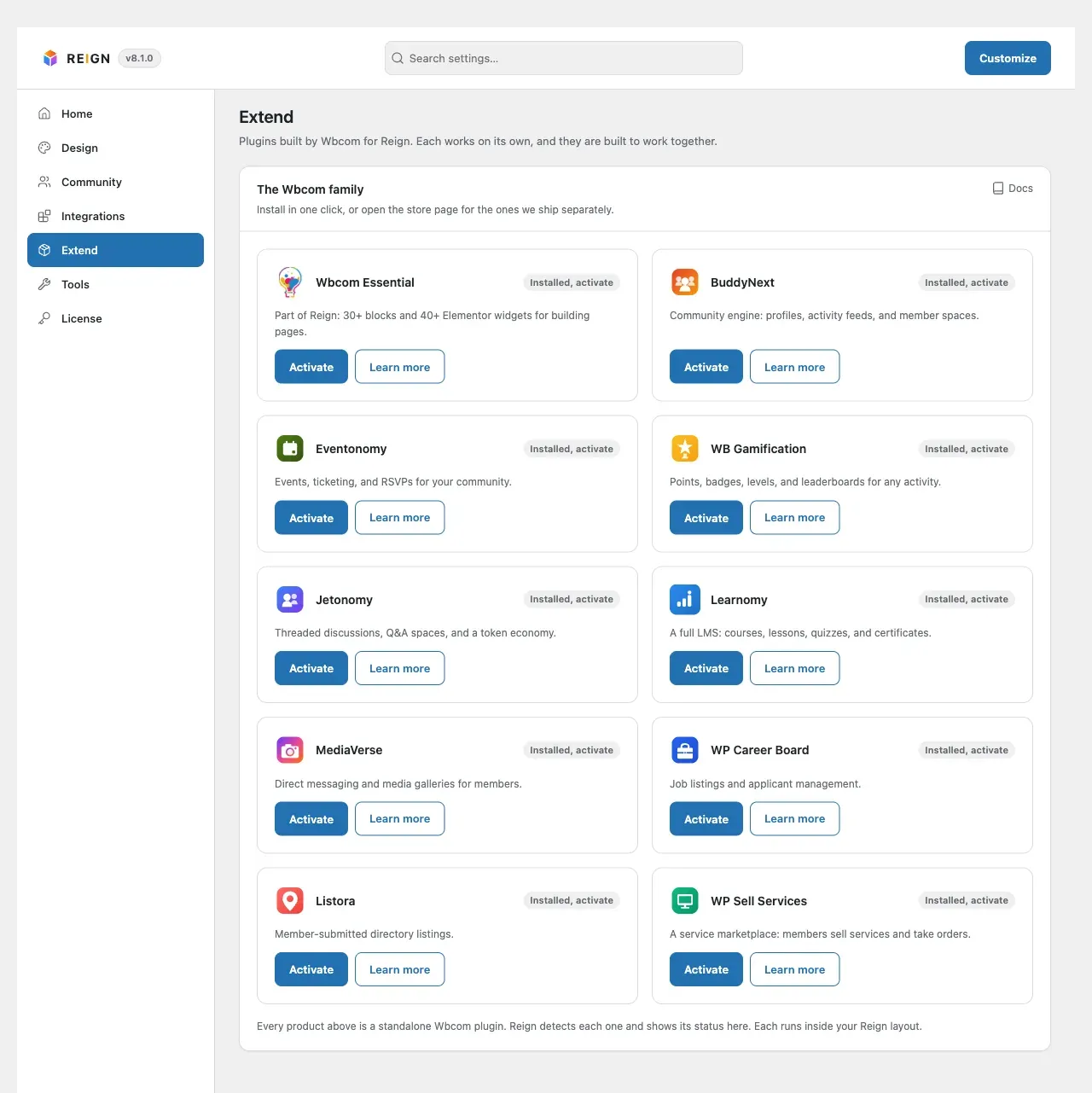
The Install free button downloads a Wbcom plugin from wbcomdesigns.com, installs it and turns it on. A failure is almost always in one of two steps. Either your site could not reach wbcomdesigns.com, or WordPress could not unpack the download.
| Message | What it means | What to do |
|---|---|---|
| You do not have permission to install plugins. | Your account cannot install plugins. | Sign in as an administrator. |
| Unknown plugin. | The button asked for a plugin that is not in Reign’s install list. | Reload Reign Settings > Extend and try again. |
| This plugin cannot be installed automatically. Visit the store. | This entry has no free download Reign can fetch. | Use the entry’s Learn more link and install it from the store. |
| Could not reach the store. Please try again. / Could not reach the store to activate the license. Please try again. | Your site did not get an answer from wbcomdesigns.com within 30 seconds. The second wording means it failed on the licence step, the first on the download step. | Try again. If it keeps failing, ask your host to allow outbound HTTPS to wbcomdesigns.com, and check that no firewall or security plugin blocks outgoing requests. |
| The store returned an unexpected response. / The store returned an unexpected response while activating the license. | The reply was not the answer Reign expects, for example a security challenge page from a proxy or CDN in front of your outgoing requests. | Try again. If it persists, allow wbcomdesigns.com through whatever sits between your site and the internet. |
| The store would not activate this free license for your site (reason: …). | The store refused the free licence for your domain. | This is decided on the store side. Send the reason shown in brackets to Wbcom support. |
| The store did not return a download for this plugin. | The store answered but gave no download link. | Try again later, then contact Wbcom support with the plugin name. |
| The download URL was not on the trusted store host. | Reign only downloads from wbcomdesigns.com and refuses any other address. | Something is rewriting the download address. Disable plugins that filter outgoing requests, or contact Wbcom support. |
| The store rejected the download (HTTP 403: …). | The download link was refused. The number and text come from the store. | This is a licence or entitlement issue on the store side. Send the full message to Wbcom support. |
| WordPress needs filesystem access to install plugins. Configure direct file access or install from the Plugins screen. | WordPress cannot write to wp-content/plugins without asking for FTP details. |
Fix the file ownership and permissions of wp-content, or set FS_METHOD to direct in wp-config.php where that is safe. Your host can do this. |
| The plugin could not be installed. | WordPress unpacked the download but could not finish. | Check free disk space and permissions on wp-content/plugins, then try again. |
| Installed, but the plugin could not be activated automatically. Activate it from the Plugins screen. | The plugin is installed. Activation hit a problem. | Open Plugins and activate it. If WordPress shows an error there, that error is the cause. |
A plugin that is already installed is only turned on, never downloaded again. Trying again after a half-finished install is safe.
Sign-in popup
Section titled “Sign-in popup”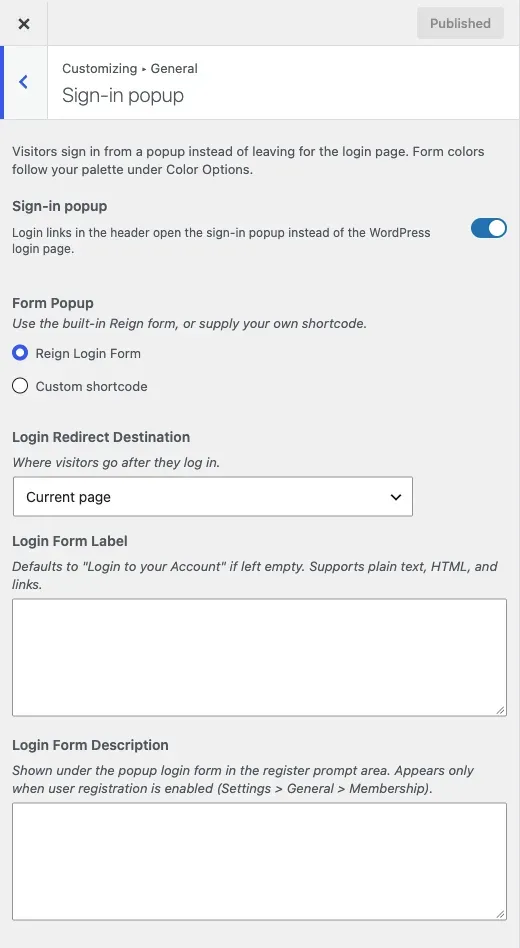
| Message | What it means | What to do |
|---|---|---|
| Login is required / Password is required | The username or password field was empty. | Fill in both fields. |
| Security check failed. Please refresh the page and try again. | The browser marked the request as coming from another site, or the request’s address does not match your site’s address. A page opened on a different host name than the site address (for example www and non-www) triggers it. |
Open the site on its main address. If you run a proxy or CDN that rewrites the Origin header, allow your own host name through. |
| Any other message | WordPress or a security plugin refused the sign-in: wrong password, an unknown user, a lockout or a two-factor step. | Read the message, it comes from WordPress or your security plugin. When a plugin takes over the request, the popup continues on the full login page. |
The popup does not use a security token, so a cached page cannot make it fail with an expired-token error.
Header icons and member cards
Section titled “Header icons and member cards”These come from the notification, message and friend request buttons. Logged-in members see them on a BuddyPress or BuddyBoss site.
| Message | What it means | What to do |
|---|---|---|
| Security check failed. Please refresh the page. | The page was loaded a long time ago, or served from a page cache, so its security token is out of date. | Reload the page. If members see it often, stop your page cache from serving cached pages to logged-in members. |
| Something went wrong. Please try again. | A friend request button could not complete the action. | Reload and try again. |
| No member found by that ID. | The member behind the button no longer exists. | Reload the page. |
| There was a problem accepting this request. Please try again. / There was a problem rejecting this request. Please try again. | BuddyPress could not complete the action. | Reload and check the member’s friend requests. |
Dashboard notices
Section titled “Dashboard notices”| Notice | What to do |
|---|---|
| Reign: finish the colour setup to apply your colour scheme and default values. | Select Run colour setup. Your saved settings are kept. On a server, wp reign color-setup does the same: see constants and WP-CLI. |
| Your child theme overrides Reign header templates (…). | Your site keeps the previous header until those files are removed or rebuilt. See template overrides. |
| Reign: the bundled licence and update files are incomplete, so automatic updates for Reign and its add-ons are off. | The theme package is missing files. Reinstall Reign from a complete package: download it again from your account and upload it, or replace the theme folder. Every other feature keeps working. |
Reign Settings page not found
Section titled “Reign Settings page not found”A bookmark to admin.php?page=reign-settings goes straight to Reign Settings. That is the menu’s own address, which the WordPress command palette can open. It lands on admin.php?page=reign-options.