

Online course plugins: LearnDash, Tutor, LifterLMS, Sensei, LearnPress (LMS platforms)
Also called: course page layout, LMS theme, course site, online courses, LearnDash theme, Udemy-style course page, course plugin, MasterStudy.
What this does
Section titled “What this does”Reign works with the course plugins most WordPress sites run. They are LearnDash, Tutor LMS, LifterLMS, Sensei LMS, LearnPress and MasterStudy LMS. A site runs one of them. Reign shows each course in one Udemy-style page, and keeps your header, footer, colours and dark mode around it.
Before you start
Section titled “Before you start”Install and activate one course plugin. If you use LifterLMS or Sensei LMS next to Learnomy, keep only one active.
What the course page looks like
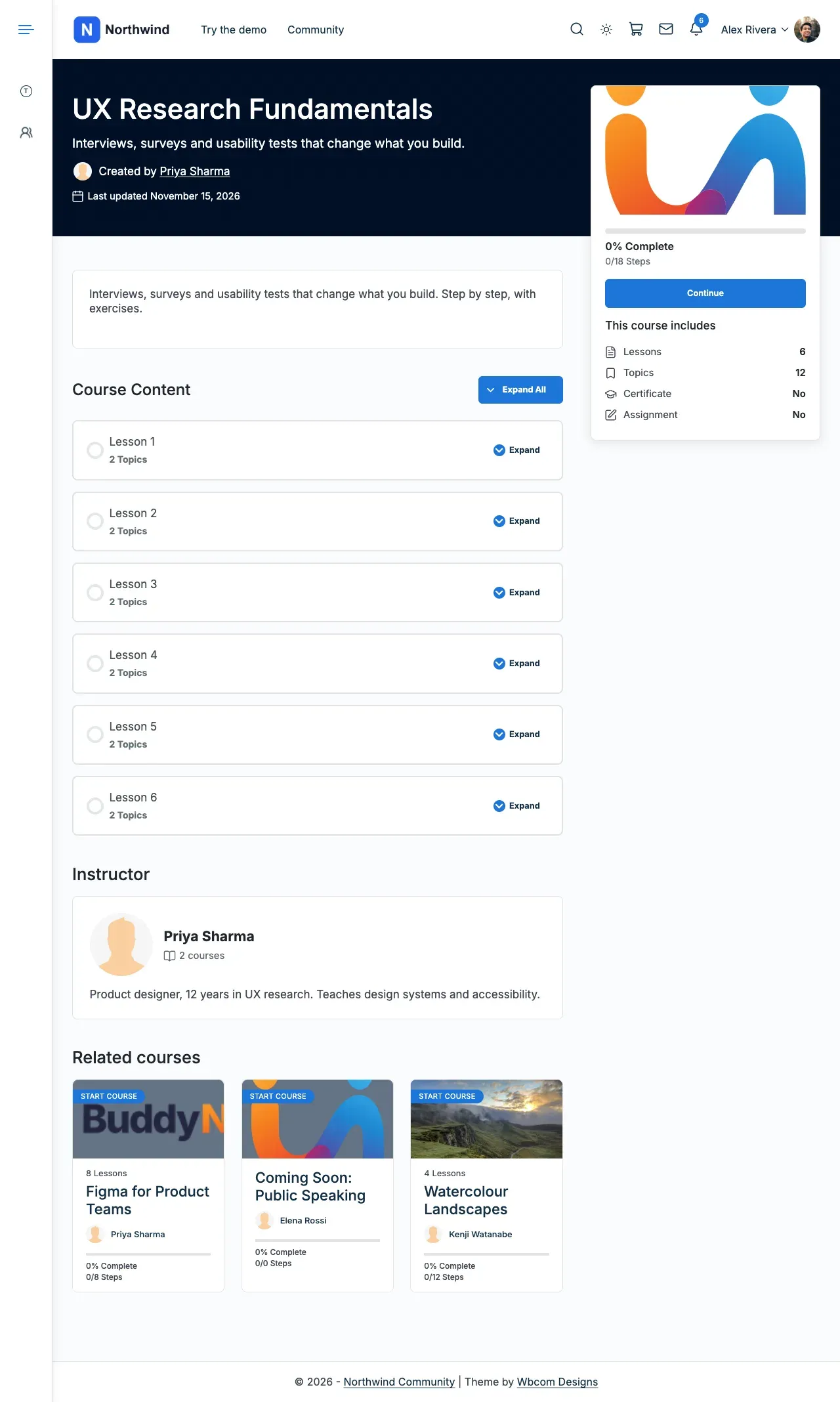
Section titled “What the course page looks like”For the first five plugins, a single course has three parts.
- A full-width header with the title, short description, instructor, rating and dates.
- A card beside it with the course image or video, price, the plugin’s own enrol, buy or continue button, progress and course facts. On desktop the card stays in view as the visitor scrolls.
- Below, the course description, curriculum, instructor and reviews or comments.
Every part comes from the course plugin. Reign only arranges them. The plugin’s settings and add-ons keep working.
This is a LearnDash course on the Reign layout.
Steps: switch back to the plugin’s own course page
Section titled “Steps: switch back to the plugin’s own course page”-
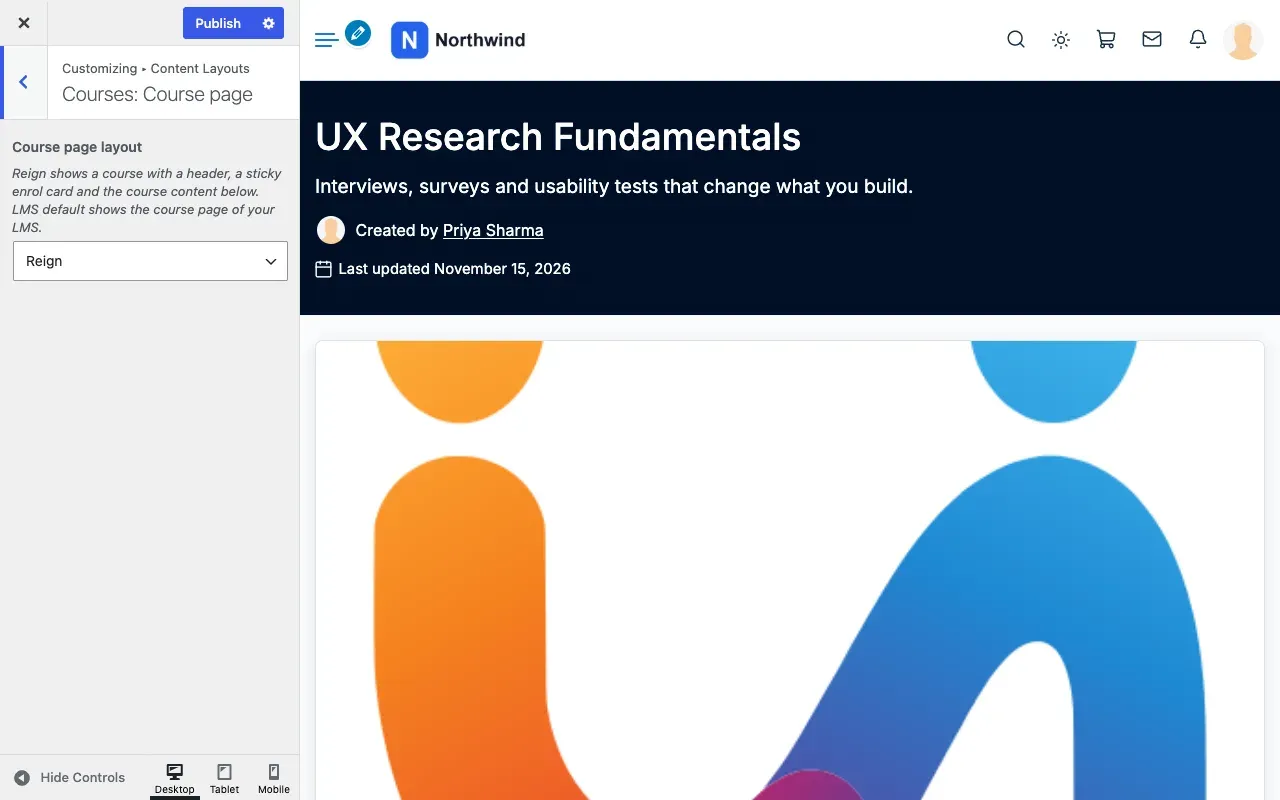
Go to Appearance > Customize > Content Layouts.
-
Open the Courses: Course page section. The name follows your plugin’s word for courses.
-
Set Course page layout to LMS default.
-
Select Publish.
You’ll know it worked when
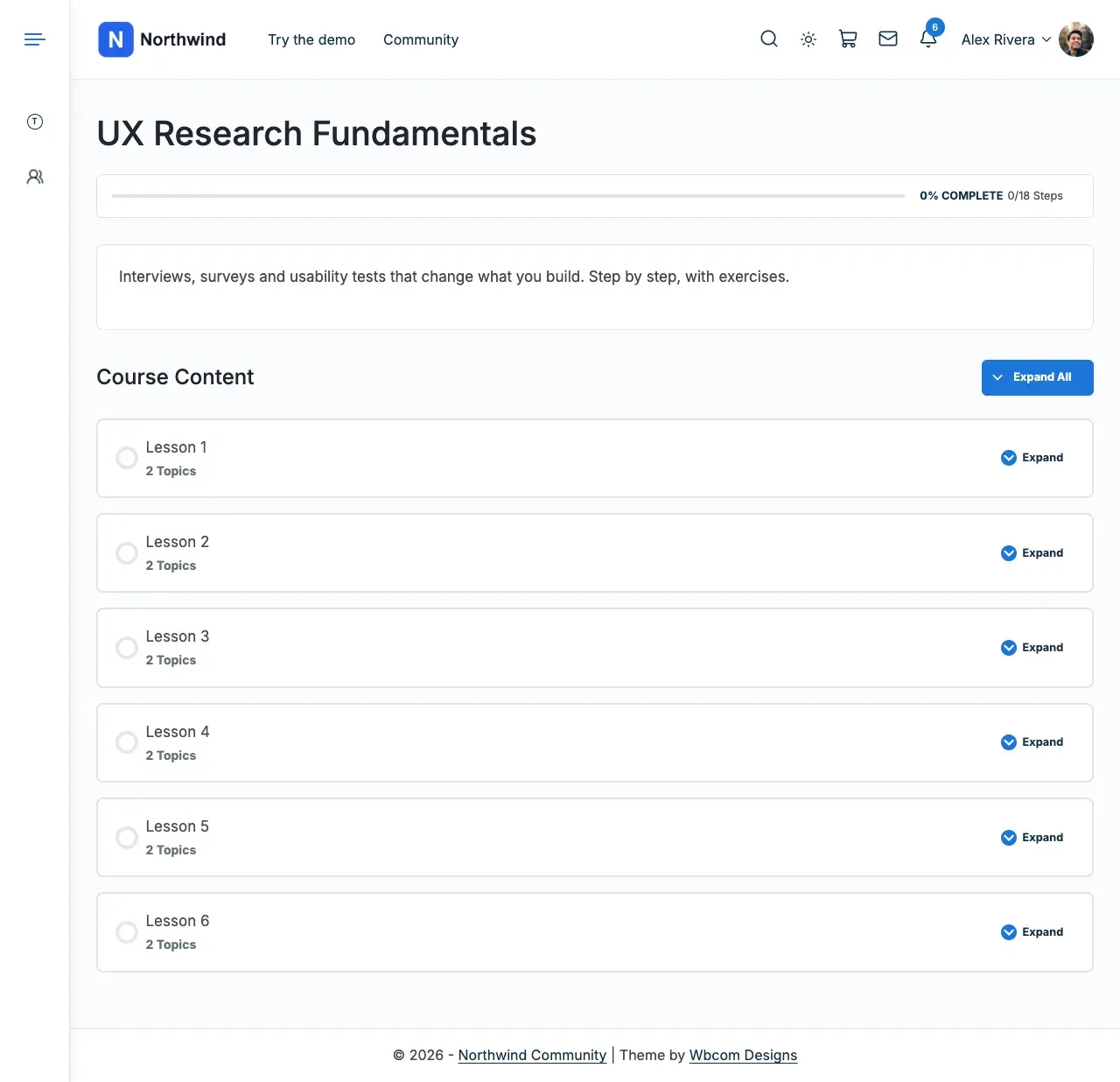
Section titled “You’ll know it worked when”The same course shows the plugin’s own page, still inside Reign’s header, footer and colours.
Good to know
Section titled “Good to know”What does each plugin show on the course page?
Section titled “What does each plugin show on the course page?”- LearnDash: its enrol or continue button, progress and certificate. Then a “This course includes” list, its tabs (description, materials, reviews), the course content list and the instructor. This is the same whether LearnDash’s Modern course page is on or off. Lessons and topics keep LearnDash’s own pages. The Legacy template keeps LearnDash’s own course page.
- Tutor LMS: its lead info, entry box, course tabs (course info, reviews, Q&A, announcements), instructor, requirements, tags and audience.
- LifterLMS: its pricing table, progress, course information, syllabus and reviews.
- Sensei LMS: its Take Course and contact teacher buttons, progress and course outline, for courses built with blocks and for older courses.
- LearnPress: its header, price, learning progress, course facts, buttons, features, requirements, curriculum, FAQs, instructor and comments. This is for LearnPress’s Modern single course layout, the default on new sites. Sites on its Classic layout keep LearnPress’s own page.
What about lessons, quizzes and dashboards?
Section titled “What about lessons, quizzes and dashboards?”They use each plugin’s own design inside Reign’s header, footer and colours.
Why are sidebars missing on my course pages?
Section titled “Why are sidebars missing on my course pages?”The Reign course page has no sidebar column. Set Course page layout to LMS default to use the plugin’s own page. LearnDash’s LD Single Course Sidebar widget area shows inside the course card instead.
What about MasterStudy LMS?
Section titled “What about MasterStudy LMS?”MasterStudy keeps its own course page. It already ships a two-column course layout. MasterStudy Pro adds more course styles that you pick in MasterStudy’s settings. Reign shows the page inside its header and footer, uses the theme’s page background, and maps MasterStudy’s fixed colours in dark mode. The lesson player is MasterStudy’s own full-screen view, with its own light and dark switch.
Does dark mode work on course pages?
Section titled “Does dark mode work on course pages?”Yes. Where a plugin paints fixed light colours (Tutor LMS, Sensei LMS, LearnPress, MasterStudy LMS), Reign maps them to the theme’s colours.
What extras does LearnDash get?
Section titled “What extras does LearnDash get?”- A template for the course list shortcode (
ld_course_list), so a course grid built with it shows in Reign’s layout. - A custom header for a single group, with title, short description and leader avatars and names.
- Comments on single courses, which LearnDash’s own templates leave out.
- Course, lesson, topic and quiz types registered with Reign. They get their own sections under Content Layouts.
- Two widget areas, LD Single Course Sidebar (shown in the course card) and LD Single Group Sidebar.
How do I see what Reign detected?
Section titled “How do I see what Reign detected?”Open Reign Settings > Integrations. It shows what Reign found on your site right now.
Which course plugin should I pick if I have not chosen yet?
Section titled “Which course plugin should I pick if I have not chosen yet?”Wbcom also builds Learnomy, a free LMS made to work with Reign. Its setup wizard can load a demo academy, and there is a live demo to try first. See Learnomy. Learnomy keeps its own course, catalog, lesson and account pages. From Learnomy 2.1.5 they take Reign’s colours and follow Reign’s dark mode switch on their own.
What do the paid Reign add-ons add?
Section titled “What do the paid Reign add-ons add?”The Reign LearnDash, LifterLMS, Sensei and Tutor LMS add-ons are separate, paid products. Their 8.1 releases (LearnDash 5.2.0, LifterLMS 2.7.0, Sensei 2.0.0 and Tutor LMS 2.3.0) are built for Reign’s course page. They add choices on top, such as extra course page layouts, course card styles and a Courses tab on member profiles.
Which screen changes what is in Courses, products, jobs and places. For prices and buy pages, see Reign add-ons.
An add-on built for an earlier Reign keeps working on 8.1. Reign shows a notice asking you to update it. See Updating from 8.0.x to 8.1.
For developers
Section titled “For developers”- A child theme with its own copy of the plugin’s course template keeps its page.
- LifterLMS styles also load when a LifterLMS shortcode or block sits inside a page builder widget, a widget area or a template.
- Change the page with hooks: see Course page layout.