

Using PeepSo with Reign
Also called: PeepSo setup, social network, activity feed, profiles, groups, PeepSo colours, PeepSo notification bell.
What this does
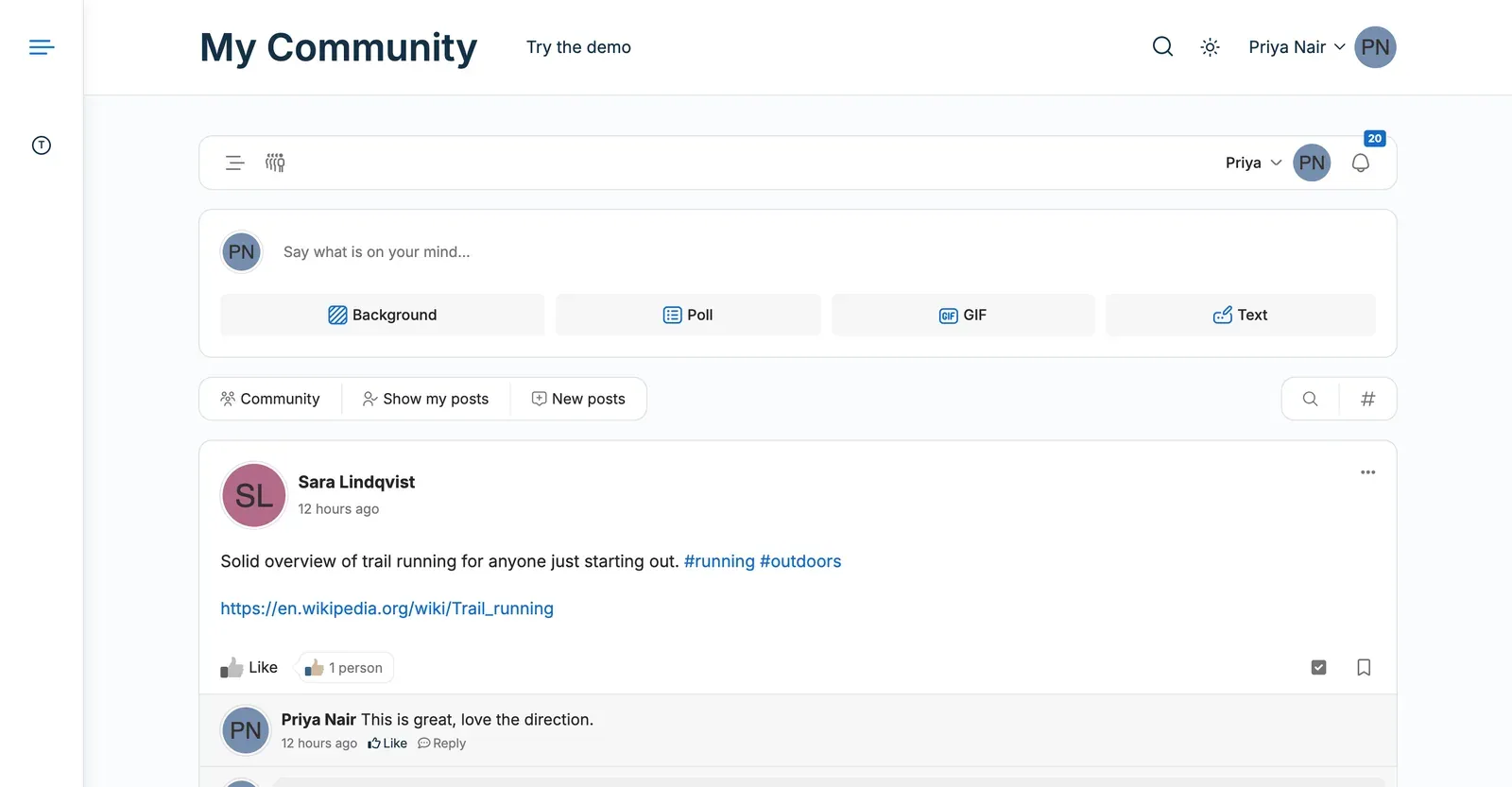
Section titled “What this does”PeepSo adds activity, profiles, groups and messages to your site. PeepSo draws those screens in its own design. Reign controls the site around them: header, footer, colours, fonts and page width.
- Go to Plugins > Add New and search for “PeepSo”.
- Select Install Now, then Activate. PeepSo creates its own Activity, Members, Profile, Groups and Messages pages.
- Set those pages up in PeepSo’s own settings.
You’ll know it worked when
Section titled “You’ll know it worked when”Load a member profile and a group page, at desktop and phone width. The header and footer match the rest of your site.
Good to know
Section titled “Good to know”What does Reign control on PeepSo pages?
Section titled “What does Reign control on PeepSo pages?”- Colours and fonts. Your palette and fonts apply to the header, footer and page titles. PeepSo’s buttons, links and checkboxes use your accent colour too.
- Header and footer. They stay the same on PeepSo pages.
- Layout. The Reign Custom Settings > Layout box on each PeepSo page sets the sidebar, title and width.
- Page width. Customize > General > Global Layout sets how wide content can grow.
How do I keep PeepSo’s own orange?
Section titled “How do I keep PeepSo’s own orange?”Go to Appearance > Customize > Color Options > Color Palette. Switch PeepSo uses the theme colours off. The switch is on by default. It only shows while PeepSo is active. A site updated from an earlier Reign starts with it off. Turn it on, or choose Switch to the 8.1.0 colours, to use your palette.
Why do I see two notification bells?
Section titled “Why do I see two notification bells?”You should see one. With PeepSo active, the header shows PeepSo’s notification icons beside the member menu. On PeepSo pages, PeepSo draws its own bar with the same icons. So the header leaves them out there.
How do I show only the header’s member menu?
Section titled “How do I show only the header’s member menu?”PeepSo’s bar has its own member menu. Go to PeepSo > Configuration > Appearance and turn on Disable PeepSo navigation bar. The header then shows the notification icons on PeepSo pages too.
What does PeepSo control?
Section titled “What does PeepSo control?”Profile and group layouts, covers, avatars, social links, notifications and the look of the activity stream. Change them in PeepSo’s own settings.
What changed in 8.1.0?
Section titled “What changed in 8.1.0?”Reign no longer ships PeepSo support. These are gone:
- The PeepSo Settings tab in Reign Settings. That includes the cover image, social links, layout and cover height controls.
- The PeepSo profile and group layouts and the PeepSo Layout page template.
- The Header Widget Area that held the PeepSo user bar, on new sites. Sites with widgets in it keep it.
- PeepSo login and registration redirects through the Login popup (Sign-in popup).
- Starter widgets and defaults Reign applied when PeepSo turned on.
PeepSo pages keep working. If you used the old cover image or social link settings, set the same things in PeepSo.