

Course pages and groups for LearnDash (Reign LearnDash Addon)
Also called: LearnDash theme, LMS add-on, course page layout, course grid, course catalog.
What this does
Section titled “What this does”This add-on gives your LearnDash courses new page designs and a filterable course list. It also links courses to your community. This page covers Reign LearnDash Addon version 5.2.0. For a quick start, read Set up LearnDash for Reign in the add-on guide.
It adds these.
- Three course page templates: Classic, Spotlight and Academy. Use one for the whole site or for a single course.
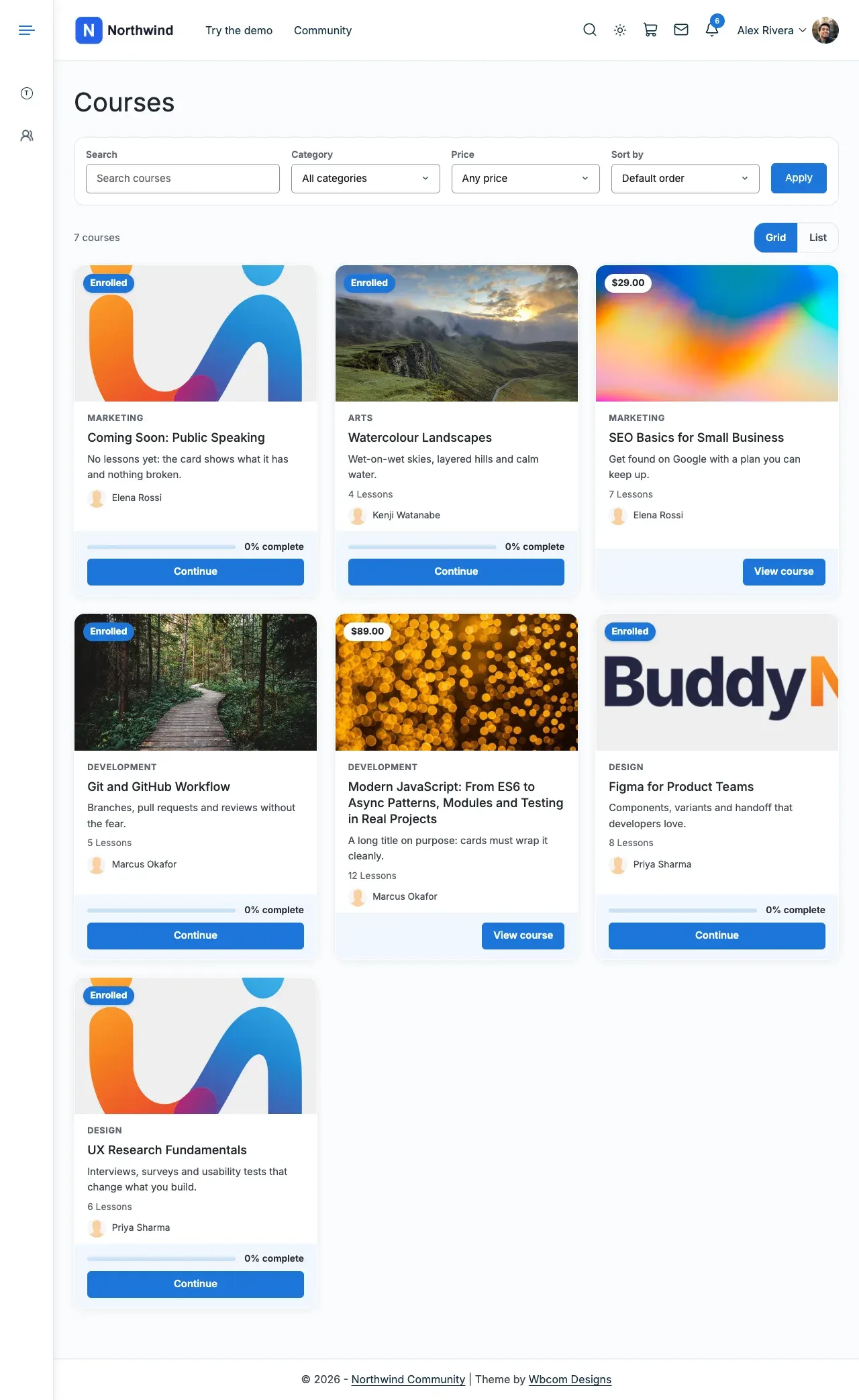
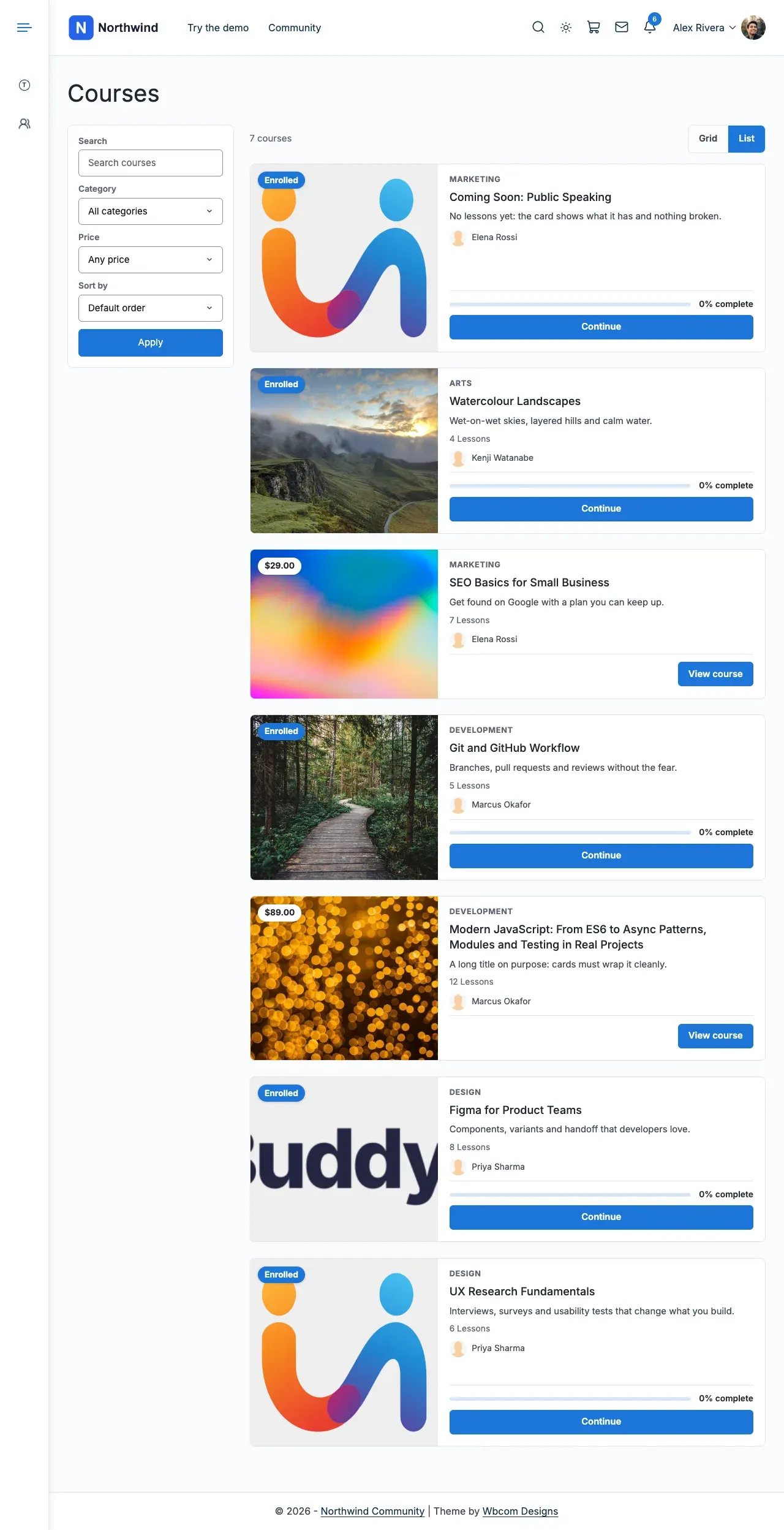
- Three course list layouts: Classic cards, Soft cards and Catalog. Each has a Grid or List switch and a filter bar.
- Styling for LearnDash’s own reviews and groups.
- Buy buttons for closed courses sold with WooCommerce, Easy Digital Downloads or Paid Memberships Pro.
- The
[modern_courses]and[modern_groups]shortcodes, and a Courses grid block. - Three widgets: course categories, course search and a course list.
- A link to BuddyPress or BuddyBoss: social groups for courses, activity posts and a Courses tab.
Before you start
Section titled “Before you start”| You need | Minimum |
|---|---|
| WordPress | 6.5 |
| PHP | 8.1 |
| LearnDash LMS | 5.2 |
| Reign theme | 8.1.0 |
| BuddyPress | 14, only for the community features (BuddyBoss Platform works too) |
If something is missing or too old, the add-on pauses. It shows “Reign LearnDash Addon is paused. Your settings are kept.” with one step per missing item. Do each step and it starts again by itself. An old BuddyPress turns off only the community features.
-
Go to Reign Settings > Integrations.
-
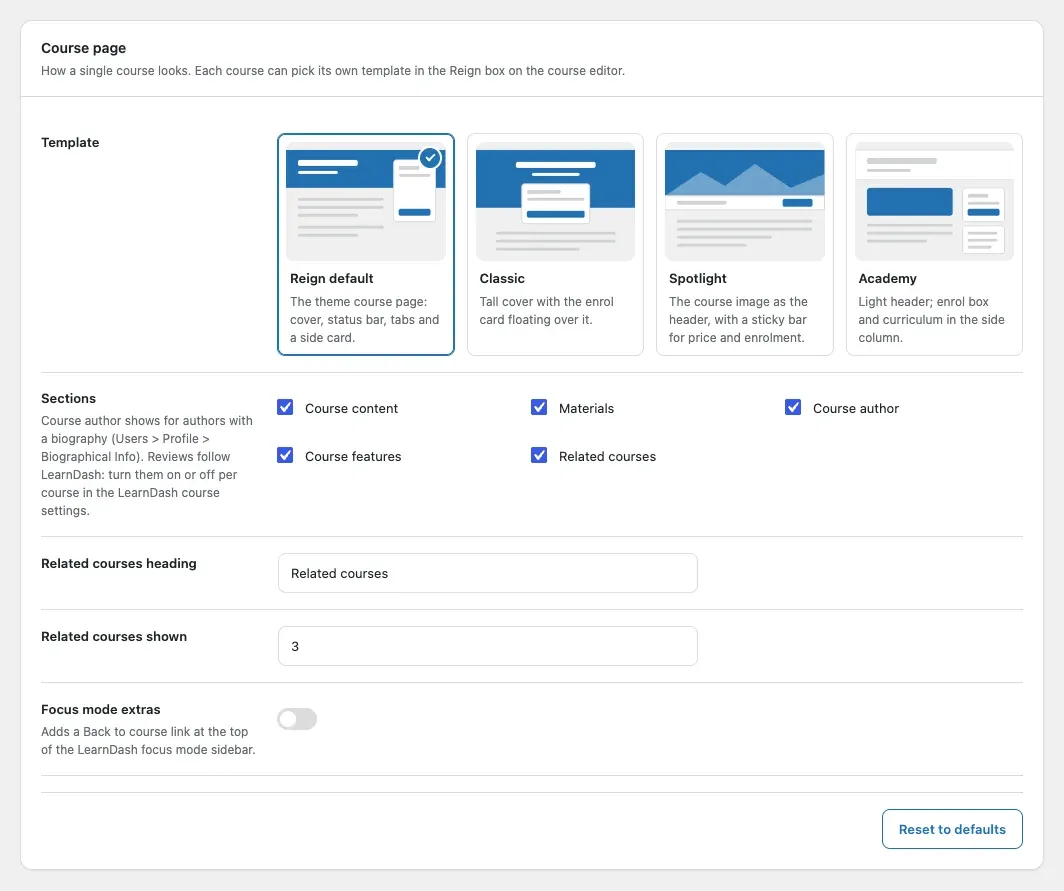
In the Addon settings card, select Configure on the LearnDash tile. The first card is Course page.
-
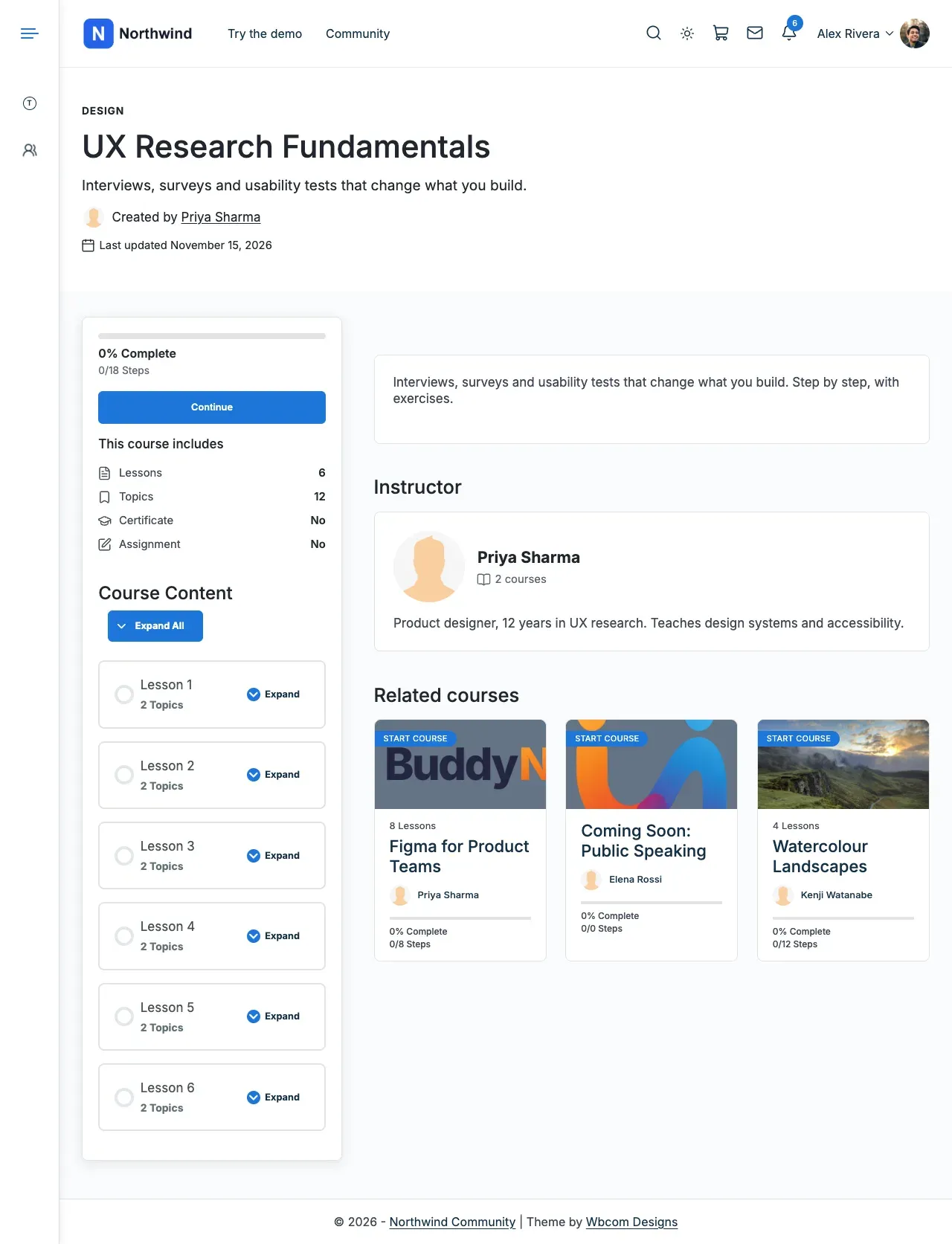
Pick a course page template. Reign default is the theme’s own page.
-
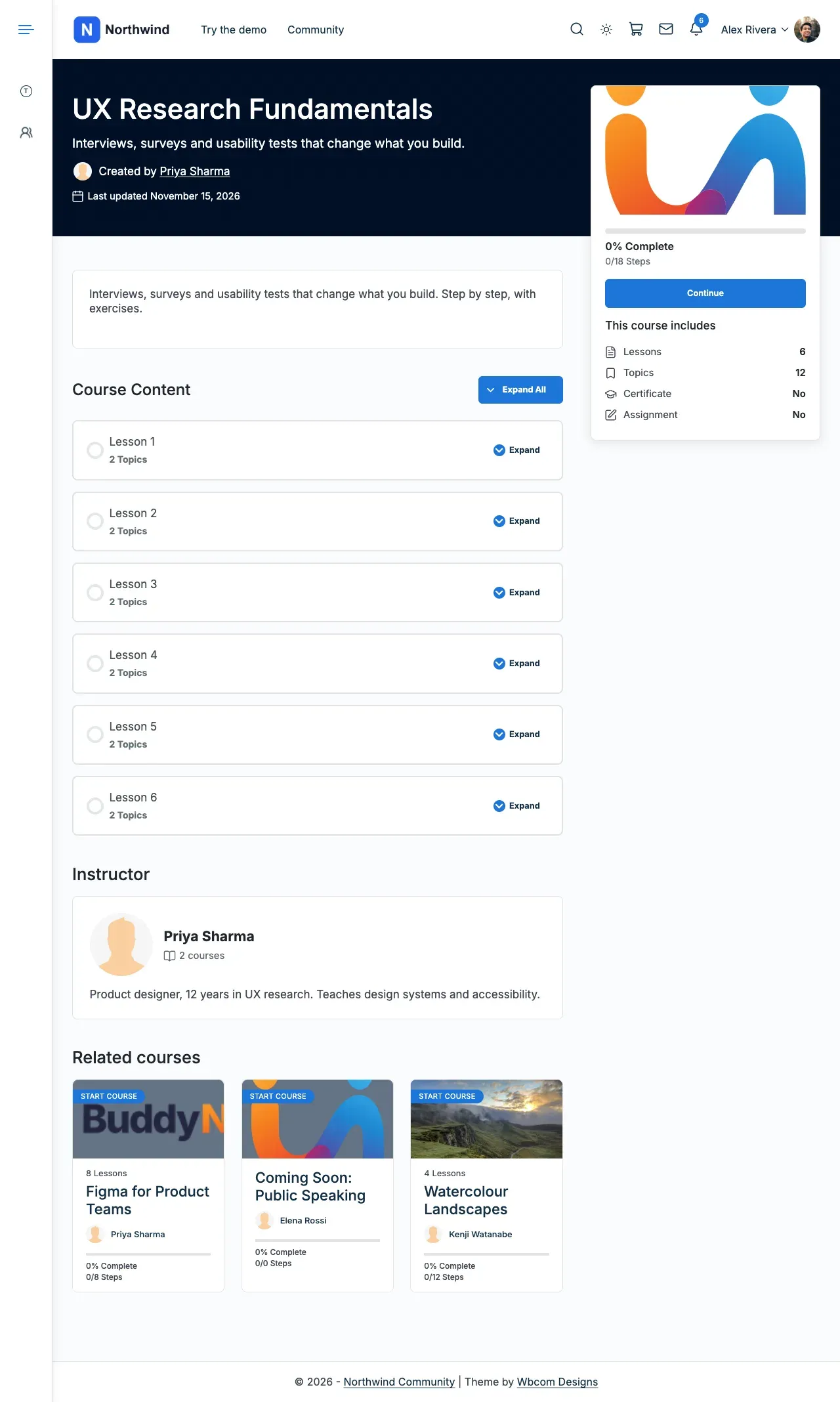
Classic puts a tall cover over the page, with the enrol card floating on it.
-
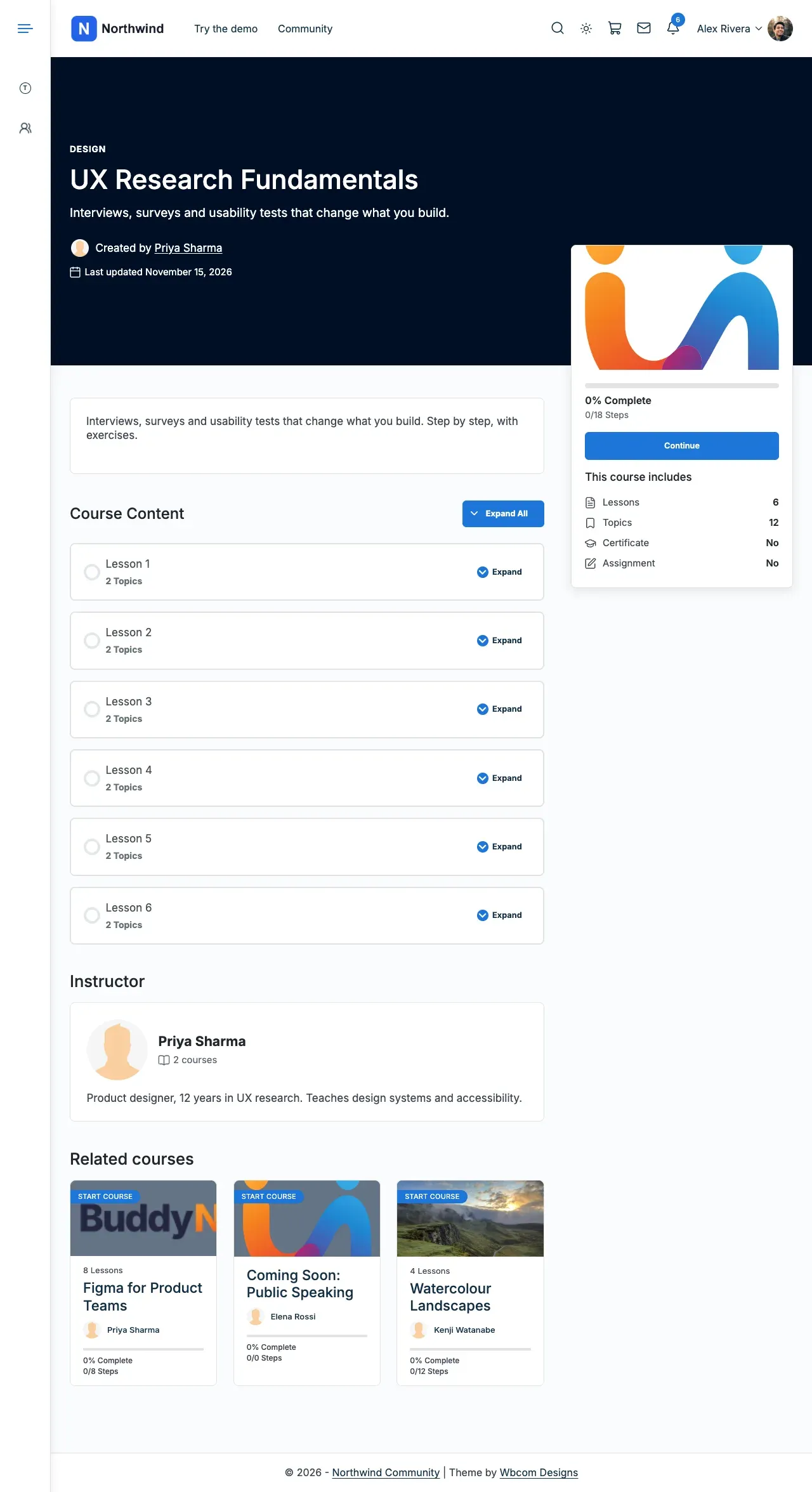
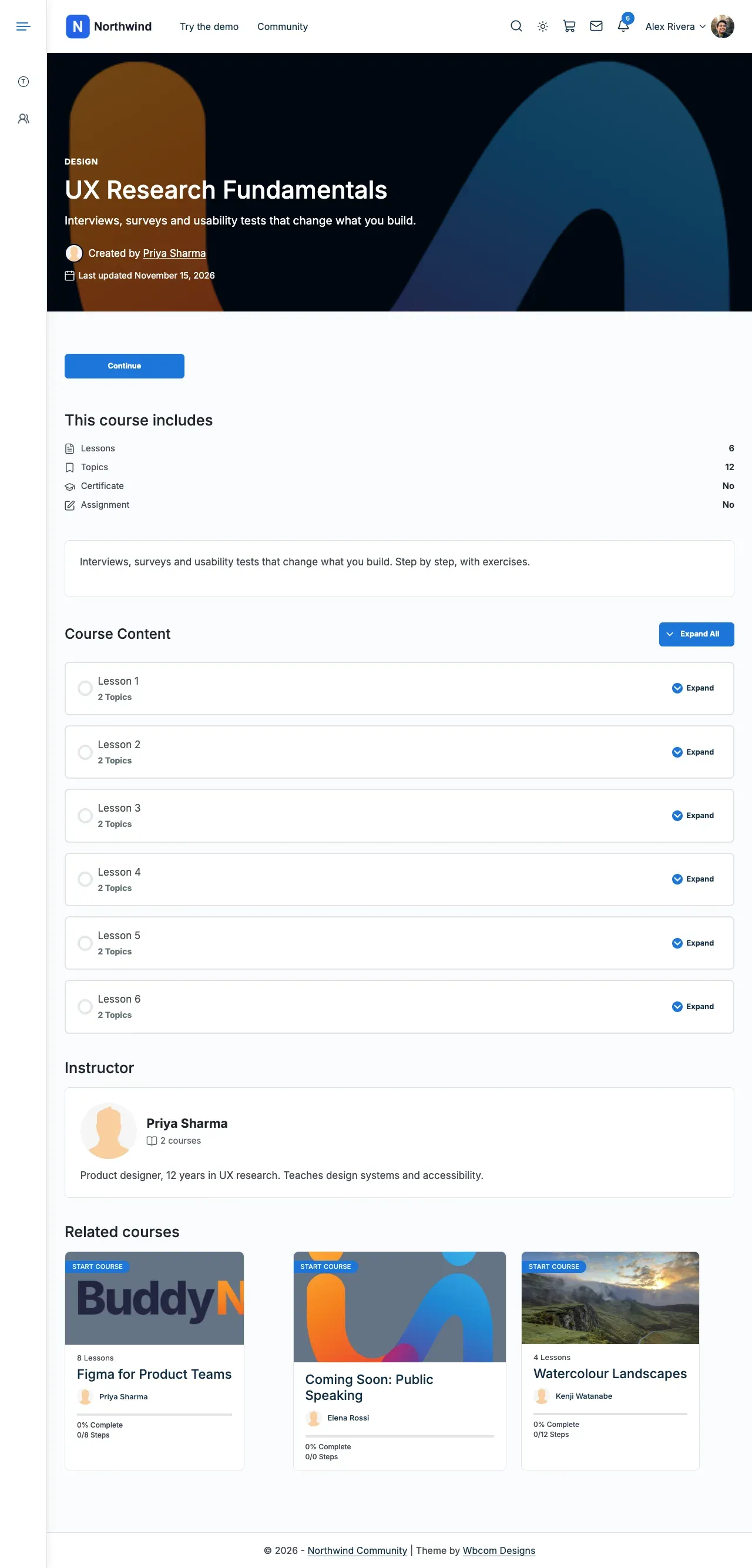
Spotlight uses the course image as the header. Academy keeps the enrol box and lessons in a side column.
-
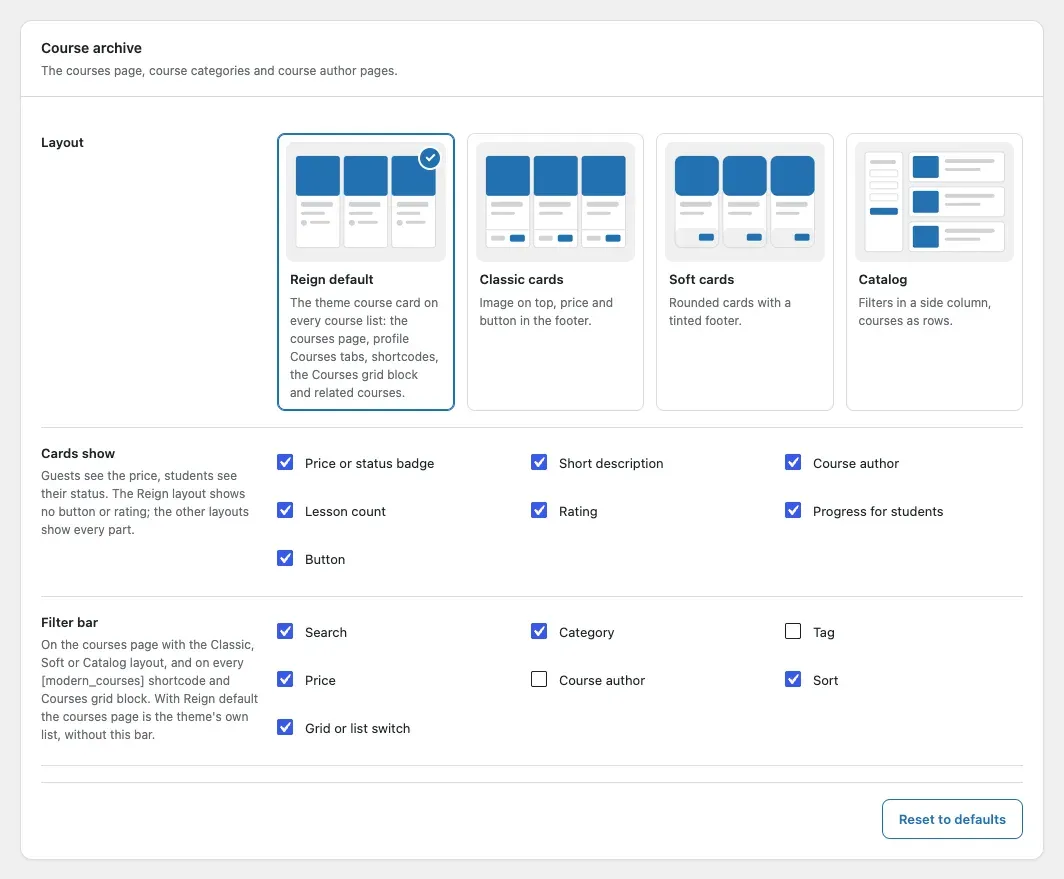
Open the Course archive card. Pick the layout, the parts each card shows and the filter bar.
-
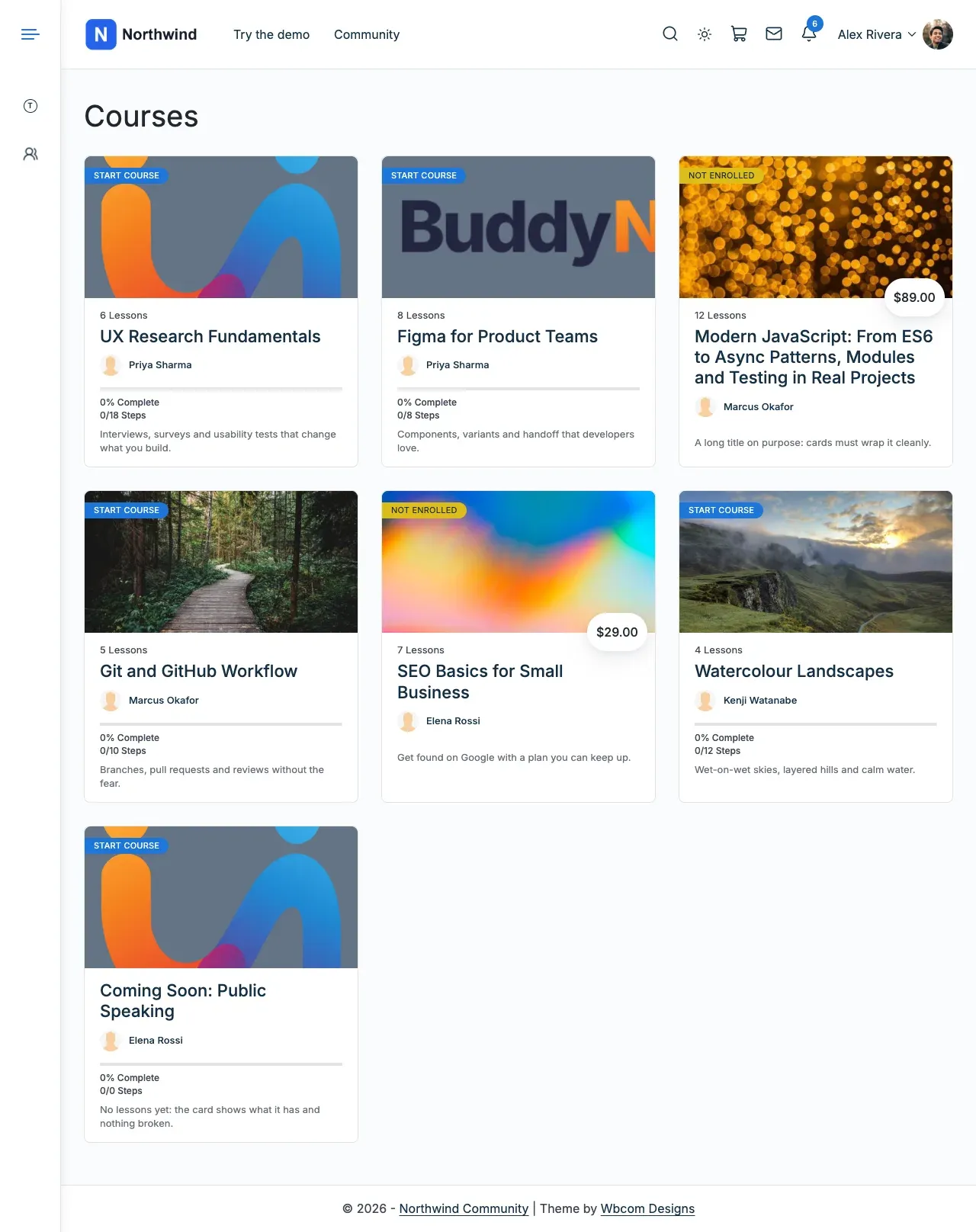
Check the result. Reign default is the theme’s own list of course cards.
-
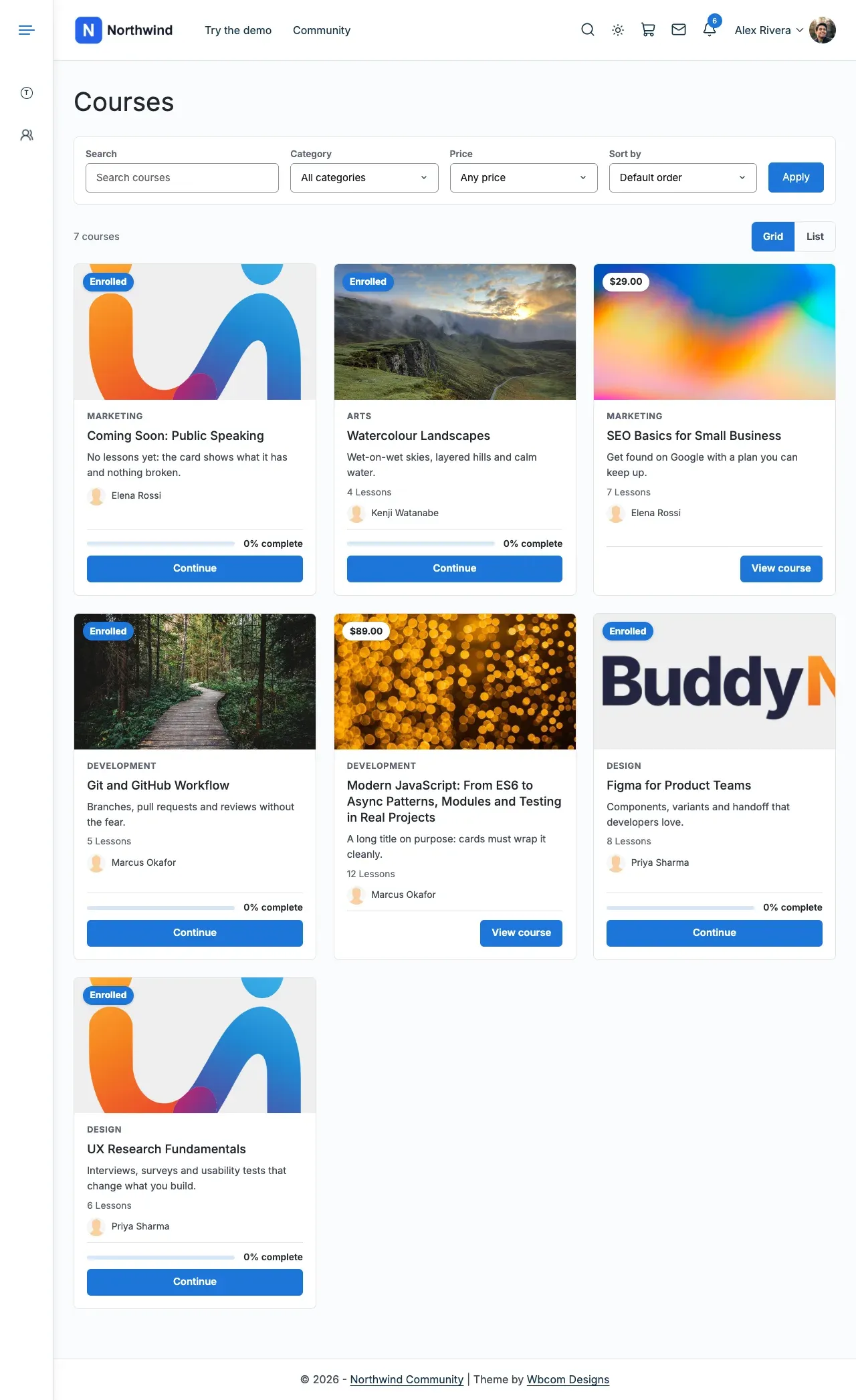
Classic cards and Soft cards add the filter bar and a Grid or List switch. Catalog moves the filters to a side column.
-
To set a template for one course, open that course in the editor. Use the Reign box. Groups have the same box.
-
Select Save changes. Enter the add-on licence key in Reign Settings > License.
Link courses to your community
Section titled “Link courses to your community”If BuddyPress or BuddyBoss is active, three more cards appear. Each course can get a social group, and so can each LearnDash group.
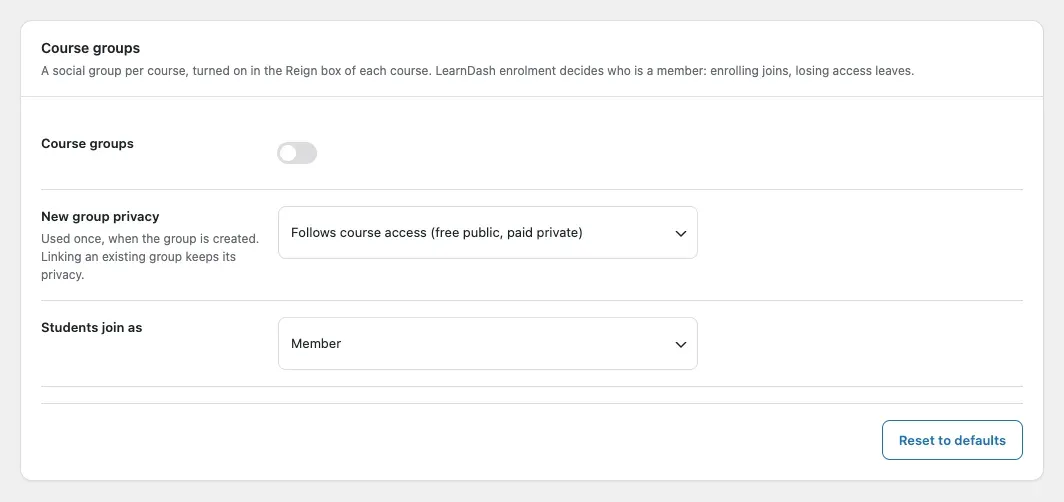
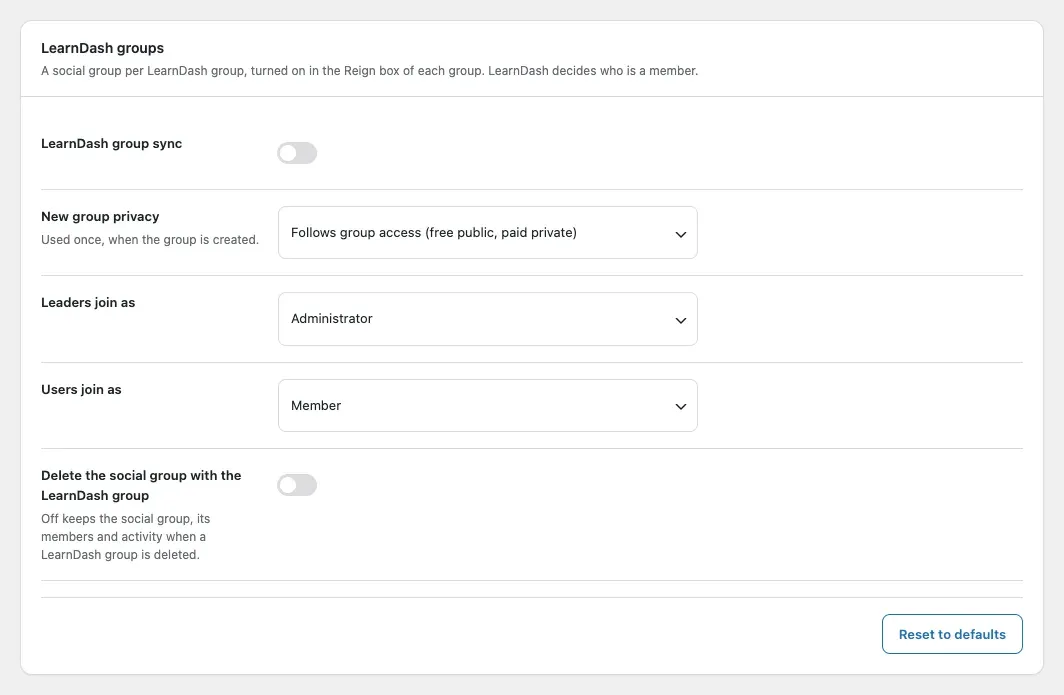
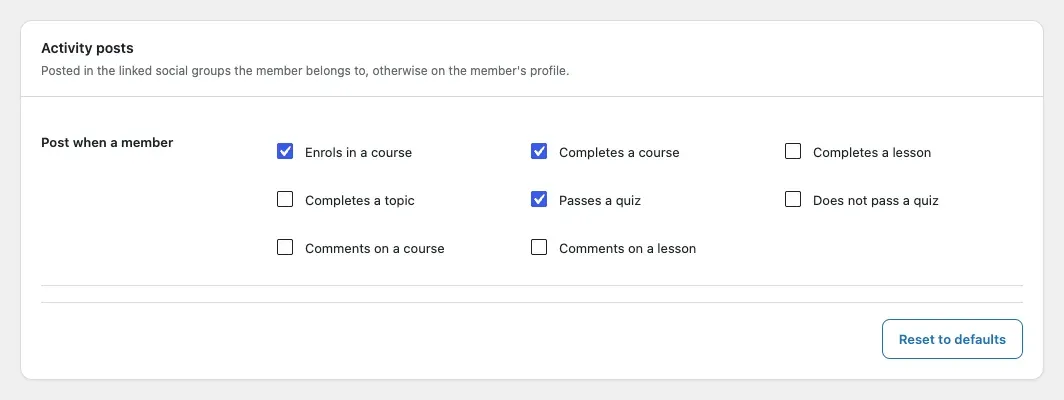
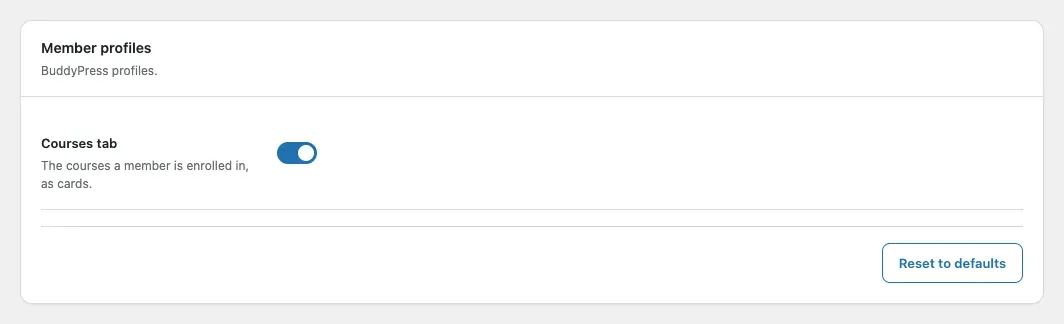
Pick which course events post to the activity feed, and whether profiles get a Courses tab.
You’ll know it worked when
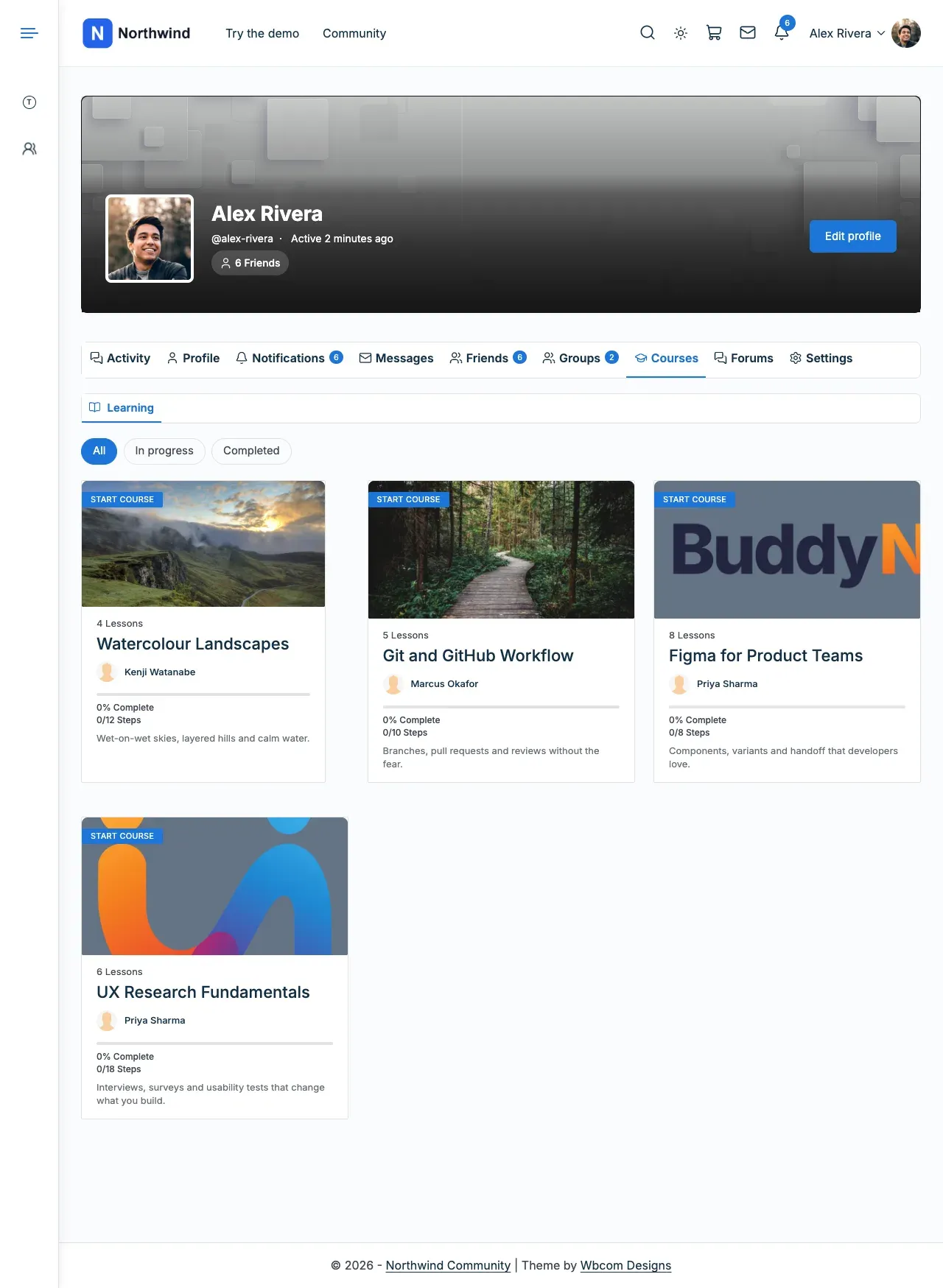
Section titled “You’ll know it worked when”Your course page and course list use the layout you picked. With community sync on, members see a Courses tab on their profile.
Good to know
Section titled “Good to know”How do I make the course list one column on a phone?
Section titled “How do I make the course list one column on a phone?”You do nothing. On a phone the cards stack in one column.

Where did the add-on’s own reviews go?
Section titled “Where did the add-on’s own reviews go?”The add-on no longer has its own review system. It styles LearnDash’s reviews instead.
I am updating from 5.1.0. What changes?
Section titled “I am updating from 5.1.0. What changes?”Update the theme and the add-on together. A one-time upgrade moves your saved settings, shortcodes and reviews. The add-on’s own review system, its copied LearnDash templates and its own dark mode are gone.