

Footer and copyright text (Footer)
Also called: footer, footer widgets, footer columns, bottom bar, copyright text, powered by, remove credit, footer links.
What this does
Section titled “What this does”The footer has two parts. The Footer Area is the block of widgets, small content boxes such as links or recent posts, near the bottom of every page. The Copyright bar is the thin strip underneath it. Footer colours are not set here. They come from your palette. To change one, use Change one specific colour.
Style the footer widgets
Section titled “Style the footer widgets”-
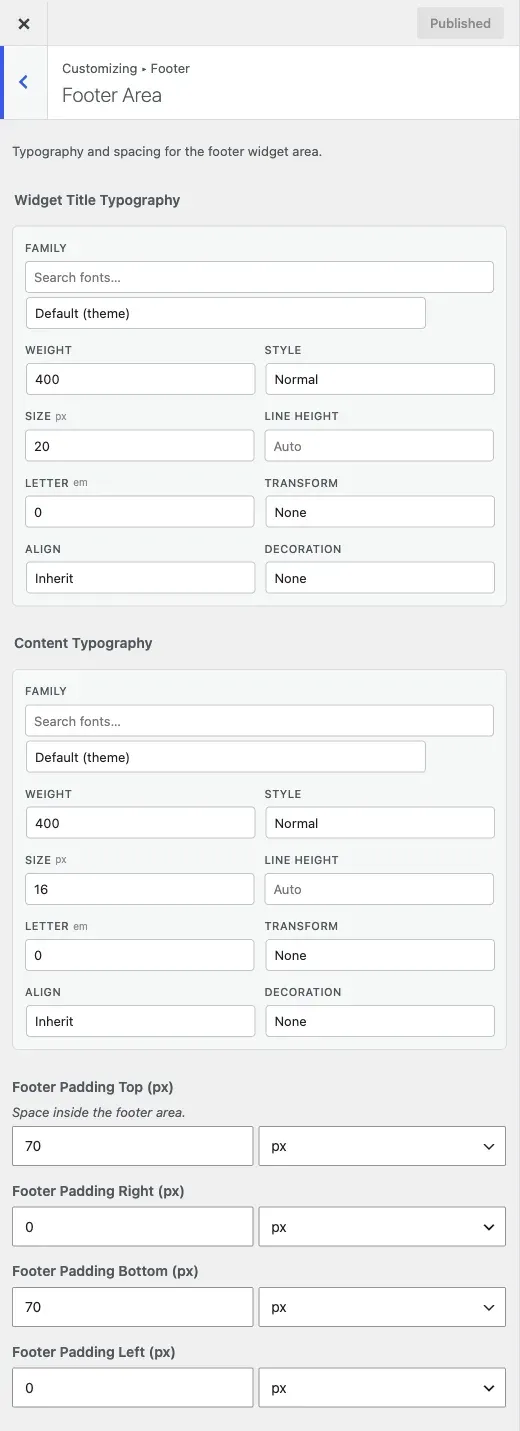
Go to Appearance > Customize > Footer > Footer Area.
-
Set Widget Title Typography. This is the font of each widget heading.
-
Set Content Typography. This is the font of the widget text and links.
-
Set the space around the whole area with Footer Padding Top (px), Right, Bottom and Left. The defaults are 70px top, 0px right, 70px bottom and 0px left. Enter a value such as
40px.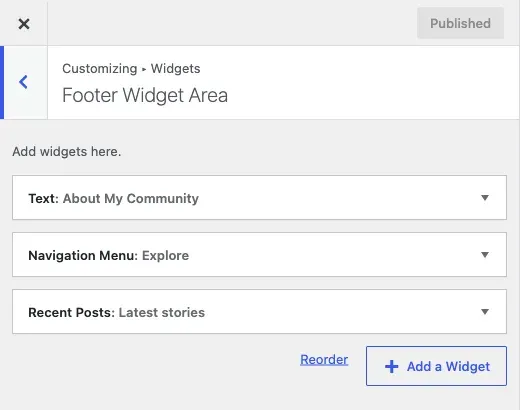
-
Click Publish.
To add the widgets themselves, see Sidebar, header and footer widgets.
Edit the copyright bar
Section titled “Edit the copyright bar”-
Go to Appearance > Customize > Footer > Copyright.
-
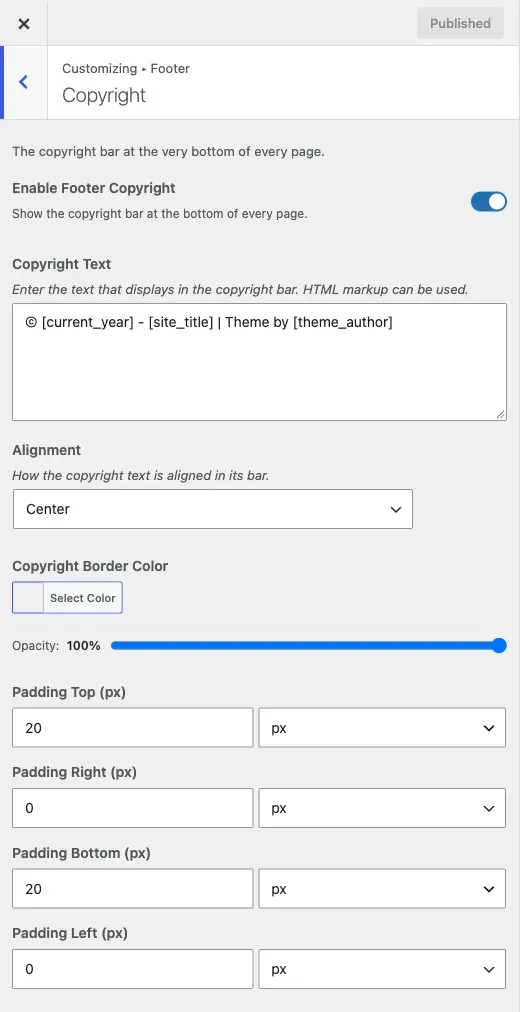
Turn on Enable Footer Copyright. Every other setting here works only while this is on.
-
Edit Copyright Text. You can keep the placeholders
[current_year],[site_title]and[theme_author], or remove them. -
Set Alignment to left, right or centre.
-
Set Copyright Border Color. This is the top border of the bar.
-
Set the space inside the bar with Padding Top (px), Right, Bottom and Left. The defaults are 20px top, 0px right, 20px bottom and 0px left.
-
Click Publish.
You’ll know it worked when
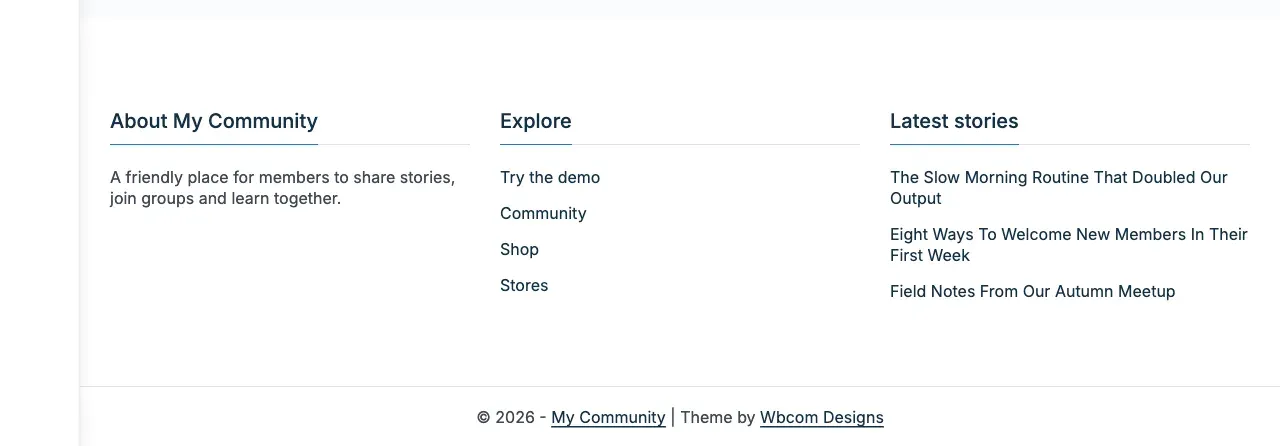
Section titled “You’ll know it worked when”Scroll to the bottom of any page. The widgets and the copyright line show as you set them.
Good to know
Section titled “Good to know”How do I edit the copyright text?
Section titled “How do I edit the copyright text?”Edit Copyright Text as above. It is plain HTML, not a rich-text editor. To add a privacy link, type <a href="/privacy/">Privacy Policy</a>.
How do I remove the “powered by” credit?
Section titled “How do I remove the “powered by” credit?”Change Copyright Text. Delete the [theme_author] placeholder and any credit you do not want.
How do I add columns to the footer?
Section titled “How do I add columns to the footer?”Add widgets under Appearance > Widgets in the footer areas. See Sidebar, header and footer widgets.
My footer looks cramped or too spaced
Section titled “My footer looks cramped or too spaced”Change the Footer Padding values. Do this before you change a single widget’s own settings.
I changed a setting and nothing happened
Section titled “I changed a setting and nothing happened”Check you edited the right section. Footer Area changes the widgets only. Copyright changes the bottom bar only. If a colour did not change after you switched palette, see Change your site colours.