

Other plugins that follow your colours and dark mode
Also called: plugin not dark in dark mode, plugin colours do not match, dark mode not on all pages, Elementor pages not dark, colour fit.
What this does
Section titled “What this does”Reign fully styles WooCommerce, BuddyPress, bbPress, LearnDash, The Events Calendar and WP Job Manager. For the plugins below it does something smaller. It loads a short stylesheet that maps the plugin’s colours to your palette. The plugin’s pages then follow your colours. They follow your dark mode too, where the plugin has no dark design of its own. The plugin keeps its own layout, templates and settings.
Before you start
Section titled “Before you start”You do not need to do anything. A fit loads only while its plugin is active and its own stylesheet is on the page. Where a plugin lets you pick colours of your own, your choice wins.
What each fit changes
Section titled “What each fit changes”| Plugin | What the fit changes |
|---|---|
| Dokan | Buttons and form controls take your colours and corner radius, so the store page, store list and vendor dashboard match the site. Dokan Pro’s colour module can still override the dashboard sidebar palette. |
| WCFM Marketplace | The store page uses three product columns beside its sidebar, inactive tab links read at readable contrast, and the store list lines up on one edge. |
| WC Vendors | The store name uses your heading style, and the vendor dashboard follows dark mode. |
| MultiVendorX | Store and registration pages follow your colours in light and dark mode. |
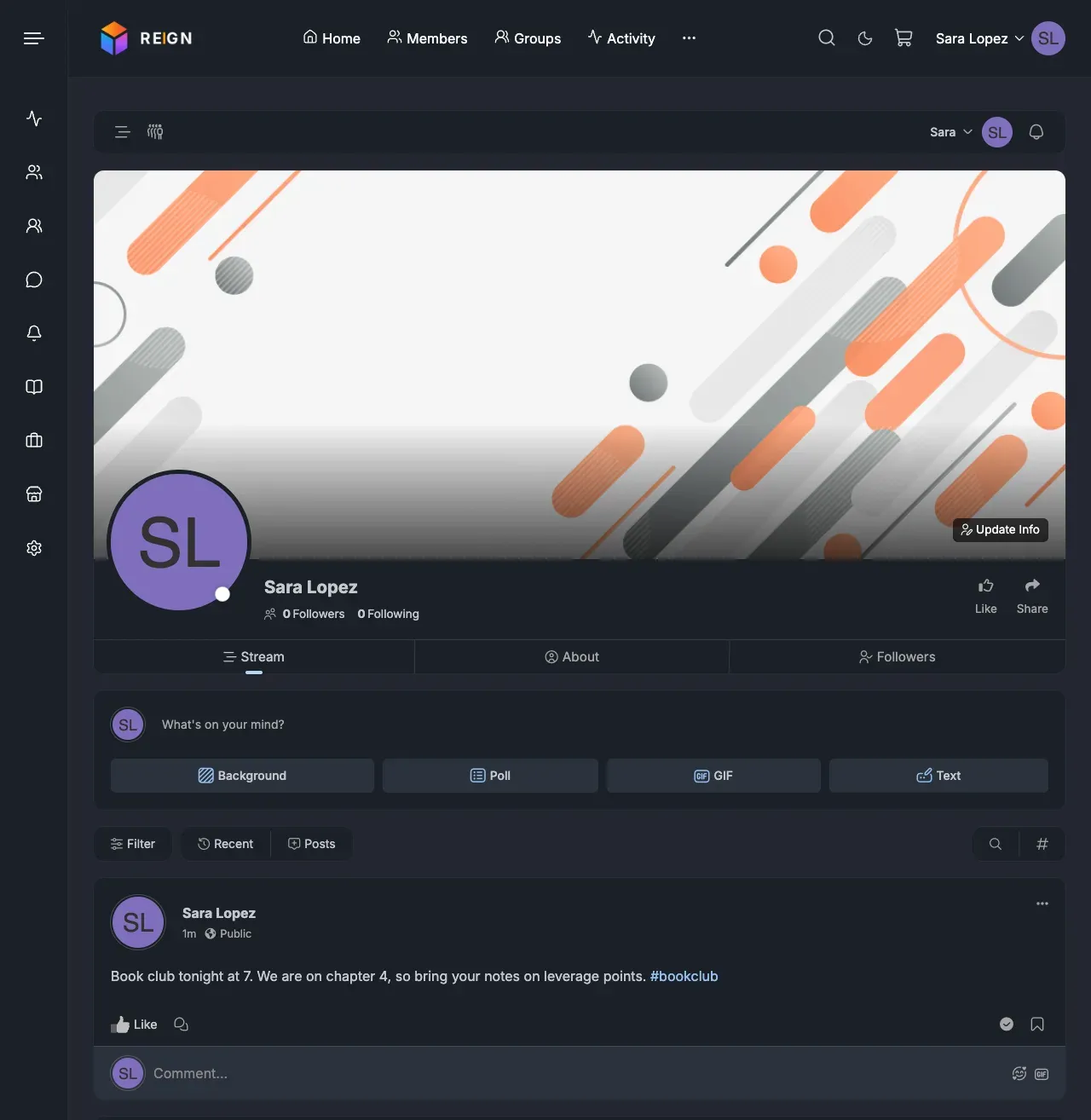
| PeepSo | In dark mode PeepSo’s cards, fields and widgets use your dark palette. PeepSo’s accent colour follows your theme colour while PeepSo uses the theme colours is on. See Set up PeepSo. |
| Easy Digital Downloads | In dark mode the checkout and cart use your colours. Light mode stays Easy Digital Downloads’ own design. A purchase button set to “Inherit” takes your button colours. |
| FluentCart | In dark mode its product, card, review and form colours follow your palette. Light mode and its primary buttons stay FluentCart’s own. |
| Paid Memberships Pro | Its pages, cards, borders and buttons follow your colours and dark mode while PMPro’s design colours are its stock ones. Colours you picked in PMPro are left alone. |
| GeoDirectory | Listings, search fields and tabs follow your colours and dark mode. Buttons, links and the active tab take your theme colour while GeoDirectory’s own primary colour is unchanged. |
| WPForms | In dark mode form labels, fields and error text stay readable. Light mode and the submit button keep WPForms’ own design. Colours set in the WPForms Themes panel win. |
| Tutor LMS | Dark mode fixes for course titles and the learner and instructor dashboards. Light mode keeps Tutor’s own Design settings. |
| LearnPress | Restores your page background and dark mode, which LearnPress paints white. Fixes section headers, borders and form fields in dark mode. |
| MasterStudy LMS | Keeps MasterStudy’s own pages and accent colour. Gives them your page background, link colours and dark mode. |
| Sensei LMS | Colours and dark mode on every Sensei page, including Learning Mode. Without the Reign Sensei add-on, the course list, course page and lesson rows also use your design. |
| LifterLMS | The student dashboard, course page and syllabus use your colours, corner radius and borders. |
| Elementor | While the Elementor Kit has no saved colours or fonts, Elementor’s default palette and fonts follow your theme palette, skin and dark mode. Once you save Kit colours or fonts, the fit switches off and your Kit wins. |
This is PeepSo’s member profile in dark mode. Cards, fields, widgets and notices (such as “No posts found”) use your dark palette, and the header shows your dark-mode logo. The accent follows your theme colour.
You’ll know it worked when
Section titled “You’ll know it worked when”Turn on dark mode and open one of the plugin’s pages. Text is readable and the background is dark.
Good to know
Section titled “Good to know”Why isn’t some content dark in dark mode?
Section titled “Why isn’t some content dark in dark mode?”A plugin may be missing from the table above, or it may use fixed colours of its own. Check the plugin’s own colour settings. If you saved colours in Elementor or WPForms, those win over Reign’s fit.
What does a fit not do?
Section titled “What does a fit not do?”It does not add settings, templates or widget areas for the plugin. It does not change the plugin’s layout. Use the plugin’s own settings for that.
Where are the course pages?
Section titled “Where are the course pages?”Course pages for LearnDash, Tutor LMS, LifterLMS, Sensei LMS and LearnPress use Reign’s shared course layout. See Online course plugins (LMS platforms).