

Add Google Analytics or scripts (Custom code)
Also called: tracking code, Google Analytics, Facebook pixel, header scripts, footer scripts, custom JavaScript, add code, snippets.
What this does
Section titled “What this does”Custom Code lets you add your own code to every page of the site, with no extra plugin. Use it to paste Google Analytics, a Facebook Pixel or a few lines of JavaScript. It does not take CSS. CSS goes in Additional CSS.
-
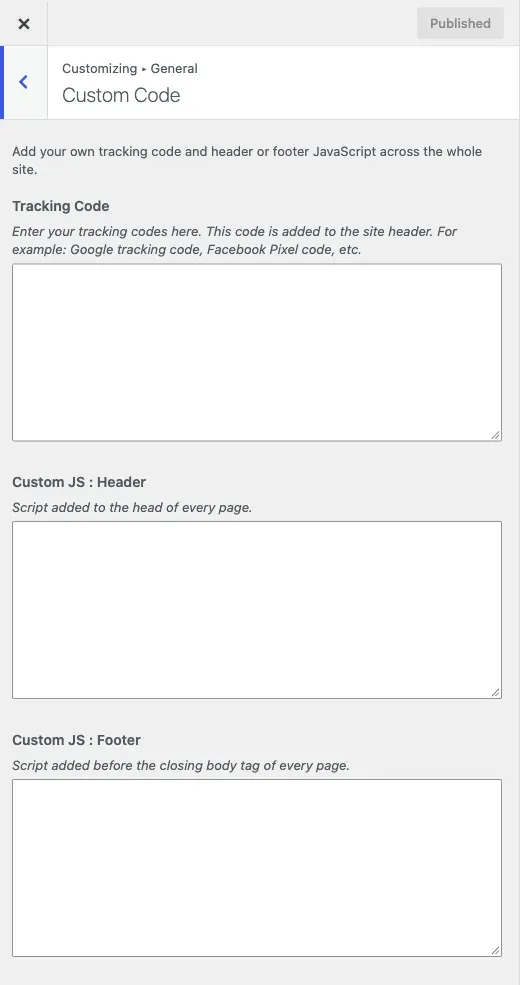
Go to Appearance > Customize > General > Custom Code.
-
Paste the code your service gave you into the right field:
- Tracking Code is added to the
<head>of every page. Use it for Google tracking code, a Facebook Pixel, or any analytics or verification tag that gives you a block of HTML. - Custom JS : Header takes plain JavaScript, added to the header. Do not add
<script>tags. - Custom JS : Footer takes plain JavaScript, added to the footer. Use this for most scripts, because it does not hold up the page while it loads.
- Tracking Code is added to the
-
Click Publish.
The fields are code editors with colour highlighting. Your preview updates as you type.
You’ll know it worked when
Section titled “You’ll know it worked when”Your analytics tool shows a visit after you load the site in a private window. You can also view the page source and search for your code.
Good to know
Section titled “Good to know”How do I add Google Analytics?
Section titled “How do I add Google Analytics?”Paste the snippet Google gives you into Tracking Code. It goes into the page head on every page.
Where do I add my own CSS?
Section titled “Where do I add my own CSS?”Use Appearance > Customize > Additional CSS, which WordPress provides. Custom Code covers HTML and JavaScript only.
Why is my Additional CSS not working?
Section titled “Why is my Additional CSS not working?”Reign’s own CSS loads first, and your Additional CSS loads after it. So your rule wins without !important, as long as it is as specific as the theme’s rule. If it does not apply, look for a more specific selector in the theme before you add !important. See Changes are not showing on the site.
Should I use a plugin instead?
Section titled “Should I use a plugin instead?”For a few scripts, Custom Code is simpler. There is nothing to install or update. If you manage many scripts, need to load them only on some pages, or want tag rules, use a tag manager. Then leave these fields empty.