

Change the member profile page
Also called: edit the profile page, member profile layout, profile header, profile cover, profile tabs, profile fields, member page.
What this does
Section titled “What this does”The member profile page belongs to your community plugin. Reign draws the header, footer, colours and dark mode around it. With BuddyPress and BuddyBoss, Reign also gives you the profile header layout. You run one community plugin at a time, so find yours in the table.
| Your community plugin | The profile is controlled in |
|---|---|
| BuddyNext | BuddyNext’s own screens |
| BuddyPress | Reign Settings > Community > Community Settings |
| BuddyBoss Platform | BuddyBoss’s settings, plus Reign Settings > Community > Community Settings |
| PeepSo | PeepSo’s own settings |
Steps for BuddyNext
Section titled “Steps for BuddyNext”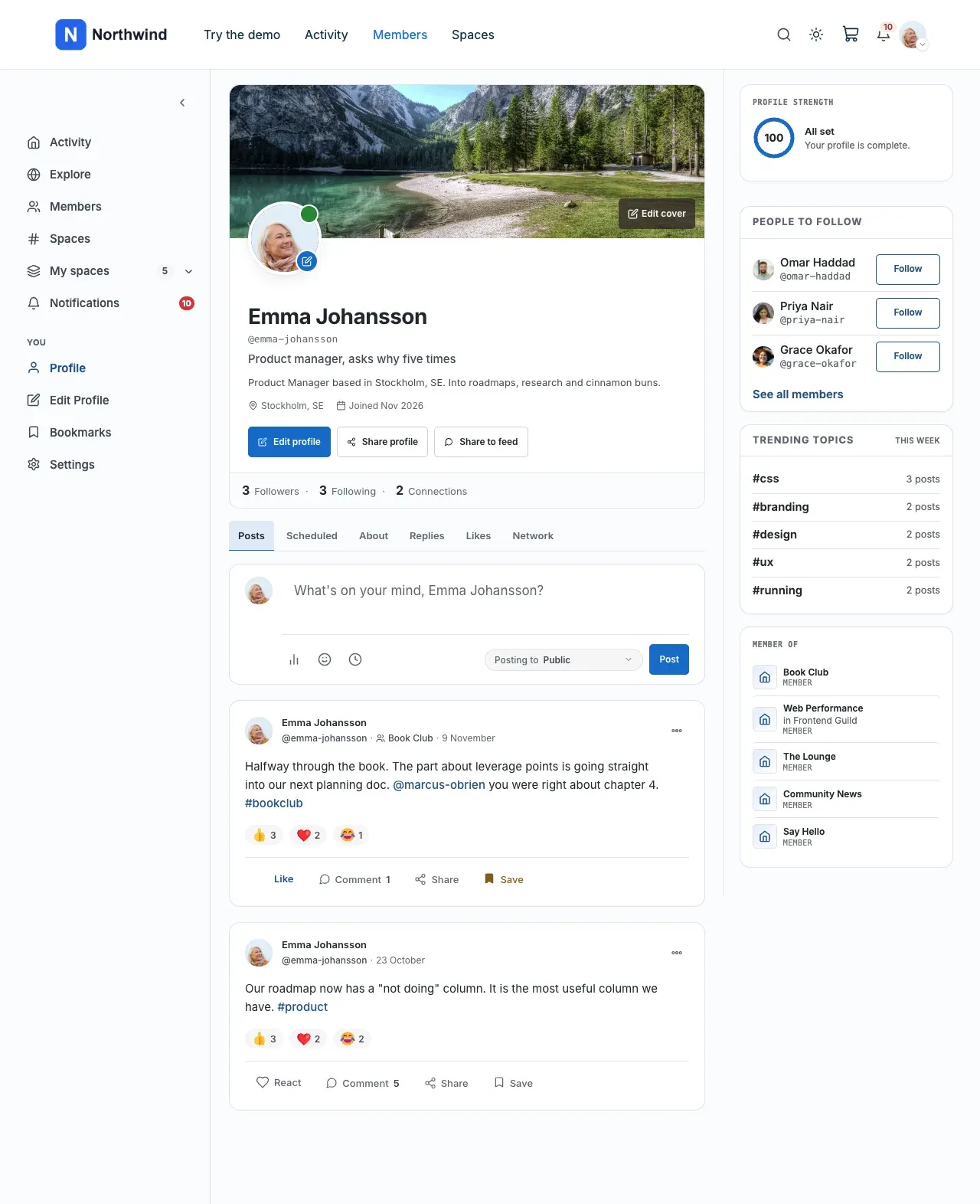
Reign styles the profile for you. Reign Settings > Community says there is nothing to configure. Change the profile in BuddyNext.
- Go to BuddyNext > Members and open Profile Fields. Add, reorder or remove fields. Turn on Show in the profile header to put a field in the row under the member’s name.
- Open Avatar & cover on the same screen. Set the default avatar and cover for members who have not uploaded their own.
- Go to BuddyNext > Settings > Navigation and open Profile Tabs. Choose which tabs show and in what order. Tabs from other plugins appear there too.
See Set up BuddyNext.
Steps for BuddyPress
Section titled “Steps for BuddyPress”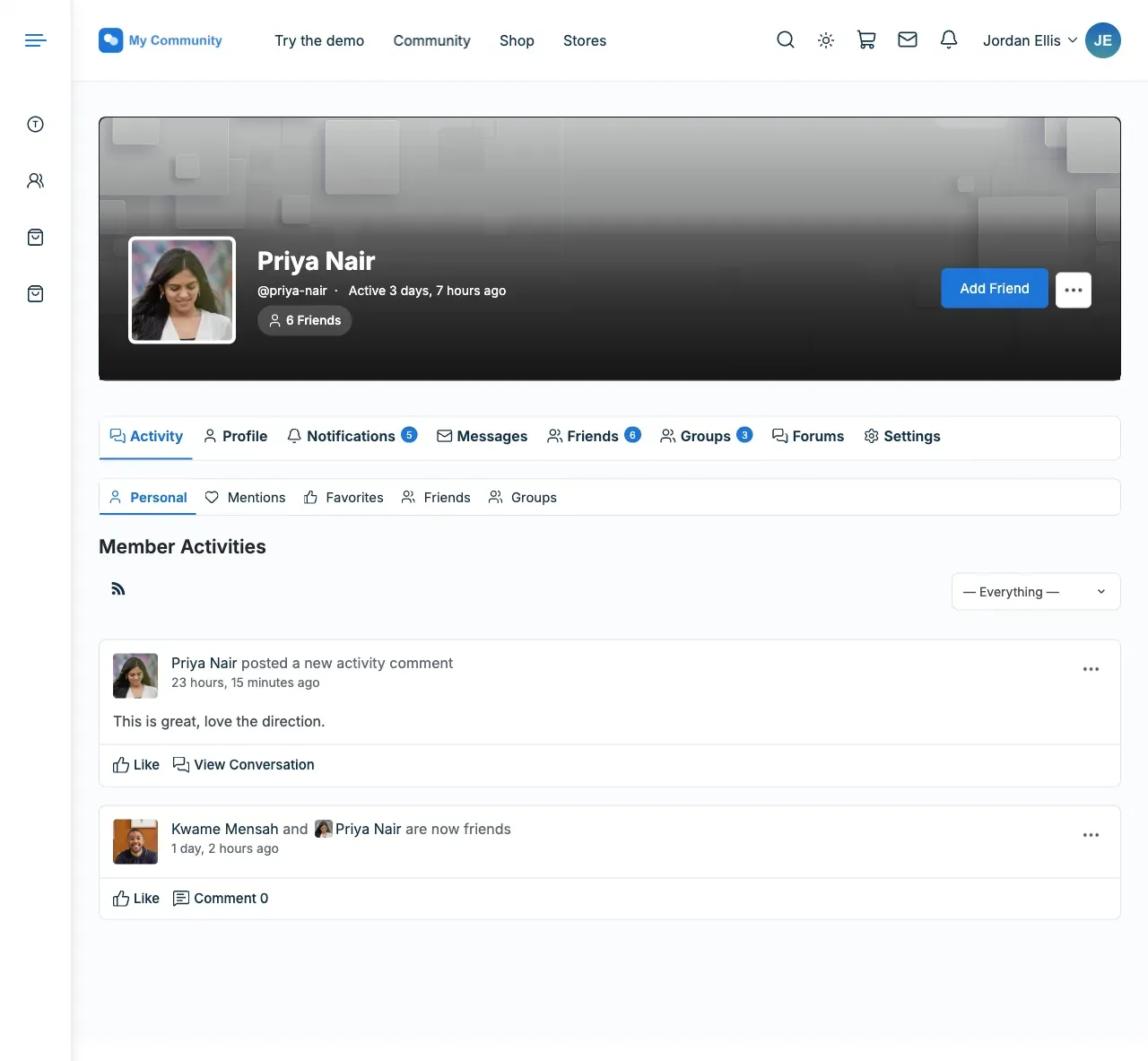
- Go to Reign Settings > Community and open Community Settings.
- Open the Layouts tab.
- Under Member Cover Header Layout, choose one of four layouts.
- Choose the tab style on a profile: Icon + Label, Icon only or Label only.
- Turn on Allow Members To Switch Cover Header Options only if each member should pick their own header on their Edit Profile screen.
- Open Avatar Settings. Set the default avatar, the default cover and the Profile cover size.
- Open Advanced Settings. Add the social links members can show.
Tabs that do not fit on one line move into a “…” menu. To use a side menu instead of tabs, go to Appearance > Customize > BuddyPress Nouveau > Member navigation. See Set up BuddyPress and Member and group lists (Directories).
Steps for BuddyBoss Platform
Section titled “Steps for BuddyBoss Platform”BuddyBoss decides which parts of the profile show. Reign decides how the header is laid out and coloured.
- Go to BuddyBoss > Settings > Appearance. Set Layout to WordPress Theme, so the profile uses Reign’s design and not ReadyLaunch.
- Go to BuddyBoss > Settings > Profiles. Choose which header elements and tabs show.
- Go to Reign Settings > Community > Community Settings > Layouts. Choose the Member Cover Header Layout.
- With BuddyBoss Platform Pro, turn on Override Member Cover Header Layout if you want Reign’s layout to win over Platform Pro’s Header Style.
The Avatar Settings tab is hidden on BuddyBoss. Set the default avatar and cover in BuddyBoss. See Set up BuddyBoss Platform.
Steps for PeepSo
Section titled “Steps for PeepSo”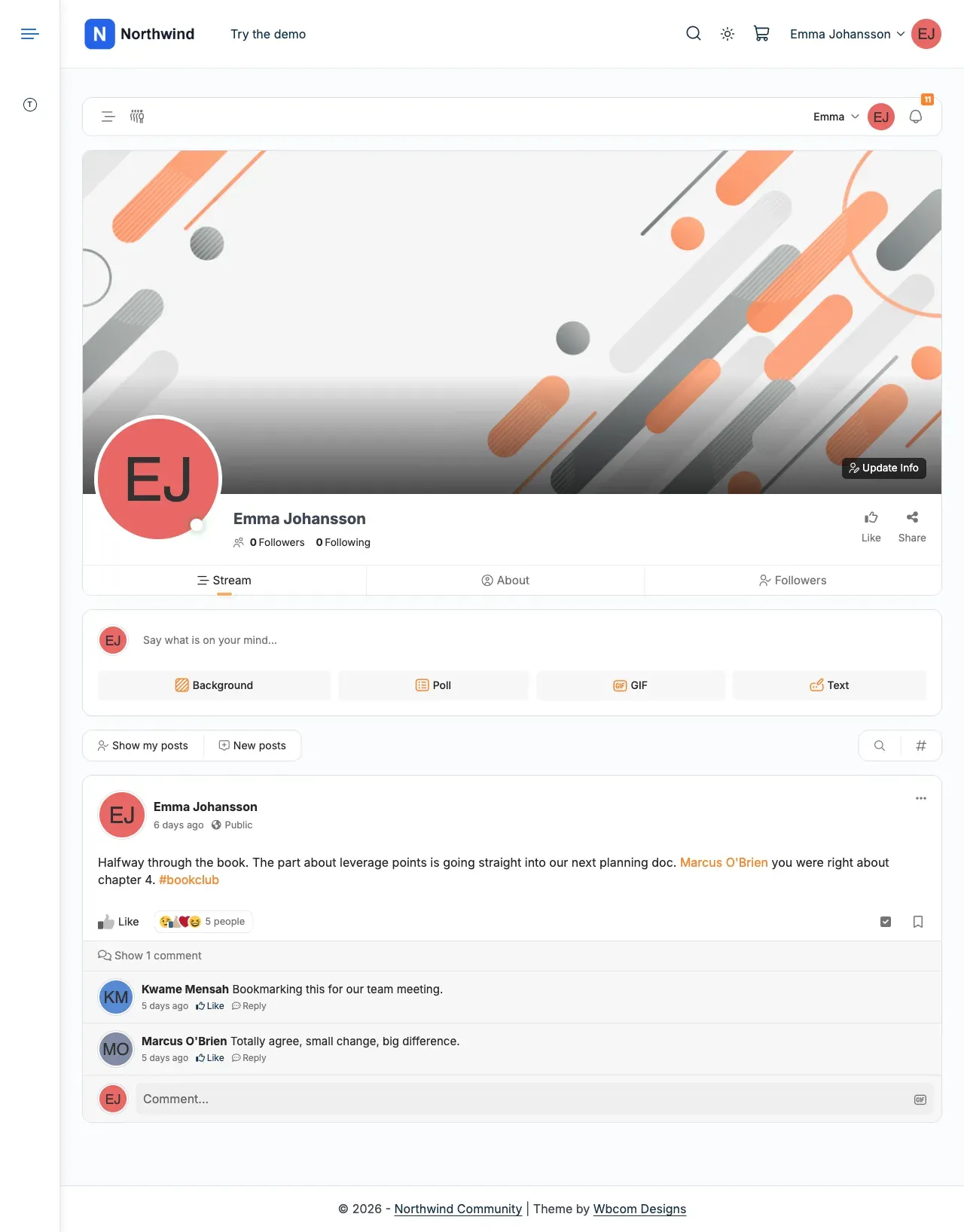
Since Reign 8.1.0, Reign has no PeepSo profile settings. Change the layout, cover, avatar and social links in PeepSo’s own settings. Reign still supplies the header, footer, colours and dark mode. See Using PeepSo with Reign.
You’ll know it worked when
Section titled “You’ll know it worked when”Open a member profile. The header layout, tabs and cover match your choices.
Good to know
Section titled “Good to know”How do I add a Courses or Store tab to the profile?
Section titled “How do I add a Courses or Store tab to the profile?”Some paid Reign add-ons add a tab to member profiles. Turn each one on or off in the add-on’s own settings. Go to Reign Settings > Integrations and select Configure on the add-on’s tile.
| Add-on | Profile tab it adds | Community plugin it needs |
|---|---|---|
| Reign LearnDash Addon | Courses | BuddyPress or BuddyBoss |
| Reign LifterLMS Addon | Courses | BuddyPress, BuddyBoss or PeepSo |
| Reign Tutor LMS Addon | Courses | BuddyPress, BuddyBoss or PeepSo |
| Reign Sensei Addon | Courses | BuddyPress or BuddyBoss |
| Reign Dokan Addon | Store on a vendor’s profile, Favourite products on your own | BuddyPress or BuddyBoss |
| Reign WCFM Addon | Favourite products and Store | BuddyPress or BuddyBoss |
| Reign WC Vendors Addon | Store on a vendor’s profile, Favourites on your own | BuddyPress, BuddyBoss or PeepSo |
| Reign GeoDirectory Addon | Places, one sub-tab for each listing type | BuddyPress, BuddyBoss or PeepSo |
| Reign WP Job Manager Addon | None. It adds a “Posted by” link to the poster’s profile. | BuddyPress, BuddyBoss or PeepSo |
Why is a profile tab missing?
Section titled “Why is a profile tab missing?”BuddyNext sites do not get these tabs from the Reign add-ons. Otherwise, check that the add-on is not paused. See Updating from 8.0.x to 8.1.