

Multi-vendor store plugins: Dokan, WCFM, WC Vendors, MultiVendorX (Marketplace plugins)
Also called: marketplace theme, vendor store, multi-vendor, Dokan theme, WCFM theme, sell like Etsy, vendor dashboard, vendor profile, do I need the WCFM add-on.
What this does
Section titled “What this does”Multi-vendor plugins let many sellers run stores on your site. Dokan, WCFM, WC Vendors and MultiVendorX all work on Reign. Since Reign 8.1.0, Reign ships no styling, templates, settings or sidebars for them. Each plugin uses its own design for vendor stores and dashboards. Reign adds your colours, fonts, header and footer around them.
Before you start
Section titled “Before you start”Install WooCommerce and your marketplace plugin.
Who controls what
Section titled “Who controls what”Reign controls:
- Your colours, fonts, header, footer and the layout box on each page.
- The WooCommerce shop, cart, checkout and My Account pages. A vendor’s products still use Reign’s WooCommerce styling. Read Online shop with WooCommerce too.
- Dark mode. Reign maps each plugin’s colours to your theme colours. Store lists, store pages, store headers, pagination, popups, registration steps and the Dokan, WCFM and WC Vendors vendor dashboards turn dark with readable text. The MultiVendorX vendor dashboard is a separate app with its own styles, so it keeps the plugin’s own look.
- The shop Filter button and grid/list switcher on a vendor store page are hidden. The filters would list every category on the site and lead away from the store. The plugin’s own store sidebar does that job.
The marketplace plugin controls:
- The vendor store page, store header and store list.
- The vendor dashboard, product forms and order screens.
- Any style or layout options in the plugin’s own settings.
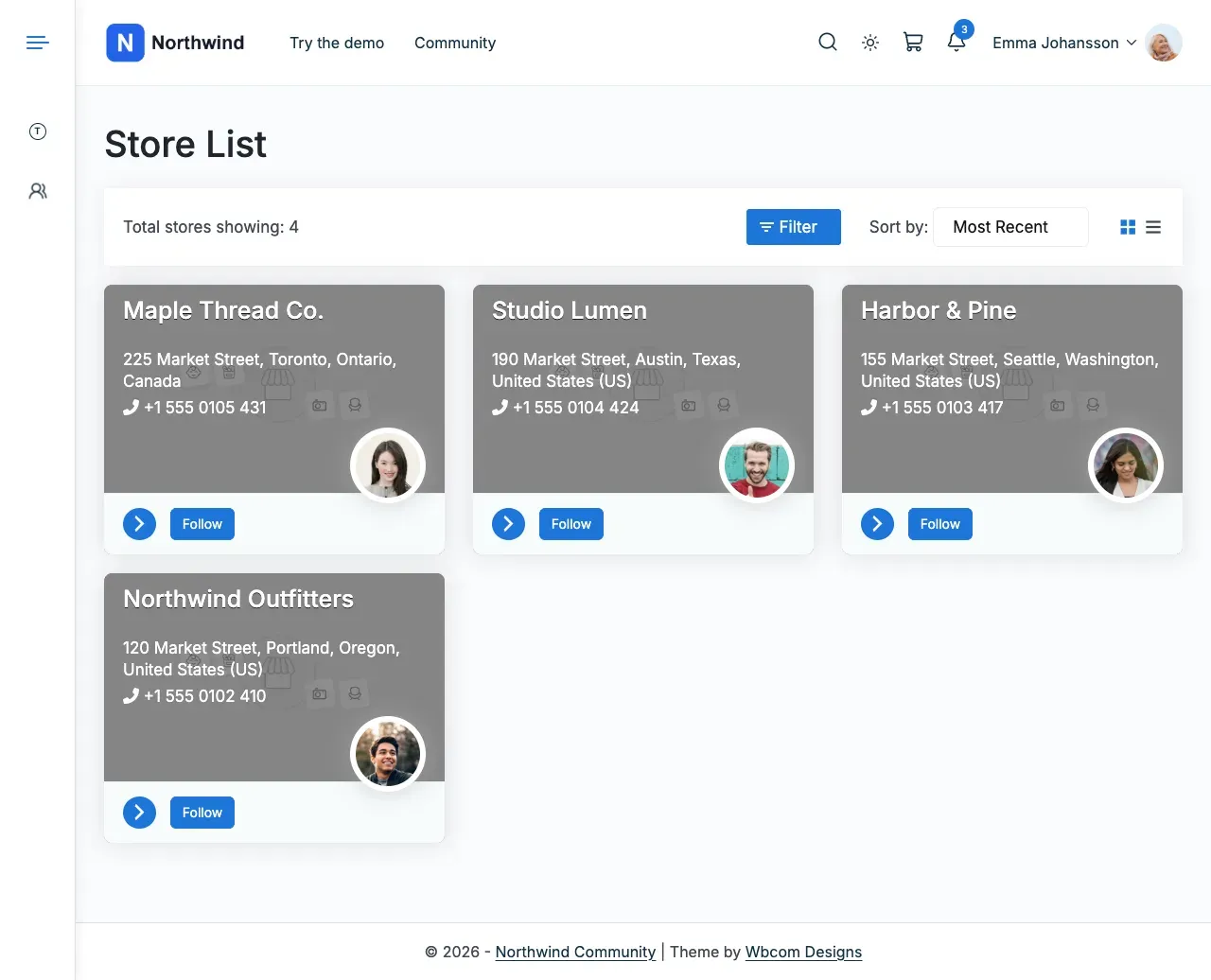
Here are stores from three marketplace plugins, each in its own design inside Reign’s header, footer and colours. This is Dokan’s store list.
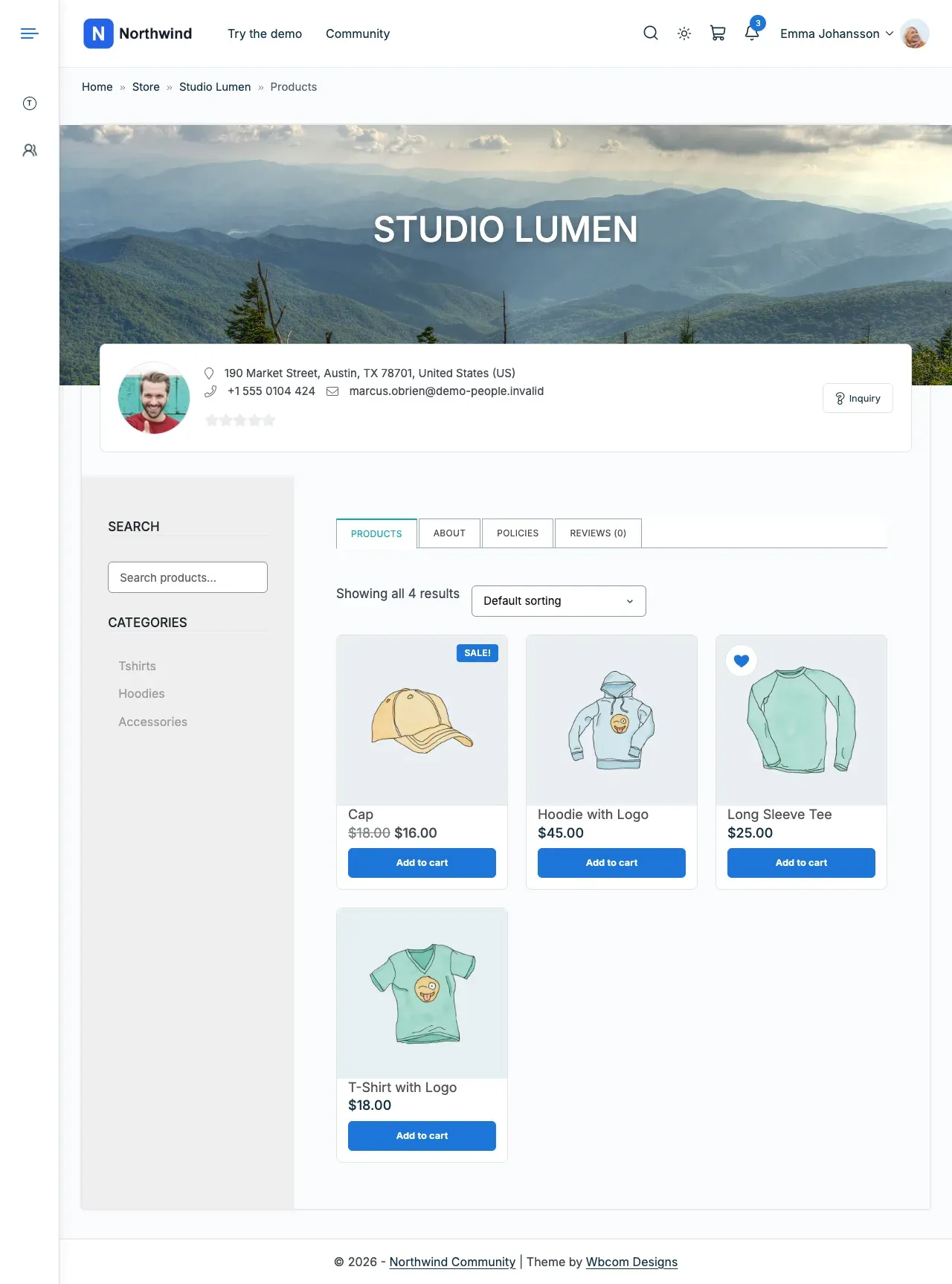
A WCFM Marketplace store page:
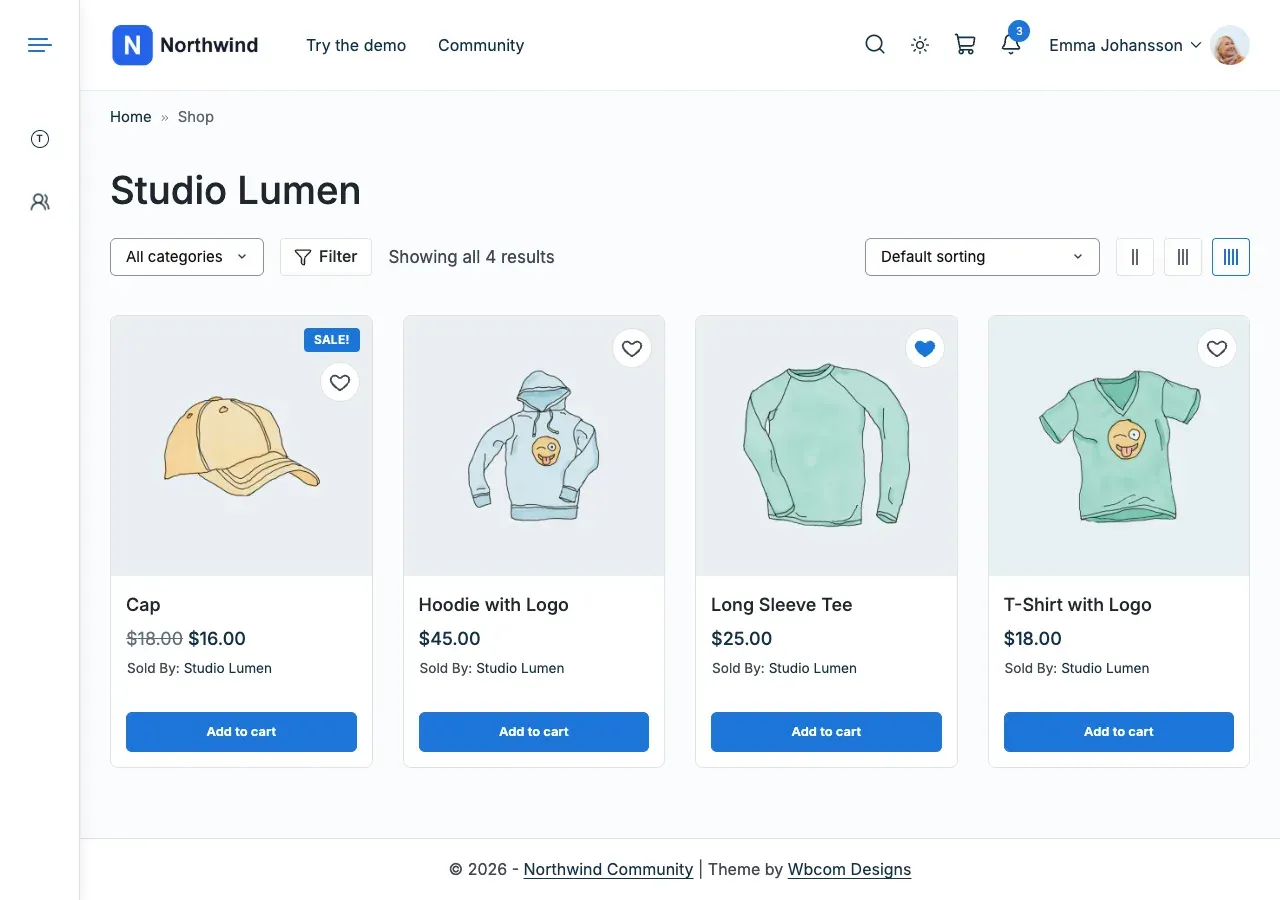
A WC Vendors store page:
Steps: common adjustments
Section titled “Steps: common adjustments”- To change products per row on a store page, go to Appearance > Customize > WooCommerce > Product Catalog > Products per row. Store pages use the same setting as the shop. The store sidebar makes the product area narrower, so 3 per row often reads better than 4. The shop changes too.
- For WC Vendors, go to WC Vendors > Settings > Display. Turn on Enable Vendor shop headers to show the store banner, logo and details.
You’ll know it worked when
Section titled “You’ll know it worked when”Your store pages show the plugin’s own design, in your Reign colours, with your header and footer around them.
Good to know
Section titled “Good to know”Why does my vendor page look different after updating to 8.1.0?
Section titled “Why does my vendor page look different after updating to 8.1.0?”Reign no longer adds a store-page sidebar for WC Vendors, template overrides for Dokan, WC Vendors or WCFM, or marketplace settings in Reign Settings. Adjust the page in the marketplace plugin’s own settings. Reign 8.0.8 printed its own copy of the WC Vendors header. 8.1.0 leaves it to the Enable Vendor shop headers setting.
Do I need the Reign add-on for my marketplace plugin?
Section titled “Do I need the Reign add-on for my marketplace plugin?”No. The paid Reign Dokan, WC Vendors and WCFM add-ons are separate products. They add favourite products and profile tabs on top of the plugin’s own design. See Reign add-ons. To find which screen changes a store or product page, see Courses, products, jobs and places.
How do I see what Reign detected?
Section titled “How do I see what Reign detected?”Open Reign Settings > Integrations.
Is there a simpler option than a full marketplace?
Section titled “Is there a simpler option than a full marketplace?”Wbcom also builds WP Sell Services, a free option worth comparing. Links, documentation and a live demo are on WP Sell Services.
For developers
Section titled “For developers”- Mark other store pages with the
reign_is_vendor_store_pagefilter.