

Elementor and the block editor (Page builders)
Also called: Elementor theme, page builder, drag and drop builder, Gutenberg, block editor, Divi, Beaver Builder, WPBakery, full width builder page, Canvas template.
What this does
Section titled “What this does”Reign stays out of the way of whatever you use to design a page. Elementor and the WordPress block editor both work with no setup. For Elementor, install the plugin. For the block editor, just write.
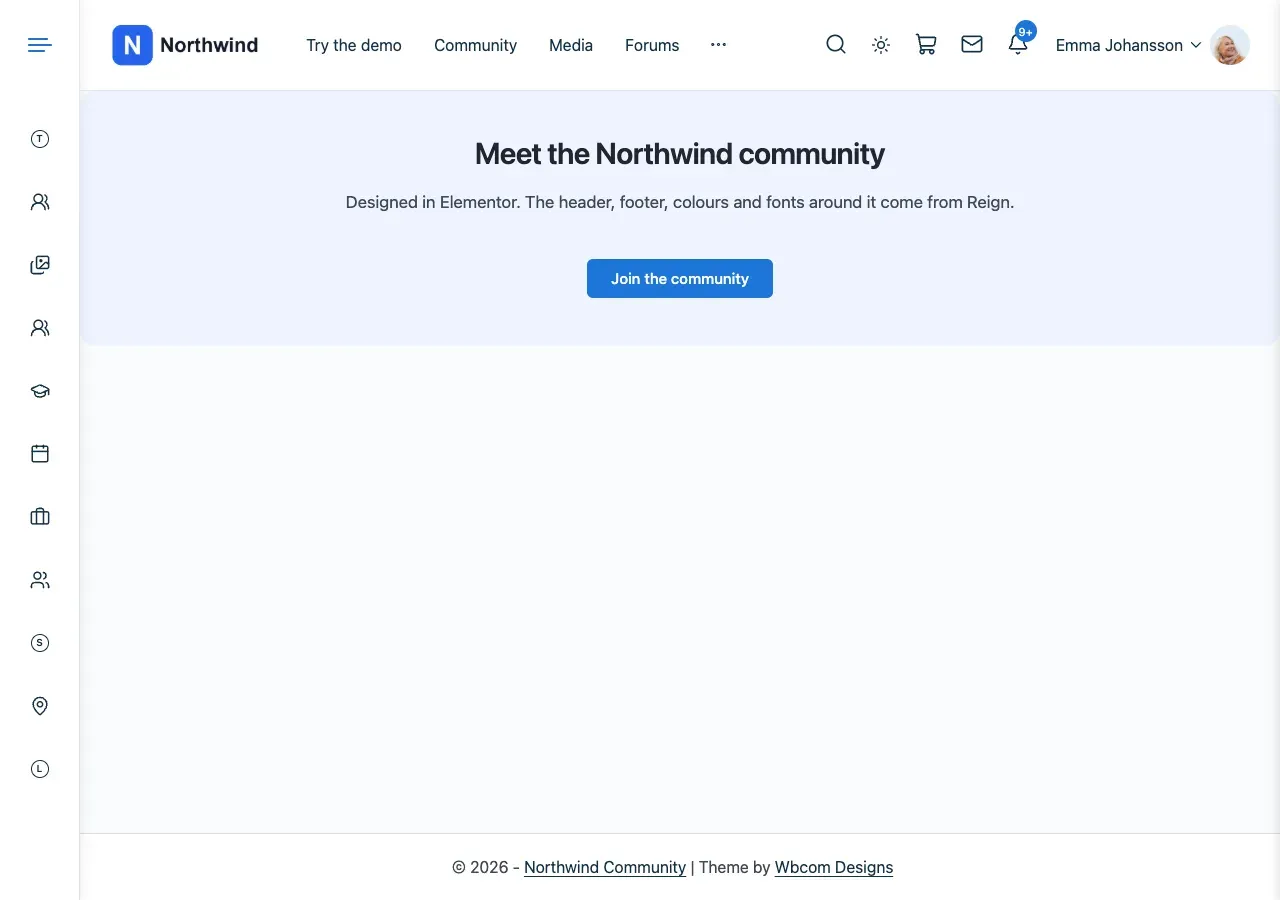
This is a page built in Elementor. Reign’s header, footer and colours stay around it. Reign adds no page title above the builder’s content.
Steps: use Elementor, Beaver Builder or Divi
Section titled “Steps: use Elementor, Beaver Builder or Divi”- Build the page in your builder as usual.
- Reign prints the builder’s content with no page title, meta or page title area around it. Your design starts at the top of the page.
- For Elementor’s Canvas and Full Width templates, set container widths and spacing in Elementor. Reign adds no CSS on top.
- For a header or footer, use Elementor Pro’s theme builder or Beaver Themer. Their headers and footers replace Reign’s automatically.
Steps: use any other builder (WPBakery, Thrive Architect and others)
Section titled “Steps: use any other builder (WPBakery, Thrive Architect and others)”- Open the page in the editor.
- Find the Reign Custom Settings > Layout box.
- Choose a full-width layout with no title, so the builder’s design fills the page.
You’ll know it worked when
Section titled “You’ll know it worked when”The page starts right under your header, with no title or sidebar you did not ask for.
The block editor
Section titled “The block editor”The block editor needs no plugin. Reign adds these:
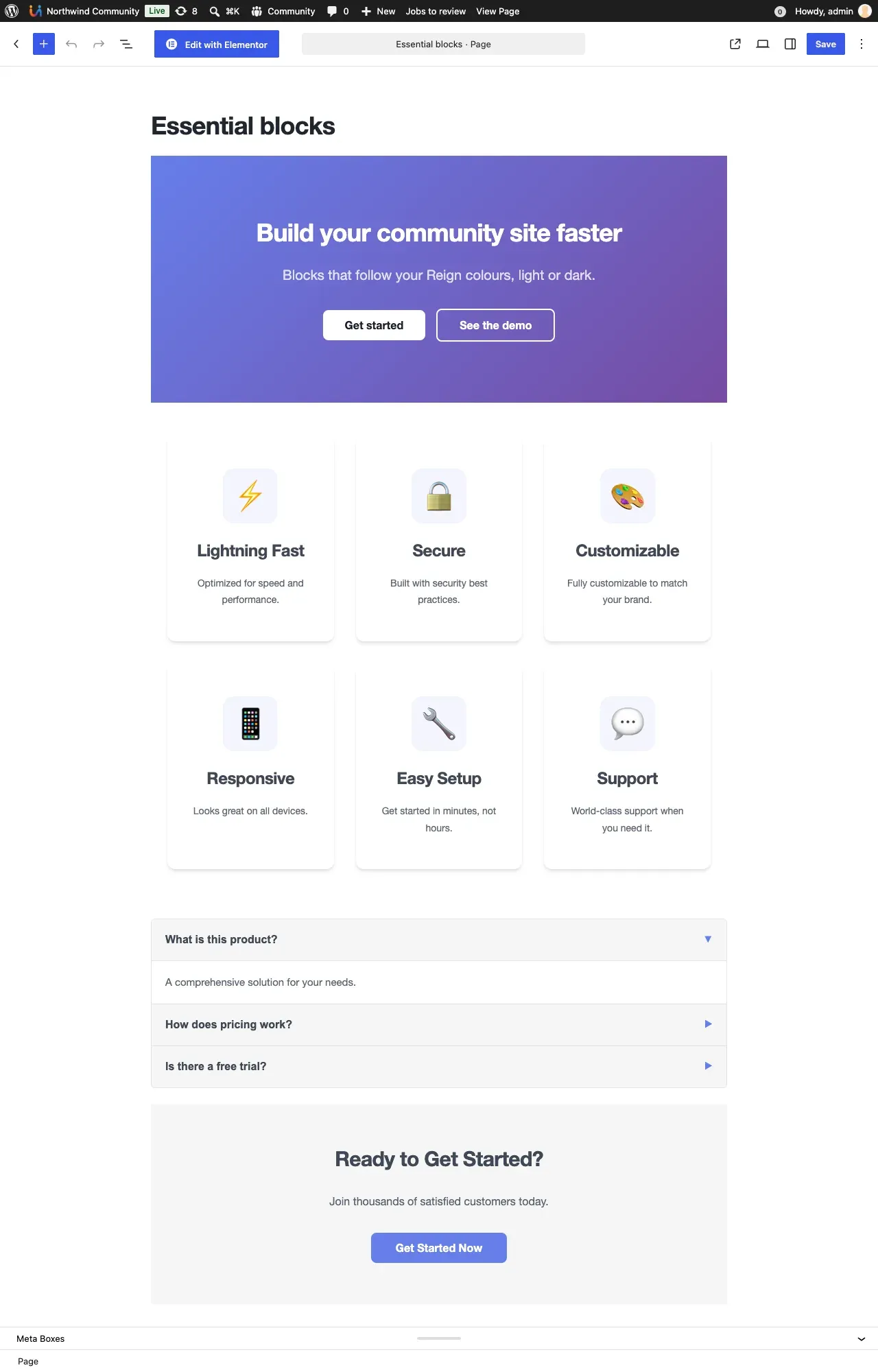
- Wide and full alignment for blocks, so a Cover or Media & Text block can break out of the content column.
- The editor’s own styling in the admin, so what you see while writing is closer to the front end.
- Responsive embeds, so a pasted YouTube or Twitter link fits every screen.
- Your colour palette in the block editor’s colour picker. When you change Color Options > Color Palette, the picker updates on its own.
- Three shadow presets (Soft, Medium and Large). Select a block, open Styles and look for Shadow.
- Alignments that count the page’s side padding. A full-width block lines up with the page gutter.
This is the block editor on a Reign site, with the page laid out as it will look.
Good to know
Section titled “Good to know”Where are Reign’s Elementor widgets?
Section titled “Where are Reign’s Elementor widgets?”They come with Wbcom Essential: ready-made blocks and Elementor widgets. Install it from Reign Settings > Extend. Look for the Wbcom Essential category in the Elementor panel.
Where do I get hero sections, pricing tables and sliders?
Section titled “Where do I get hero sections, pricing tables and sliders?”Install Wbcom Essential. Its blocks appear under the Essential categories in the block inserter.
Does Reign style Divi, WPBakery and Thrive Architect?
Section titled “Does Reign style Divi, WPBakery and Thrive Architect?”No. Since 8.1.0 they use their own design. See What changed in Reign 8.1.0.
How do I check what is active?
Section titled “How do I check what is active?”Open Reign Settings > Integrations. It lists Elementor with the other plugins Reign is ready for, and shows whether it is detected on your site.
For developers
Section titled “For developers”- Builder pages get the body class
reign-page-builder-active. - Mark pages made with other builders with the
reign_is_builder_pagefilter. - Reign ships a
theme.jsonthat feeds the palette into the editor.