

Set up BuddyBoss Platform
Also called: BuddyBoss setup, social network plugin, members area, profiles, activity feed, groups, BuddyPanel, ReadyLaunch.
What this does
Section titled “What this does”BuddyBoss Platform is a free plugin that adds members, profiles, groups and an activity feed. It replaces BuddyPress. You cannot run both. Reign notices which one is active and adjusts itself. Most BuddyPress steps also apply here, so this page only covers the differences. For the shared steps, see Set up BuddyPress.
- Go to Plugins > Add New and search for “BuddyBoss Platform”.
- Select Install Now, then Activate.
- Assign its component pages in its own settings, the same way you would for BuddyPress.
- Go to BuddyBoss > Settings > Appearance. Under Site Layout, set Layout to WordPress Theme, then save.
BuddyBoss Platform 3.6 and later can draw community pages in its own design, called ReadyLaunch. A new install starts with it on. ReadyLaunch removes Reign’s styles on member, group, activity and message screens. Step 4 gives you Reign’s header, colours, dark mode and layouts back. Keep ReadyLaunch only if you want BuddyBoss’s design on community pages.
You’ll know it worked when
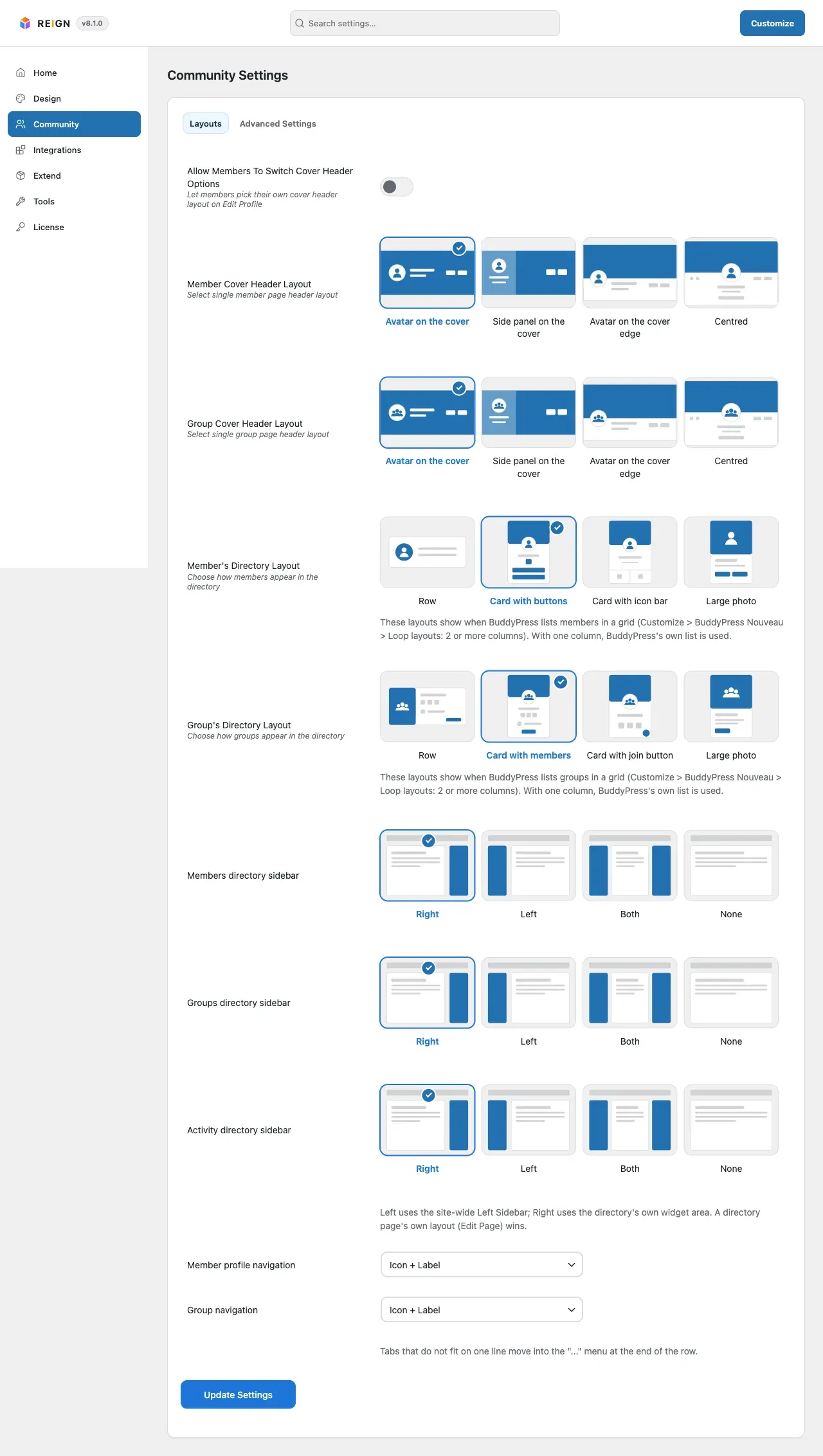
Section titled “You’ll know it worked when”A member profile, a group and the news feed use Reign’s header, colours and dark mode. Open Reign Settings > Community > Community Settings. You see the Layouts tab.
Good to know
Section titled “Good to know”Is there a switch to turn BuddyBoss support on?
Section titled “Is there a switch to turn BuddyBoss support on?”No. Reign styles BuddyBoss’s own templates and does not ship copies of them. Every BuddyBoss update reaches your site unchanged. Your header layout, cards, colours and dark mode apply on top. BuddyBoss’s own settings still decide which parts show.
Why is the Avatar Settings tab missing?
Section titled “Why is the Avatar Settings tab missing?”On BuddyBoss, the platform’s settings decide the default profile photo, group photo and covers. Reign hides its own controls so they do not fight.
Why is Show Like Count missing?
Section titled “Why is Show Like Count missing?”BuddyBoss has its own reactions feature, so Reign hides Show Like Count under Advanced Settings.
What does Override Member/Group Cover Header Layout do?
Section titled “What does Override Member/Group Cover Header Layout do?”It appears only with BuddyBoss Platform Pro. Turn it on to make Reign’s layout win over Platform Pro’s Header Style setting.
What works the same as BuddyPress?
Section titled “What works the same as BuddyPress?”The Layouts tab works the same. See Member and group lists (Directories).
Something looks wrong. How do I find the cause?
Section titled “Something looks wrong. How do I find the cause?”Switch to a default WordPress theme and load the same page. If it still misbehaves, the cause is BuddyBoss Platform or WordPress, not Reign. For address problems, see member or group pages return 404.