

Installing WP Career Board Pro
You can install Pro like any other WordPress plugin. Install and activate the free WP Career Board plugin first.
Before you start
Section titled “Before you start”- WP Career Board (free) is installed and active.
- Your site runs WordPress 6.9 or higher.
- Your server runs PHP 8.1 or higher.
- You have the Pro plugin zip file from your purchase.
Install Pro
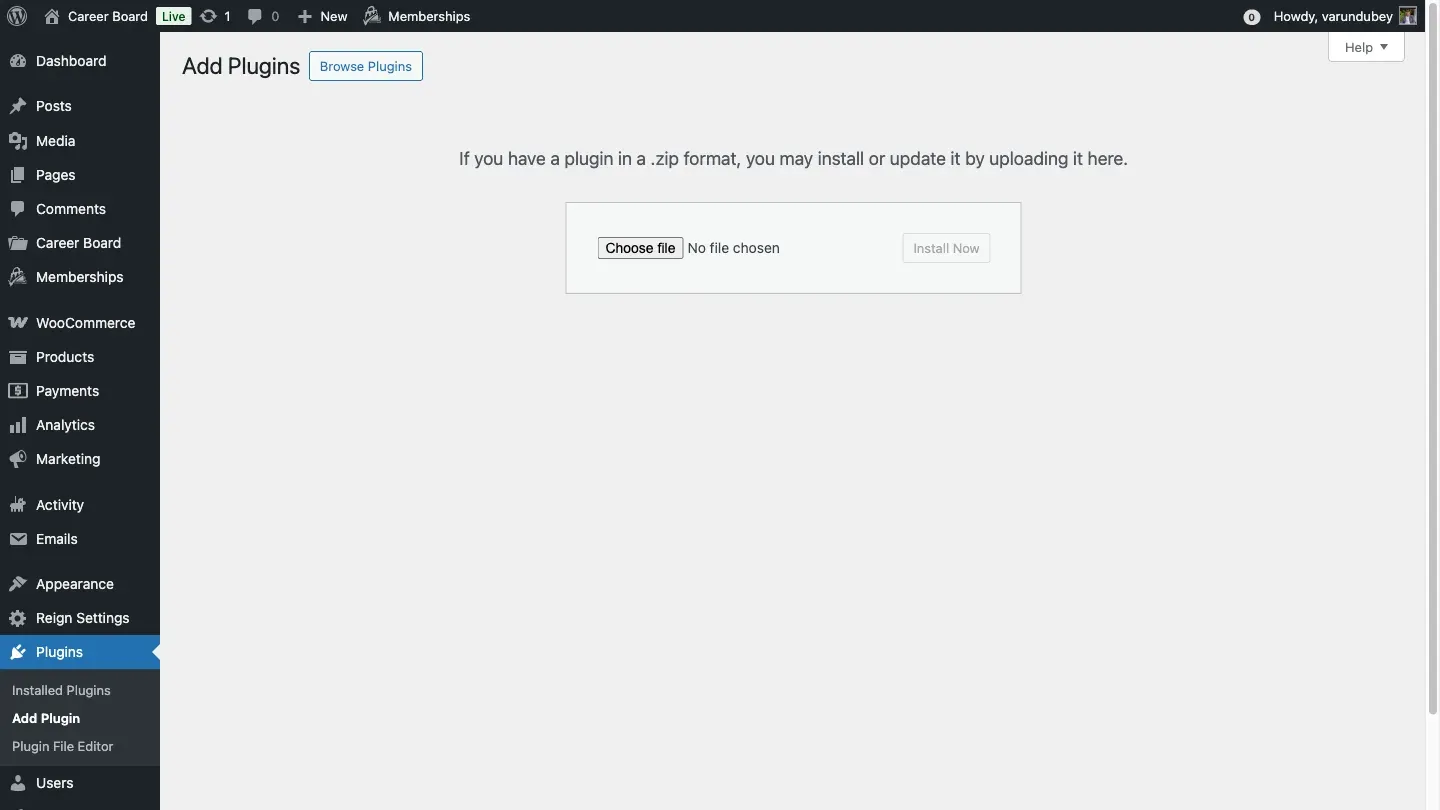
Section titled “Install Pro”- In your WordPress admin, go to Plugins > Add New > Upload Plugin.
- Choose the Pro zip file and click Install Now.
- Click Activate Plugin.
What happens when you activate
Section titled “What happens when you activate”- Pro checks that Free is active and new enough. If not, Pro turns itself off and shows an error.
- Pro sets up what it needs to store resumes, custom fields, job alerts, pipeline stages, notifications and credits.
- The Pro blocks appear in the block editor, and each has a matching shortcode.
- New tabs appear under Career Board > Settings. See Pro settings reference.
After activation
Section titled “After activation”If Free’s setup wizard is already finished, you land on a short Pro setup wizard. It asks for your license key, sets the low balance alert and creates the Find Candidates and Job Map pages if they are missing. See License activation.
Activation errors
Section titled “Activation errors”- “WP Career Board Pro requires WP Career Board (Free) to be installed and active.” Install and activate Free, then activate Pro.
- “WP Career Board Pro requires WP Career Board (Free) … or newer. You have … installed. Please update Free first.” The message names the version Pro needs and the one you have. Update Free, then activate Pro.
For other problems see Troubleshooting.