
You will find the corresponding option inside:
Dashboard >> Appearance >> Customize >> BuddyPress Nouveau >> Member Navigation.
Here you will get the following options to customize the navigation menu for members. In the preview window, navigate to a user to preview your changes.
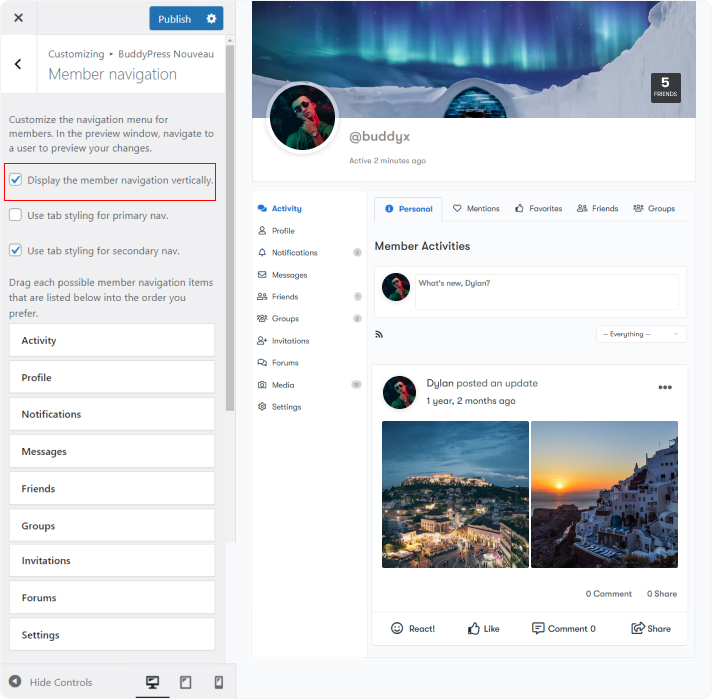
- Display the member navigation vertically.
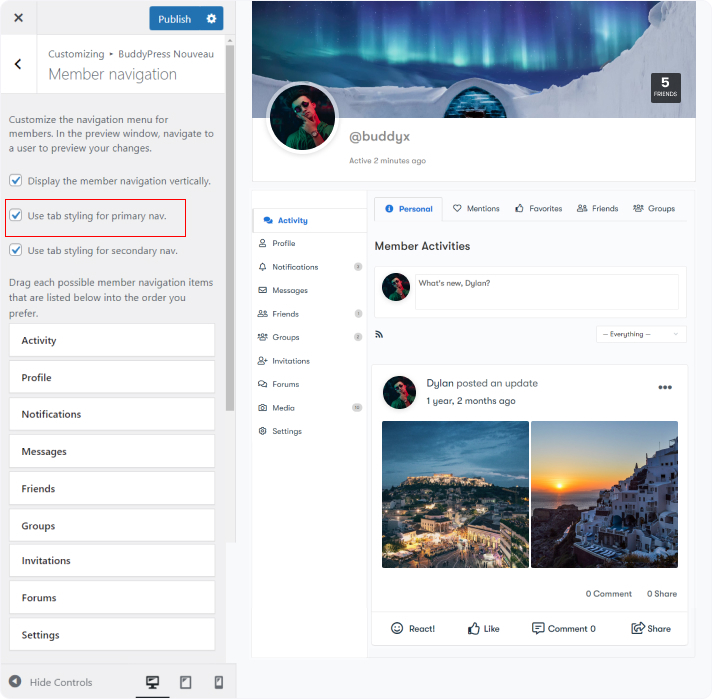
- Use tab styling for primary nav.
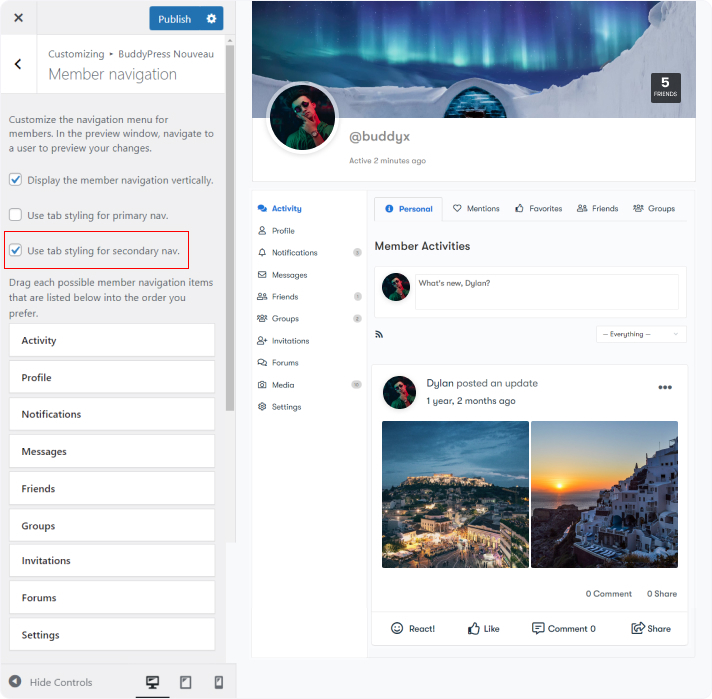
- Use tab styling for secondary nav.
- It also allows you to drag each possible member’s navigation item into the order preferable order.
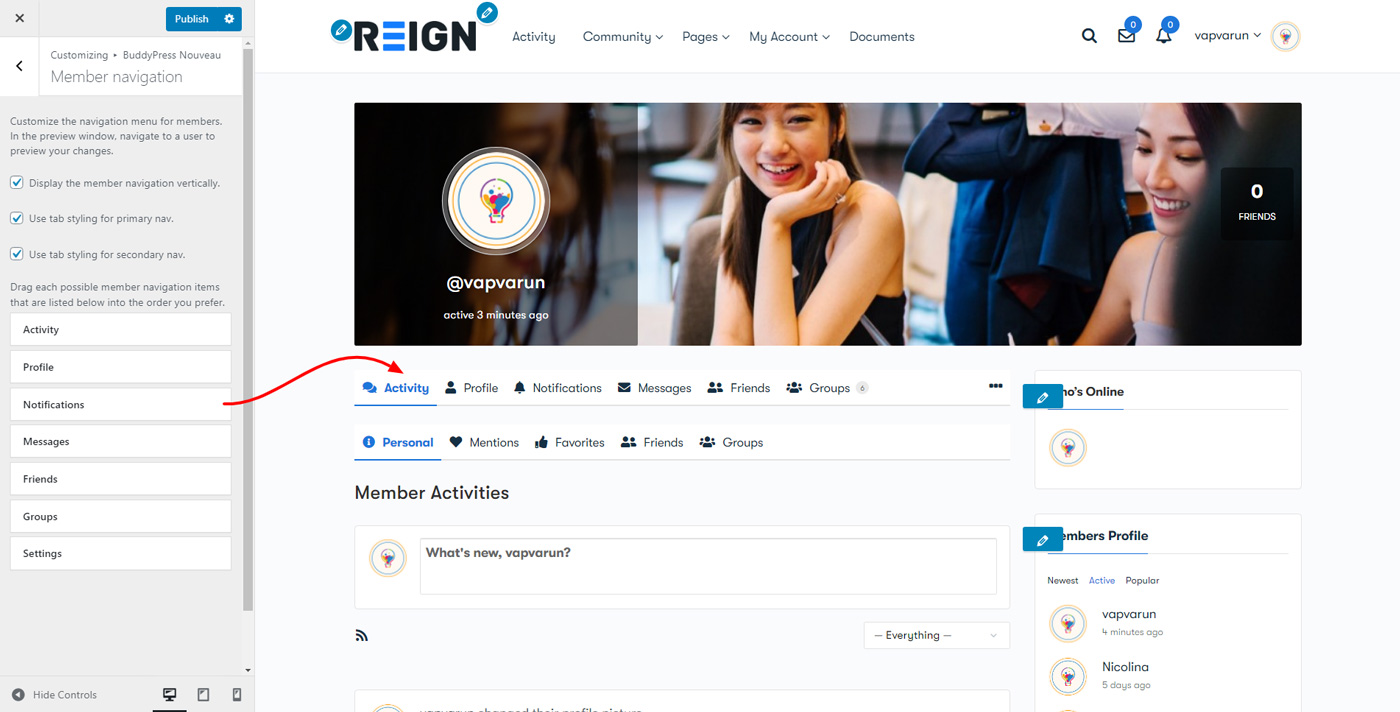
Member Navigation Settings: