

Webhooks
MediaVerse overviewFree + ProGet MediaVerse →
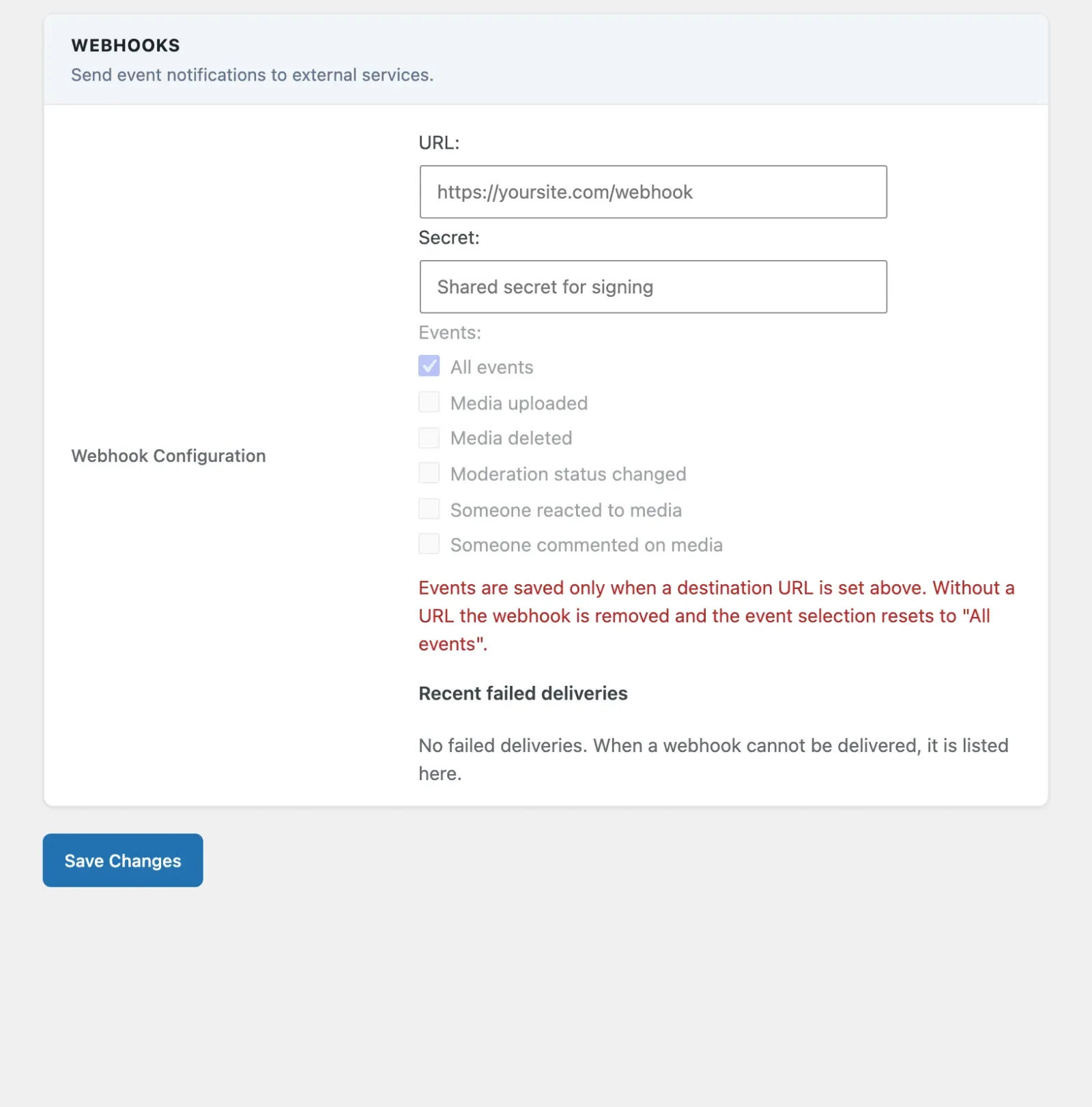
Access these settings at MediaVerse > Settings > Webhooks.
Webhooks allow MediaVerse to send signed HTTP POST notifications to external services when media events occur.
Supported Events
Section titled “Supported Events”Each webhook has an All events box plus one box per event. The screen shows a plain label; the value stored and sent in the X-MVS-Event header is the event id.
| Label on screen | Event id | Triggered When |
|---|---|---|
| Media uploaded | media.uploaded |
A new media file is successfully uploaded |
| Media deleted | media.deleted |
A media post is permanently deleted |
| Moderation status changed | media.moderated |
A media item’s moderation status changes (approved, flagged, rejected) |
| Someone reacted to media | media.reaction |
A member adds a reaction to a media item |
| Someone commented on media | media.comment |
A member posts a comment on a media item |
Adding a Webhook
Section titled “Adding a Webhook”- Go to MediaVerse > Settings > Webhooks.
- Enter the URL that should receive the POST request.
- Optionally enter a Secret for signature verification. Leave it empty later to keep the current secret.
- Tick All events, or the events that should trigger this webhook.
- Click Save Changes.
Events are saved only when a URL is set. Without a URL the webhook is removed and the event choice resets to “All events”.
The Moderation status changed payload also carries a mod_status field with the new status. Reaction and comment payloads carry media_id, user_id and the reaction type or comment text instead of the media fields shown below. Deleted payloads carry only media_id and author.
Recent failed deliveries are listed under Recent failed deliveries at the bottom of the Webhooks tab (the last 10).
Payload Format
Section titled “Payload Format”All webhook payloads are sent as JSON via HTTP POST with these headers:
Content-Type: application/jsonX-MVS-Event: media.uploadedX-MVS-Delivery: <uuid>X-MVS-Signature: sha256=HMAC_SIGNATUREThe X-MVS-Signature header is only sent when a secret key is configured for the webhook.
Example: media.uploaded Payload
Section titled “Example: media.uploaded Payload”{ "event": "media.uploaded", "timestamp": "2025-03-27T12:00:00Z", "site_url": "https://yoursite.com", "data": { "media_id": 123, "title": "My Photo", "author": 1, "url": "https://yoursite.com/media/my-photo/", "file_url": "https://yoursite.com/wp-content/uploads/wpmediaverse/2025/03/photo.jpg", "file_type": "image", "privacy": "public", "status": "publish" }}Verifying Webhook Signatures
Section titled “Verifying Webhook Signatures”Use the secret key you configured to verify that requests are from MediaVerse:
$payload   = file_get_contents( 'php://input' );$signature = $_SERVER['HTTP_X_MVS_SIGNATURE'] ?? '';$secret    = 'your-webhook-secret';
$expected = 'sha256=' . hash_hmac( 'sha256', $payload, $secret );
if ( ! hash_equals( $expected, $signature ) ) {    http_response_code( 401 );    exit( 'Invalid signature' );}
Retry Behavior
Section titled “Retry Behavior”Failed webhook deliveries (5xx HTTP response or connection error) are retried up to 2 times via Action Scheduler, after 5 minutes and then 10 minutes. 4xx client-error responses are not retried. After the final attempt the failure is recorded in the mvs_webhook_failures option.