

User Blocking & Reporting
MediaVerse overviewFree + ProGet MediaVerse →
Included in Free - This feature is available in the free version of MediaVerse.
MediaVerse includes a blocking system that prevents specific users from interacting with you and a reporting system that lets users flag abusive content or accounts for moderator review.
Blocking a User
Section titled “Blocking a User”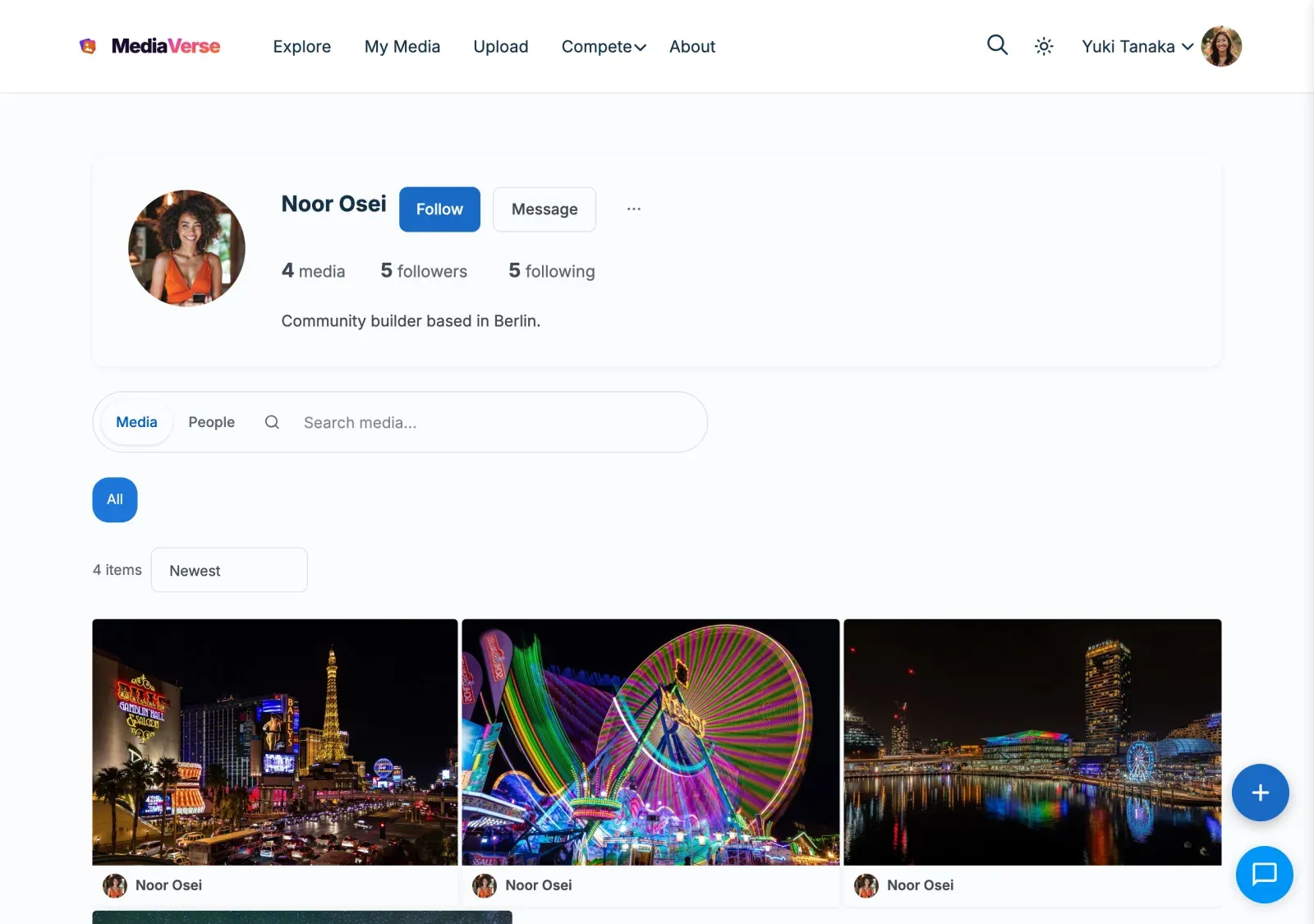
Open the member’s profile, open the action menu (the three dots) and select Block. The same menu has Unblock once you have blocked them.
What Blocking Does
Section titled “What Blocking Does”When you block a user, they cannot:
- View your media items (media items are hidden from them on all browse pages and their direct links show as not found)
- Send you direct messages (your profile shows no Message button for them; any existing conversation is locked)
- Follow you (the Follow button is removed for them)
- Comment on your media
- React to your media
A block hides media both ways in lists: neither of you sees the other’s media on browse pages, profiles or feeds. The person who blocked can still open a direct link to the blocked member’s public media; the blocked member cannot open the blocker’s.
Blocks are stored per-user and do not require any admin action.
Unblocking a User
Section titled “Unblocking a User”Open Blocked members in your profile settings (the profile edit page, or the profile panel of your media dashboard) to see everyone you have blocked and remove individual blocks. You can also unblock from the member’s profile action menu or via the REST API.
User Reporting
Section titled “User Reporting”Reporting a user notifies the site moderators. It does not automatically take any action on the reported account.
To report a user, open the action menu on their profile and select Report. Choose a reason from the dropdown and optionally add details.
Report Reasons
Section titled “Report Reasons”The same reason whitelist applies to both user and media reports:
| Value |
|---|
spam |
harassment |
nudity |
violence |
copyright |
misinformation |
other |
Reports appear in MediaVerse > Moderation on the Reports tab. Moderators with the moderate_mvs_media capability can review, dismiss, or act on reports.
Media Reporting
Section titled “Media Reporting”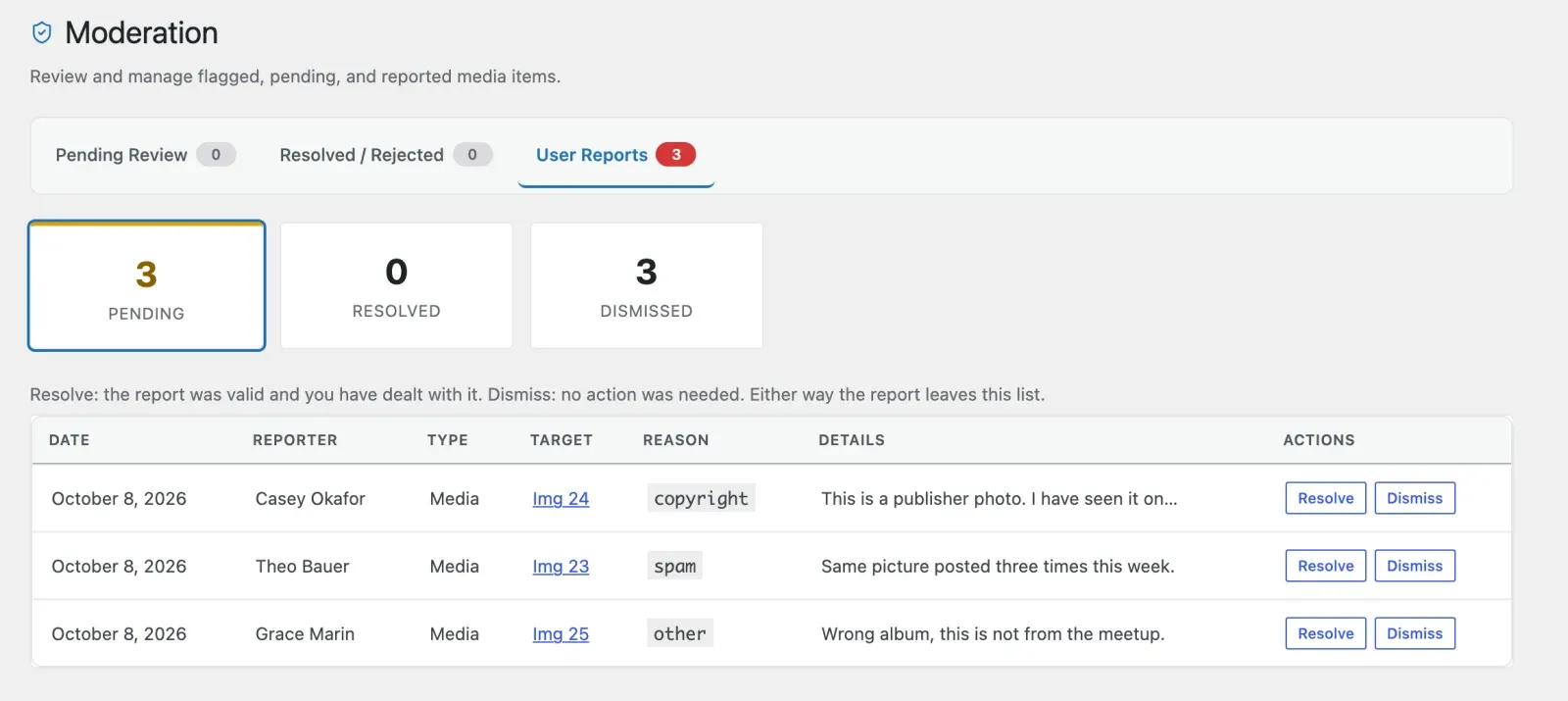
Any logged-in member can also report a comment or a chat message. Any logged-in user can report a media item from the media card or the media detail page using the flag icon.
Report Reasons
Section titled “Report Reasons”Media reports use the same whitelist as user reports: spam, harassment, nudity, violence, copyright, misinformation, other.
When a media item accumulates reports equal to the Auto-Hide Threshold set in MediaVerse > Settings > Moderation, it is automatically hidden and added to the moderation queue.
Reporting settings
Section titled “Reporting settings”Found on MediaVerse > Settings > Moderation.
| Setting | What it does | Default |
|---|---|---|
| Member Reporting | Lets members report media and members. Turning it off hides every Report control and refuses incoming reports. | On |
| Auto-Hide Threshold | Number of reports before media is hidden automatically. 0 turns it off. | 3 |
| Community Guidelines URL | Link to your rules, shown in the app and next to the Report control. | Empty |
REST API
Section titled “REST API”Base URL: /wp-json/mvs/v1/
All endpoints require a logged-in user. Pass the X-WP-Nonce header with a nonce from wp_create_nonce( 'wp_rest' ).
POST /users/{id}/block
Section titled “POST /users/{id}/block”Block a user.
Response: 200 OK
{ "blocked": true }DELETE /users/{id}/block
Section titled “DELETE /users/{id}/block”Unblock a user.
Response: 200 OK
{ "blocked": false }GET /me/blocked
Section titled “GET /me/blocked”List users blocked by the current user.
Parameters:
| Parameter | Type | Default | Description |
|---|---|---|---|
per_page |
int | 20 |
Blocked users per page |
page |
int | 1 |
Page number |
Response: Array of user objects with id, name, and avatar_url.
POST /users/{id}/report
Section titled “POST /users/{id}/report”Report a user account.
Body:
| Field | Required | Description |
|---|---|---|
reason |
Yes | One of: spam, harassment, nudity, violence, copyright, misinformation, other |
details |
No | Optional free-text note visible to moderators |
Response: 200 OK
{ "reported": true }POST /media/{id}/report
Section titled “POST /media/{id}/report”Report a media item.
Body:
| Field | Required | Description |
|---|---|---|
reason |
Yes | One of: spam, harassment, nudity, violence, copyright, misinformation, other |
details |
No | Optional free-text note |
Response: 200 OK
{ "reported": true }Actions and Filters
Section titled “Actions and Filters”mvs_user_blocked
Section titled “mvs_user_blocked”Fires after a user is blocked.
add_action( 'mvs_user_blocked', function( $blocker_id, $blocked_id ) { // Perform additional cleanup or logging.}, 10, 2 );mvs_report_submitted
Section titled “mvs_report_submitted”Fires after a report is submitted. The $target_type is user, media, comment or message.
add_action( 'mvs_report_submitted', function( $report_id, $reporter_id, $target_type, $target_id, $reason ) { // Notify a Slack channel, send to an external moderation service, etc.}, 10, 5 );