

AI & Moderation Settings
MediaVerse overviewFree + ProGet MediaVerse →
These settings are on two tabs: MediaVerse > Settings > AI and MediaVerse > Settings > Moderation.
AI Features Section (AI tab)
Section titled “AI Features Section (AI tab)”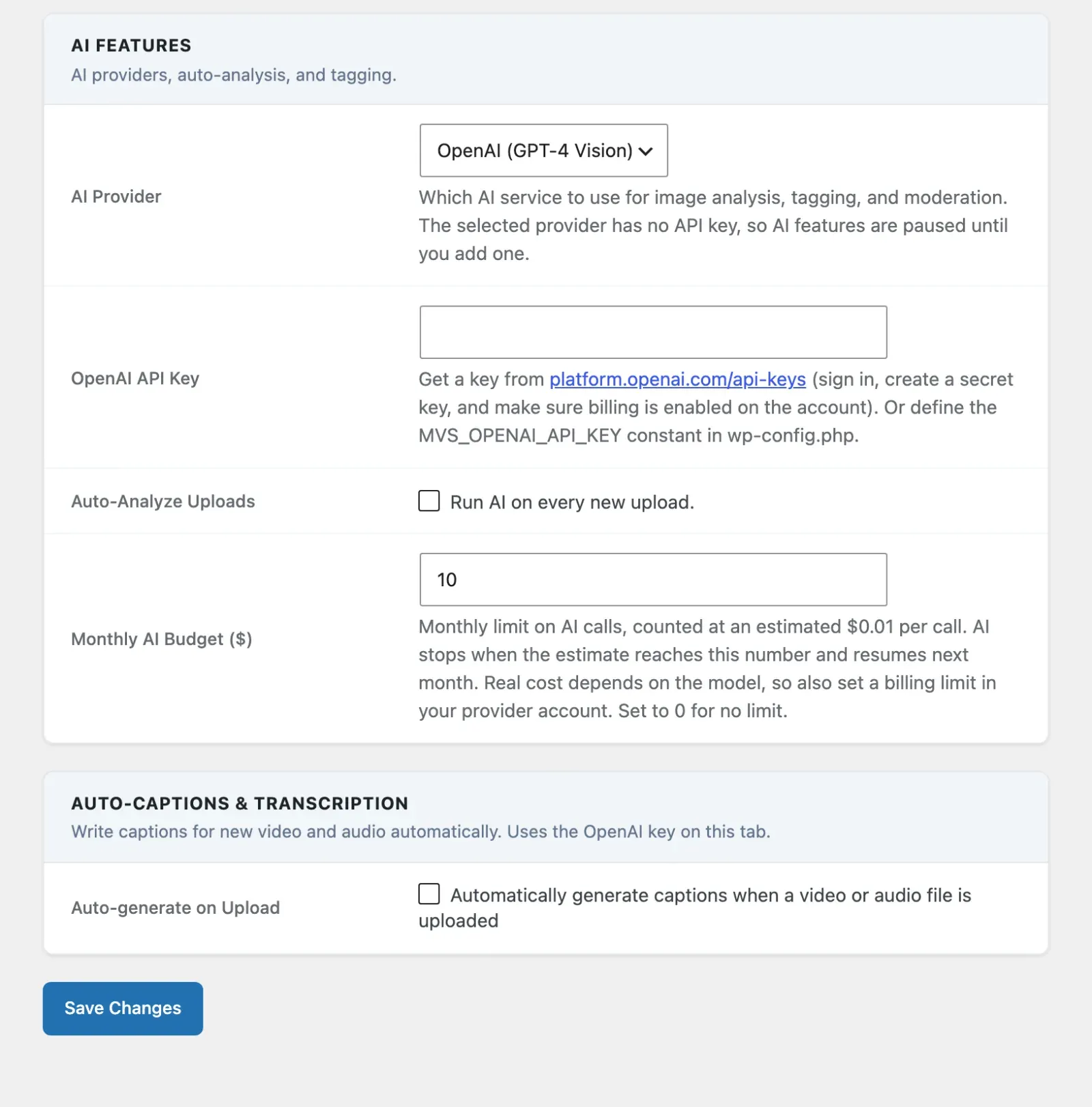
AI is opt-in and off by default. Nothing calls an AI provider until you (1) supply an API key and (2) turn on at least one of the toggles below. There is no separate “enable AI” master switch because a missing key already disables every AI feature - you stay in full control of what runs and what it costs.
| Option | Default | Description |
|---|---|---|
| AI Provider | OpenAI (GPT-4 Vision) | The AI service used for image analysis, tagging, and moderation. Free version: OpenAI only. Pro adds Google Vision, AWS Rekognition, and Claude (Anthropic). Only the key card for the provider you pick is shown. |
| OpenAI API Key | (empty) | Your OpenAI API key. Shown when OpenAI is the provider. With Pro it also shows while Whisper auto-captions is on, because captions use this key. You can also define MVS_OPENAI_API_KEY in wp-config.php instead. |
| Auto-Analyze Uploads | Off | Run AI on every new upload. Master switch for the two rows below. |
| Generate Descriptions | On | Use AI to write a description / alt text for each upload. Shown only while Auto-Analyze Uploads is on. |
| Generate Tags | On | Use AI to suggest tags for each upload. Shown only while Auto-Analyze Uploads is on. |
| Auto-Apply Tags | Off | Assign AI-suggested tags to the mvs_tag taxonomy automatically. Shown only while Generate Tags is on. |
| Monthly AI Budget ($) | $10 | Monthly limit on AI calls (analysis, tagging and moderation), counted at an estimated $0.01 per call. When the estimate reaches the limit, AI stops until the next month. Real cost depends on the model, so also set a billing limit in your provider account. Set to 0 for no limit. |
Model choice has no screen control since 2.6.0. The OpenAI model (mvs_openai_model, default gpt-4o-mini) and, with Pro, the Claude model (mvs_pro_anthropic_model, default Haiku) are still registered and still used. Set them in code or with WP-CLI if you need a different model.
Estimated cost per call is not a settings-page field - it is a developer-only default ($0.01) used for budget tracking, overridable via the mvs_ai_cost_per_call filter.
Hiding a row is visual only. Saving never changes the stored value of a hidden setting.
Choosing exactly which AI features run
Section titled “Choosing exactly which AI features run”Each toggle is independent so a site owner turns on only what they want to pay for:
- Descriptions only - Auto-Analyze on, Generate Descriptions on, Generate Tags off.
- Tags only - Auto-Analyze on, Generate Descriptions off, Generate Tags on (add Auto-Apply Tags to write them to the taxonomy automatically).
- Moderation only - leave Auto-Analyze off and turn on AI Moderation on the Moderation tab. Uploads are checked without generating descriptions or tags.
The budget cap applies to all of the above, so moderation calls also stop once the monthly cap is hit.
Setting the API Key via wp-config.php
Section titled “Setting the API Key via wp-config.php”define( 'MVS_OPENAI_API_KEY', 'sk-your-key-here' );When this constant is defined, the settings page field is disabled and shows a notice.
Moderation Section (Moderation tab)
Section titled “Moderation Section (Moderation tab)”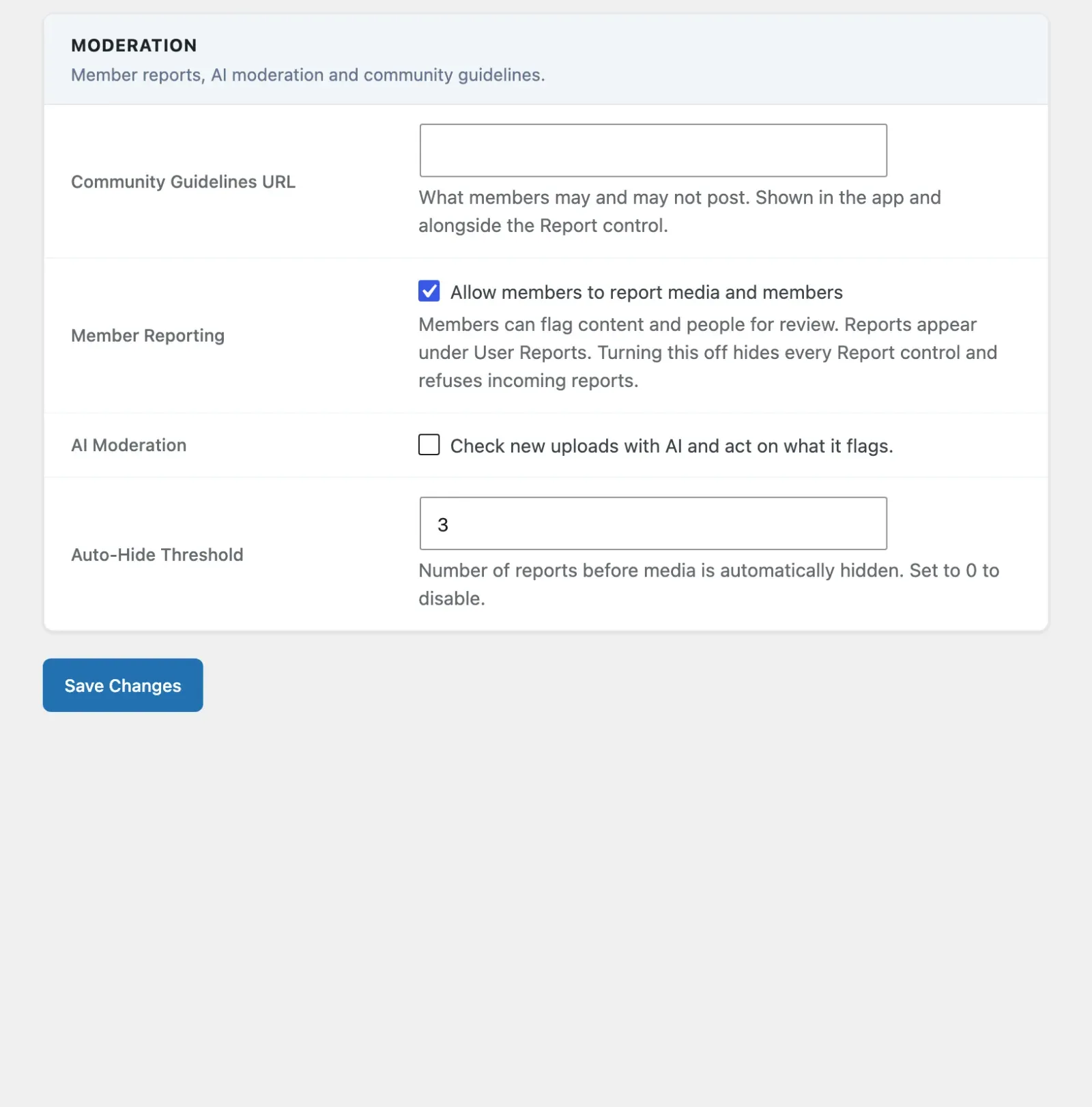
| Option | Default | Description |
|---|---|---|
| Community Guidelines URL | (empty) | What members may and may not post. Shown in the app and alongside the Report control. |
| Member Reporting | On | Members can flag content and people for review. Reports appear under User Reports. Turning this off hides every Report control and refuses incoming reports. |
| AI Moderation | Off | Check new uploads with AI and act on what it flags. Moved here from the AI tab in 2.6.0 (it was “Auto-Moderate Uploads”). |
| When AI Flags Content | Hide until I review it | What happens when AI flags an upload. Shown only while AI Moderation is on. Options: Hide until I review it (hidden from everyone except the author and moderators until you approve it), Reject (move to draft), Delete permanently (removes the media and its files from local and cloud storage - cannot be undone). |
| AI Flag Criteria | All 6 categories on | Which content categories the AI flags: Nudity / sexual content, Violence / gore, Hate / harassment, Self-harm, Drugs, Spam. Unchecking all categories restores every category, so the rule can never go blank. Shown only while AI Moderation is on. |
| Custom Flag Terms | (empty) | Optional comma-separated terms the AI should also flag beyond the built-in categories - for example weapons, gambling, political content, competitor logos. Shown only while AI Moderation is on. |
| Auto-Hide Threshold | 3 | Number of reports before media is hidden automatically and added to the moderation queue. Set to 0 to turn this off. |
The Terms of Service URL and Abuse Contact Email moved from this tab to Settings > Mobile App in 2.6.0.
Moderation Queue
Section titled “Moderation Queue”Administrators with the moderate_mvs_media capability can review flagged media at MediaVerse > Moderation.
The queue shows:
- Media flagged by AI
- Media that reached the auto-hide threshold from user reports
- Media manually flagged by moderators
Log Viewer
Section titled “Log Viewer”The AI & moderation activity log is available at Tools > MediaVerse Logs. It shows each AI call, the result, estimated cost, and any action taken.
Budget Alerts
Section titled “Budget Alerts”When monthly AI spend reaches 80% of your budget, MediaVerse adds an admin notice. When the budget is fully consumed, all AI calls - analysis, tagging, and moderation - are suspended and a warning appears on the settings page. Because a fresh install ships with a conservative $10 default cap, AI never silently runs against an unbounded bill before you have chosen a budget.
Provider without a key: MediaVerse uses only the provider you selected. If it has no API key, AI features pause and the AI tab says so - it no longer switches to another provider that has a key. Developers can restore the old fallback with the mvs_ai_provider_fallback filter.