

Social Features
MediaVerse overviewFree + ProGet MediaVerse →
Included in Free - This feature is available in the free version of MediaVerse.
React, comment, follow, and share - MediaVerse turns your media site into a living community where every photo starts a conversation.
What You Can Do
Section titled “What You Can Do”- React to any photo or video with emoji reactions (like, love, wow, and more)
- Comment on media and edit your comment within 15 minutes of posting
- Follow photographers you love - their new uploads appear in your feed
- Save media to your favorites for quick access later
- @mention other members in comments to notify them directly
- Share any public media item to social networks or copy a direct link
- Report inappropriate content directly from the media page
How It Works (for Users)
Section titled “How It Works (for Users)”Following Someone
Section titled “Following Someone”- Visit any member’s profile page
- Click Follow - their public uploads now appear in your feed
- To stop following, click Unfollow on their profile
- See everyone you follow by clicking the following count on your profile
Reacting to Media
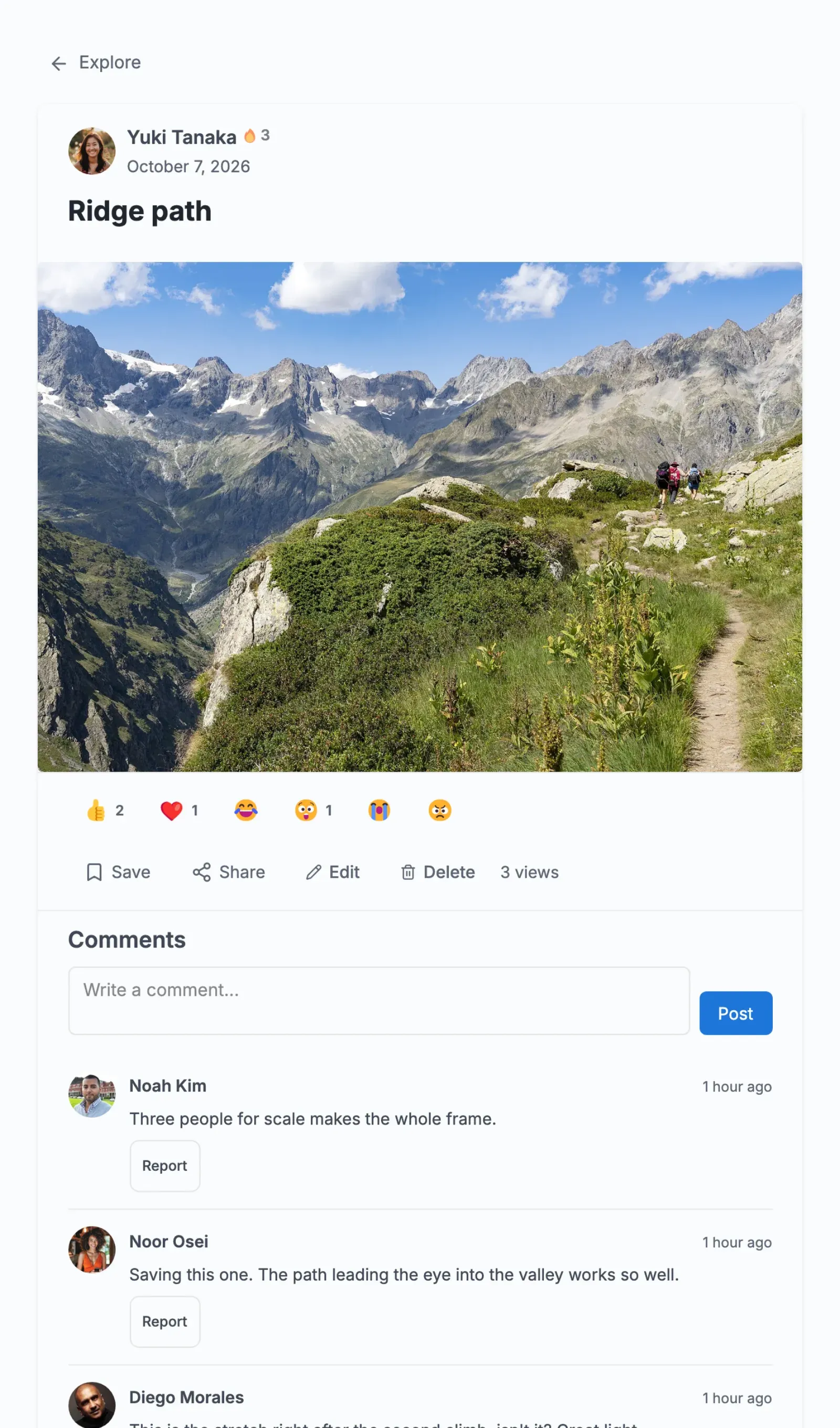
Section titled “Reacting to Media”- Open any media item
- Click the reaction bar below the photo
- Choose your reaction - like, love, wow, haha, sad, or angry
- Your reaction is shown instantly. Click the same reaction to remove it
- Click a different reaction to change yours
Commenting
Section titled “Commenting”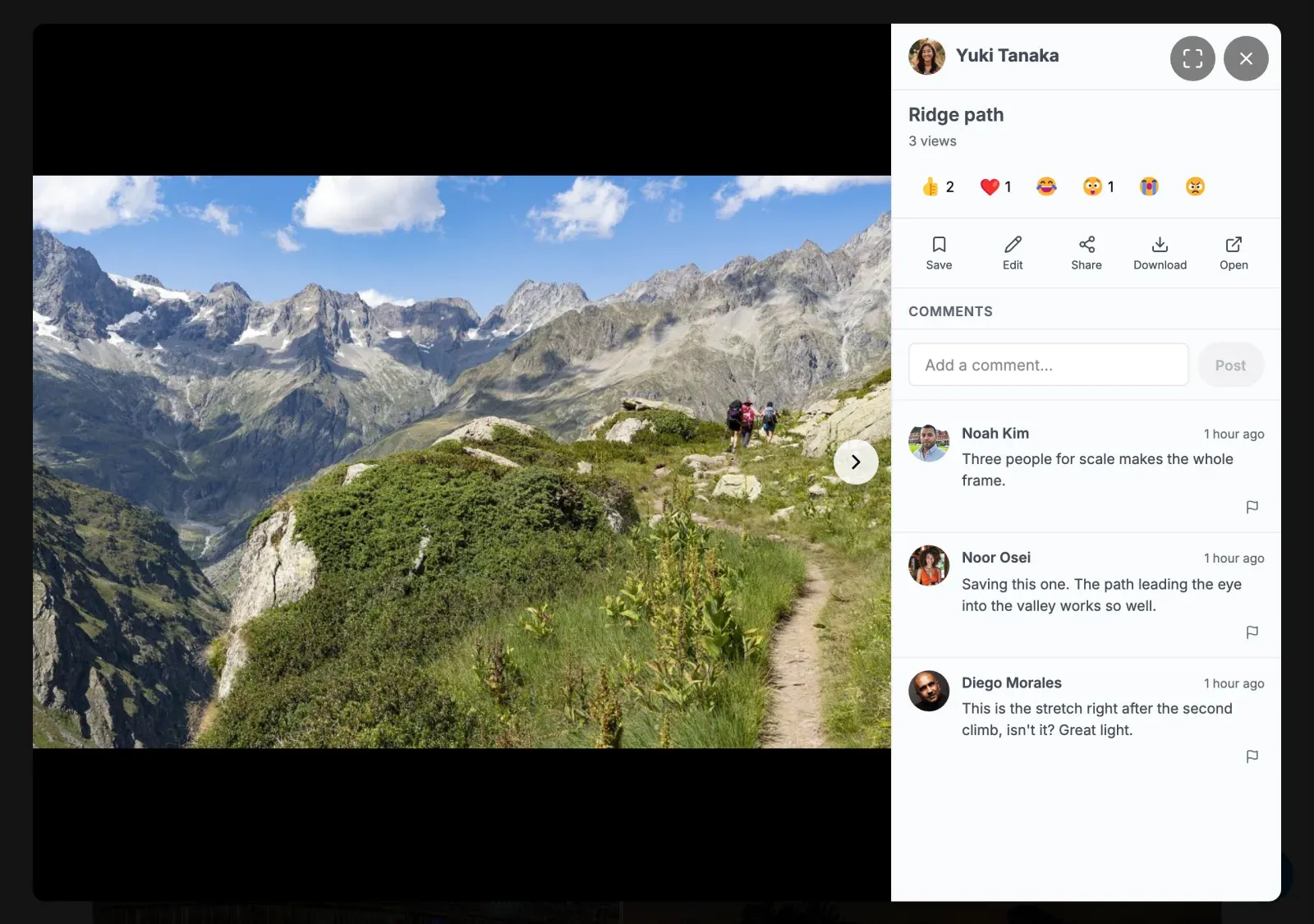
- Scroll to the comments section below any media item
- Type your comment in the text box and press Enter or click Post
- To @mention someone, type
@followed by their username - they receive a notification - To edit your comment, click the pencil icon next to it (available within 15 minutes of posting)
- To delete your comment, click the trash icon. If the comment has replies, the prompt reads “Delete this comment and its N replies?” and the replies go with it, along with the notifications they sent. Developers can keep replies with the
mvs_comment_delete_repliesfilter. - In the lightbox, each item of a gallery shows its own reactions and comments as you step through it.
Saving media
Section titled “Saving media”Reactions say how you feel about a photo; Save keeps it. There is one way to keep an item.
- Click Save (the bookmark icon) on any media item or in the lightbox
- The item goes into your private Favorites collection. Everything you favorited before 2.6.0 is already there.
- Find it under My Media > Collections > Favorites, or under My Media > Favorites
- With MediaVerse Pro, Save opens the collection picker: Favorites is the first row, and you can tick any of your own collections too
Sharing Media
Section titled “Sharing Media”- Open any public media item
- Click Share to see options: copy the direct link, or share to social networks
- The share link respects the media’s privacy - private media returns an error for unauthorized viewers
For Site Owners
Section titled “For Site Owners”- All social features are enabled by default
- The reaction types are fixed: like, love, haha, wow, sad and angry
- Members can edit their own comments for 15 minutes after posting. There is no admin setting for this
- Turn member reporting on or off, and set the auto-hide threshold (when a media item receives that many reports it is hidden and sent to the moderation queue), in MediaVerse > Settings > Moderation
- BuddyPress notifications fire automatically for reactions, comments, and mentions when BuddyPress is active
- Following, favouriting or reacting to the same item again notifies its owner only once
- Read notifications older than 90 days are removed automatically every day. Unread ones are kept. Developers can change the 90 days with the
mvs_notification_retention_daysfilter - Member search (Explore > People) matches display names and public profile names, never login names
Explore Feed Scope Filters (2.0.0)
Section titled “Explore Feed Scope Filters (2.0.0)”The media listing REST endpoint accepts a scope parameter that narrows results to a viewer’s own network, available across every layout (default grid and every Pro feed layout):
| Value | Shows |
|---|---|
public |
Public media only |
followers |
Media from people the current viewer follows |
self |
Only the current viewer’s own uploads |
followers and self require a logged-in viewer and fall back to the public-only privacy gate for anonymous requests.
Reactions
Section titled “Reactions”MediaVerse uses a custom reactions system stored in a dedicated database table, separate from WordPress post meta.
REST API
Section titled “REST API”| Method | Endpoint | Description |
|---|---|---|
GET |
/mvs/v1/media/{id}/reactions |
Get reaction counts for a media item |
POST |
/mvs/v1/media/{id}/reactions |
Add or change your reaction |
DELETE |
/mvs/v1/media/{id}/reactions |
Remove your reaction |
Action: mvs_reaction_added
Section titled “Action: mvs_reaction_added”Fires when a reaction is added. BuddyPress integration uses this to send notifications.
do_action( 'mvs_reaction_added', $media_id, $user_id, $reaction_type );Comments
Section titled “Comments”MediaVerse uses a custom comments system stored in a dedicated table, separate from WordPress’s wp_comments.
REST API
Section titled “REST API”| Method | Endpoint | Description |
|---|---|---|
GET |
/mvs/v1/media/{id}/comments |
List comments on a media item |
POST |
/mvs/v1/media/{id}/comments |
Post a new comment |
PUT |
/mvs/v1/media/{id}/comments/{comment_id} |
Edit a comment |
DELETE |
/mvs/v1/media/{id}/comments/{comment_id} |
Delete a comment |
Action: mvs_comment_created
Section titled “Action: mvs_comment_created”do_action( 'mvs_comment_created', $media_id, $user_id, $comment_id, $content, $source );BuddyPress integration uses this to record activity and send notifications.
Favorites
Section titled “Favorites”Users save media items with Save. Saved items make up each member’s private Favorites collection (a view over their favourites, always private, never deleted). The favourite REST routes below are unchanged.
To bring back the separate Favorite (star) button that the lightbox and the single media page had before 2.6.0: add_filter( 'mvs_show_favorite_button', '__return_true' );
REST API
Section titled “REST API”| Method | Endpoint | Description |
|---|---|---|
POST |
/mvs/v1/media/{id}/favorite |
Add to favorites |
DELETE |
/mvs/v1/media/{id}/favorite |
Remove from favorites |
GET |
/mvs/v1/me/favorites |
List the current user’s favorites |
Follows
Section titled “Follows”Users can follow other users to see their public media in a feed.
REST API
Section titled “REST API”| Method | Endpoint | Description |
|---|---|---|
POST |
/mvs/v1/users/{id}/follow |
Follow a user |
DELETE |
/mvs/v1/users/{id}/follow |
Unfollow a user |
GET |
/mvs/v1/users/{id}/followers |
List a user’s followers |
GET |
/mvs/v1/users/{id}/following |
List who a user follows |
Mentions
Section titled “Mentions”Users can @mention each other in comments. Mentioned users receive a notification.
Action: mvs_mentions_created
Section titled “Action: mvs_mentions_created”do_action( 'mvs_mentions_created', $media_id, $mentioned_user_ids, $context, $comment_id );Sharing
Section titled “Sharing”The ShareService provides share URL generation for media items. Shareable links respect the media’s privacy level - private media returns a 403 when accessed via a share link by an unauthorized user.
Reports
Section titled “Reports”Users can report inappropriate media content.
REST API
Section titled “REST API”| Method | Endpoint | Description |
|---|---|---|
POST |
/mvs/v1/media/{id}/report |
Submit a content report |
When the number of reports for a single media item reaches the Auto-Hide Threshold (set in MediaVerse > Settings > Moderation, default 3), the media is automatically hidden and added to the moderation queue.