

Profile Media Tab
MediaVerse overviewFree + ProGet MediaVerse →
Included in Free - MediaVerse is the most complete media solution for BuddyPress communities. Integration is optional - the plugin works standalone on any WordPress site, but when BuddyPress is active, it unlocks profile tabs, group media, activity stream, and notifications automatically.
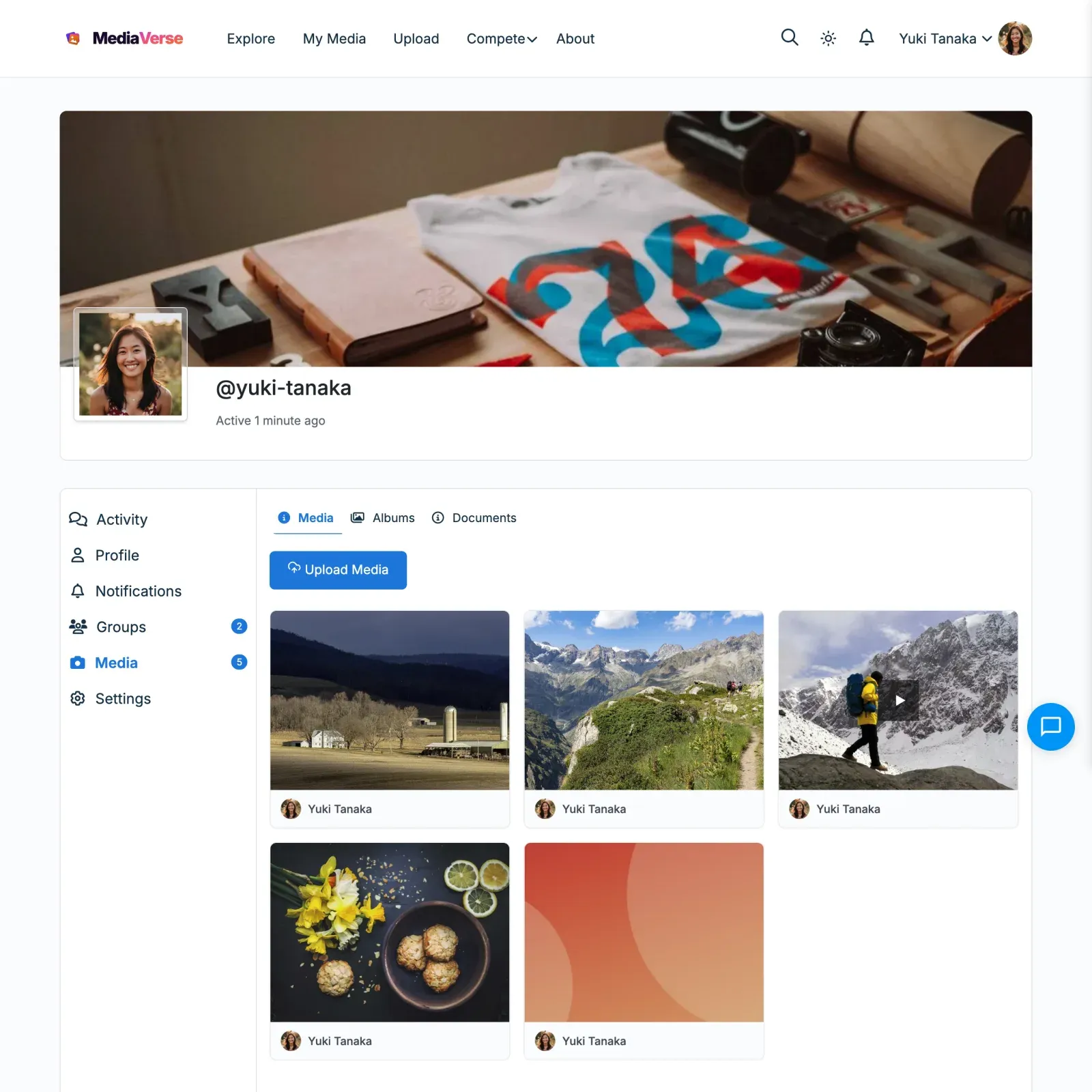
When BuddyPress is active, MediaVerse adds a Media tab to every user’s BuddyPress profile page.
Tab Location
Section titled “Tab Location”The tab appears in the main BuddyPress profile navigation at:
/members/{username}/media/It is added via bp_setup_nav at priority 100.
What the Tab Shows
Section titled “What the Tab Shows”The Media tab displays the profile owner’s published media items in a paginated grid. Privacy filtering applies:
- Visitors see only the profile owner’s public media.
- Logged-in users see public and members-only media.
- BuddyPress friends see public, members-only, and friends media.
- The profile owner sees all their own media.
- Moderators (
moderate_mvs_media) see all media.
A gallery (items uploaded together) shows as one tile with a count badge, not as one tile per item. The badge counts the items the visitor may see. Visitors, including signed-out ones, can open the tiles in the lightbox, which steps through the gallery. The lightbox shows Edit only to the owner and no Report on your own media.
Sub-tabs
Section titled “Sub-tabs”The profile Media tab has up to three sub-tabs. The Documents sub-tab only appears when documents are switched on (MediaVerse Pro):
| Sub-tab | URL |
|---|---|
| Media | /members/{username}/media/ |
| Albums | /members/{username}/media/albums/ |
| Documents | /members/{username}/media/documents/ |
Documents sub-tab
Section titled “Documents sub-tab”The Documents sub-tab lists the profile owner’s documents, filtered by what the viewer is allowed to see:
- The profile owner sees all of their own documents.
- A logged-in member sees members-level and public documents, plus anything shared directly with them.
- A logged-out visitor sees only public documents.
Free registers the sub-tab and emits the filter mvs_profile_documents_html( string $html, int $owner_id, int $viewer_id ); MediaVerse Pro answers it (Documents/ProfileDocuments.php) with the privacy-filtered document list. It works on both BuddyPress and BuddyBoss (BuddyPress-compatible). This is BuddyPress-only - there is no standalone /author Documents tab.
Profile URL Pattern
Section titled “Profile URL Pattern”MediaVerse also registers a standalone media profile URL:
/media/@{username}//media/@{username}/page/2/These URLs are handled by the TemplateLoader and use the explore.php template, filtered to the specific user.
User Profile Edit Page
Section titled “User Profile Edit Page”Members edit their profile details in the Edit profile section of the My Media dashboard (on a BuddyNext site, in BuddyNext). The old address below sends them there:
/media/edit-profile/The [mvs_profile_edit] shortcode still works on any page.
Disabling the Profile Tab
Section titled “Disabling the Profile Tab”To remove the profile tab without disabling the entire integration:
remove_action( 'bp_setup_nav', array( $integration, 'add_profile_tab' ), 100 );Since $integration is not easily accessible externally, the cleaner approach is to use the tab’s existence to skip rendering:
add_action( 'bp_setup_nav', function() { // Remove the MediaVerse media nav item from BP. bp_core_remove_nav_item( 'media' );}, 200 );