

Why MediaVerse
MediaVerse overviewFree + ProGet MediaVerse →
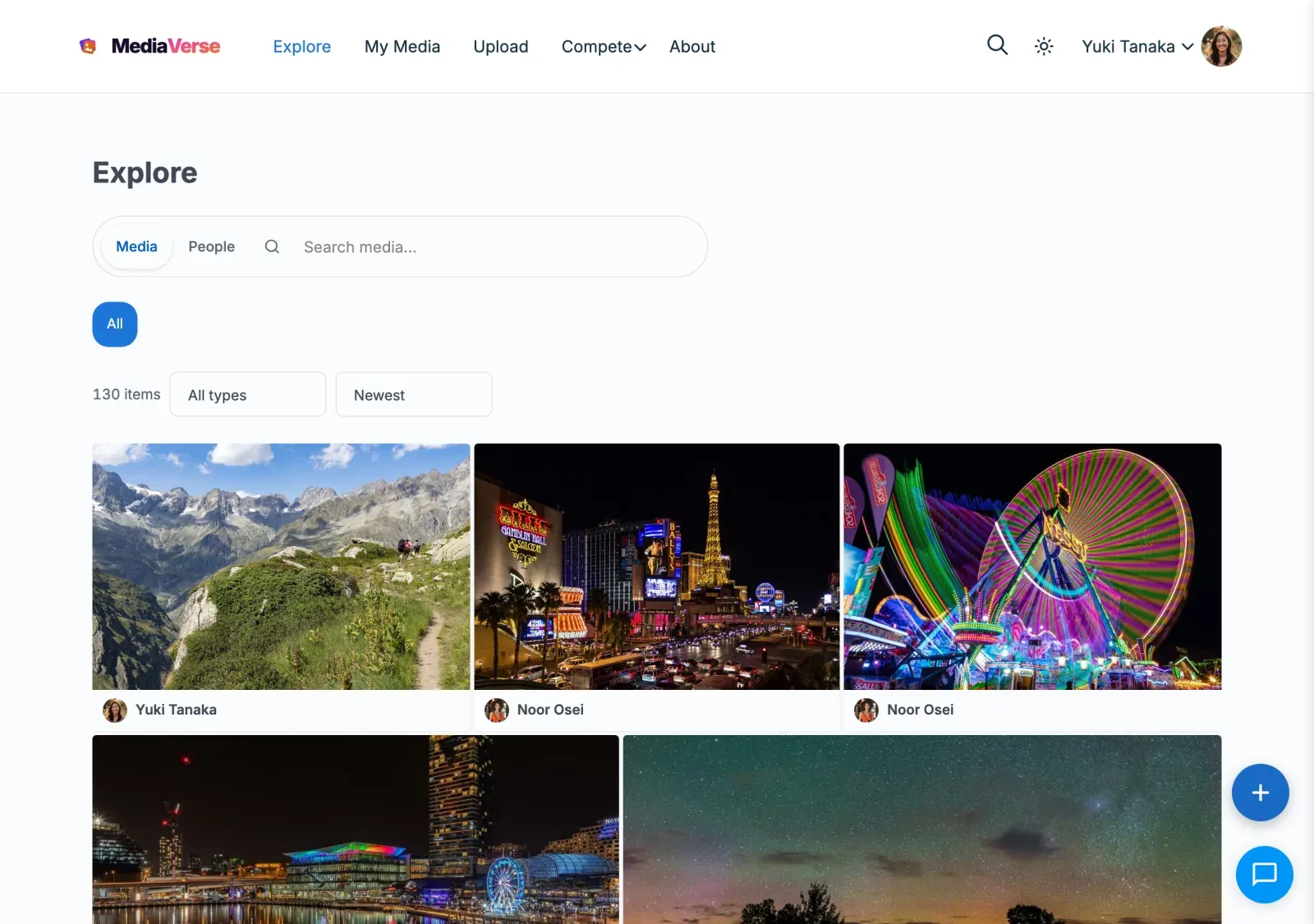
MediaVerse is a purpose-built media platform for WordPress. Unlike plugins that bolt media features onto WordPress posts or attachments, MediaVerse uses its own high-performance database architecture designed from the ground up for media-heavy communities.
Watch: A neighbourhood feed, groups and a shared photo gallery (short video)
The Problem with WordPress Attachments
Section titled “The Problem with WordPress Attachments”Most WordPress media plugins store user uploads as wp_posts with post_type = 'attachment'. This creates serious problems at scale:
- wp_posts table bloat - A community with 50,000 photos adds 50,000 rows to the same table that holds your pages, blog posts, menu items, and revisions. Every WP_Query on your site slows down.
- wp_postmeta overhead - Each media item needs 10-20 meta rows for stats, privacy, tags, and file paths. At 50K media, that is 500K-1M rows in wp_postmeta - the single biggest performance bottleneck in WordPress.
- No native stats - WordPress attachments have no built-in view counting, reaction tracking, or engagement metrics. Plugins that add these use postmeta, compounding the bloat.
- Mixed concerns - Admin queries for pages and posts compete with media queries. There is no way to independently optimize media storage.
How MediaVerse Is Different
Section titled “How MediaVerse Is Different”MediaVerse stores all media in dedicated custom tables, completely separate from wp_posts:
| Table | Purpose |
|---|---|
mvs_media_index |
Core media record - title, author, file URL, privacy, status, timestamps |
mvs_media_meta |
Sparse key-value metadata (thumbnail paths, gallery groups, AI descriptions) |
mvs_media_stats |
Views, downloads, reactions, comments and shares - one row per media |
mvs_reactions |
Individual emoji reactions with user attribution |
mvs_favorites |
Items a member has saved (their Favorites) |
mvs_follows |
User follow relationships |
mvs_conversations |
Direct message conversations |
mvs_messages |
Individual chat messages |
What This Means for You
Section titled “What This Means for You”- Zero wp_posts bloat - 100,000 media items add zero rows to wp_posts. Your pages, menus, and blog posts are unaffected.
- Indexed queries - Every table has purpose-built indexes. Fetching “latest 12 public photos by user X” is a single indexed query, not a WP_Query with meta joins.
- Independent scaling - You can optimize, partition, or replicate media tables without touching the rest of WordPress.
- No postmeta bottleneck - Stats, privacy, and metadata live in dedicated columns or a sparse meta table. No serialized arrays, no autoload bloat.
- Real-time stats - Views, reactions, and comments are atomic counters in
mvs_media_stats, not meta values that need cache invalidation.
Performance at Scale
Section titled “Performance at Scale”| Metric | Attachment-based plugins | MediaVerse |
|---|---|---|
| 10K media: wp_posts rows added | 10,000 | 0 |
| 10K media: wp_postmeta rows added | 100,000-200,000 | 0 |
| Query: latest 12 photos | WP_Query + 3 meta joins | Single indexed SELECT |
| Query: user’s photo count | COUNT on wp_posts + meta | COUNT on mvs_media_index (indexed) |
| Stats update (view count) | update_post_meta (cache bust) | UPDATE mvs_media_stats SET views = views + 1 |
Files Are Still in wp-content
Section titled “Files Are Still in wp-content”MediaVerse stores database records in custom tables. The actual files (images, videos, audio) are stored in the standard WordPress uploads directory:
wp-content/uploads/wpmediaverse/2026/03/3f9a1c7e5b2d4a60.jpg (original)wp-content/uploads/wpmediaverse/2026/03/3f9a1c7e5b2d4a60-1024x683.jpg (large)wp-content/uploads/wpmediaverse/2026/03/3f9a1c7e5b2d4a60-300x200.jpg (medium)wp-content/uploads/wpmediaverse/2026/03/3f9a1c7e5b2d4a60-150x150.jpg (small square)New uploads get a random file name, so the address does not reveal the original name. MediaVerse makes three smaller sizes of every image.
With Pro’s cloud storage, files can also be stored on Amazon S3 or BunnyCDN while database records remain local.
How It Compares
Section titled “How It Compares”| Feature | rtMedia | BuddyBoss Media | MediaPress | MediaVerse |
|---|---|---|---|---|
| Storage | wp_posts + postmeta | wp_posts + postmeta | wp_posts + postmeta | Custom tables |
| Requires BuddyPress | Yes | Yes (BuddyBoss) | Yes | No (optional) |
| Standalone mode | No | No | No | Yes |
| Privacy levels | Basic | Basic | Basic | Public, Members, Friends, Group, Only me |
| Direct messaging | No | Separate plugin | No | Built-in |
| Gamification | No | No | No | Challenges, battles, tournaments (Pro) |
| Cloud storage | No | No | No | S3, BunnyCDN, Cloudflare R2, DigitalOcean Spaces (Pro) |
| AI moderation | No | No | No | OpenAI (Free); Google Vision, AWS Rekognition, Claude (Pro) |
| Storage limit | No | No | No | One optional limit per member (Free) |
| Layout modes | 1 | 1 | 1 | 7 (3 Free + 4 Pro) |
Use Cases
Section titled “Use Cases”Photography Community
Section titled “Photography Community”A social network for photographers to share, discover, and compete. Users upload photos, follow each other, enter weekly challenges, and battle head-to-head. The Pinterest or Instagram layout (Pro) creates a visual-first experience.
Portfolio Showcase
Section titled “Portfolio Showcase”Designers, artists, and photographers use MediaVerse as their portfolio. The Dribbble layout (Pro) presents work in a professional shot grid. Clients can view galleries, leave comments, and message directly.
School or University
Section titled “School or University”Students submit media projects through the upload system. Teachers use collections to curate work. Privacy controls ensure only enrolled members see content. An optional storage limit caps each student’s space.
Company Intranet
Section titled “Company Intranet”Employees share photos from events, marketing assets, and training videos. Group media tabs organize content by department. AI moderation, once you turn it on, flags inappropriate uploads automatically.
BuddyPress Community
Section titled “BuddyPress Community”Add a rich media layer to any BuddyPress social network. Members get media tabs on profiles and groups, uploads appear in the activity stream, and followers see new content in their feed. Everything works out of the box - activate BuddyPress and the integration is automatic. On a BuddyNext community the same features are built in; see BuddyNext Integration.
Frequently Asked Questions
Section titled “Frequently Asked Questions”Will my media appear in the WordPress Media Library?
Section titled “Will my media appear in the WordPress Media Library?”No. MediaVerse media is managed through its own admin pages (MediaVerse > All Media) and frontend dashboard (My Media). This is intentional - it keeps the WordPress Media Library clean for your theme images, post attachments, and other site assets.
Can I use MediaVerse without BuddyPress?
Section titled “Can I use MediaVerse without BuddyPress?”Yes. MediaVerse is a standalone plugin. It creates its own pages (/explore-media/, /my-media/, /upload-media/) and works on any WordPress site. BuddyPress integration activates automatically when BuddyPress is installed but is completely optional.
What happens to my data if I deactivate the plugin?
Section titled “What happens to my data if I deactivate the plugin?”Deactivation stops all plugin functionality but your data stays intact in the database. Reactivating restores everything. Deleting the plugin keeps your data too, unless you turned on Remove Data on Delete under MediaVerse > Settings > General. With that on, deleting the plugin removes the custom tables, albums, messages and settings. Uploaded files and the pages MediaVerse created are never deleted.
Can I migrate from rtMedia / MediaPress / BuddyBoss?
Section titled “Can I migrate from rtMedia / MediaPress / BuddyBoss?”Yes. MediaVerse Pro includes WP-CLI migration tools that import media records, preserving original upload dates, author attribution, and file URLs. Pro also adds an Import screen under the MediaVerse menu when it finds media from one of those plugins. See Migration Tools.
How does search work?
Section titled “How does search work?”MediaVerse has its own search system that queries the mvs_media_index table directly. It searches titles and descriptions. Tags and categories use WordPress taxonomies for filtering.
Does it work with page builders?
Section titled “Does it work with page builders?”Yes. MediaVerse provides Gutenberg blocks (Media Grid, Explore Feed, Album Viewer) and shortcodes for Elementor, Beaver Builder, and other builders. The blocks use the WordPress Interactivity API for dynamic behavior.