

Messages Settings
MediaVerse overviewFree + ProGet MediaVerse →
Access these settings at MediaVerse > Settings > Messages. This tab was called “Messaging” and “Direct Messages” before 2.6.0.
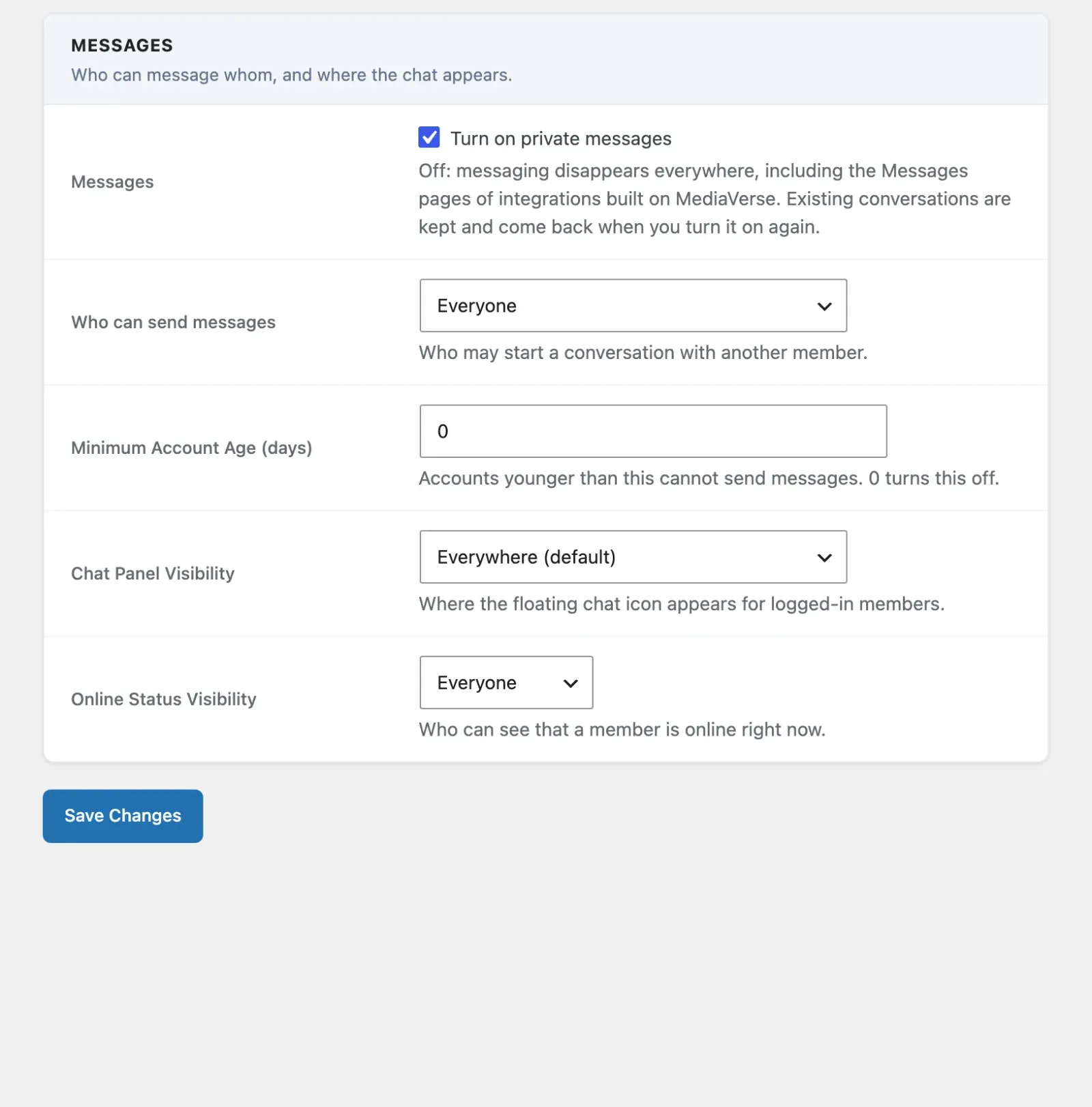
These settings control who can message whom, where the chat appears, and who sees online status.
Messages
Section titled “Messages”| Option | Key | Default | Description |
|---|---|---|---|
| Messages | mvs_messaging_enabled |
on | Turn on private messages. Off, messaging disappears everywhere: the chat panel, the /messages/ page (a normal “not found”), Message buttons, the messaging API, Pro group chat, and the Messages pages of integrations built on MediaVerse such as BuddyNext. Existing conversations are kept and come back when you turn it on again. Members can still export or erase their messages through WordPress’s privacy tools. |
| Who can send messages | mvs_dm_access |
everyone |
Who may start a conversation with another member. Options: Everyone (everyone), Followers only - others go to Requests (followers), People the member follows back (mutual, mutual follows), Nobody - no new messages, existing conversations stay readable (nobody). |
| Minimum Account Age (days) | mvs_dm_min_age |
0 |
Accounts younger than this cannot send messages. 0 turns this off. |
| Chat Panel Visibility | mvs_chat_panel_visibility |
everywhere |
Where the floating chat icon appears for signed-in members. Options: everywhere, mvs_pages (MediaVerse pages only - Explore, Dashboard, Albums, Member Profiles), bp_pages (BuddyPress member and group pages only), disabled (never show the slide-out; use only the /messages/ page). |
| Online Status Visibility | mvs_show_online_status |
everyone |
Who can see that a member is online right now. Options: everyone, followers, nobody. |
Who can send messages applies site-wide. Members cannot override it one by one.
Messages off or Nobody? Turn Messages off when your site should not have private messaging at all. Choose Nobody when you want to stop new messages but let members keep reading the conversations they already have.
While Messages is off, an administrator who opens the /messages/ address sees a Messages is turned off item in the admin bar that links back to this setting.
Developers can force the switch either way with the mvs_messaging_enabled filter.
Developers can hide the chat panel on a single request with the mvs_should_render_chat_panel filter - return false to suppress it.
Setting these options with WP-CLI
Section titled “Setting these options with WP-CLI”Each setting is a normal WordPress option, so you can set it without the screen:
wp option update mvs_messaging_enabled 0 # turn Messages off (1 turns it back on)wp option update mvs_dm_access followerswp option update mvs_dm_min_age 7wp option update mvs_show_online_status nobody