

Mobile App (White-Label & Push)
MediaVerse overviewFree + ProGet MediaVerse →
PRO - Requires MediaVerse Pro. This feature is not in the free plugin.
MediaVerse Pro powers a native mobile app for your community. Pro supplies the app’s branding, feature flags, feed layout, push notifications, and leaderboard through the REST API - the same data your site already manages, delivered in the shape a native client needs.
White-Label Branding
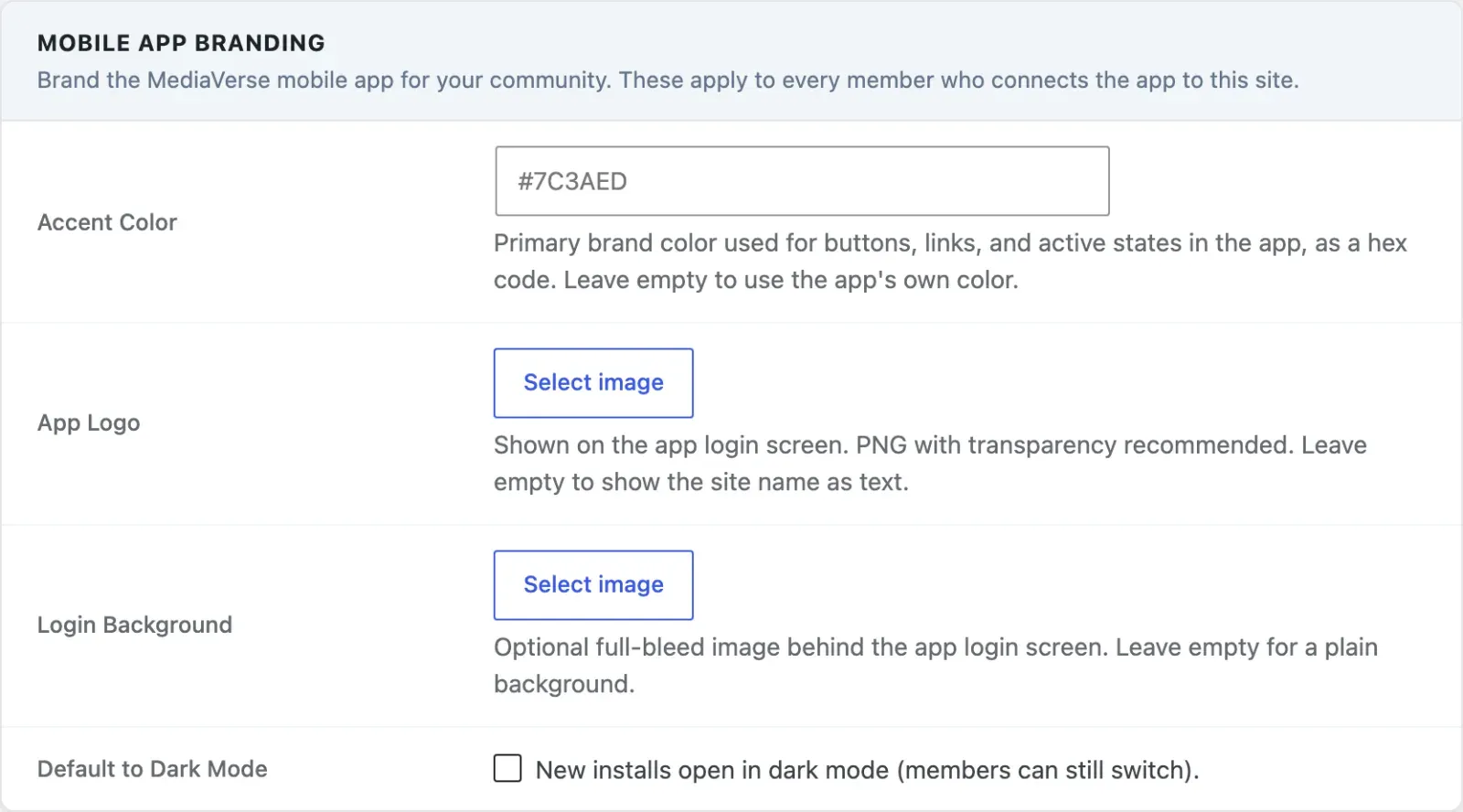
Section titled “White-Label Branding”Brand the app for your own community: your logo, your accent color, your login screen. Every member who connects the app to your site sees your brand, not a generic MediaVerse skin.
Go to MediaVerse > Settings > Mobile App.
| Option | Option Key | Default | Description |
|---|---|---|---|
| Accent Color | mvs_app_accent_color |
Empty | Primary brand color for buttons, links, and active states in the app, as a hex code such as #7C3AED. Leave it empty and the app uses its own color |
| App Logo | mvs_app_logo_id |
(none) | Media Library attachment shown on the app login screen. PNG with transparency recommended. Falls back to the site name as text when empty |
| Login Background | mvs_app_login_bg_id |
(none) | Optional full-bleed image behind the app login screen. Plain background when empty |
| Default to Dark Mode | mvs_app_dark_mode_default |
Off | The app opens in dark mode for new installs; members can still switch |
Feed Layout
Section titled “Feed Layout”The app mirrors the feed layout you picked for the web Explore page - grid, Instagram, Pinterest, Flickr, or Dribbble - so the app matches the browsing experience you configured. This is the same Layout setting on MediaVerse > Settings > Display described in Layout Modes; there is no separate app-only layout setting.
Feature Flags
Section titled “Feature Flags”The app also learns which competitive features are switched on for your site - battles, challenges, tournaments, boosts, streaks, and stories - so it only mounts the screens you’ve actually enabled. Each flag mirrors the matching admin switch; there is nothing extra to configure for the app itself.
How the App Gets This (Developers)
Section titled “How the App Gets This (Developers)”A native or headless client calls GET /wp-json/mvs/v1/app/config once, before theming itself and deciding which screens to mount. This is a Free-plugin route (public, no authentication) that Pro contributes branding, layout, and feature flags into via filters. The filters themselves (mvs_app_config_branding, mvs_app_config_features, mvs_app_config_layout) are documented in the Free plugin’s Hooks & Filters reference - this page covers the feature, not the filter contract.
Full request/response details for /app/config plus the Pro-only push and leaderboard routes below are in the Pro REST API Reference.
Push Notifications
Section titled “Push Notifications”Once a member is logged in, the app registers its Expo push token with your site. Pro then sends the notifications MediaVerse creates for that member to the device, and skips conversations the member has muted. Push needs no setting; it does nothing until a device registers.
POST /mvs-pro/v1/push/register-device- register (or refresh) a device token for the current user.DELETE /mvs-pro/v1/push/register-device- remove a device token (e.g. on logout).
Both require a logged-in user. See the Pro REST API Reference for the full parameter list.
Leaderboard
Section titled “Leaderboard”GET /mvs-pro/v1/leaderboard powers the app’s gamification screen. It’s backed by the same ranking as the Leaderboard block, so the ranking the app shows is identical to the one on your site - ranked by reactions, upload count, or gamification points, over all time, the last 30 days, or the last 7 days. The points ranking needs the free WB Gamification plugin and is empty without it. The response includes the ranked page plus the current viewer’s own rank in one round trip. The own-rank value is not available for the points ranking.
Requirements
Section titled “Requirements”- MediaVerse Pro 1.9.0 or higher.
- A native or headless client (such as the MediaVerse mobile app) that calls
/app/config, the push routes, and the leaderboard route.