

AI Providers
MediaVerse overviewFree + ProGet MediaVerse →
PRO - Requires MediaVerse Pro. This feature is not in the free plugin.
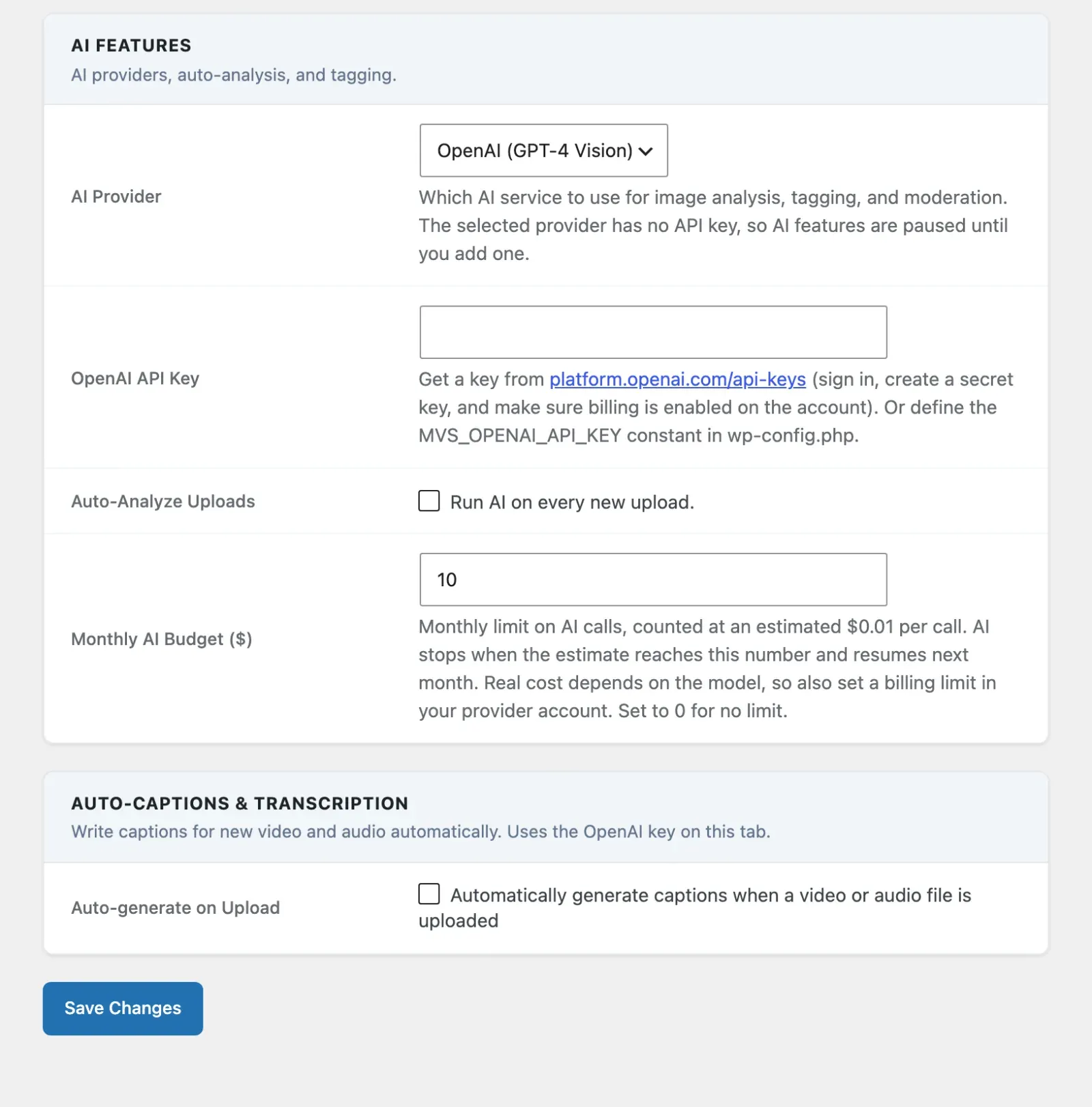
MediaVerse Pro adds Google Cloud Vision, AWS Rekognition, and Claude (Anthropic) as AI analysis providers alongside the built-in OpenAI Vision option. All four providers support auto-tagging and content moderation.
Supported Providers
Section titled “Supported Providers”| Provider | Auto-Tag | Content Moderation | Configuration Location |
|---|---|---|---|
| OpenAI (GPT-4 Vision) (free + Pro) | Yes | Yes | MediaVerse > Settings > AI |
| Google Vision | Yes | Yes | MediaVerse > Settings > AI, Google Cloud Vision section |
| AWS Rekognition | Yes | Yes | MediaVerse > Settings > AI, AWS Rekognition section |
| Claude (Anthropic) | Yes | Yes | MediaVerse > Settings > AI, Anthropic (Claude) section |
Only one provider is active at a time. Select it under MediaVerse > Settings > AI > AI Provider. The section for the chosen provider appears once you select it.
Google Cloud Vision
Section titled “Google Cloud Vision”Requirements
Section titled “Requirements”- A Google Cloud project with the Cloud Vision API enabled
- A Google Cloud API key (created in the Google Cloud Console, under APIs and services, Credentials)
Settings
Section titled “Settings”| Option | Option Key | Description |
|---|---|---|
| Google Cloud API Key | mvs_pro_google_vision_key |
Google Cloud API key. The project must have the Cloud Vision API enabled and billing on |

What Google Vision Returns
Section titled “What Google Vision Returns”- Labels: Object and scene descriptions, mapped to
mvs_tagterms when Auto-Apply Tags is on - Safe Search: Likelihood scores for adult, violence, racy, medical, and spoof categories
- Web Detection: Public web entities that match the image (used as supplemental tags)
AWS Rekognition
Section titled “AWS Rekognition”Requirements
Section titled “Requirements”- AWS account with the Rekognition service enabled in your chosen region
- IAM user or role with
rekognition:DetectLabelsandrekognition:DetectModerationLabelspermissions
Settings
Section titled “Settings”| Option | Option Key | Description |
|---|---|---|
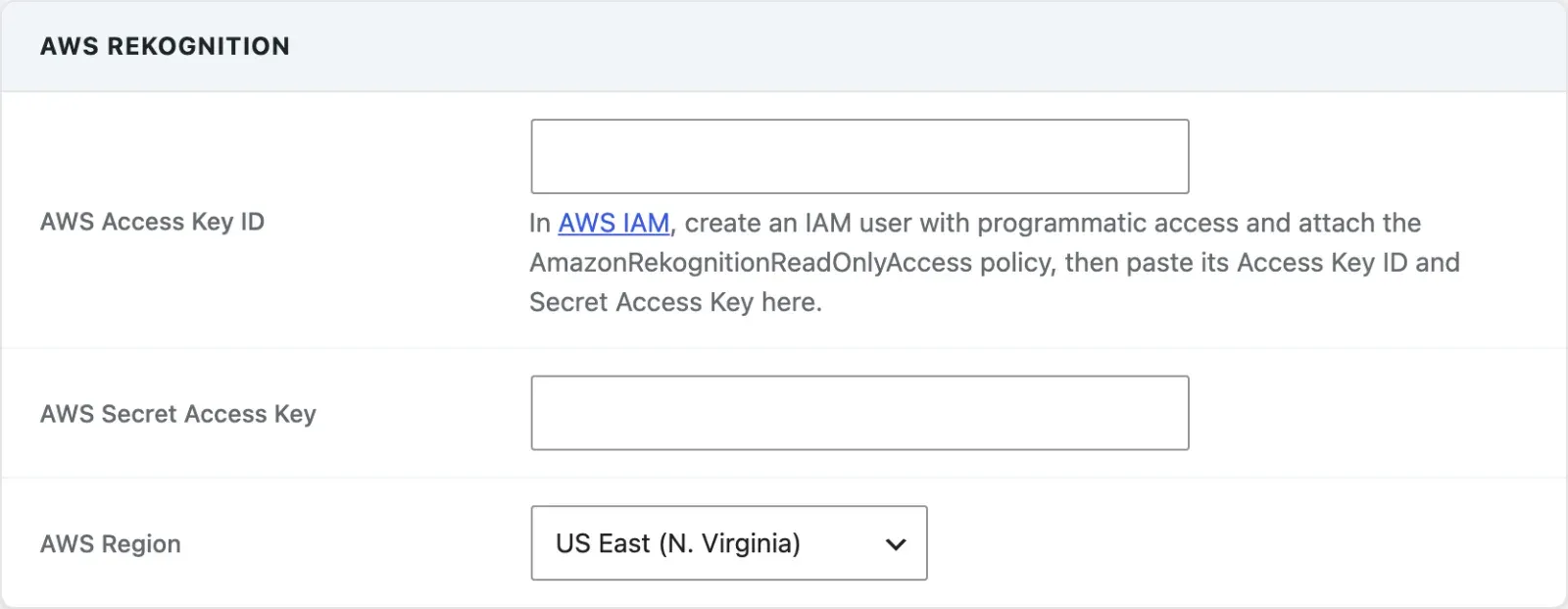
| AWS Access Key ID | mvs_pro_aws_access_key |
AWS IAM access key ID |
| AWS Secret Access Key | mvs_pro_aws_secret_key |
AWS IAM secret access key |
| AWS Region | mvs_pro_aws_region |
Pick from the regions where Rekognition is available. Default us-east-1 |
What Rekognition Returns
Section titled “What Rekognition Returns”- Labels: Hierarchical object and scene labels with confidence scores, mapped to
mvs_tagterms - Moderation Labels: Content categories (nudity, violence, drugs, etc.) with confidence scores used by the moderation threshold settings
Claude (Anthropic) (New in 1.8.0)
Section titled “Claude (Anthropic) (New in 1.8.0)”Requirements
Section titled “Requirements”- An Anthropic account and API key with billing enabled
Settings
Section titled “Settings”| Option | Option Key | Description |
|---|---|---|
| Anthropic API Key | mvs_pro_anthropic_key |
Your Anthropic API key |
The model is Claude Haiku 4.5, chosen for tagging speed and cost. Since 2.6.0 there is no model picker on the screen; a site that picked Claude Sonnet 4.6 or Claude Opus 4.8 before then keeps that choice.

What Claude Returns
Section titled “What Claude Returns”- Description + tags: same natural-language description and comma-separated tag suggestions as the OpenAI path, mapped to
mvs_tagterms when Auto-Apply Tags is on - Moderation: flags content against the site’s configured AI Flag Criteria and Custom Flag Terms - the same category checkboxes and custom-terms field the free plugin’s OpenAI path uses
Circuit Breaker
Section titled “Circuit Breaker”MediaVerse Pro implements a circuit breaker for all AI providers. If a provider records 5 consecutive failures (network timeout, invalid API key, rate limit), the circuit opens and no further API calls are made to that provider for a cooldown period of 1 hour. This prevents quota exhaustion during outages.
While the circuit is open, calls to that provider are skipped. The failure counter is stored in a transient that expires after the cooldown, and a successful call resets the counter immediately. There is no separate half-open/retry phase or manual reset command.
Auto-Tagging Behaviour
Section titled “Auto-Tagging Behaviour”All providers map their returned labels to mvs_tag taxonomy terms. Terms are created if they do not exist. Auto-tagging and the confidence/threshold controls that govern it are configured through the free plugin’s AI settings (Auto-Apply Tags under MediaVerse > Settings > AI, and the flag settings under MediaVerse > Settings > Moderation) - the Pro providers feed into that same pipeline rather than adding their own tag-confidence option keys.
Content Moderation Settings
Section titled “Content Moderation Settings”Moderation settings are shared by every provider and live on MediaVerse > Settings > Moderation:
- AI Moderation - check new uploads with AI and act on what it flags.
- When AI Flags Content - what happens to a flagged upload, such as hiding it until you review it.
- AI Flag Criteria - which content categories the AI flags.
- Custom Flag Terms - extra terms the AI should also flag.
The separate Auto-Hide Threshold setting on that tab counts member reports, not AI scores.