

Gamification Overview
MediaVerse overviewFree + ProGet MediaVerse →
PRO - Requires MediaVerse Pro. This feature is not in the free plugin.
MediaVerse Gamification turns your media community into a competitive platform. Members enter photo challenges and tournaments, challenge each other to battles, build upload streaks, and boost their media visibility. Points come from the separate free WB Gamification plugin.
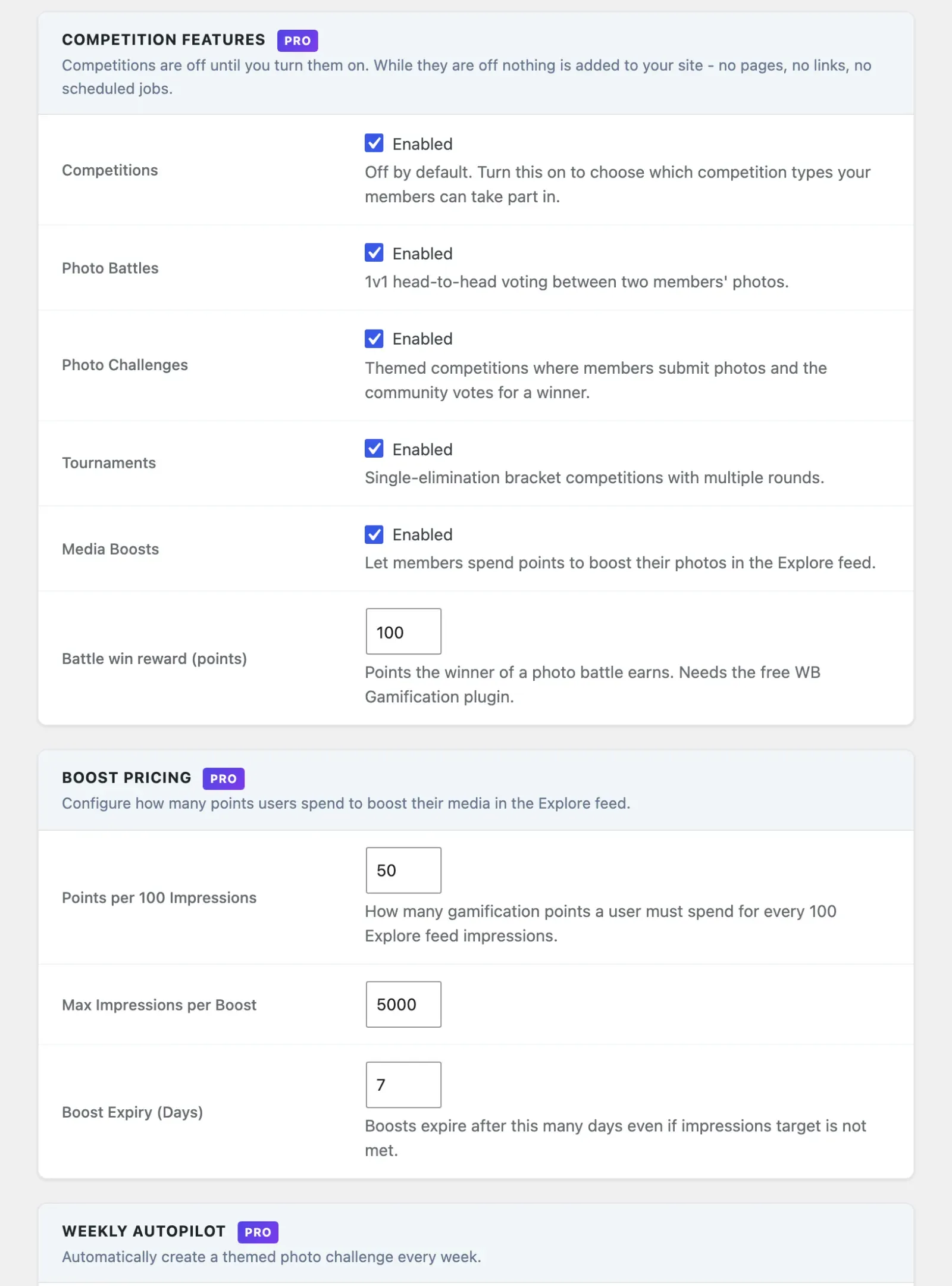
Gamification is part of MediaVerse Pro. Competitions run without WB Gamification, but points are only earned and spent when it is active. Everything is off by default. Turn it on at MediaVerse > Settings > Competitions: tick Competitions first, then choose which types to switch on.
Requirements
Section titled “Requirements”- MediaVerse Pro
- WB Gamification plugin (active) for points. Needed for earning points, and for Media Boosts and streak freezes, which spend points
- WordPress 6.5+
- PHP 8.1+
Who Can Enter
Section titled “Who Can Enter”Competitions and boosts show an item to everyone, including visitors. So only your own public, approved photos and videos can enter a competition or be boosted. Private items and documents cannot. If an entry is later hidden, it shows as missing.
Feature Types
Section titled “Feature Types”| Feature | Description | Setting Key |
|---|---|---|
| Competitions (master switch) | Nothing below exists on the site until this is on | mvs_competitions_enabled |
| Photo Challenges | Themed competitions with voting | mvs_challenges_enabled |
| Photo Battles | 1v1 head-to-head media matchups | mvs_battles_enabled |
| Tournaments | Single-elimination bracket competitions | mvs_tournaments_enabled |
| Media Boosts | Spend points to increase media visibility | mvs_boosts_enabled |
| Upload Streaks | Track consecutive daily uploads (has its own switch, outside the master switch) | mvs_streaks_enabled |
While Competitions is off, MediaVerse adds no competition pages, links, admin menus or scheduled jobs.
Competition Types
Section titled “Competition Types”All three competition types share a unified database schema. Each type follows its own lifecycle, but they share the same tables.
Challenges
Section titled “Challenges”Themed competitions. An admin (or Autopilot) creates a challenge with a theme, an entry window, and a voting window. Members submit photos, the community votes, and the top three earn point prizes.
Battles
Section titled “Battles”1v1 matchups. A challenger picks a photo and invites an opponent. Both submit photos, the community votes, the system resolves the winner.
Tournaments
Section titled “Tournaments”Single-elimination brackets for 4 to 64 participants. Members register, the bracket is seeded at random when registration closes, and each round is decided by community vote until a champion is found.
Database Schema
Section titled “Database Schema”| Table | Purpose |
|---|---|
mvs_competitions |
Master record for all challenges, battles, and tournaments |
mvs_competition_entries |
User photo submissions for any competition type |
mvs_competition_matches |
Individual head-to-head pairings (battles and tournament rounds) |
mvs_competition_votes |
Per-user votes on entries or matches |
mvs_boosts |
Active and expired media boost records |
The mvs_competitions.type column distinguishes between challenge, battle, and tournament records.
Points Integration
Section titled “Points Integration”Points are not awarded by MediaVerse itself. The separate free WB Gamification plugin is the points engine. WB Gamification ships the MediaVerse integration: it registers 15 actions, with its own default point values, which you manage in WB Gamification. They cover a photo upload, adding items to an album, likes, comments, follows and favorites received, writing a comment, following a member, bookmarking a photo, winning a battle, entering a challenge, placing in a challenge, winning a tournament round, winning a tournament, and reaching a streak milestone.
MediaVerse fires the matching events as members use the site, and WB Gamification awards the points. The prizes you set on a challenge, a tournament or the battle reward are applied through the wb_gam_points_for_action filter, so the points a member earns match the prize shown on the page.
Without WB Gamification active, competitions still run end to end - members enter, vote, and win - but no points are earned or spent, Media Boosts cannot be bought, and streak freezes cannot be bought.
Frontend Pages
Section titled “Frontend Pages”| URL | Description |
|---|---|
/media/challenges/ |
Browse and enter photo challenges |
/media/battles/ |
Start, accept, submit to and vote on battles |
/media/tournaments/ |
Browse tournaments and view brackets |
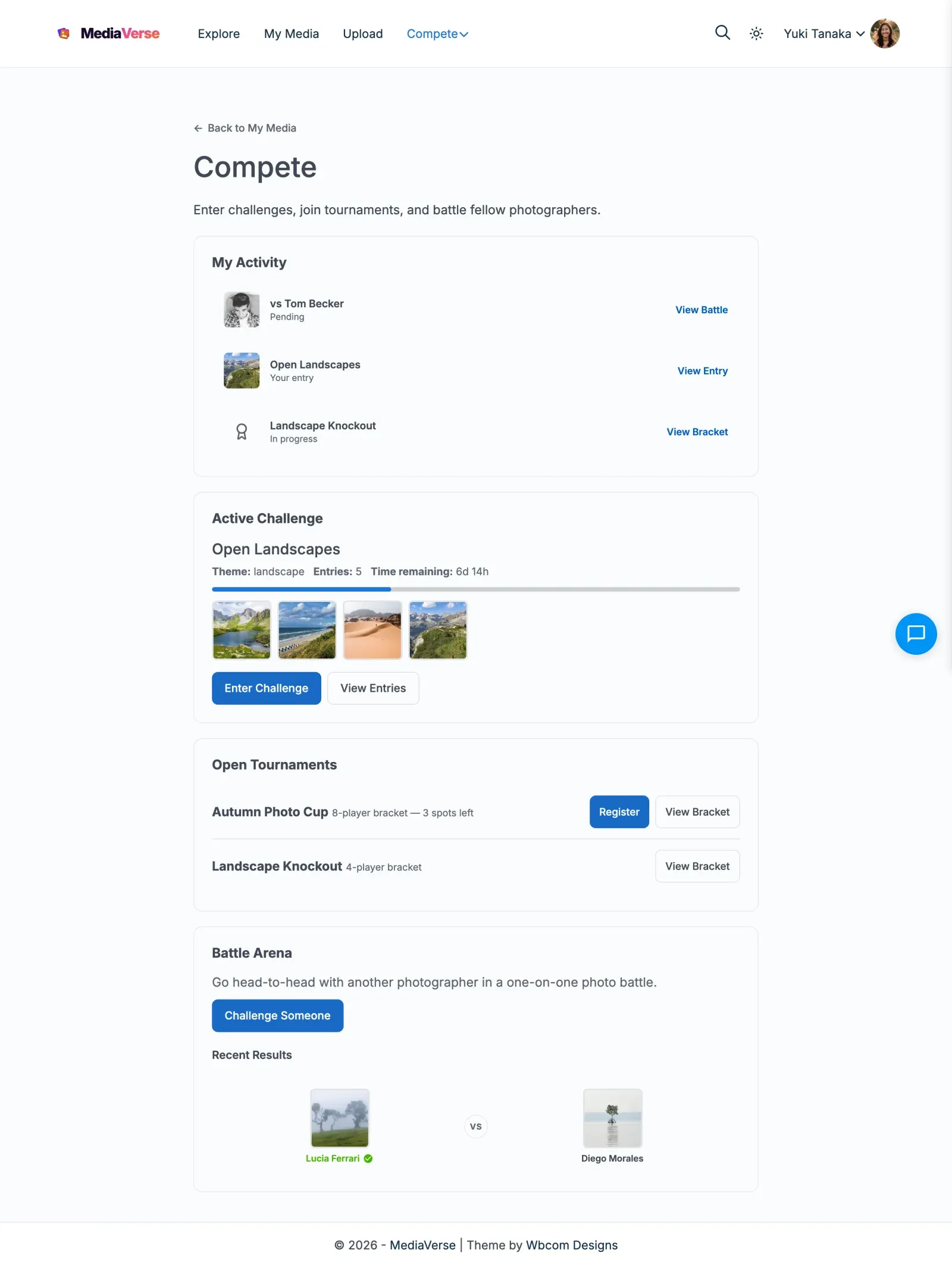
/compete/ |
Compete hub: your points, your activity and results, the active challenge, open tournaments and the battle arena |
The My Media dashboard has no competition tabs. Members reach their competition activity on the Compete hub, which has a Back to My Media link.
Scheduled Actions
Section titled “Scheduled Actions”Competition lifecycle changes are not real time. One recurring job runs about every 5 minutes and moves each competition on once a deadline has passed. Boost expiry runs hourly, and the streak check runs once a day.
| Scheduled Action | Trigger Condition |
|---|---|
mvs_activate_scheduled_challenges |
Challenge start date reached |
mvs_close_challenge_entries |
Entry deadline reached |
mvs_finalize_expired_challenges |
Voting deadline reached |
mvs_resolve_expired_battles |
Battle vote deadline reached |
mvs_start_registered_tournaments |
Tournament registration deadline reached |
mvs_resolve_expired_matches |
Match vote deadline reached |
mvs_expire_boosts |
Boost impression target or duration reached (hourly) |
mvs_daily_streak_check |
Daily at 2 AM - break streaks for missed uploads |
Action Scheduler must be running for competitions to move on. If your host blocks WP-Cron, configure Action Scheduler with a server-level cron trigger.