

Calendar Feed (ICS)
Eventonomy overviewFree + ProGet Eventonomy →
Eventonomy generates ICS calendar files that visitors can download or subscribe to. This lets people add individual events (or a live, auto-updating feed of all events) to Apple Calendar, Google Calendar, Outlook, and any other calendar app that supports the ICS format.
What You Will Learn
Section titled “What You Will Learn”- How to enable the calendar feed
- How the per-event download works
- How the subscribable live feed works
- Which URL formats Eventonomy provides
Enabling the Calendar Feed
Section titled “Enabling the Calendar Feed”Go to Eventonomy → Settings → Connections → Calendar feed and:
- Toggle Calendar feed on.
- Enable calendar downloads and the subscribable feed.
- Enable Show “Add to calendar” on single events to show the download buttons.
Save changes.
Per-Event Download
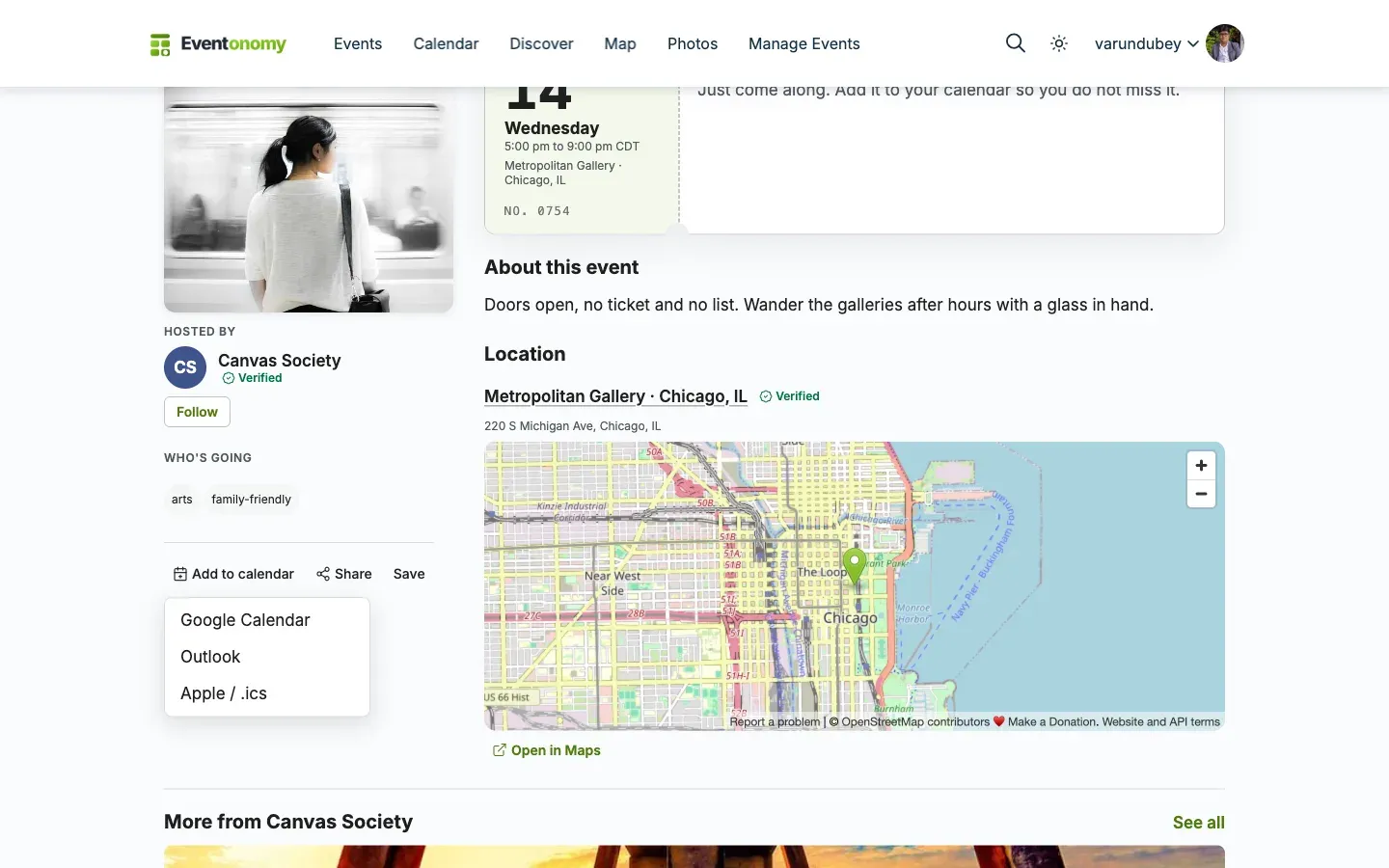
Section titled “Per-Event Download”On any single event page, an Add to calendar row gives visitors three one-tap options:
- Google - opens Google Calendar’s add-event page, pre-filled.
- Outlook - the same for Outlook on the web.
- Apple / .ics - downloads the
.icsfile, which Apple Calendar and any other desktop calendar app will open.
For a recurring event the file carries a single event with a repeat rule, rather than one entry per date, so the visitor’s calendar shows the series the way their own app draws series.
Direct ICS URL
Section titled “Direct ICS URL”Each event has a direct ICS download URL:
GET /wp-json/eventonomy/v1/events/{id}.icsIt returns the event with its active occurrences; dates you have cancelled are left out.
Subscribable Live Feed
Section titled “Subscribable Live Feed”The subscribable feed is a live URL that calendar apps poll to stay up to date. As you add or update events, subscribed calendars see the changes automatically.
Feed URL
Section titled “Feed URL”/wp-json/eventonomy/v1/calendar.icsWhat the Feed Contains
Section titled “What the Feed Contains”One feed, covering the whole site: published, public events that still have an upcoming date. Cancelled dates are excluded, and an event whose dates have all passed drops out on its own, so subscribers never accumulate finished events.
The feed takes no parameters - there is no category-scoped or organizer-scoped
variant, and no per-member feed. If you need one, the /calendar.ics endpoint is
a good starting point to build from; see the
REST API Reference.
Every upcoming public event is included, not only the first 100. A repeating event lists every upcoming date at its exact local time, including across daylight-saving changes, and cancelled dates drop out.
Very large sites have a ceiling. To stop a calendar app pulling an unbounded export, the feed stops after 5,000 upcoming dates, nearest first, so the farthest dates drop off rather than a whole near-term event. Developers can change the limit with the
evnm_calendar_feed_max_occurrencesfilter.
Subscribing in Calendar Apps
Section titled “Subscribing in Calendar Apps”Use the webcal:// URL scheme to subscribe:
webcal://yoursite.com/wp-json/eventonomy/v1/calendar.icsIn Google Calendar, use Other calendars → From URL and paste the https:// version of the feed URL.
What’s Next?
Section titled “What’s Next?”Learn about maps and the Pro Week/Day calendar views.