

User Profile
Each registered user has a profile page that lists their pastes, collections, and starred pastes.
Profile URL
Section titled “Profile URL”/pastes/user/{username}/Replace {username} with the user’s WordPress login name.
Example: /pastes/user/admin/
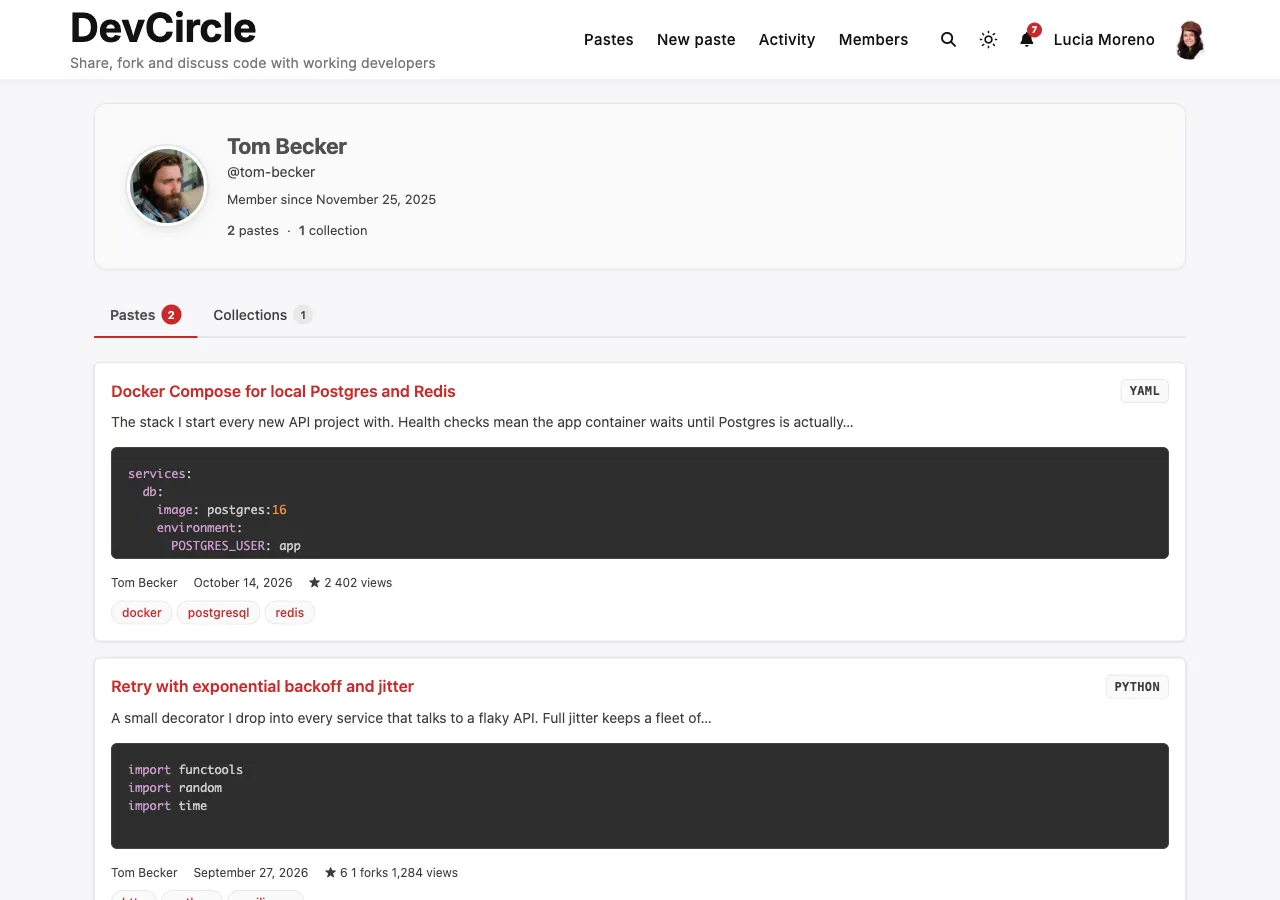
What’s on the Profile Page
Section titled “What’s on the Profile Page”The profile shows three tabs:
Pastes Tab (default)
Section titled “Pastes Tab (default)”Lists pastes created by this user.
If you are viewing your own profile:
- All pastes are visible - public, unlisted, and private
- Expired and trashed pastes are hidden (active status only)
- A + Add Snip button links to the create form
If you are viewing another user’s profile:
- Only public pastes are visible
- Unlisted, private, and burn-after-read pastes are hidden
Collections Tab
Section titled “Collections Tab”Lists collections created by this user.
If you are viewing your own profile:
- Both public and private collections are shown
If you are viewing another user’s profile:
- Only public collections are shown
Starred Tab
Section titled “Starred Tab”Lists the active pastes you have starred. The tab appears only on your own profile; other visitors never see your stars.
Pagination
Section titled “Pagination”The profile uses the Pastes Per Page setting (default: 20) for all three tabs. Use the pagination controls at the bottom to navigate through pages.
BuddyPress Profile Tab
Section titled “BuddyPress Profile Tab”When BuddyPress is active and the Member Profile Tab setting is enabled, a Pastes tab appears in each member’s BuddyPress profile at position 80.
The BuddyPress tab has two sub-tabs:
- My Pastes: same paste list as the standalone profile page
- Starred: same starred list
This lets community members share code directly from their BuddyPress profile without navigating to a separate URL.
Privacy Summary
Section titled “Privacy Summary”| Content | Owner sees | Other users see |
|---|---|---|
| Public pastes | ✅ | ✅ |
| Unlisted pastes | ✅ | ❌ |
| Private pastes | ✅ | ❌ |
| Public collections | ✅ | ✅ |
| Private collections | ✅ | ❌ |
| Starred pastes (public only) | ✅ | ✅ |