

License
SnipShare uses EDD Software Licensing for license key management and automatic updates from wbcomdesigns.com.
Navigate to SnipShare → Settings → License.
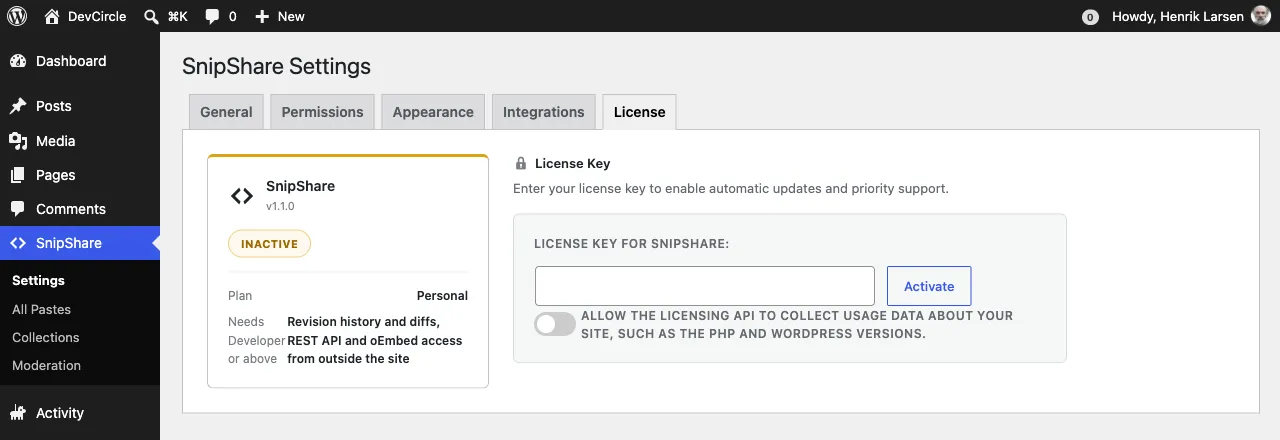
Entering Your License Key
Section titled “Entering Your License Key”- Log in to your account at wbcomdesigns.com.
- Go to My Account → Purchases and find your SnipShare order.
- Copy the license key.
- In your WordPress admin, go to SnipShare → Settings → License.
- Paste the key into the License Key field.
- Click Activate License.
SnipShare sends the key to wbcomdesigns.com for validation. An active internet connection is required.
License Statuses
Section titled “License Statuses”| Status | Meaning |
|---|---|
| Active | License is valid and this site is activated. Automatic updates are enabled. |
| Inactive | Key entered but not yet activated on this site. Click Activate License. |
| Expired | License period has ended. Renew at wbcomdesigns.com to restore updates. |
| Disabled | License has been disabled. Contact support. |
| Revoked | License was revoked (e.g., refund). Contact support. |
Activating on Multiple Sites
Section titled “Activating on Multiple Sites”Each license key can be activated on a limited number of sites depending on your purchase. If you need to move SnipShare to a different site:
- On the old site, go to SnipShare → Settings → License and click Deactivate License.
- On the new site, enter the same key and click Activate License.
Automatic Updates
Section titled “Automatic Updates”With an active license:
- WordPress shows SnipShare updates in Plugins → Installed Plugins like any plugin from the WordPress.org directory.
- Updates include security patches, bug fixes, and new features.
- Updates do not change your data or settings.
Without an active license, automatic updates are disabled. You can still manually download and install updates from your wbcomdesigns.com account.
Deactivating Your License
Section titled “Deactivating Your License”Click Deactivate License to remove this site from your license activation. This frees up an activation slot for another site. The plugin continues to work after deactivation - you just won’t receive automatic updates.