

Collections
Collections let you organise pastes into named groups - like playlists or bookmarks for code. A collection can be public (shareable) or private (visible only to you).
Requires Collections to be enabled in Settings → General, and the snipshare/create-collection ability (every logged-in member by default).
What Are Collections?
Section titled “What Are Collections?”A collection is a curated list of pastes with a name, optional description, and a unique URL. You might create a collection called “PHP Utilities” to group all your helper functions, or “Interview Prep” to collect useful algorithm examples.
Collections belong to individual users and are accessible at a predictable URL:
/pastes/collection/{username}/{slug}/For example: /pastes/collection/jane/php-utilities/
Each collection slug is scoped to its owner - two different users can each have a collection with the same slug without conflict.
Browsing a Collection
Section titled “Browsing a Collection”Public collections can be viewed by anyone with the link:
/pastes/collection/{username}/{slug}/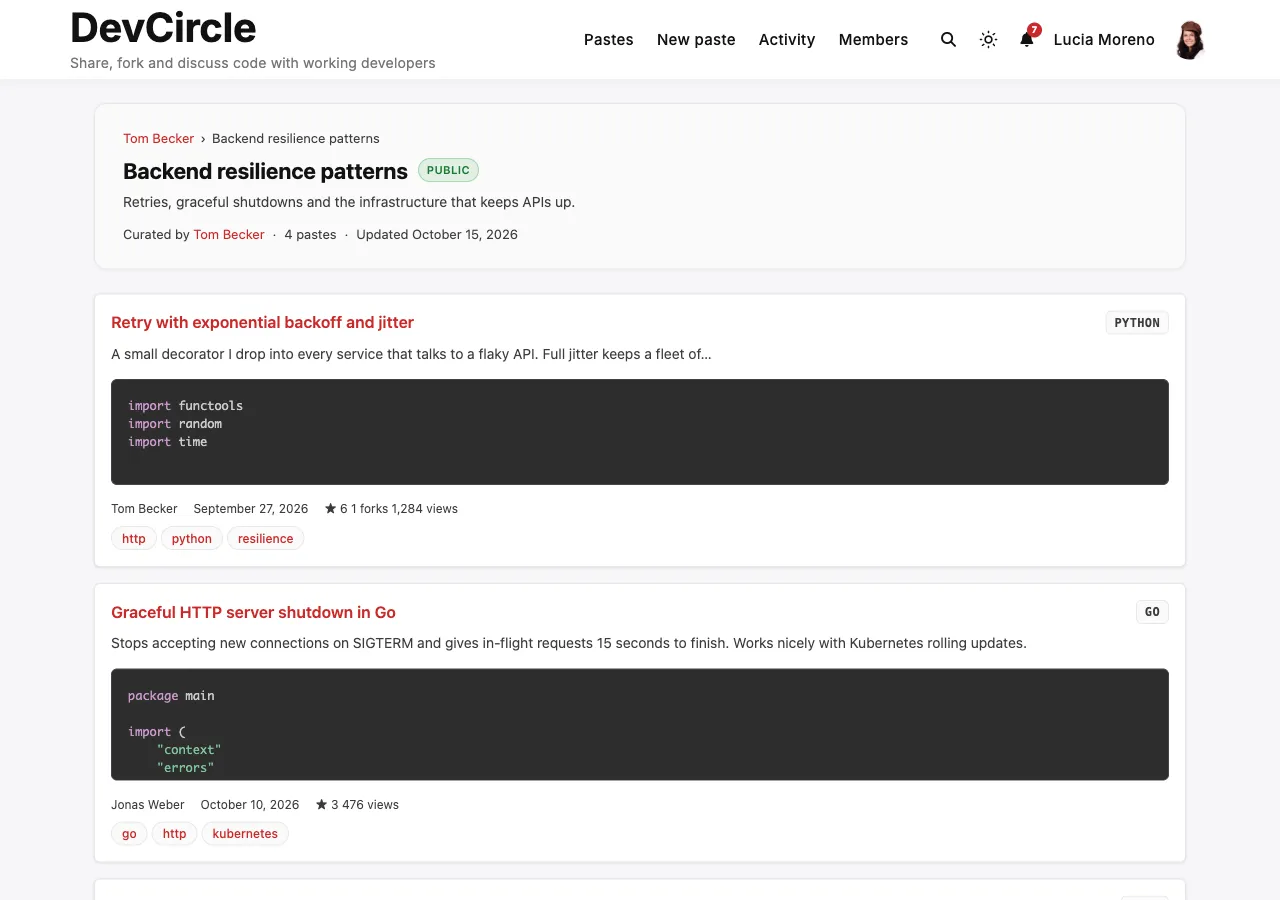
The collection page shows:
- Collection name and description
- Number of pastes in the collection
- List or grid of all pastes
- Pagination (uses the Pastes Per Page setting)
Private collections are only visible to the collection owner.
Viewers only see the pastes in a collection that they may see themselves. Unlisted, private, and burn-after-read pastes are hidden from others.
Creating and Managing Collections
Section titled “Creating and Managing Collections”- Create: open your profile’s Collections tab and click New collection. Give it a name, an optional description, and choose Public or Private.
- Add a paste: on any paste you can see, click Add to collection and pick one of your collections. You can add your own pastes and other members’ public pastes.
- Edit: on the collection page, click Edit collection to change its name, description or visibility. Renaming never changes the collection’s URL, so links you shared keep working.
- Remove a paste: on the collection page, click Remove from collection under the paste. The paste itself is not deleted.
- Delete: on the collection page, click Delete collection and confirm. The pastes it held are kept.
Site owners can see and manage every member’s collections under SnipShare > Collections in the admin. Developers can do all of this through the REST API.
- Slugs are unique per user - you and another user can each have a collection with the same slug, and the slug stays the same when you rename the collection
- A user can have unlimited collections
- The paste count on each collection updates automatically when pastes are added or removed
- Deleting a collection does not delete the pastes it contains
- You can add your own pastes, or other members’ public pastes that are not burn-after-read. Adding someone else’s unlisted or private paste fails with a not-found error.