

Permissions Settings
The Permissions tab controls how many pastes users can create per hour, and shows the WordPress Abilities registered by SnipShare.
Navigate to SnipShare → Settings → Permissions.
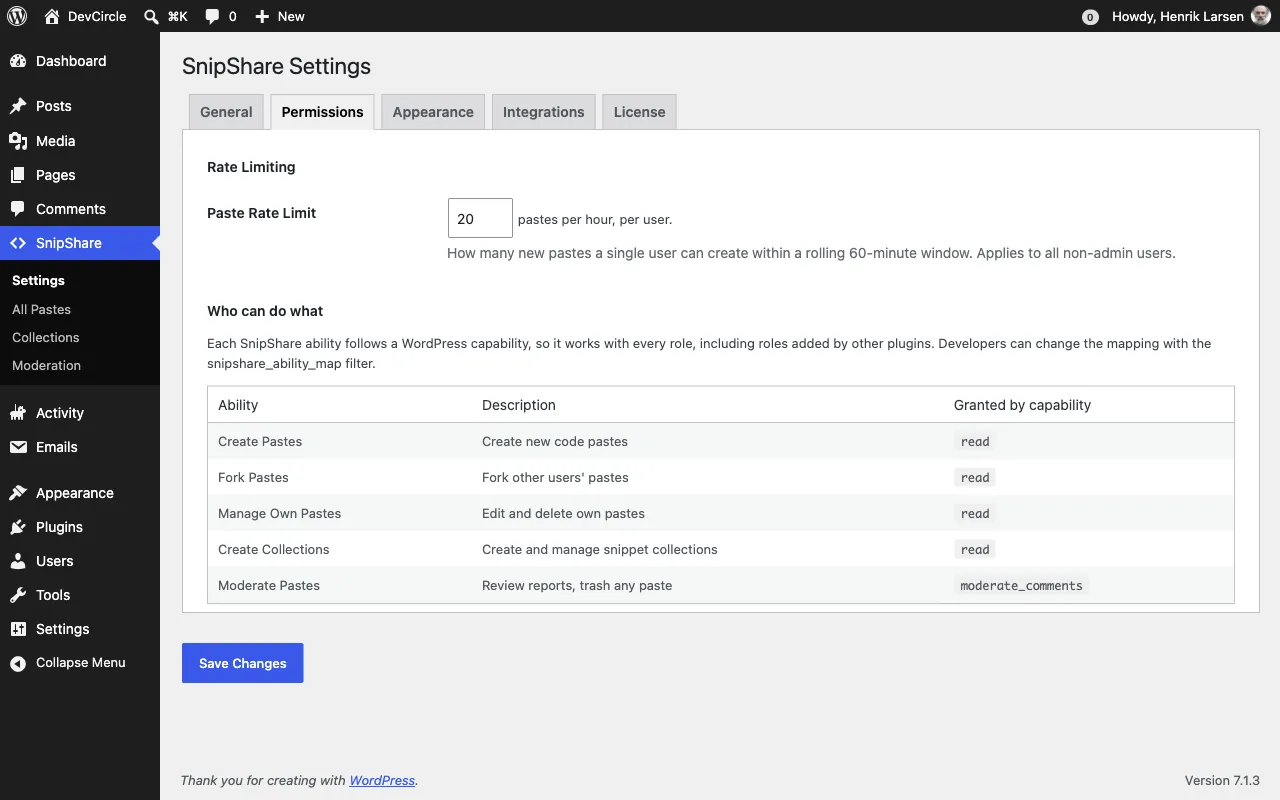
Rate Limiting
Section titled “Rate Limiting”Paste Rate Limit
Section titled “Paste Rate Limit”Maximum number of new pastes, including forks, a single member can create within a 60-minute window. Moderators (admins and editors by default) are exempt; see the snipshare_limits_exempt filter.
- Default:
20pastes per hour - Range: 1–1000
When a user hits the rate limit, the REST API returns a 429 Too Many Requests response and the create form shows an error message.
Rate limiting uses WordPress transients stored per user.
Who Can Do What
Section titled “Who Can Do What”SnipShare registers 5 abilities with the WordPress Abilities API under the snipshare category. Each one follows a WordPress capability, so it works with every role, including customer and member roles added by WooCommerce, membership and community plugins. The Permissions tab shows the current mapping.
| Ability | What it allows | Granted by | Who has it by default |
|---|---|---|---|
snipshare/create-paste |
Create pastes | read |
Every logged-in member |
snipshare/fork-paste |
Fork pastes | read |
Every logged-in member |
snipshare/manage-paste |
Edit and delete own pastes | read |
Every logged-in member |
snipshare/create-collection |
Create and manage collections | read |
Every logged-in member |
snipshare/moderate |
Work the Moderation queue, edit or trash any paste | moderate_comments |
Editors and administrators |
Changing the mapping
Section titled “Changing the mapping”Developers can change which capability grants an ability with the snipshare_ability_map filter, for example to let only authors and above create pastes. See Hooks & Filters.
- Guest (non-logged-in) users cannot create, edit, delete, fork, or star pastes regardless of ability settings.
- Paste visibility (public/unlisted/private) is enforced separately from ability checks.
- The
snipshare/moderateability grants the user access to the Moderation admin page and the ability to trash any paste regardless of ownership.