

Board, Timeline, Calendar & Lists
Kanbanomy shows the same task data several ways. All of them are available on each project’s front-end page and in wp-admin, and each can be toggled off under Settings.
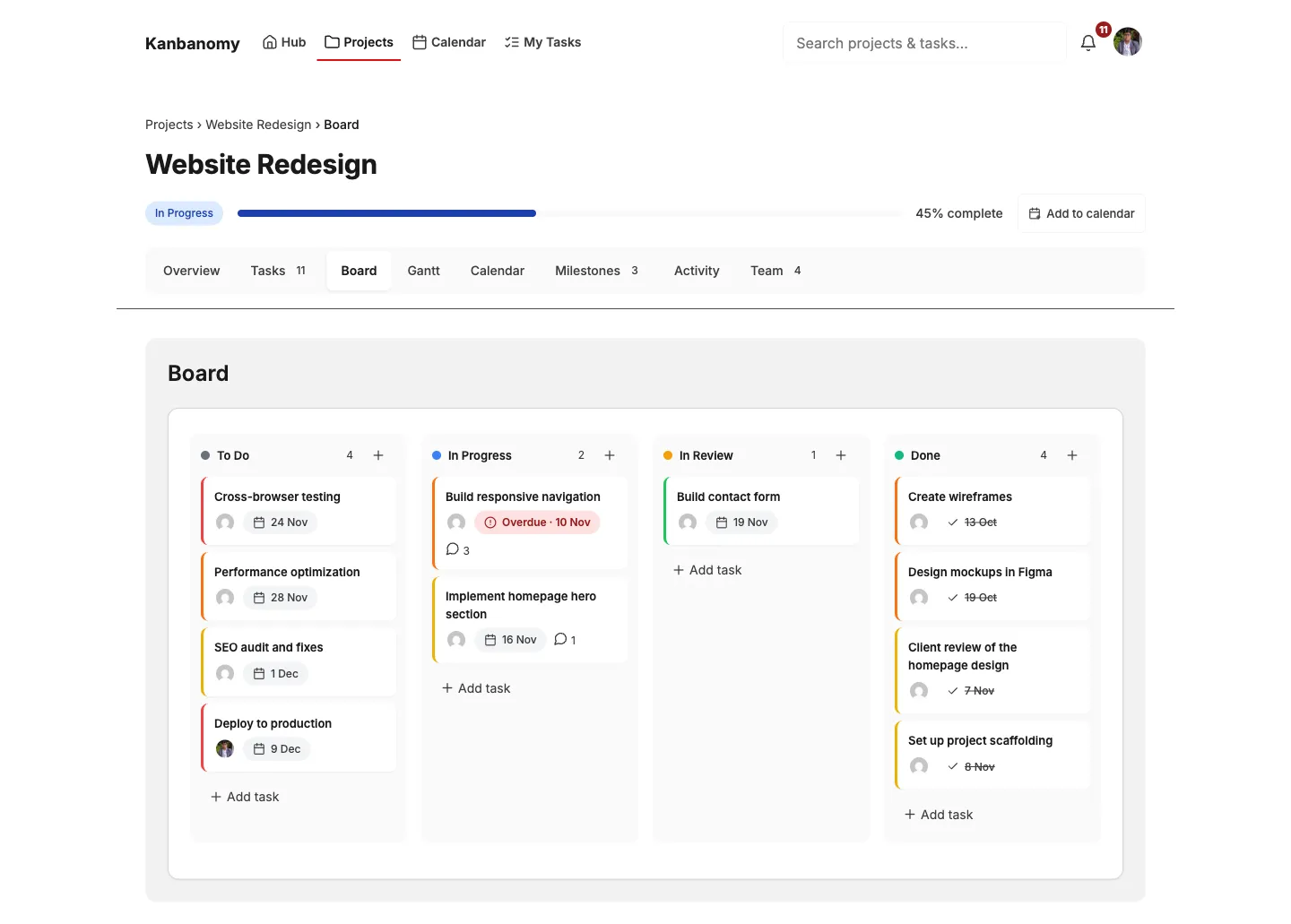
A drag-and-drop board with columns you customize per project.
- Drag cards between columns to change status; the move is saved immediately.
- Cards show priority, assignees, labels, checklist progress, and due dates.
- Columns are fully configurable per project - rename, reorder, add, or remove them.
- On phones, tap a card to open the task panel as a full-screen sheet with a Move control; the board shows one column with a peek of the next.
- Keyboard accessible: Space/Enter to pick up a card, arrow keys to move, Enter to drop, Escape to cancel.
Gantt chart
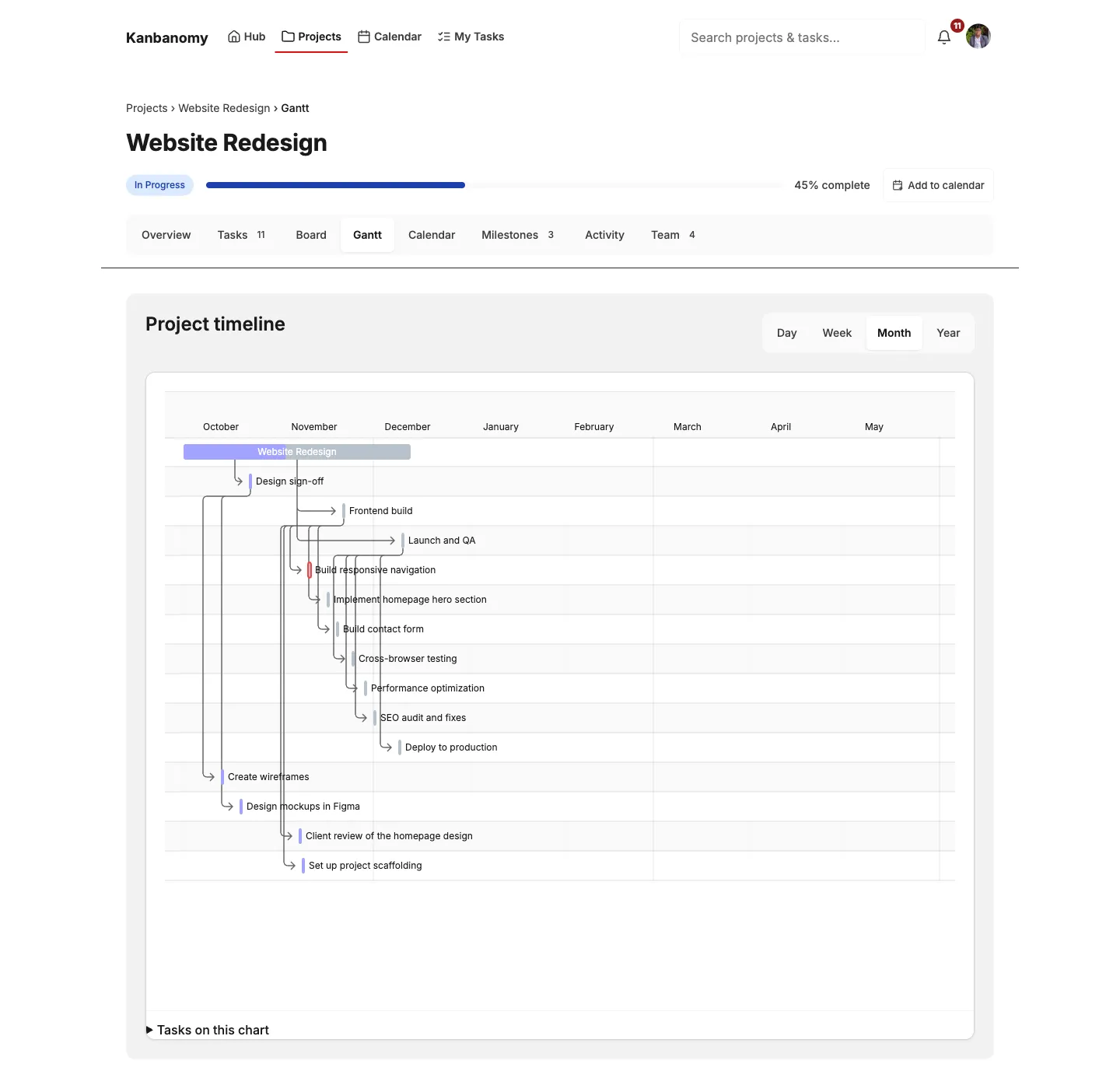
Section titled “Gantt chart”An interactive timeline built on Frappe Gantt.
- Shows projects, milestones, and tasks as bars, with dependency arrows between linked tasks.
- Switch between Day, Week, Month, and Year views.
- Managers can drag bars to reschedule; members can raise a change request instead of editing directly (see Approvals & Forms).
- Hover a bar for a details popup, which stays clamped inside the chart.
Calendar
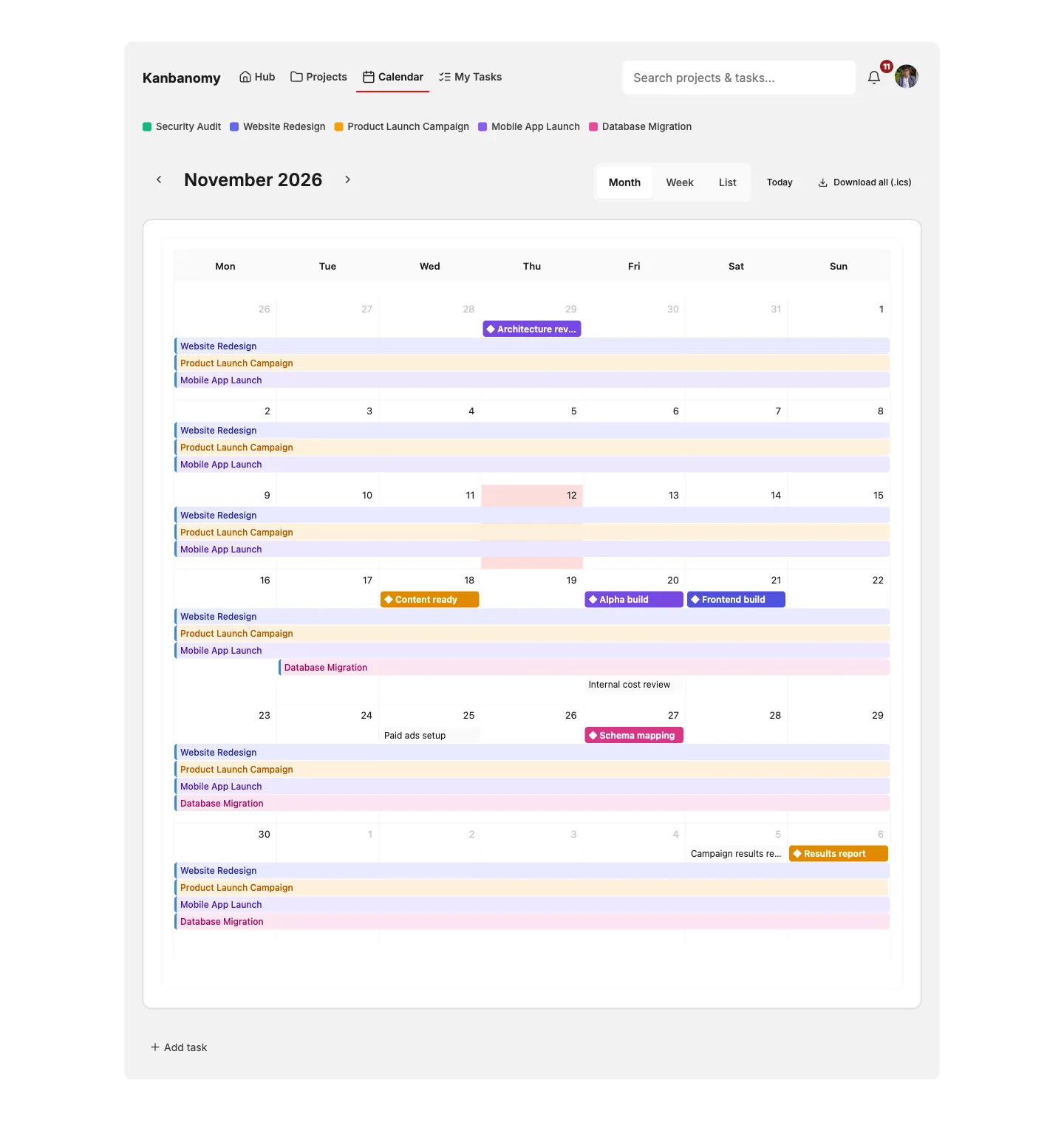
Section titled “Calendar”A month/week calendar built on FullCalendar.
- Project bars, milestone markers, and (optionally) task due-date events, all color-coded by project.
- A per-project calendar on the project page, and a unified
/calendar/view spanning every project the user can access. - Respects project visibility - a visitor only ever sees what they are allowed to see.
- On phones, the calendar automatically switches to a compact list view.
You can export any calendar as a standard .ics file for Outlook, Google Calendar, or Apple Calendar - see Import & Export.
Task list: cards or table
Section titled “Task list: cards or table”The task-list block shows a project’s tasks as cards (the default) or as a table, chosen per block in the editor under Layout.
- The table shows Title, Status, Assignees, Priority, Due, and Labels as sortable columns - click a heading to sort, click again to reverse.
- Both layouts share the same filters and the same inline status control, so switching layout never changes what you can do.
- On phones the table falls back to stacked cards automatically, with each cell labelled, so nothing scrolls sideways.
Saved views
Section titled “Saved views”Filtering the same way every morning gets old. Logged-in users can save a filter once and reapply it in one click.
- Set the status and assignee filters you want, type a name, and press Save view.
- The view appears in the Saved views dropdown; picking it reapplies those filters instantly.
- Views are personal - they are stored against your own user account, so your teammates never see or lose yours. They survive logging out and coming back.
- Remove one with Delete while it is selected. Up to 50 views per person.
Light and dark mode
Section titled “Light and dark mode”Every view is theme-agnostic and supports both light and dark mode, including the Gantt SVG and the calendar. Colors are driven by design tokens, so Kanbanomy adapts to your theme rather than clashing with it.