

Course Reviews
Learnomy overviewFree + ProGet Learnomy →
Reviews let enrolled students rate a course from 1 to 5 stars and leave a short written review. Approved reviews feed the course’s average rating and review count, which show on the course page and catalog cards.
What you can do
Section titled “What you can do”- Let enrolled students leave a star rating (1-5) with a title and a written review.
- Require a student to have completed at least one lesson before they can review, so reviews come from people who actually started the course.
- Allow only one review per student per course.
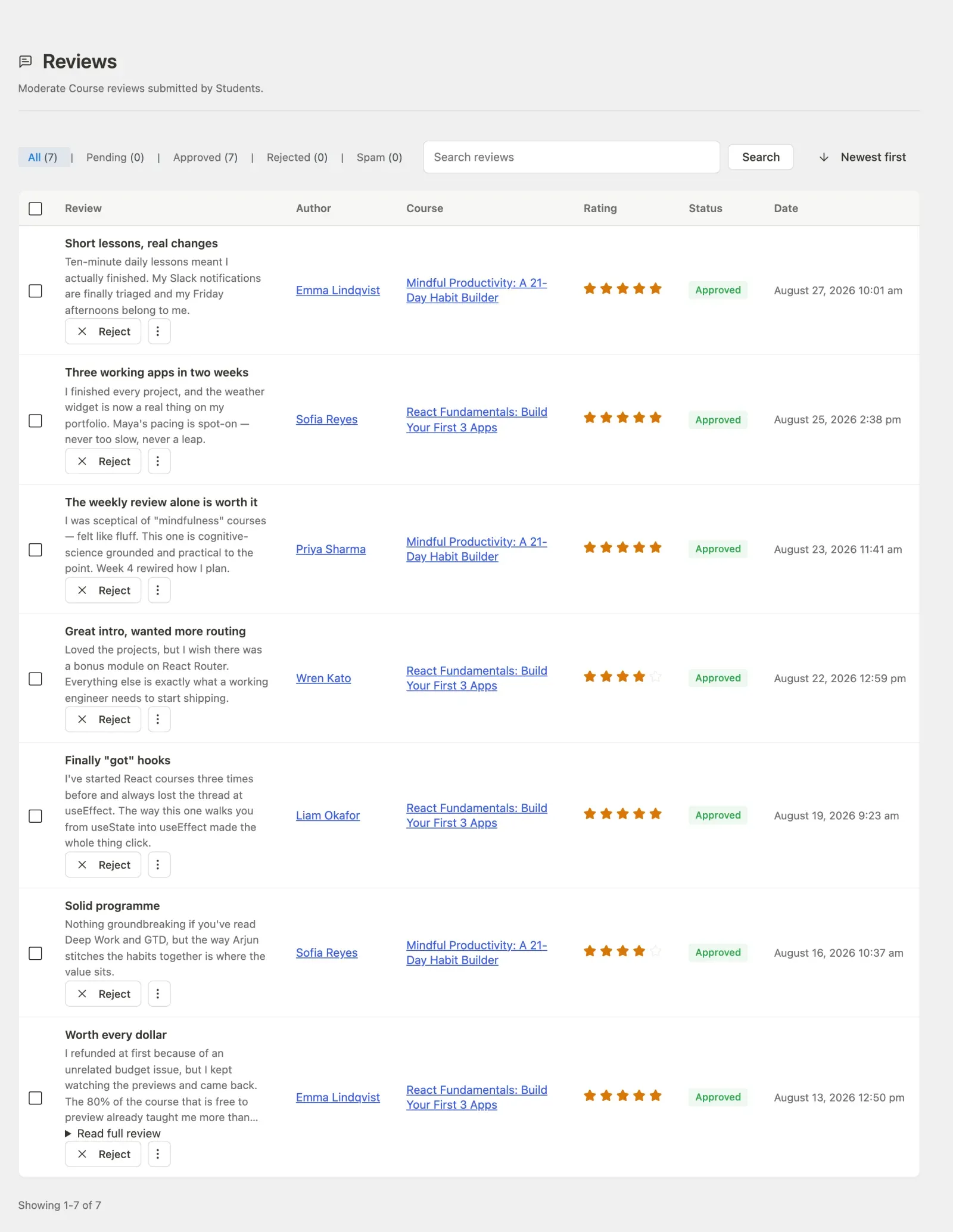
- Moderate reviews: approve, reject, or mark as spam from the admin Reviews screen, or auto-approve them site-wide.
- Let an instructor reply to a review.
- Keep the course’s average rating and review count accurate automatically, recomputed whenever a review’s status changes.
How to use it
Section titled “How to use it”Step 1 – turn reviews on
Section titled “Step 1 – turn reviews on”Reviews show on a course page only when both gates pass: the Reviews module is on at LMS Settings > Modules, and the course’s own reviews toggle is not switched off. This lets you disable reviews everywhere at once while each course keeps its own preference for later.
Step 2 – a student leaves a review
Section titled “Step 2 – a student leaves a review”A signed-in student can submit a review only when all of these are true:
- They are enrolled in the course.
- They have completed at least one lesson in it.
- They have not already reviewed it.
They pick a star rating (1-5), add a title, and write the review. If any condition fails, the form is not offered and the submission is refused with a clear message.
Step 3 – the review is moderated
Section titled “Step 3 – the review is moderated”New reviews are held as pending by default, so nothing publishes without your say-so. Approve, reject, or mark reviews as spam from the admin Reviews screen. Turn on Auto-approve reviews in settings to publish new reviews immediately instead.
Step 4 – ratings update automatically
Section titled “Step 4 – ratings update automatically”Only approved reviews count toward the average. Whenever a review is submitted, approved, rejected, marked spam, or deleted, Learnomy recomputes the course’s average rating and review count, so the catalog and course page stay in sync without a cron pass.
Settings and options
Section titled “Settings and options”- Two-gate visibility. The site-wide Reviews module plus a per-course toggle. Both must allow it for the reviews surface to render.
- Auto-approve. Off by default – fresh sites moderate reviews until you opt into auto-publish. When on, new reviews are approved on submission.
- One review per student. Enforced per (student, course); a student cannot stack multiple reviews on one course.
- Rating is clamped. The star rating is always stored within 1-5.
- Instructor reply. An instructor can attach a single reply to a review.
- Denormalized totals. Each course stores its own
avg_ratingandreview_count; these are the numbers shown on cards and the course page, and only approved reviews move them.
For developers
Section titled “For developers”Service (Learnomy\Services\Review_Service):
submit( $user_id, $course_id, $rating, $title, $content )– enforces enrolled + one-lesson-done + not-already-reviewed, clamps the rating to 1-5, sets status toapprovedorpendingfrom the auto-approve setting, and recomputes the rating.approve()/reject()/spam()– status flips from the moderation screen; each recomputes the course rating and fires its hook.reply( $review_id, $reply )– store an instructor reply.recalculate_rating( $course_id )– recomputeavg_ratingandreview_countfrom approved rows.Review_Service::auto_approve_enabled()– reads theauto_approve_reviewssetting (default off).
Model gate: Course::reviews_enabled_for( $course_id ) – the two-gate render check (site setting + per-course flag).
Hooks: learnomy_review_submitted, learnomy_review_approved, learnomy_review_rejected, learnomy_review_marked_spam.
REST (reviews controller): GET /learnomy/v1/courses/{course_id}/reviews (public list), POST /learnomy/v1/courses/{course_id}/reviews (submit, eligibility-gated), PATCH /learnomy/v1/reviews/{id}, plus admin status and bulk endpoints under /admin/reviews.