

Custom Fields
Jetonomy overviewFree + ProGet Jetonomy →
Add structured fields to member profiles - collect the information that matters to your specific community.
PRO - This feature requires Jetonomy Pro.
What You Will Learn
Section titled “What You Will Learn”- How to create and manage custom profile fields
- Which field types are available
- How to set visibility and required status
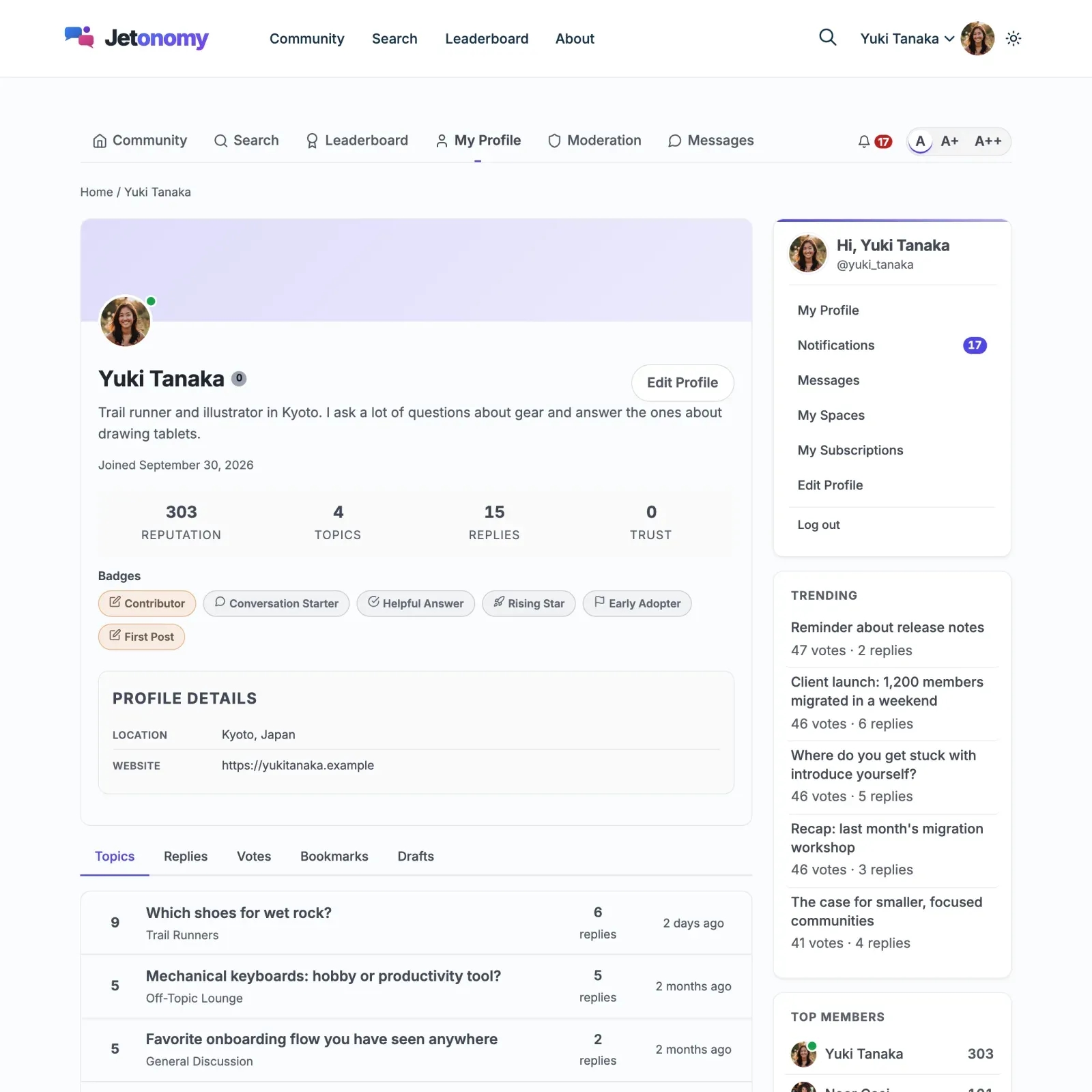
- How members fill in their fields
- How to read and update field values via the REST API
Why Custom Fields Matter
Section titled “Why Custom Fields Matter”A generic WordPress profile has a bio and a website URL. That is not enough for most communities. A developer community needs a GitHub handle. A healthcare community needs a specialty. A SaaS community needs a company name. Custom Fields lets you define exactly the information that makes members useful and findable in your community.
Enabling Custom Fields
Section titled “Enabling Custom Fields”- Go to Jetonomy → Extensions in your WordPress admin.
- Find Custom Fields and switch its toggle on.
- A Custom Fields item appears under the Jetonomy admin menu.
Creating a Field
Section titled “Creating a Field”- Go to Jetonomy → Custom Fields.
- Click Add Field.
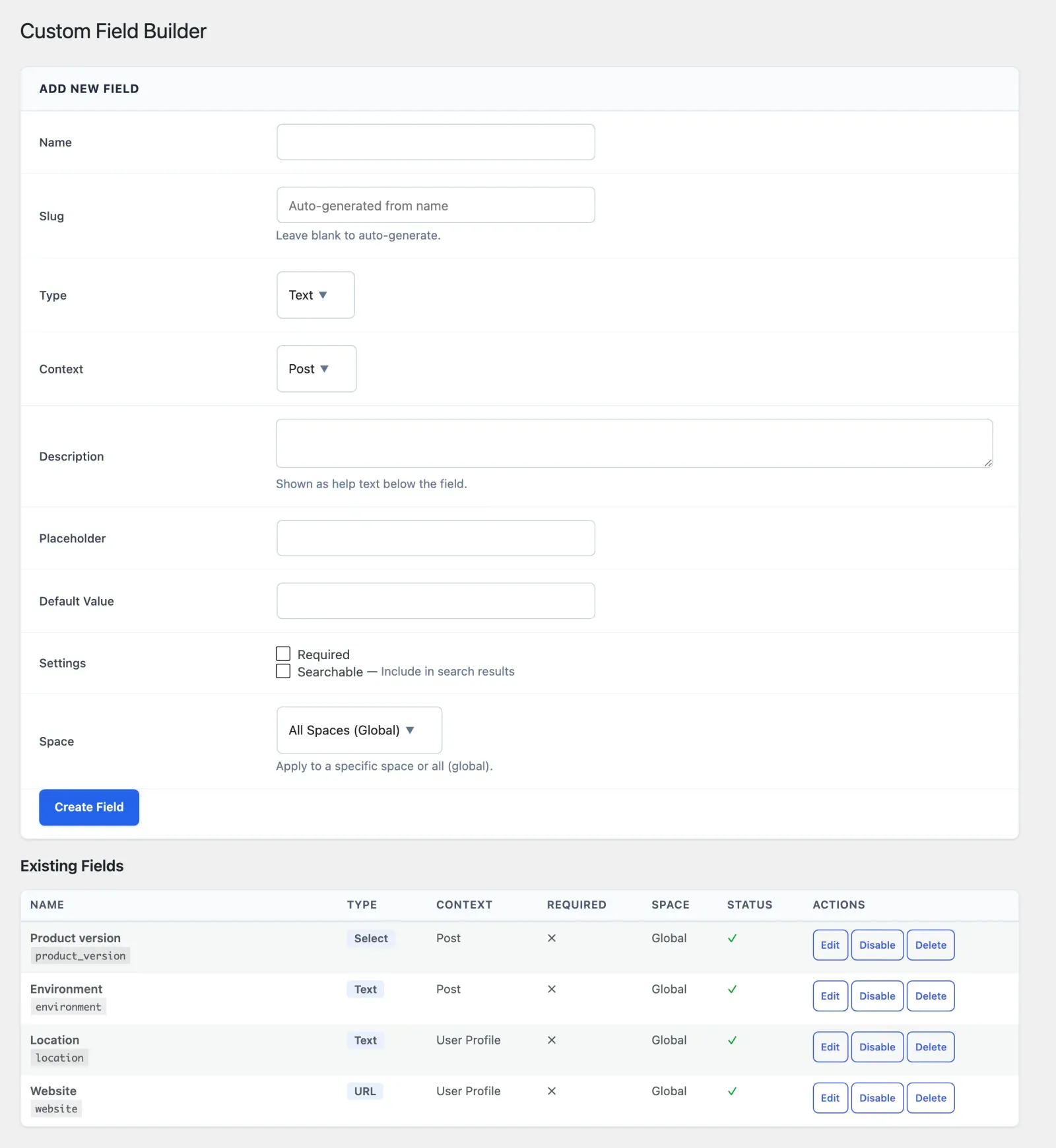
- Fill in the field settings:
| Setting | Description |
|---|---|
| Label | Displayed on the profile and in the edit form |
| Field Key | Unique slug used in the REST API (auto-generated, editable) |
| Type | See field types below |
| Required | If on, the profile or topic cannot be saved without it. Topic fields are also checked on the server, so the app and API cannot skip them (drafts are not checked) |
| Visibility | Who can see the field value |
| Description | Optional helper text shown below the input |
- Click Save Field.
Field Types
Section titled “Field Types”| Type | Best for |
|---|---|
| Text | Short single-line answers (job title, company, username) |
| Textarea | Longer free-form text (bio supplement, expertise description) |
| Number | Numeric values (years of experience, team size) |
| Contact email address | |
| URL | Website, GitHub, LinkedIn, portfolio links |
| Select | Predefined options as a dropdown, single choice (country, role, industry) |
| Checkbox | Yes/no toggle (newsletter opt-in, open to work) |
| Radio | Predefined options as radio buttons, single choice |
| Date | A calendar date (joined date, availability) |
For the Select and Radio types, you define the options in the field editor - one per line. Select renders a dropdown; Radio renders a set of radio buttons.
Visibility Options
Section titled “Visibility Options”Each field has one of three visibility settings:
| Visibility | Who sees the value |
|---|---|
| Public | Anyone, including logged-out visitors |
| Members only | Logged-in community members |
| Private | Only the member themselves and admins |
Private fields are still editable by the member but do not appear on their public profile. They are accessible to admins via the admin Users page.
How Members Fill In Fields
Section titled “How Members Fill In Fields”Members edit their custom fields at /community/u/{profile-slug}/edit/ (the Edit profile link on their profile) under the Profile Details section. Required fields show a red asterisk. Saving the profile validates all required fields before updating.
Tip: Guide members to complete their profiles right after joining by linking to the edit profile page in your welcome notification or email digest.
REST API
Section titled “REST API”Custom Fields adds field-aware parameters to the existing profile and post endpoints:
| Method | Endpoint | Description |
|---|---|---|
GET |
/users/{id} |
Profile response includes custom_fields object |
GET |
/users |
List response includes custom_fields on each member |
PATCH |
/users/{id} |
Pass custom_fields: { field_key: value } to update |
GET |
/posts/{id} |
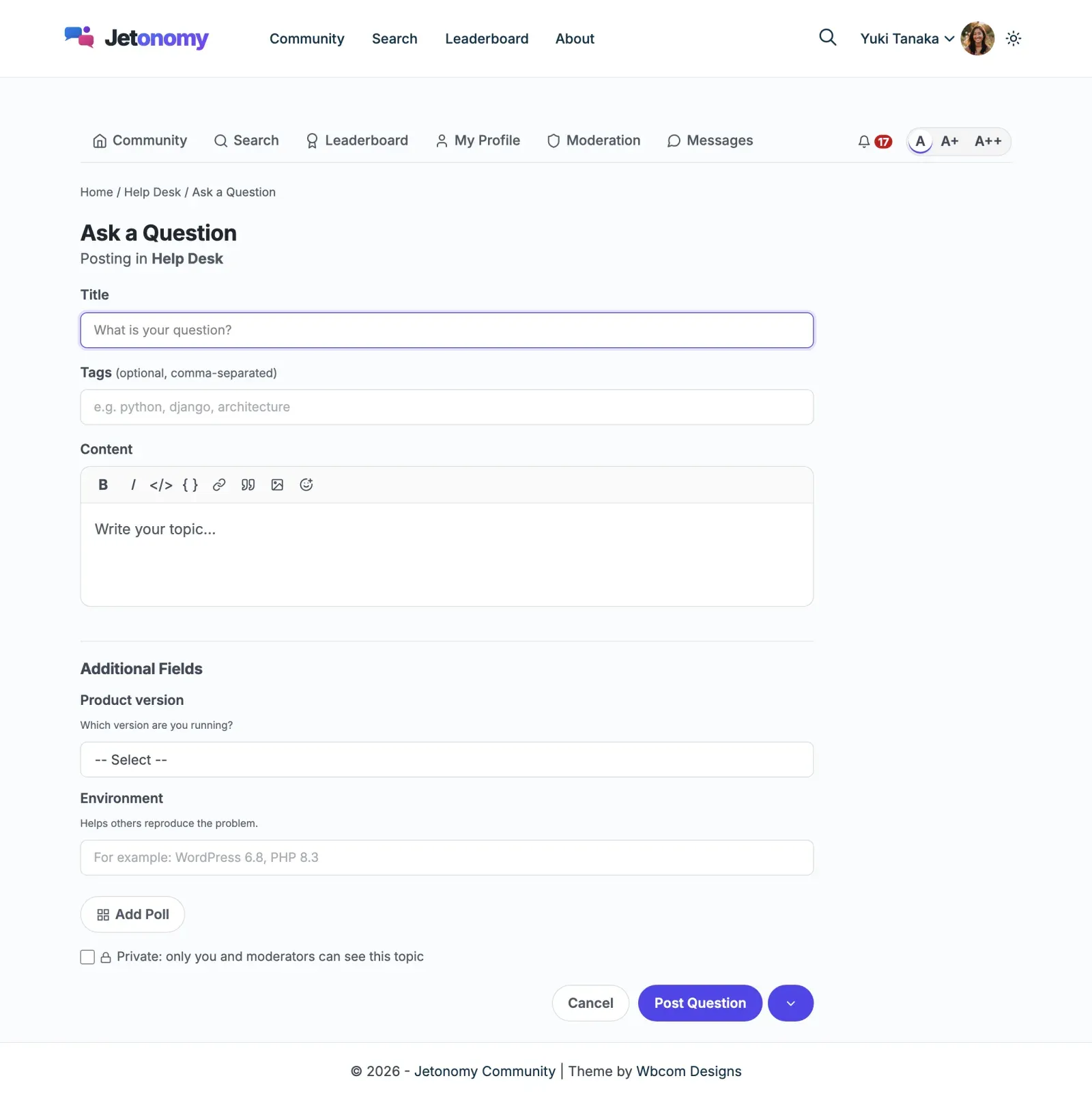
Post response includes custom_fields if any post-level fields are configured |
GET |
/posts |
List response includes custom_fields on each post |
GET |
/fields |
List all defined fields and their settings |
PATCH |
/posts/{id}/fields |
Set field values on a topic ({ "field_key": "value" }) |
PATCH |
/users/me/fields |
Set the signed-in member’s own field values |
Example - read a profile with custom fields:
GET /wp-json/jetonomy/v1/users/45
{  "id": 45,  "name": "Priya Sharma",  "custom_fields": {    "company": "Acme Corp",    "github_username": "priyasharma",    "open_to_work": true  }}
Example - update custom fields:
PATCH /wp-json/jetonomy/v1/users/45{ "custom_fields": { "company": "New Horizons Ltd" }}Members can only update their own fields. Admins can update any member’s fields.
Setting one value at a time: if you want to set a single field on a single object rather than sending the whole custom_fields object, POST /custom-field-values with the field key, the target object type and ID, and the value. This is the lightweight path used by the edit-profile form and is handy for partial updates from custom tooling.
How fields surface in output: once a field is configured, its value is embedded automatically in the relevant REST responses - the custom_fields object on /users and /posts (and their list endpoints) - and rendered on the matching frontend surface (the member profile for profile fields, the post for post fields), subject to the field’s visibility setting. You do not register a separate read endpoint per field; the value rides along with the object it belongs to.
See the REST API reference for full payloads.
Upgrading From Older Versions
Section titled “Upgrading From Older Versions”If you are on Jetonomy 1.4.1 or newer, custom field values are returned automatically on the /jetonomy/v1/posts and /jetonomy/v1/users endpoints, so any tool reading the API sees every field you have configured. On older versions the values were saved to the database but did not appear in API responses - update both the free and Pro plugins together to read custom fields over the API.
What’s Next?
Section titled “What’s Next?”Recognize and reward your most engaged members with custom badges.
Turning a field off or removing it
Section titled “Turning a field off or removing it”Each field in the list has Edit and Disable (or Enable). Disabling hides the field everywhere and keeps every value members already entered, so you can turn it back on later. To remove a field and all of its values for good, use WP-CLI: wp jetonomy-pro fields delete <key> (the field key shown in the list).