

Redirects
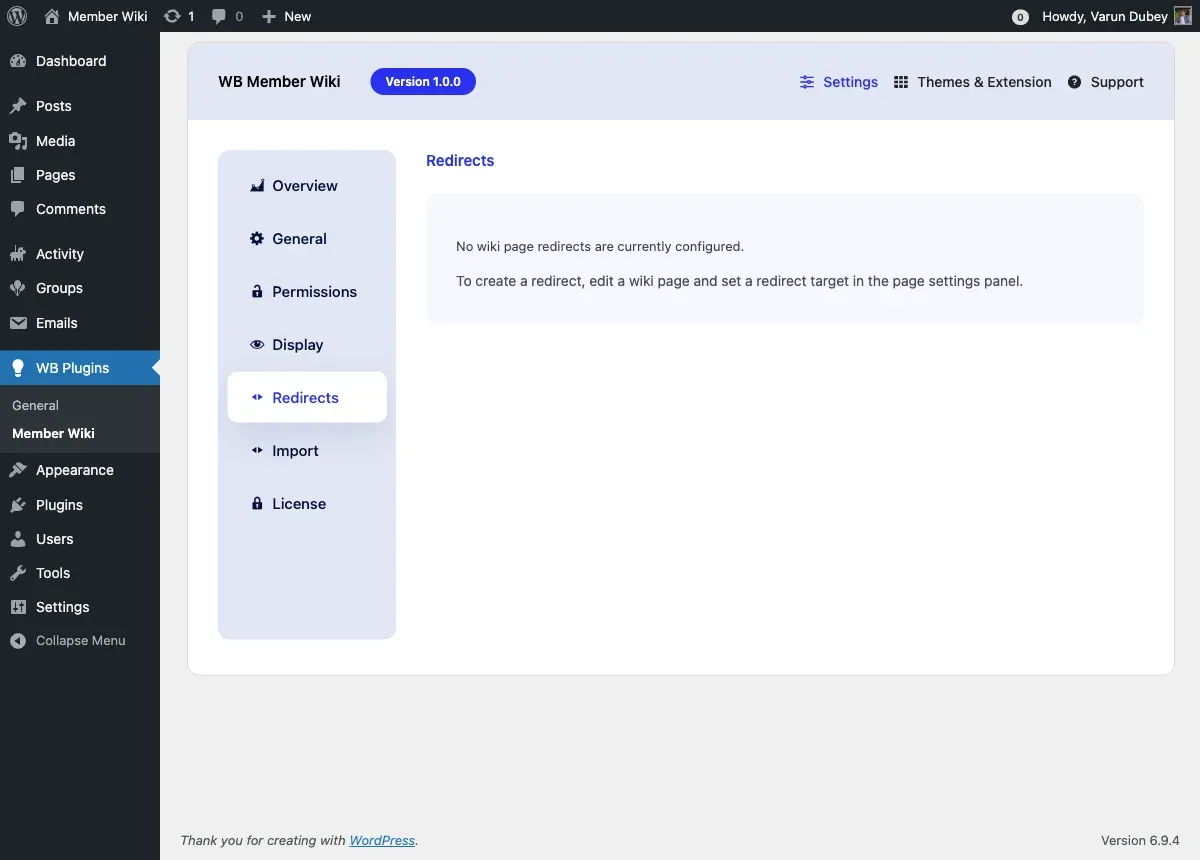
The Redirects tab lets you view and remove wiki page redirect rules. Redirects send visitors from an old URL to the current page automatically - useful when you rename a page or merge two pages.
Access this tab at WB Plugins > Member Wiki > Redirects.
How Redirects Work
Section titled “How Redirects Work”When a wiki page has a redirect target configured, visiting that page’s URL automatically forwards the visitor to the target page. The original URL returns a 301-style redirect, so bookmarks and incoming links continue to work even after a page is renamed or its content is moved.
Redirects are stored as post meta (_wbmw_redirect_to) on the source page.
Creating a Redirect
Section titled “Creating a Redirect”Redirects are set from the wiki page editor - not from this settings tab. To create a redirect:
- Open the wiki page you want to redirect from
- Click Edit to open it in the editor
- In the right-hand sidebar panel, find the Redirect Target field
- Start typing a page title and select the target page
- Save the page
Once saved, the page’s URL will forward visitors to the target. The source page is no longer publicly viewable as a wiki page.
Managing Existing Redirects
Section titled “Managing Existing Redirects”The Redirects tab lists all wiki pages that currently have a redirect target configured:
| Column | Description |
|---|---|
| Source Page | The page whose URL is being redirected |
| Redirects To | The target page visitors are sent to |
| Remove | Button to delete the redirect rule |
Removing a Redirect
Section titled “Removing a Redirect”Click Remove next to any redirect to delete it. The source page will revert to displaying its own content instead of forwarding. This action takes effect immediately.
Note: Removing a redirect does not restore the source page’s content. If the page’s content was deleted or emptied, you will need to edit the page to add content back.
When to Use Redirects
Section titled “When to Use Redirects”| Scenario | What to do |
|---|---|
| You renamed a page and want old links to still work | Set a redirect from the old page to the new one |
| You merged two pages into one | Redirect the removed page to the combined page |
| A page title changed via search-and-replace | Check if old URLs are still being linked from other wiki pages and redirect them |
| You’re migrating content from another wiki | Import the pages, then set redirects from old slugs |
Frequently Asked Questions
Section titled “Frequently Asked Questions”Can I redirect a page to an external URL? No. Redirects target other wiki pages within your site only. For external redirects, use a dedicated redirect plugin like Redirection.
What happens to pages that link to a redirected page using [[WikiLink]] syntax?
[[WikiLink]] links resolve by page title, so they automatically point to the correct page. If you redirect “Old Title” to “New Title”, any [[Old Title]] links still work - they will follow the redirect.
Can I redirect in a loop (A → B → B)? No, the plugin only follows one level of redirect. If a target page also has a redirect, the second redirect is not followed. Avoid chaining redirects.
Does removing a redirect affect SEO? Removing a redirect means the original URL no longer forwards. Search engines may have indexed the original URL; removing the redirect could cause 404 errors for those indexed pages. Only remove a redirect if you’re certain the old URL is no longer needed.