

Display Options
The Display Options tab controls what information appears on individual wiki pages. These settings affect the frontend presentation for all visitors.
Access these settings at WB Plugins > Member Wiki > Display.
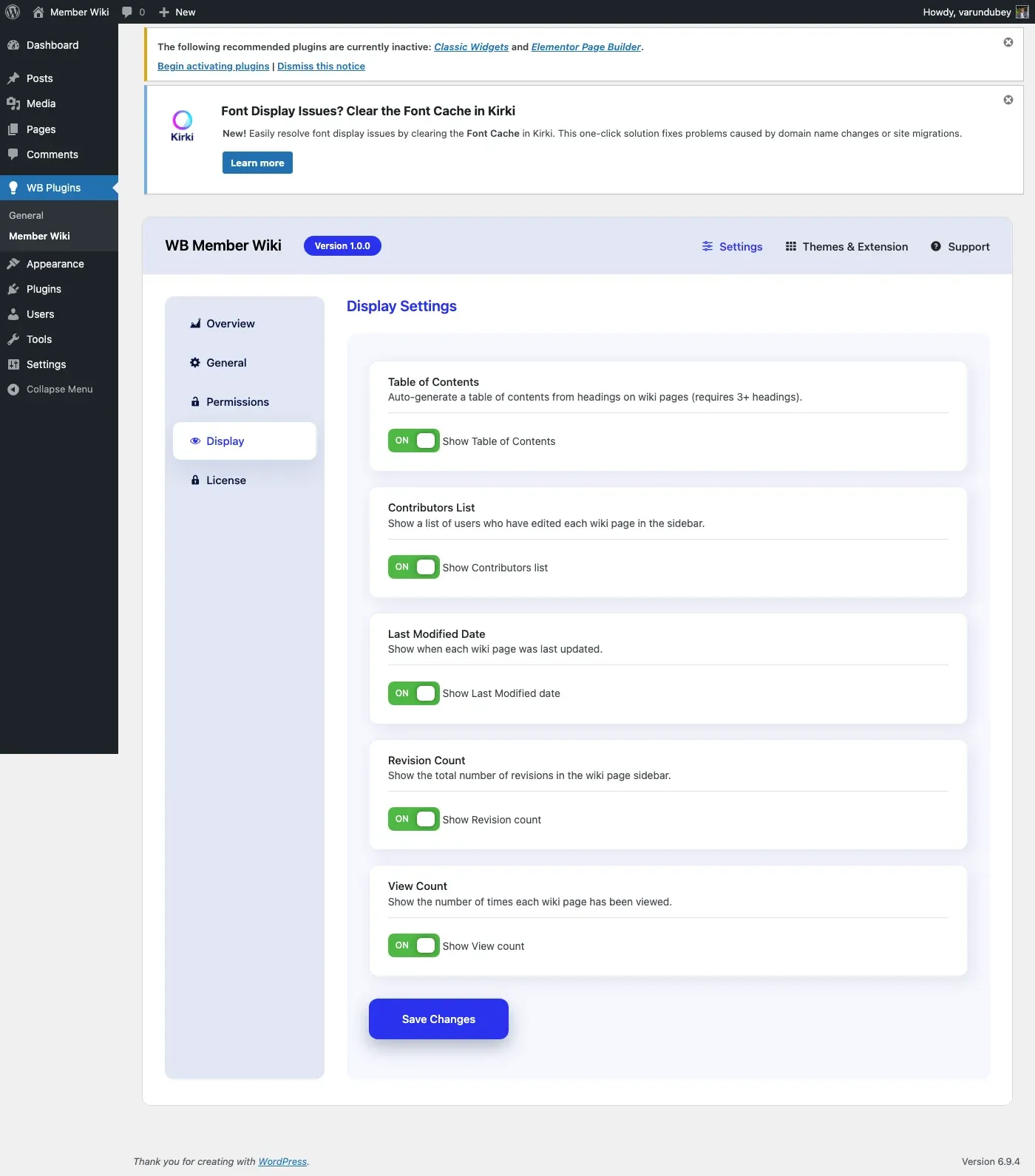
Table of Contents
Section titled “Table of Contents”Setting: Show Table of Contents Default: Enabled
When enabled, wiki pages with three or more headings (H2, H3, H4) automatically display a Table of Contents at the top of the page content.
TOC Features
Section titled “TOC Features”- Collapsible - Users can show/hide the TOC with a toggle button
- Nested structure - H3 headings appear nested under H2, H4 under H3
- Anchor links - Each heading gets a unique ID for direct linking
- Auto-generated - No manual configuration needed per page
TOC HTML Structure
Section titled “TOC HTML Structure”The TOC is rendered as a semantic navigation element:
<div class="wbmw-toc"> <div class="wbmw-toc-header"> <strong>Contents</strong> <button class="wbmw-toc-toggle">[hide]</button> </div> <nav class="wbmw-toc-list"> <ol> <li><a href="#section-title">Section Title</a></li> </ol> </nav></div>Customizing the TOC
Section titled “Customizing the TOC”Developers can modify the TOC HTML using the wbmw_toc_html filter:
add_filter( 'wbmw_toc_html', function( $toc_html, $headings ) { // Modify the TOC HTML return $toc_html;}, 10, 2 );Contributors List
Section titled “Contributors List”Setting: Show Contributors Default: Enabled
Displays a list of all users who have edited the wiki page. Contributors are shown with their display names, linked to their profiles when using BuddyPress or PeepSo.
This encourages collaborative editing by giving credit to all contributors, not just the original author.
Last Modified Date
Section titled “Last Modified Date”Setting: Show Last Modified Default: Enabled
Shows when the wiki page was last updated. This helps visitors assess the currency of the information and identifies pages that may need updating.
The date displays in your site’s configured date format.
Revision Count
Section titled “Revision Count”Setting: Show Revision Count Default: Enabled
Displays the total number of revisions for each wiki page. A high revision count indicates an actively maintained page, while a low count might indicate newer or less-reviewed content.
Page View Count
Section titled “Page View Count”Setting: Show View Count Default: Disabled
When enabled, each wiki page tracks and displays how many times it has been viewed. The count increments on each page load (excluding admin users and search engine bots).
This is useful for identifying your most-read pages and surfacing popular content. For example, if you notice certain pages consistently get high traffic, those are good candidates for keeping up-to-date and well-illustrated.
Note: View counts are stored as post meta and begin counting from the moment you enable the setting. Existing pages start at zero.
Summary of Display Settings
Section titled “Summary of Display Settings”| Setting | Default | What It Shows |
|---|---|---|
| Table of Contents | On | Auto-generated TOC from headings |
| Contributors | On | List of users who edited the page |
| Last Modified | On | Date of most recent edit |
| Revision Count | On | Total number of revisions |
| View Count | Off | Number of times the page has been viewed |
Styling
Section titled “Styling”All display elements use CSS classes prefixed with wbmw- for easy customization in your theme:
| Element | CSS Class |
|---|---|
| Table of Contents | .wbmw-toc |
| TOC header | .wbmw-toc-header |
| TOC toggle button | .wbmw-toc-toggle |
| TOC navigation | .wbmw-toc-list |
| Contributors section | Uses theme defaults |
| Last modified | Uses theme defaults |
| Revision count | Uses theme defaults |
Saving Settings
Section titled “Saving Settings”Click Save Changes at the bottom. Display changes take effect immediately on all wiki pages.