

Edit Locking & Protection
WB Member Wiki includes two mechanisms to prevent conflicts and protect important content: edit locking for real-time collaboration safety, and page protection for administrative content control.
Edit Locking
Section titled “Edit Locking”Edit locking prevents two users from editing the same page simultaneously, avoiding conflicting changes that could result in lost work.
How It Works
Section titled “How It Works”- When a user opens a page for editing, the plugin creates a soft lock using WordPress transients
- The lock records the user ID and timestamp
- While the lock is active, other users see a warning that the page is being edited
- The lock auto-refreshes every 30 seconds via a heartbeat AJAX call
- The lock expires after the configured duration if the heartbeat stops (e.g., user closes the tab)
Lock Duration
Section titled “Lock Duration”Configure the lock duration in WB Plugins > Member Wiki > General:
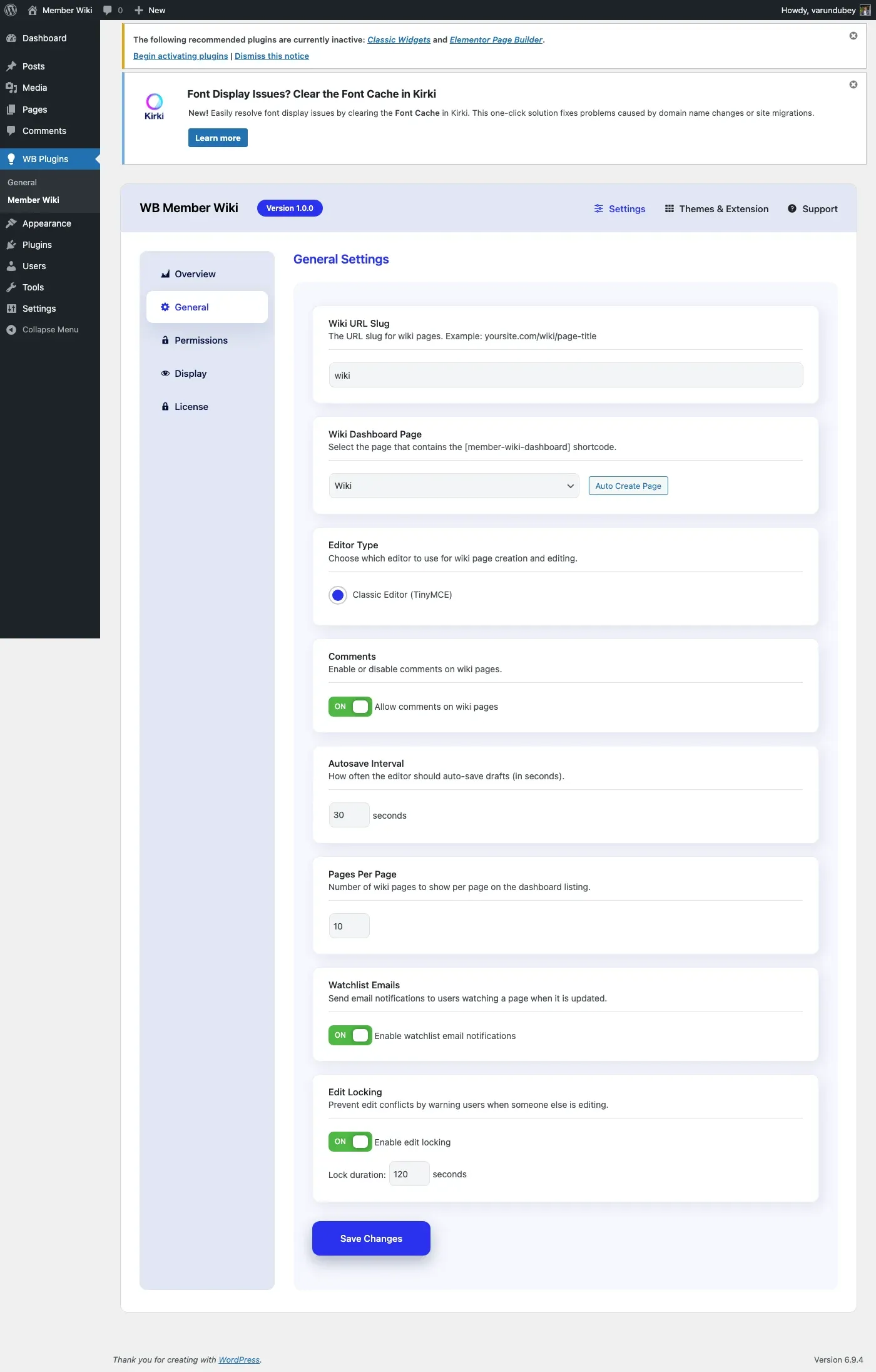
- Default: 120 seconds (2 minutes)
- Range: 30 to 600 seconds
- The lock refreshes automatically while the editor is open
If a user’s browser closes or loses connection, the lock expires after the configured duration, allowing others to edit the page.
Conflict Detection
Section titled “Conflict Detection”Beyond locking, the plugin detects conflicts when saving:
- The editor records when the user started editing (
started_attimestamp) - On save, the plugin compares this to the page’s
post_modified_gmt - If the page was modified after the user started editing, a conflict warning appears
- The user can choose to force save (overwrite) or review the changes first
Enabling/Disabling
Section titled “Enabling/Disabling”Edit locking can be toggled in General Settings:
- Enable Edit Lock - Turn the locking system on or off
- When disabled, multiple users can edit simultaneously (last save wins)
Page Protection
Section titled “Page Protection”Page protection locks a page so only administrators can edit it. This is useful for important reference pages, policies, or community guidelines that should not be modified by regular contributors.
Protecting a Page
Section titled “Protecting a Page”Users with the protect role permission can protect a page:
- Navigate to the wiki page you want to protect
- Click the Protect action link
- Confirm the protection
The page is now locked to admin-only editing. A protection indicator appears on the page.
Unprotecting a Page
Section titled “Unprotecting a Page”To allow regular editing again:
- Navigate to the protected wiki page
- Click the Unprotect action link
- Confirm the change
Who Can Protect Pages
Section titled “Who Can Protect Pages”Protection requires the protect role permission, configured in WB Plugins > Member Wiki > Permissions. By default, only administrators can protect pages.
How Protection Affects Editing
Section titled “How Protection Affects Editing”| User Role | Protected Page | Unprotected Page |
|---|---|---|
| Administrator | Can edit | Can edit |
| Editor (wiki role) | Cannot edit | Can edit |
| Author (own page) | Cannot edit | Can edit own page |
| Contributor | Cannot edit | Cannot edit (no edit-others permission) |
Technical Details
Section titled “Technical Details”Page protection is stored as a post meta value:
- Meta key:
_wbmw_protected - Meta value:
true(when protected) - When unprotected, the meta is deleted entirely
Protection is checked at the beginning of every edit permission check. If a page is protected, only users with the manage_options capability (administrators) can edit it, regardless of other role settings.
Best Practices
Section titled “Best Practices”- Protect finalized content - Lock pages that serve as official references or policies
- Use edit locking for active collaboration - Keep it enabled when multiple users contribute regularly
- Set reasonable lock durations - 2 minutes is usually enough; increase for complex pages that take longer to edit
- Communicate protection - Let your community know why certain pages are protected and how to request changes