

General Settings
Listora overviewFree + ProGet Listora →
Open Listora > Settings > General. The tab has two blocks, Basics and Listing Lifecycle.
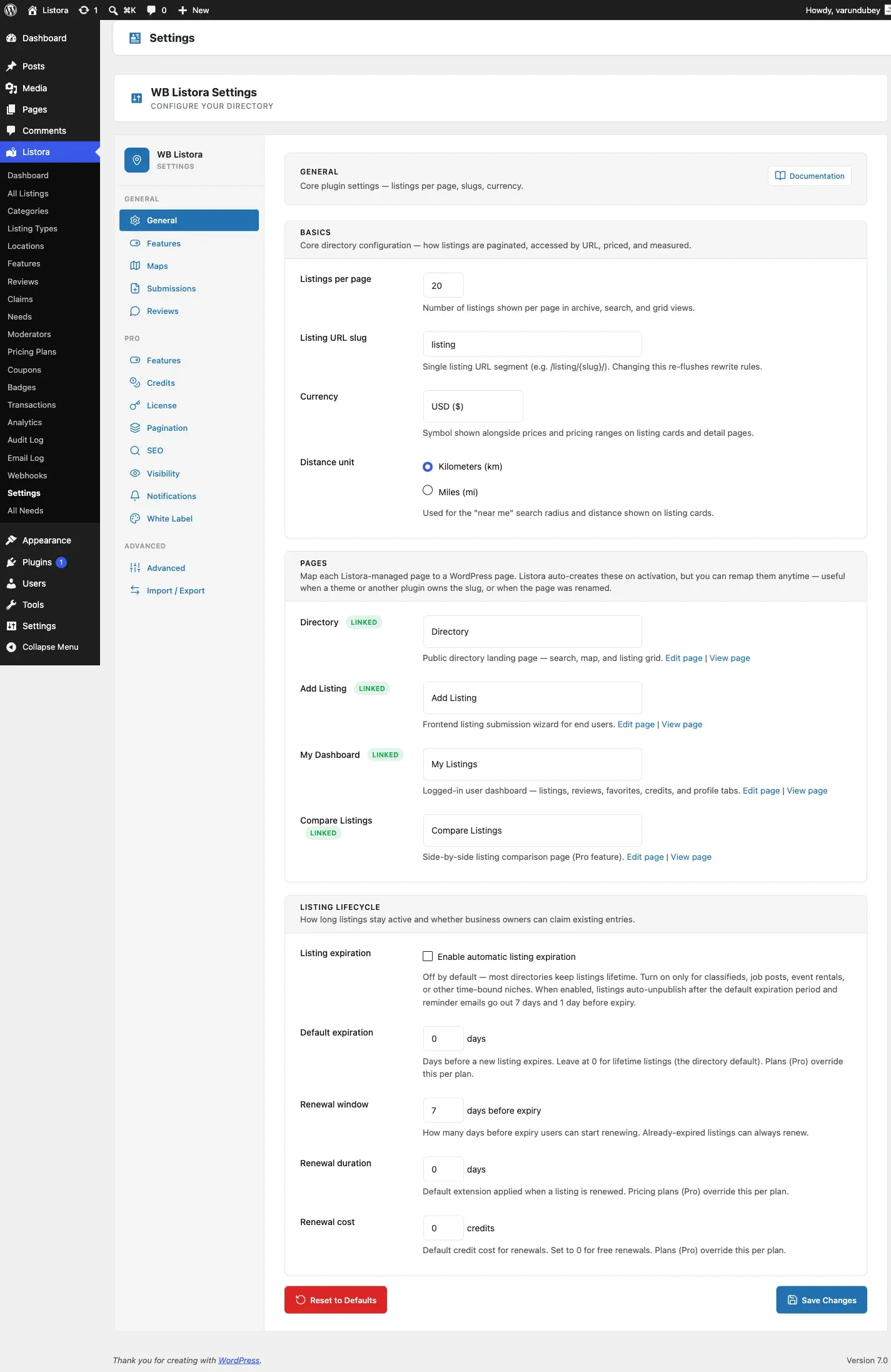
Basics
Section titled “Basics”| Setting | What it does |
|---|---|
| Listings per page | How many listings show per page in archive, search and grid views. |
| Listing URL slug | The address segment of a single listing, for example /listing/{slug}/. Changing it refreshes your permalinks. |
| Country | Where your directory is based, filled in by the setup wizard. Leave it blank for a worldwide directory. It does not move the map: where maps start is set under Maps. |
| City | Optional. The city your directory serves, if it covers one city. |
| Currency | The symbol shown with prices and price ranges on cards and listing pages. |
| Distance unit | Kilometers (km) or Miles (mi), used for the distance on cards and in search results. |
Listing Lifecycle
Section titled “Listing Lifecycle”| Setting | What it does |
|---|---|
| Enable automatic listing expiration | Off by default, because most directories keep listings for good. Turn it on for classifieds, job posts and other time-bound listings. Listings then unpublish after the default expiration period, and reminder emails go out before they do. |
| Default expiration | Days before a new listing expires, when neither its listing type nor its plan (Pro) sets a period. New listings follow this value. Leave it at 0 for listings that never expire. |
| Renewal window | How many days before expiry a member can start a renewal. Listings that have already expired can always be renewed. |
| Renewal duration | How many days a renewal adds. Set it to 0 to use the default expiration period. With both at 0 the listing never expires. A pricing plan (Pro) can set its own. |
| Renewal cost | Credits a renewal costs. Set it to 0 for free renewals. A pricing plan (Pro) can set its own. |
The length of a listing is taken from its plan (Pro) first, then its listing type (set in the Listing Type editor), then Default expiration.
Where other settings live
Section titled “Where other settings live”- Terms of service and the mobile app legal links are under Settings > Advanced. See Advanced Settings.
- Maps have their own tab. See Map Settings.
- Listing limits per role are under Settings > Credits > Limits. See Submission Settings.
- Re-run setup (the Setup Wizard) is under Settings > Advanced > Setup wizard.
One Save Changes per tab
Section titled “One Save Changes per tab”Each settings tab has one Save Changes button that saves everything on that tab. If you leave a tab with changes you have not saved, the browser asks you to confirm. Reset this tab puts only the current tab back to its defaults, after a confirmation. The tabs are grouped by task (Directory, Monetization, Communication, Advanced). On screens narrower than 1200px the groups become a tab bar across the top.
Related
Section titled “Related”- Installation & Activation
- Setup Wizard
- Submission Settings - the form that uses the terms link
- Map Settings - tile source, also published to connected apps