

Coupons
Listora overviewFree + ProGet Listora →
Availability: Pro only. Requires WB Listora Pro and Monetization switched on in Listora → Settings → Features. Free sites do not have a coupon system.
What it does
Section titled “What it does”Coupons are discount codes that reduce the credit cost of a listing plan. A member enters a code on the plan step of the submission form. The discount is taken off the price charged when the listing is submitted.
Why you’d use it
Section titled “Why you’d use it”- Run limited-time promotions to drive listing submissions.
- Offer referral discounts or partner codes to specific groups.
- Restrict a coupon to specific plans so a 50% discount only applies to your premium tier.
- Set a per-member limit so one person cannot reuse a code.
How to use it
Section titled “How to use it”For site owners (admin steps)
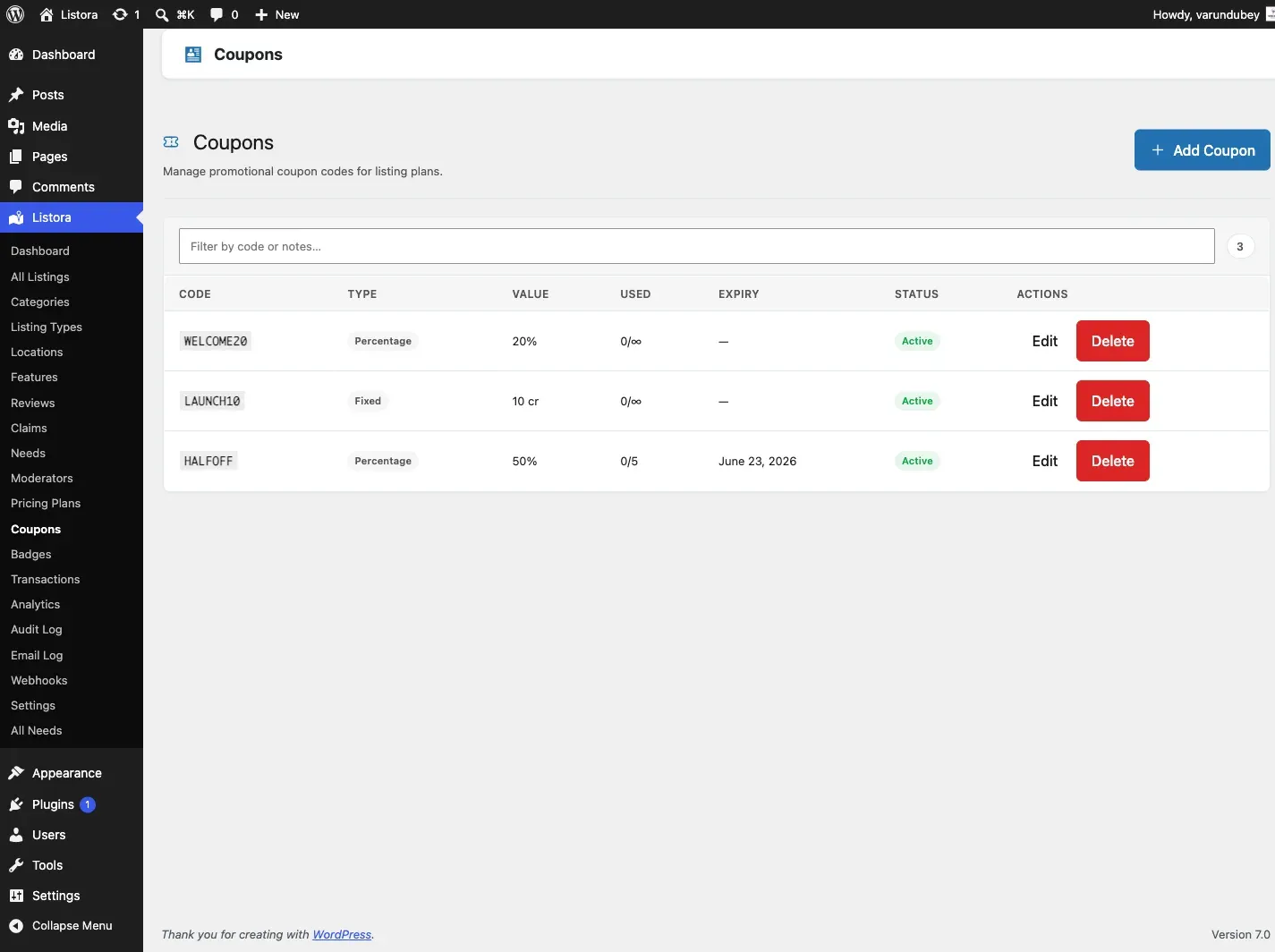
Section titled “For site owners (admin steps)”Go to Listora → Monetization → Coupons. The list uses the shared admin table, so you can search codes and filter by view: All, Active, Expired and Switched off.
| Column | What it shows |
|---|---|
| Code | The code, linked to its edit screen. |
| Discount | Written the way a member reads it: “20% off” or “10 credits off”. A minimum plan cost shows underneath (“On plans of 20+ credits”). |
| Applies to | The names of the plans the coupon is limited to, or All plans. |
| Used | “3 of 50 used” when there is a total limit, or “3 used · no limit”. A per-member limit adds a second line (“1 per member”). |
| Expires | The expiry date, or Never. |
| Status | Active, Expired (past its expiry date) or Switched off. |
| Created | The date the coupon was created. |
Creating a coupon
- Click Add Coupon.
- Fill in the fields:
- Coupon Code - the code members enter, for example
LAUNCH50. Codes are uppercased automatically and must be unique. - Discount Type - Percentage off credits or Fixed credit amount.
- Discount Value - a percentage from 1 to 100, or a number of credits. It must be above zero.
- Usage Limit (total) - how many times the code can be used by everyone.
0is unlimited. - Per-User Limit - how many times one member can use it.
0is unlimited. - Expiry Date - the last day the code works. Leave it empty for no expiry.
- Restrict to Plans - tick the plans the code applies to. Leave all unticked to allow every plan.
- Minimum Plan Cost - the plan must cost at least this many credits.
0is no minimum. - Status - Active or Inactive. Inactive shows as Switched off in the list.
- Admin Notes - internal notes members never see.
- Coupon Code - the code members enter, for example
- Click Create Coupon.
Checking usage
The Used column shows how often each code has been redeemed. Open a coupon and its Usage Log lists each redemption with the member, the plan, the discount and the date.
Switching a coupon off
Edit the coupon, set Status to Inactive and save. Members who enter the code see that it is no longer active.
Deleting a coupon
Use Delete in the row. Redemptions already made stay valid. The code cannot be used again.
For members
Section titled “For members”- On the Choose your plan step of the submission form, find Have a coupon?.
- Type the code and click Apply.
- If the code is valid for the selected plan, a message shows the discount, for example “Coupon applied! 20% off”.
- Continue and submit. The discounted price is the price charged.
A coupon applied on the plan step is taken off the amount charged when the listing is submitted. Saving the listing as a draft charges nothing and does not use up the coupon. A coupon can be used once for each listing.
- Use uppercase codes. They are easier to share and Listora stores them in uppercase.
- For a launch promotion, set a short Expiry Date and a sensible Usage Limit rather than a permanent unlimited coupon.
- Restrict high-value coupons to your most expensive plan with Restrict to Plans.
- For a code meant for one person, set Per-User Limit to
1and a small Usage Limit. Listora does not generate single-use codes, so make one coupon per recipient if you need that. - To keep a coupon off free plans, set Minimum Plan Cost to at least
1.
Common issues
Section titled “Common issues”| Symptom | Fix |
|---|---|
| “Coupon code not found” | Check the spelling, and that the coupon exists in Listora → Monetization → Coupons. |
| “This coupon is no longer active.” | The coupon is Switched off. Set its Status to Active. |
| “This coupon has expired.” | The Expiry Date has passed. Edit the coupon to extend it. |
| “This coupon is not valid for the selected plan” | Restrict to Plans is set. The member must pick one of the listed plans. |
| “This coupon requires a plan costing at least N credits.” | Minimum Plan Cost is set above the cost of the chosen plan. |
| “This coupon has reached its usage limit.” | Raise Usage Limit (total) or create a new coupon. |
| “You have already used this coupon.” | Per-User Limit has been reached for that member. |