

Moderator Role
The plugin adds a dedicated Community Moderator role (bp_moderator_pro) so trusted members can help review reported content without full administrator access.
What the role can do
Section titled “What the role can do”The Community Moderator role is granted the capabilities to read and manage the plugin’s reported-content and avatar-report items, plus the BuddyPress bp_moderate capability. In practice this lets a moderator:
- See and open reported content.
- Act on reports (hide, clean up, and the other queue actions).
- Work through reports from the front end via the Moderation tab on their BuddyPress profile.
Moderators do not have the manage_options capability, so they cannot change plugin settings, edit report categories, or manage the plugin configuration. Those remain admin-only.
Turning moderation on
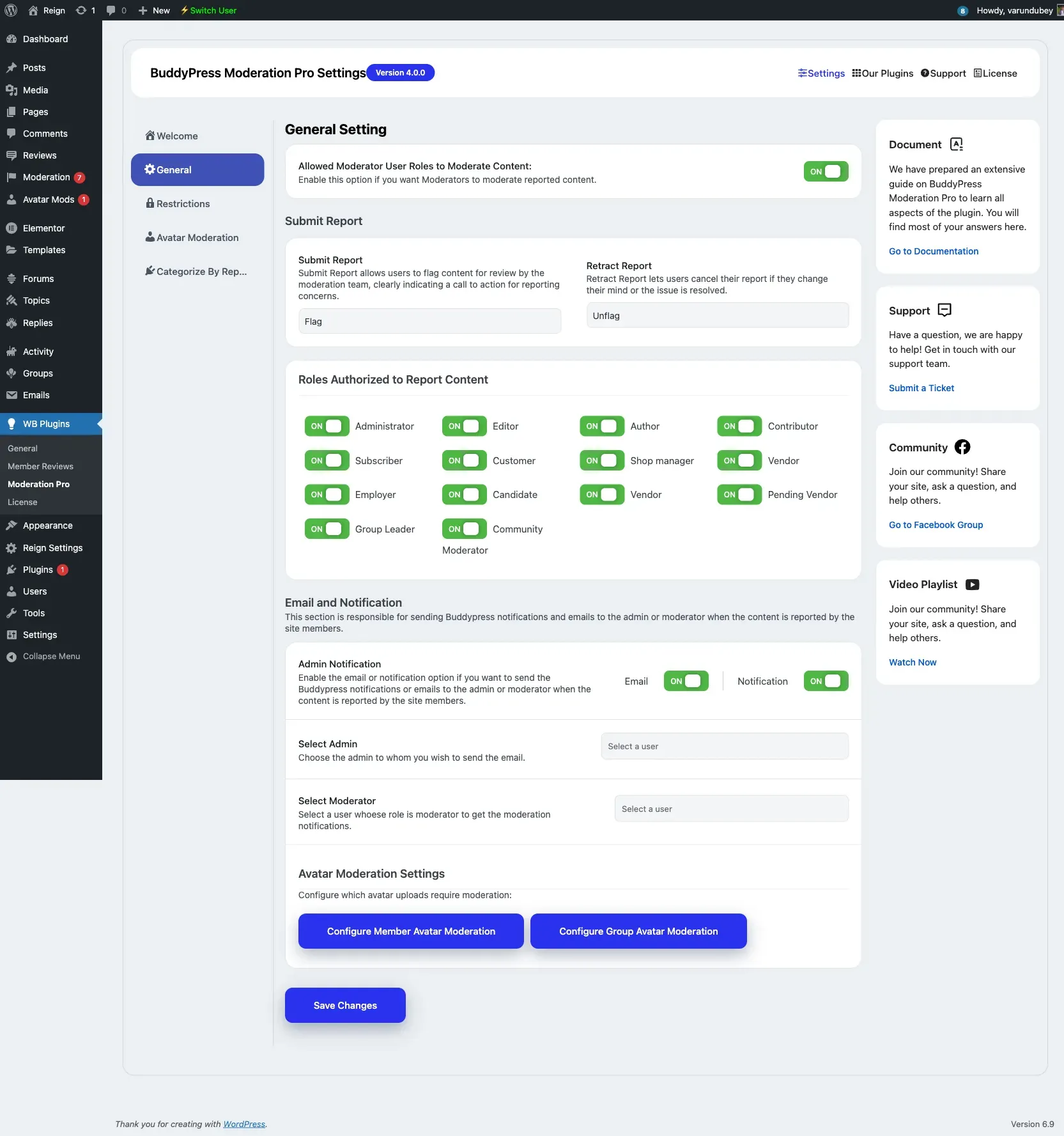
Section titled “Turning moderation on”- Go to WB Plugins → Moderation Pro → General.
- Enable Allowed Moderator User Roles to Moderate Content.
When this option is off, the moderator capabilities are not applied.
Assigning the role
Section titled “Assigning the role”Assign the Community Moderator role to a user from Users → All Users in wp-admin, the same way you assign any WordPress role. You can also add selected moderators as notification recipients under General → Email and Notification so they are alerted when new content is reported.