

Auto-Moderation
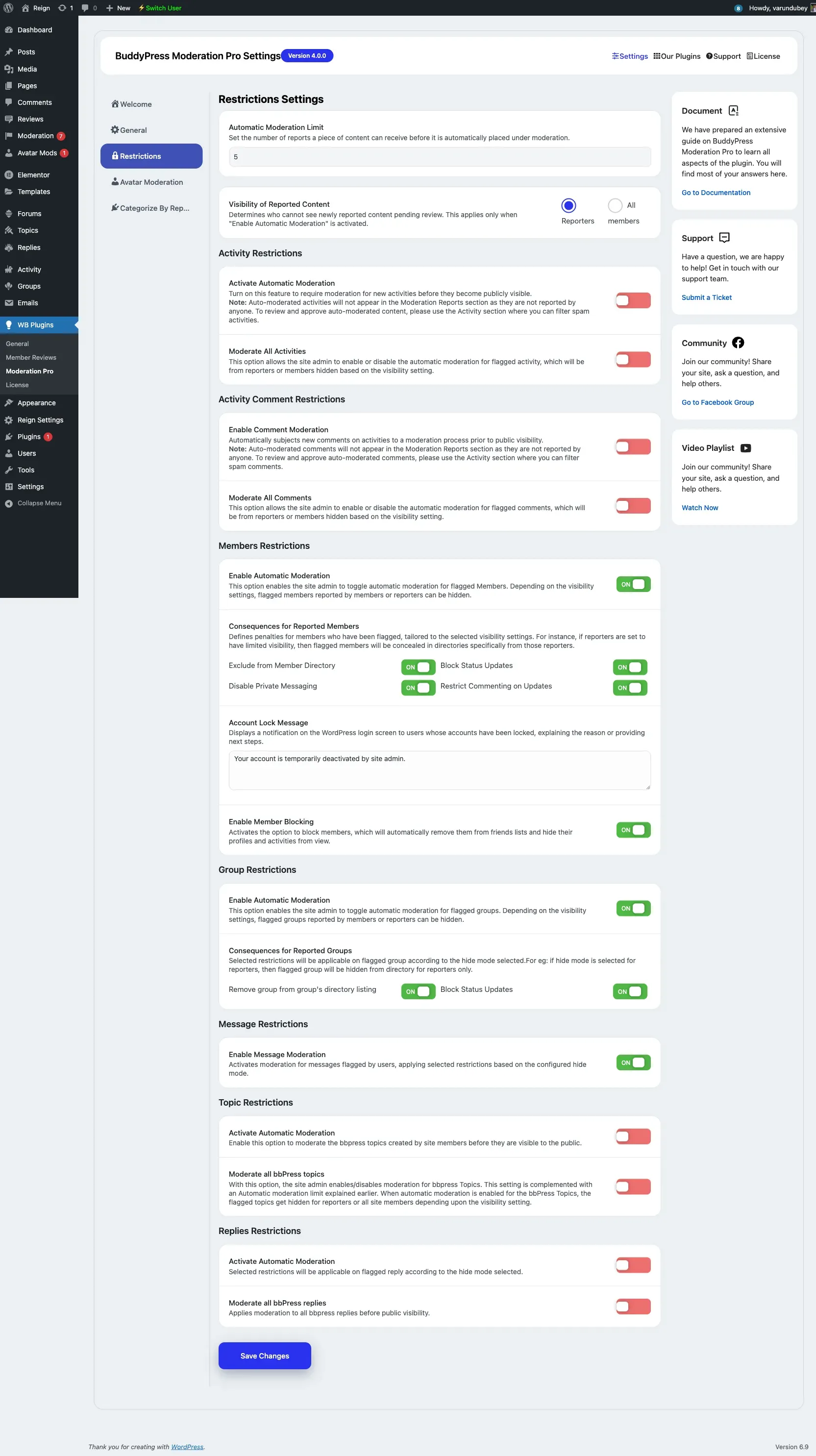
Auto-moderation hides reported content automatically once it collects enough reports, so obvious problems are dealt with without waiting for a moderator. Everything is configured on WB Plugins → Moderation Pro → Restrictions.
Report threshold
Section titled “Report threshold”Automatic Moderation Limit sets how many reports a piece of content can receive before it is placed under moderation. It accepts a value from 1 to 100 and defaults to 5.
Reported content visibility
Section titled “Reported content visibility”Visibility of Reported Content decides who stops seeing content that is pending review:
- Reporters - Only the members who reported it lose sight of it.
- All members - Everyone except admins and moderators stops seeing it.
This applies when automatic moderation is active.
Per-component restrictions
Section titled “Per-component restrictions”Below the general settings, each component has its own section:
- Activity Restrictions - Activate automatic moderation so new activities are held before they become public, and optionally moderate all activities.
- Activity Comment Restrictions - The same controls for new activity comments.
- Members Restrictions and Groups Restrictions - Equivalent automatic-moderation toggles for members and groups.
Reviewing auto-moderated content
Section titled “Reviewing auto-moderated content”Content that is auto-moderated before anyone reports it does not appear in the Moderation queue, because no member filed a report. To review and release that content, use the BuddyPress Activity admin screen and filter by spam status, as noted on the Restrictions tab itself.