Avatar Moderation
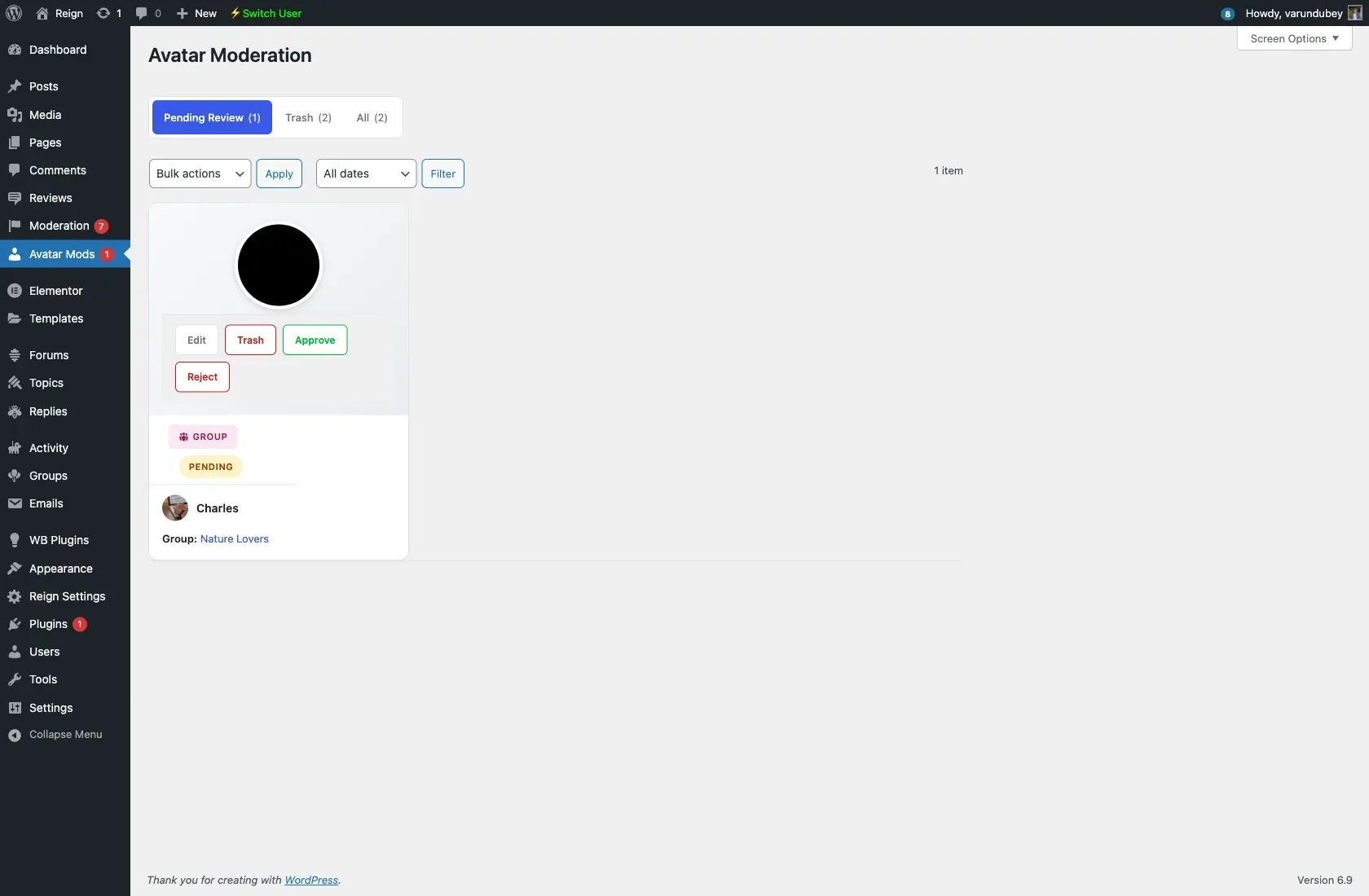
Avatar moderation holds newly uploaded profile and group photos for admin approval before they go live, so inappropriate images never appear in your community.
Enabling it
Section titled “Enabling it”Go to WB Plugins → Moderation Pro → Avatar Moderation. The tab has two sub-tabs:
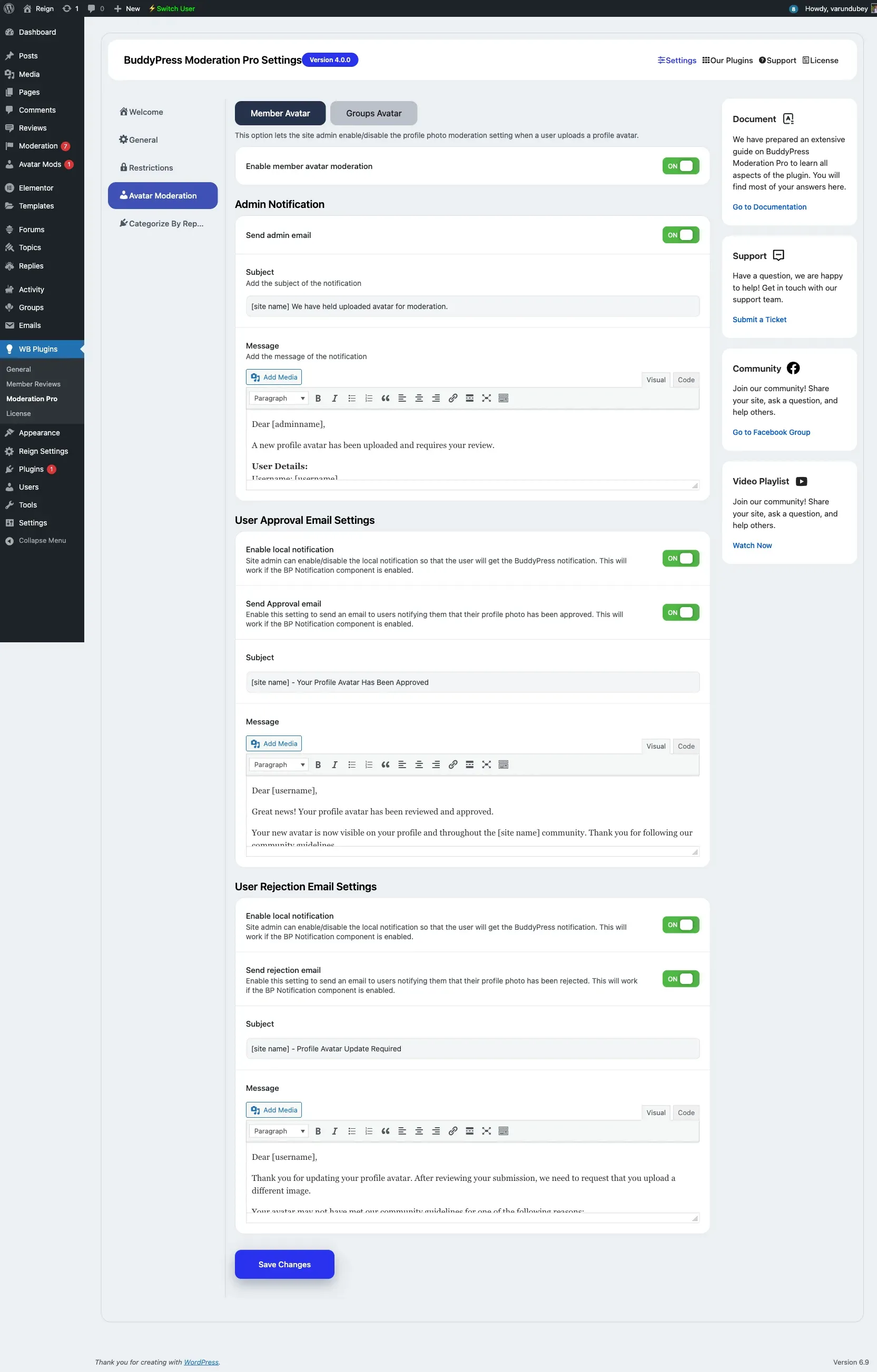
- Member Avatar - Toggle Enable member avatar moderation for profile photos.
- Groups Avatar - Toggle Enable group avatar moderation for group photos.
Each sub-tab also configures its own emails:
- Admin Notification - Send the admin an email when a new photo needs review, with an editable subject and message.
- User Approval Email - Optionally send the uploader a BuddyPress notification and email when their photo is approved.
- User Rejection Email - Optionally notify the uploader when their photo is rejected.
The BuddyPress notification options require the BuddyPress Notifications component to be active.
How it works
Section titled “How it works”- A member or group admin uploads a new avatar.
- The upload is held as pending and is not shown to other members.
- The submission appears under the Avatar Mods menu in wp-admin.
- The reviewer opens the submission, previews the image, and chooses Approve or Reject.
- On approval the avatar becomes visible; on rejection the pending file is removed and the uploader is notified if rejection emails are enabled.
Moving a pending avatar submission to Trash automatically rejects it.