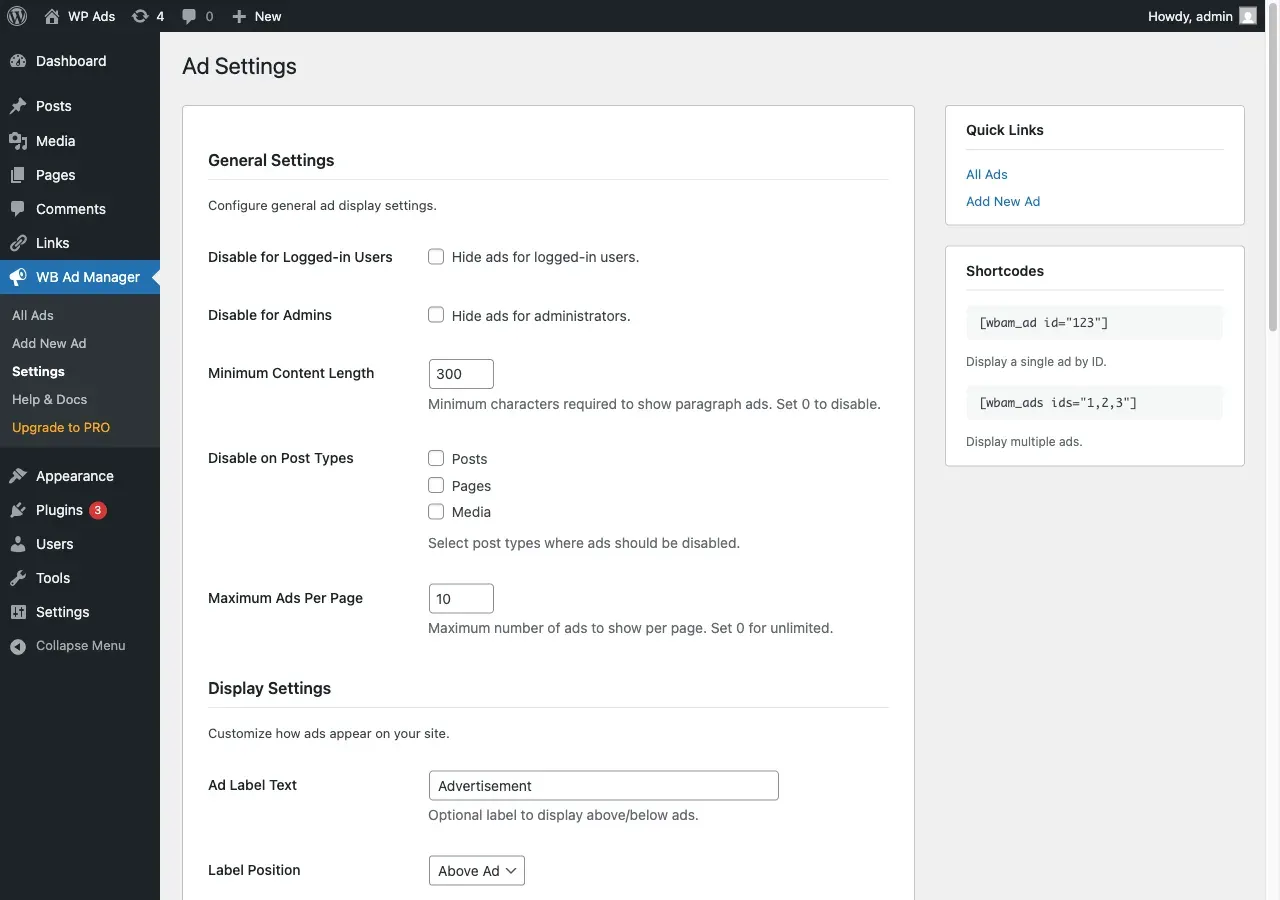
Configure global ad behaviour at WB Ad Manager -> Settings . Every setting below is stored in the wbam_settings option. (When WB Ad Manager Pro is active this screen is titled Ad Display .)
Shown only in the free plugin (hidden when Pro is active).
Setting
What it does
Default
Links module
Turns the Link Manager on or off. Turning it off only hides the menu; your link data is kept.
On
Setting
What it does
Default
Disable for logged-in users
Hide all ads from logged-in users
Off
Disable for admins
Hide all ads from administrators (handy while testing)
Off
Disable on post types
Post types where automatic placements never show
None
Maximum ads per page
Cap ads shown per page; 0 means unlimited
10
Setting
What it does
Default
Ad label text
Optional label shown with each ad (e.g. “Advertisement”); leave empty to disable
Advertisement
Label position
Show the label above or below the ad
Above
Custom container class
Extra CSS class added to ad containers
(empty)
A matrix of which placement slots may serve ads on your site. By default every placement is open. See Placements .
Setting
What it does
Default
Primary provider
IP-geolocation service: ip-api (45/min, no key), ipinfo (50K/month, optional key), ipapi-co (1K/day, no key). Falls through to the next on failure.
ip-api
ipinfo.io API key
Optional key for ipinfo.io
(empty)
Setting
What it does
Default
Publisher ID
Your AdSense Publisher ID (ca-pub-...), used as the default for AdSense ads
(empty)
Auto Ads
Enable AdSense Auto Ads site-wide
Off
See Google AdSense .
Setting
What it does
Default
Require consent for AdSense
Load AdSense scripts only after visitor consent (works with common consent plugins)
Off
Anonymize IP
Store anonymized IP hashes instead of raw IPs
On
Setting
What it does
Default
Delete data on uninstall
Delete all ads, links, analytics, tables, and settings when the plugin is uninstalled
Off
When this is off (the default), uninstalling the plugin keeps all your data.
Setting
What it does
Default
Cloak prefix
URL segment for cloaked links, e.g. go. Rewrite rules refresh on change.
go
Inactive link action
Behaviour for an inactive/expired cloaked link: show 404, redirect home, or redirect to a custom URL
Show 404
Inactive link URL
Destination for the “redirect to custom URL” option
(empty)