

Ad Types
WB Ad Manager ships five ad types. You pick the type in the Ad Settings metabox when creating an ad. Every type stores its creative fields together with the ad, so you can switch placements or targeting without re-entering content.
| Type | Type ID | Best for |
|---|---|---|
| Image Ad | image |
Banners and affiliate graphics |
| Rich Content | rich-content |
Native, styled promotions |
| HTML/JS Code | code |
Ad-network tags and custom scripts |
| Google AdSense | adsense |
Google AdSense units |
| Email Capture | email_capture |
Newsletter and lead-capture forms |
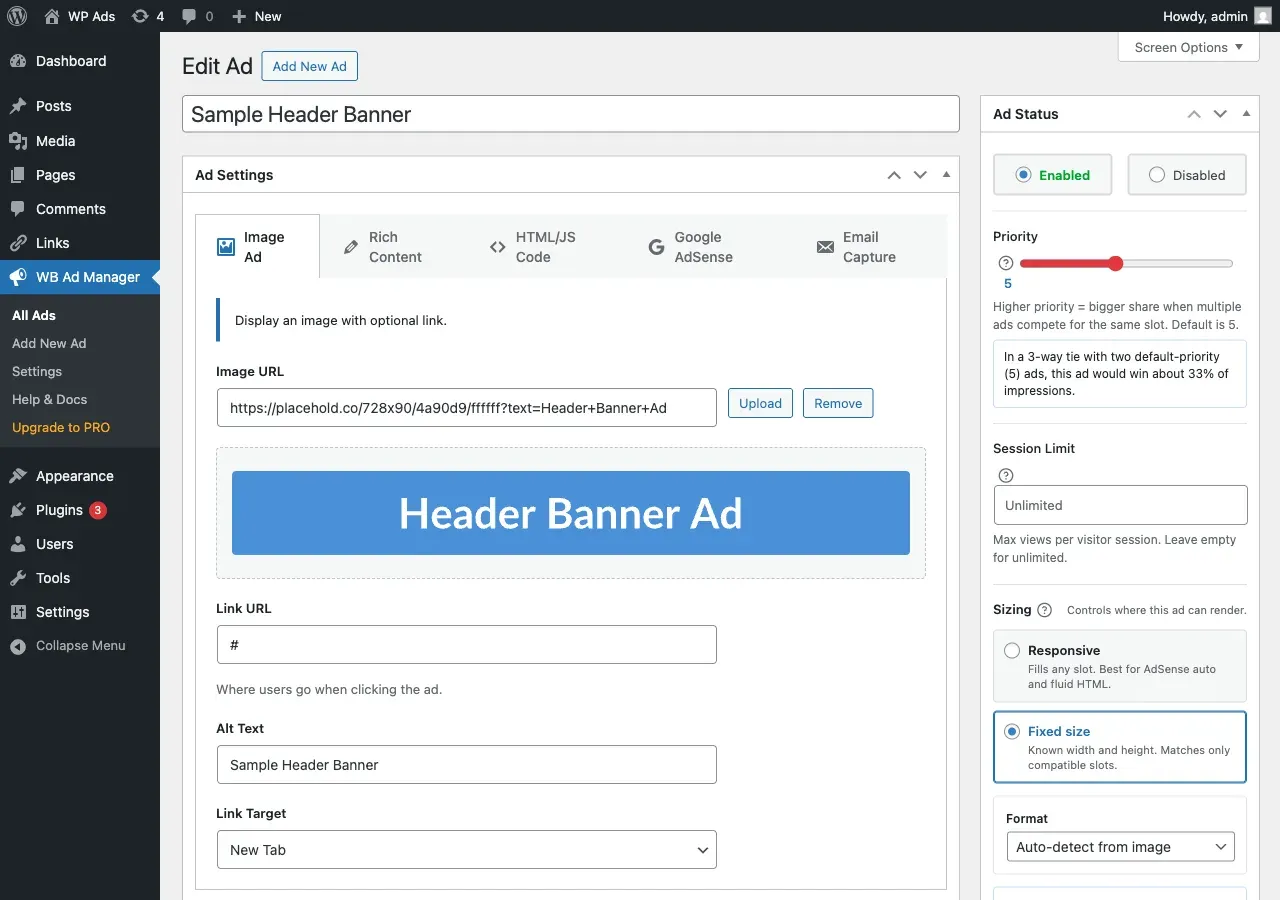
Image Ad
Section titled “Image Ad”Display a banner image with click tracking.
| Field | What it does |
|---|---|
| Image | Upload or pick from the media library |
| Destination URL | Where a click goes |
| Alt text | Image alt attribute (accessibility) |
| Open in new tab | Adds target="_blank" (default on) |
Tips: use standard IAB sizes (300x250, 728x90, 160x600), compress images, and always set alt text. Animated GIFs work.
Rich Content
Section titled “Rich Content”Build an ad with formatted HTML - headings, buttons, lists.
| Field | What it does |
|---|---|
| Content | HTML content, sanitized with wp_kses_post |
Best for native advertising that matches your site design. Keep it short - it is an ad, not an article.
HTML/JS Code
Section titled “HTML/JS Code”Paste code from an ad network or a custom script.
| Field | What it does |
|---|---|
| Code | Raw HTML/JavaScript (sanitized with wp_kses_post unless your user has the unfiltered_html capability) |
An optional per-ad sandbox mode renders the code inside a sandboxed iframe for extra isolation. Test code before saving, and check mobile rendering.
Google AdSense
Section titled “Google AdSense”Native AdSense support with the script managed for you (loaded once per page).
| Field | What it does |
|---|---|
| Ad slot ID | Your AdSense ad-unit slot |
| Publisher ID | Defaults to the site Publisher ID from Settings |
| Ad format | auto (default), horizontal, vertical, rectangle |
| Responsive | Toggle responsive vs fixed sizing |
| Fixed width / height | Used when responsive is off |
Set your site-wide Publisher ID once under Settings -> Google AdSense (see Google AdSense).
Email Capture
Section titled “Email Capture”An inline newsletter/subscribe form rendered as an ad.
| Field | What it does | Default |
|---|---|---|
| Headline | Form heading | - |
| Description | Sub-text | - |
| Button text | Submit label | Subscribe |
| Success message | Shown after submit | - |
| Show name field | Adds a name input | Off |
| Cookie days | Days to hide the form after a submit | 7 |
| Redirect URL | Optional post-submit redirect | - |
| Privacy text | Small print under the form | - |
| Background / text / button colour | Form styling | #ffffff / #1d2327 / #2271b1 |
Captured leads are stored and viewable/exportable under WB Ad Manager -> Email Captures. See Email Capture.
Next steps
Section titled “Next steps”- Placements - where each ad can appear.
- Creating and Managing Ads - the full edit workflow.