

License Activation
BuddyPress Auto Friends overviewPremiumGet BuddyPress Auto Friends →
BuddyPress Auto Friends ships with Easy Digital Downloads’ Software Licensing. Your license key controls automatic update notifications and access to support - the plugin still works without one, but updates pause and the License tab shows a “not activated” status.
You will find your key on wbcomdesigns.com under My Account, or in the email confirmation of your purchase.
Activate
Section titled “Activate”- Go to WB Plugins → Auto Friends → License.
- Paste your key into the License key field.
- Click Activate License. The status flips to active and the field becomes read-only.
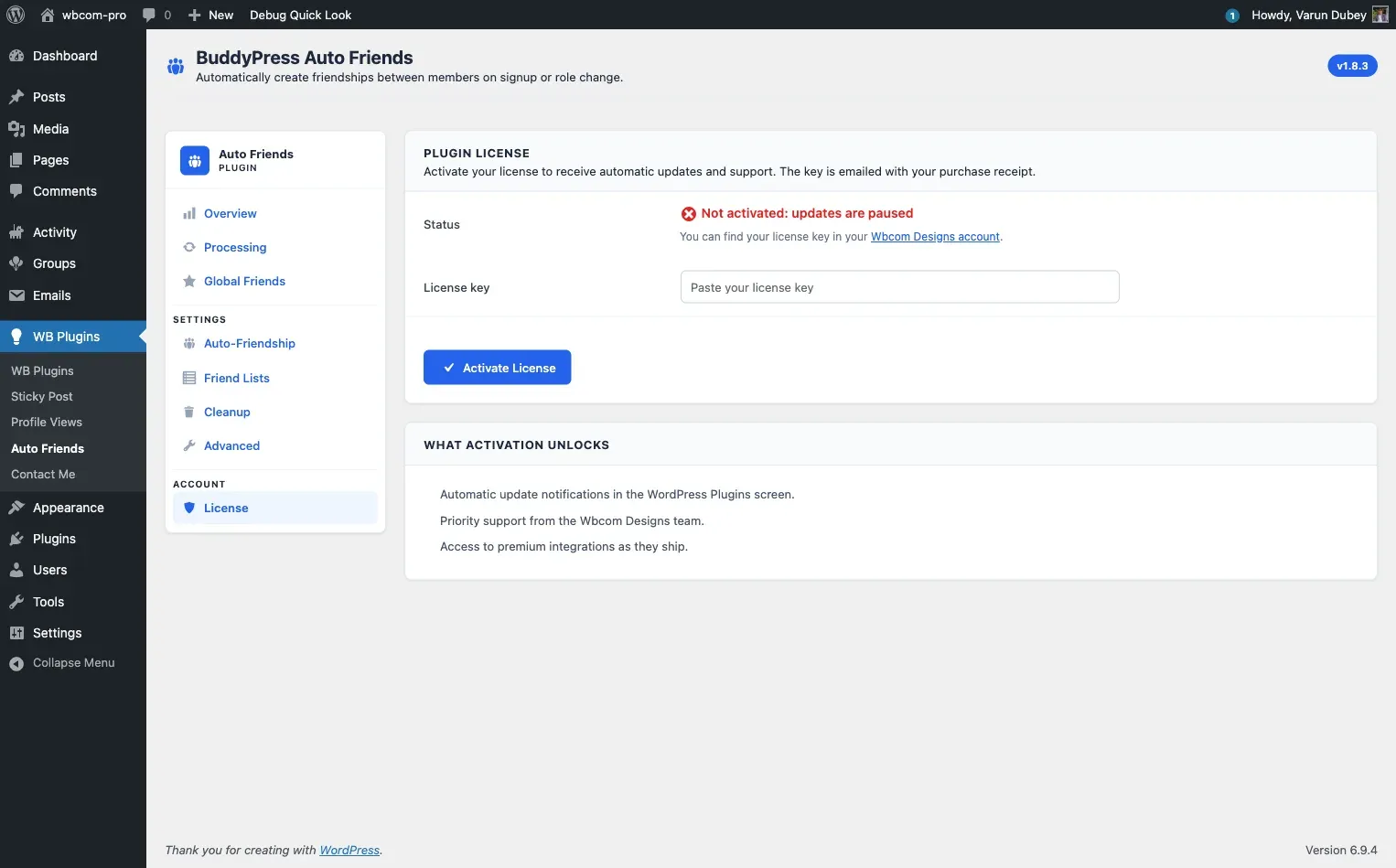
WordPress now shows update notices for the plugin in Plugins → Installed Plugins as new releases ship.
Deactivate
Section titled “Deactivate”Click Deactivate License on the same tab. The field unlocks so you can paste a different key - useful when migrating to a new domain or rotating keys. There is no confirmation popup; deactivation is immediate.
The license stays attached to your Wbcom Designs account. You only need to deactivate first if you want to use the same key on a different site.
Failure messages
Section titled “Failure messages”Activation errors render inline on the License tab:
| Message | Meaning |
|---|---|
| Invalid license | The key was mistyped or does not exist |
| Your license key has expired on … | Renew from your Wbcom Designs account |
| Your license is not active for this URL | The key was activated on a different site; deactivate it there first |
| Your license key has reached its activation limit | Log into your Wbcom Designs account, find the site under Licenses, and remove a stale entry |
Programmatic activation
Section titled “Programmatic activation”If you are rolling out the plugin to many sites and want to skip the UI, the EDD constants are:
| Constant | Value |
|---|---|
EDD_BAUTOF_STORE_URL |
https://wbcomdesigns.com/ |
EDD_BAUTOF_ITEM_NAME |
BuddyPress Auto Friends |
EDD_BAUTOF_ITEM_ID |
97652 |
Stored options: edd_wbcom_BAUTOF_license_key, edd_wbcom_BAUTOF_license_status, edd_wbcom_BAUTOF_license_expires, and the transient edd_wbcom_BAUTOF_license_key_data for cached metadata.