

Overview Tab
BuddyPress Auto Friends overviewPremiumGet BuddyPress Auto Friends →
The Overview tab is the first screen you land on at WB Plugins → Auto Friends.
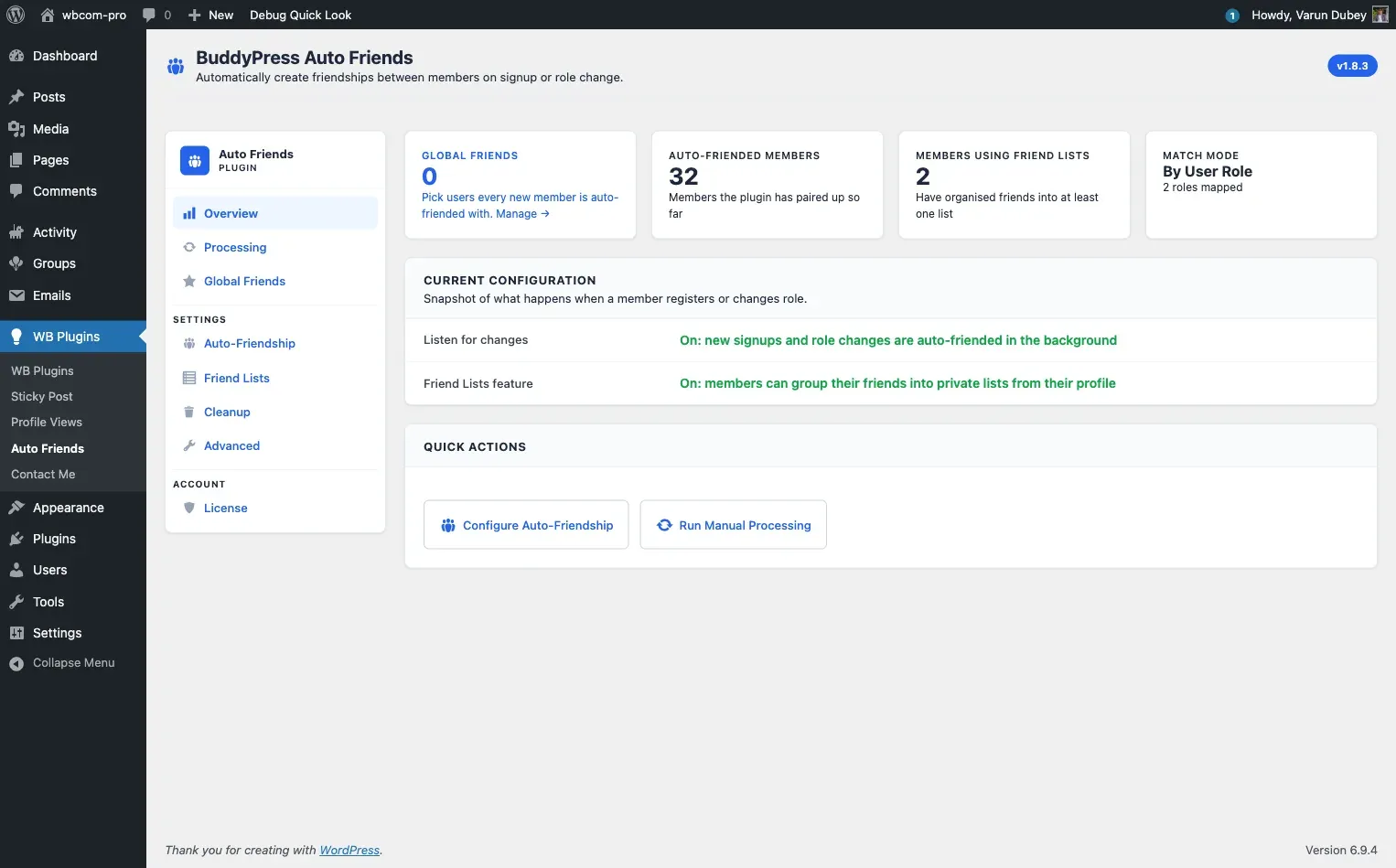
Stats grid
Section titled “Stats grid”Four live counters appear at the top of the page:
| Stat | What it counts |
|---|---|
| Global Friends | Specific users hand-picked to befriend every new signup |
| Members welcomed | New signups the plugin has auto-friended since it was installed |
| Using Friend Lists | Members who have organized friends into at least one private list |
| Match Mode | Whether the current welcome-group rule uses roles or member types, and how many are mapped |
These numbers come from live database queries on every page load - no cache is involved.
Configuration snapshot
Section titled “Configuration snapshot”Below the stat grid, a table shows the current active state:
- Auto-friending - “Running” when at least one role, member type, or Global Friend is configured. “Not configured yet” with a link to the Auto-Friendship tab if nothing is set up.
- Friend Lists feature - “On” or “Off” based on the Friend Lists tab setting.
Manual processing
Section titled “Manual processing”The bottom of the Overview tab contains the backfill card for existing members.
Click Welcome existing members now to friend every existing member of the site with the welcome-group pool (every user holding one of the configured roles or member types, plus all Global Friends).
The button is disabled if no welcome-group configuration exists. A live progress bar appears while the job runs, showing total users, users processed, and friendships created. Processing runs in the background via WordPress cron - you can safely navigate away.
For more detail on how processing works, see Manual Processing.
Warning state
Section titled “Warning state”If no welcome group is configured, a yellow notice appears at the top of the tab with a direct link to the Auto-Friendship tab. No auto-friendships are created until at least one role, member type, or Global Friend is set up.