

Automatically Create Friendships With Your Welcome Group
BuddyPress Auto Friends overviewPremiumGet BuddyPress Auto Friends →
BuddyPress Auto Friends creates confirmed BuddyPress friendships automatically when users register on your site. You configure a welcome group - by WordPress role, BuddyPress member type, or specific “Global Friend” accounts - and every new signup is silently connected to everyone in that group. There is no friend request and no notification emails: both users are immediately confirmed friends in the standard BuddyPress friends list.
How it works
Section titled “How it works”The roles and member types you pick in settings are treated as welcome-group / ambassador rules, not as a peer-matching rule. They define which existing members every new signup should befriend, regardless of the new member’s own role or type.
When a new user registers, the plugin schedules a background task via WordPress cron. That task runs bautof_create_friendships(), which:
- Reads the configured friendship mode (User Roles or Member Types).
- Collects every existing member who holds any of the selected roles (or member types). These are the welcome-group / ambassador users.
- Merges in any Global Friends (hand-picked users that everyone befriends).
- Creates a confirmed friendship between the new user and each member in that combined pool.
The new member’s own role or member type is not used to filter who they are paired with. If you select “Editor” as a welcome-group role, every new signup is friended with every existing Editor - they do not have to be an Editor themselves.
All friendships are confirmed immediately. There is no pending state shown to the user.
Friendship modes
Section titled “Friendship modes”User Roles (welcome-group mode)
Section titled “User Roles (welcome-group mode)”When you select User Roles mode and tick specific roles (for example, Editor and Author), every existing user who holds one of those roles becomes part of the welcome group. Every new signup is then friended with every member of that welcome group.
Example: You tick Editor and Author. A new subscriber registers. The plugin friends them with every existing Editor and every existing Author on the site. It does not check the new user’s own role - Subscribers, Contributors, and Editors all receive the same welcome group.
Member Types (welcome-group mode)
Section titled “Member Types (welcome-group mode)”When you select Member Types mode, the plugin uses BuddyPress member types instead of WordPress roles to identify the welcome group. This option is only available when your site has at least one BuddyPress member type registered.
The behavior matches User Roles mode exactly: every existing member who holds one of the ticked member types is added to the welcome pool, and every new signup is friended with that pool.
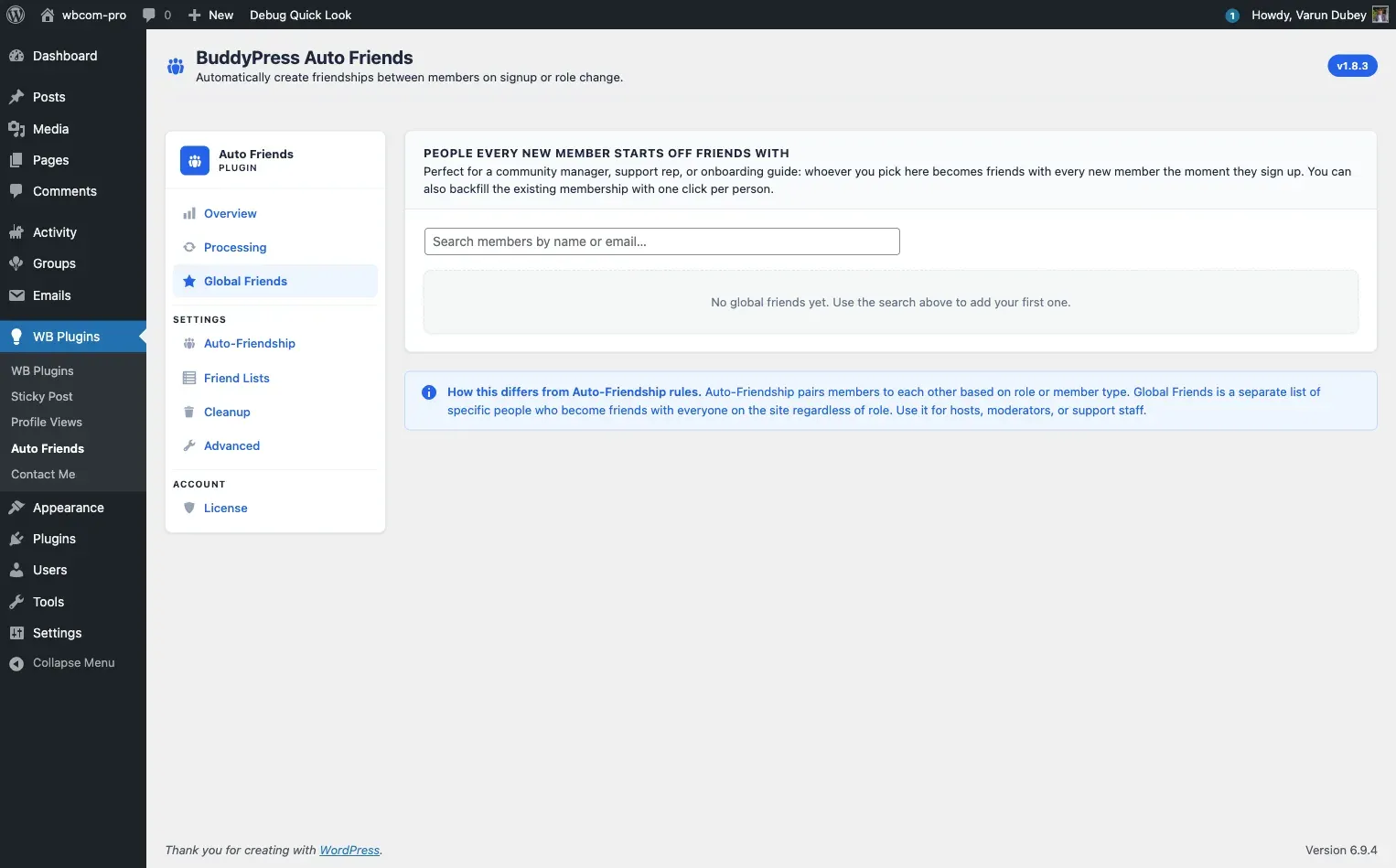
Global Friends
Section titled “Global Friends”Global Friends are specific users - chosen by name, not by role - that every new registrant automatically befriends. Use Global Friends for community managers, founders, support staff, or any single account every new member should land next to on day one.
You configure Global Friends from the Auto-Friendship tab. Global Friends are always merged with the role/member-type welcome group.
Handling existing friendship states
Section titled “Handling existing friendship states”The plugin handles all possible BuddyPress friendship states correctly:
| State | What the plugin does |
|---|---|
| Already friends | No action taken |
| Pending request | Promotes the existing request to confirmed without creating a duplicate |
| Awaiting response | Same as pending - promoted to confirmed |
| Not friends | Creates a new confirmed friendship |
This means the plugin works correctly on mature sites where users may already have pending friend requests between them.
Notifications
Section titled “Notifications”Auto-created friendships are always silent. No friend-request or accepted-request emails are sent during any auto-friendship operation. This is by design - the goal is for new members to find a ready-made circle of friends without an inbox flood.
Developers who need to re-enable emails for specific recipients can use the bautof_enable_notifications_for_user filter. See Hooks and Filters.
Manual sync for existing users
Section titled “Manual sync for existing users”The welcome-group rule applies to new registrations and to role / member-type changes (when dynamic processing is active). If you activate the plugin on an existing site that already has many members, use the Manual Processing card on the Overview tab to retroactively connect every existing member to the welcome group. See Manual Processing.