

Global Friends - Members Everyone Befriends
BuddyPress Auto Friends overviewPremiumGet BuddyPress Auto Friends →
Global Friends is a separate list, layered on top of role/member-type matching. Pick specific members here and every new signup is automatically connected to them - and you can backfill the existing membership with one click per person.
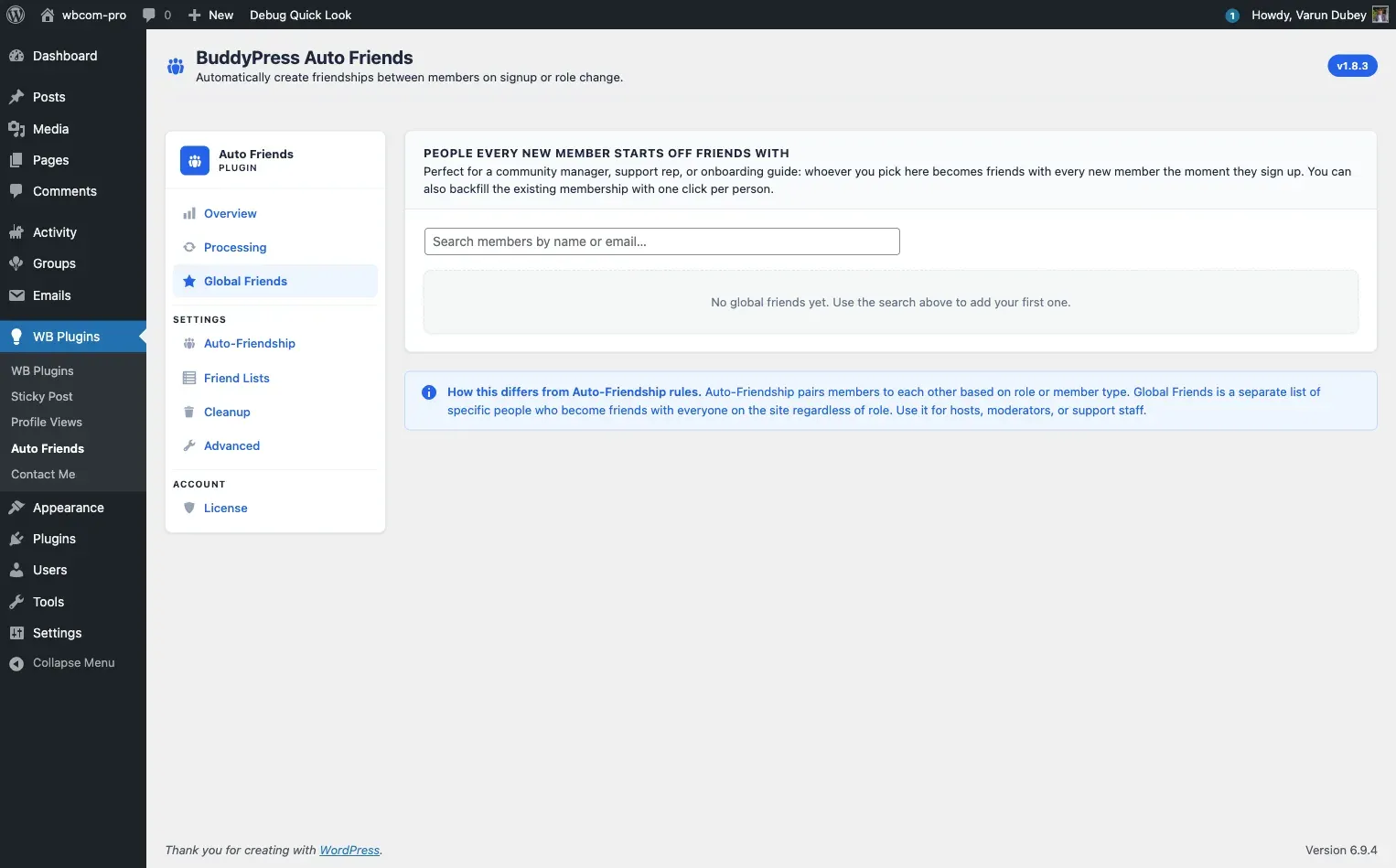
This is the right pattern for community managers, support staff, onboarding hosts, or moderators that should always be in every member’s friend list - regardless of role.
How it differs from auto-friendship rules
Section titled “How it differs from auto-friendship rules”- Auto-Friendship rules define an ambassador pool by group membership. Every new signup becomes friends with every existing member who holds one of the configured roles (or member types), regardless of the new member’s own role. Picking “Editor” doesn’t pair Editors with each other - it makes every new signup friends with every Editor on the site.
- Global Friends is a hand-picked list of specific user accounts that become friends with every member. They are added to the ambassador pool individually instead of by role.
You can use both at the same time. A new signup is auto-friended with every user in the role/member-type ambassador pool and with every Global Friend.
Add a Global Friend
Section titled “Add a Global Friend”- Go to WB Plugins → Auto Friends → Auto-Friendship.
- Scroll to “People Every New Member Starts Off Friends With.”
- Type a name or email in the search box and click a result. The user is added to the list immediately.
Backfill existing members
Section titled “Backfill existing members”When you add a new Global Friend on a site that already has members, click Friend with existing members next to that person’s row. This triggers a chunked background job that creates friendships between this person and every existing member they are not yet connected to.
A live counter on the button shows progress (e.g., “120 / 500 befriending…”) and a toast notification confirms when it finishes. The job runs in the background - you do not need to stay on the page.
Notification emails are never sent for plugin-created friendships, including during the backfill.
Remove a Global Friend
Section titled “Remove a Global Friend”Click the X icon next to the user’s row. The plugin removes them from the Global Friends list but does not retroactively unfriend existing members. Existing connections stay. To prune them, use the BuddyPress Friends UI or a custom WP-CLI script.
Storage
Section titled “Storage”| Location | Key | Purpose |
|---|---|---|
wp_usermeta |
bautof_global_friend |
Boolean flag set on the Global Friend’s own user record |