

Sharing
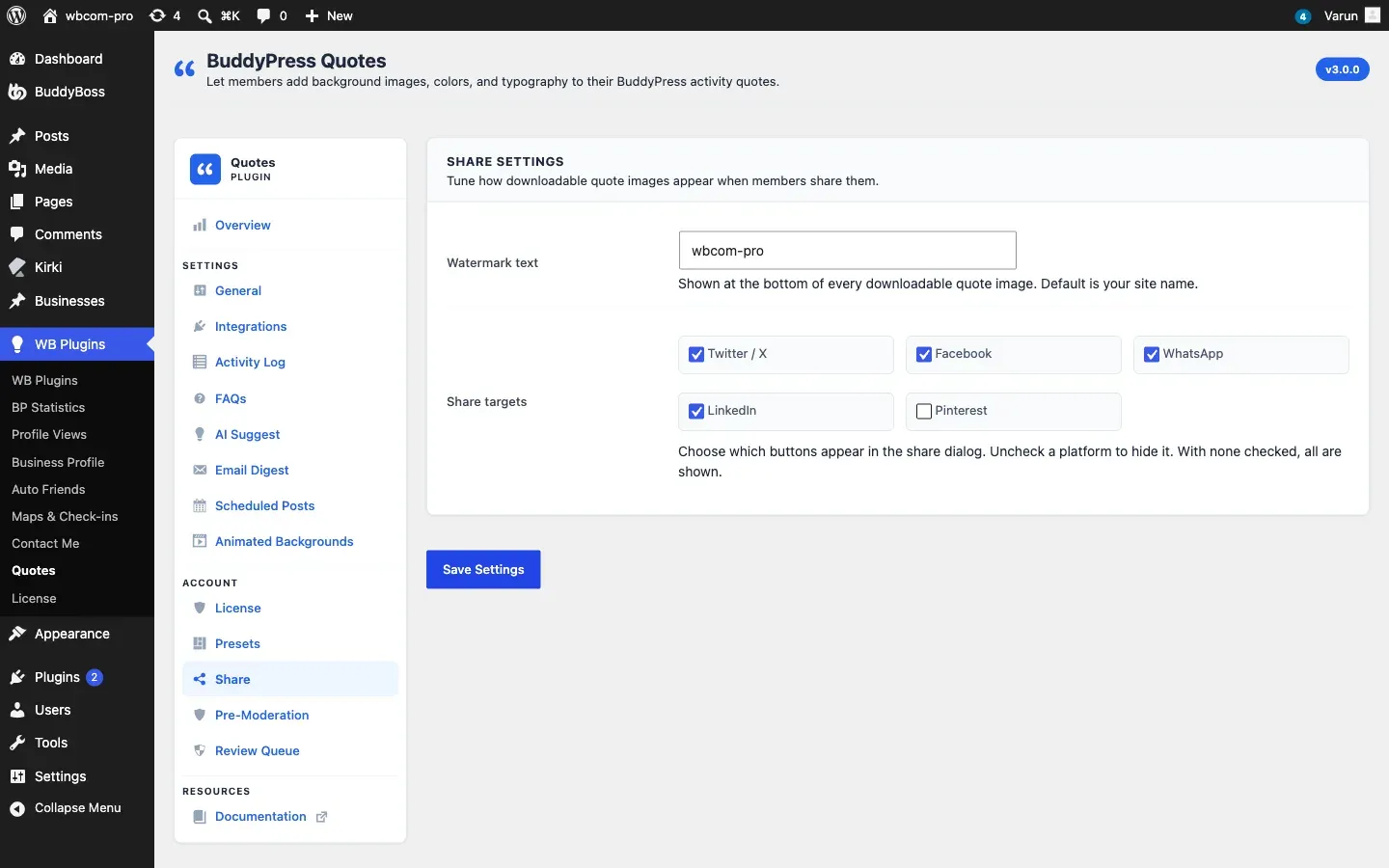
Go to WB Plugins - Quotes - Share to control how members share quotes.
Share Icon
Section titled “Share Icon”Share icon controls the small share button on every quote card. It is on by default. Turn it off if your site already has a social sharing plugin. The icon only shows for logged-in members.
Watermark
Section titled “Watermark”Watermark text is printed at the bottom of every shared picture. Leave it as your site name or write your own tagline.
| Option | Default | Description |
|---|---|---|
| Watermark text | Your site name | Shown at the bottom of every downloadable quote image |
Share Targets
Section titled “Share Targets”Share targets are the buttons in the share window. Tick the ones you want.
| Network | What the button does |
|---|---|
| Twitter / X | Opens a post with the quote text and link |
| Opens the Facebook share dialog with the quote link | |
| Opens WhatsApp with the quote text and link | |
| Opens the LinkedIn share dialog with the quote link | |
| Opens a pin with the quote picture (only when a picture was created) |
If you tick none, all five show. The Download image button always shows when a picture was created.
How Sharing Works
Section titled “How Sharing Works”- A member clicks the share icon on a quote.
- The plugin creates a 1200 by 630 pixel picture of the quote and reuses it for one hour.
- The share window opens with the picture, Download image and your share buttons.
Storage and Limits
Section titled “Storage and Limits”- Pictures are saved in your uploads folder, in a
bpquotes-sharedfolder. - A new picture replaces the older one for the same quote.
- Deleting a quote deletes its pictures. Uninstalling the plugin removes the whole folder.
- Each member can create 10 new pictures per minute.
- Each share is counted once per member per quote per day.
- Pictures need the PHP GD library. Without it, the share window still offers the share buttons but no picture.
For Developers
Section titled “For Developers”Use the bpquotes_share_targets and bpquotes_watermark_text filters to change the buttons or the watermark. See the Hooks Reference.