

Email Digest
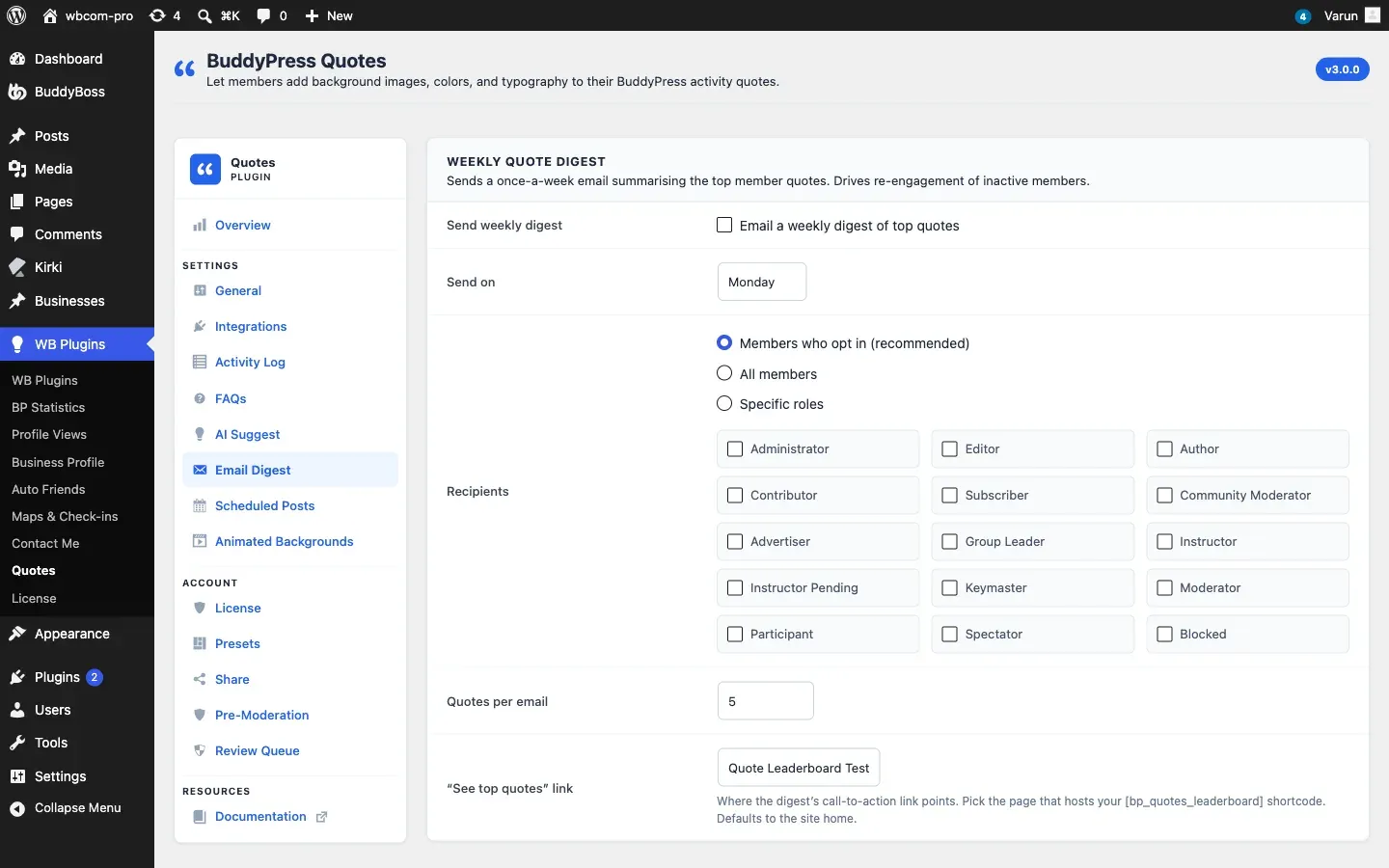
Go to WB Plugins - Quotes - Email Digest to set up the weekly digest.
What the Digest Is
Section titled “What the Digest Is”Once a week, the plugin emails a list of the most recent quotes from the last seven days. Only quotes that everyone on the site can see are included: quotes posted in private or hidden groups, and quotes by members who chose not to show their quote activity to other members, are left out. It uses the BuddyPress email system, so you can edit the email under Emails like any other BuddyPress email (it is called “Top member quotes this week”).
The digest is off by default.
Settings
Section titled “Settings”| Option | Default | Description |
|---|---|---|
| Send weekly digest | Off | Tick Email a weekly digest of top quotes to turn it on |
| Send on | Monday | Day of the week, Monday to Sunday |
| Recipients | Members who opt in | Members who opt in, All members, or Specific roles |
| Quotes per email | 5 | 1 to 20 |
| “See top quotes” link | Site home | The page the email button points to |
Send on
Section titled “Send on”The send is scheduled for 08:00 UTC on the day you pick, and WordPress repeats it every week. If you change the day, the next send moves to the new day as soon as you save.
Recipients
Section titled “Recipients”- Members who opt in (recommended): members choose in their profile under Settings - Email, in the BuddyPress Quotes row “Receive a weekly digest of top member quotes”. The row only appears while the digest is on.
- All members: every user on the site.
- Specific roles: tick the roles below the radio buttons. If you tick none, nobody receives it.
The link
Section titled “The link”Pick the page that holds your [bp_quotes_leaderboard] shortcode. If you leave it on Site home, the plugin looks for a published page with that shortcode and uses it. If none exists, the link goes to the home page.
Large Communities
Section titled “Large Communities”The plugin sends to 100 members at a time and queues the next 100 a minute later, so big lists finish within a few minutes and do not overload your mail server.
If no quotes were posted in the last seven days, no email is sent.
For Developers
Section titled “For Developers”Use bpquotes_digest_query_args to change the time window or number of quotes, and bpquotes_digest_landing_url to change the link. See the Hooks Reference.