

Animated Backgrounds
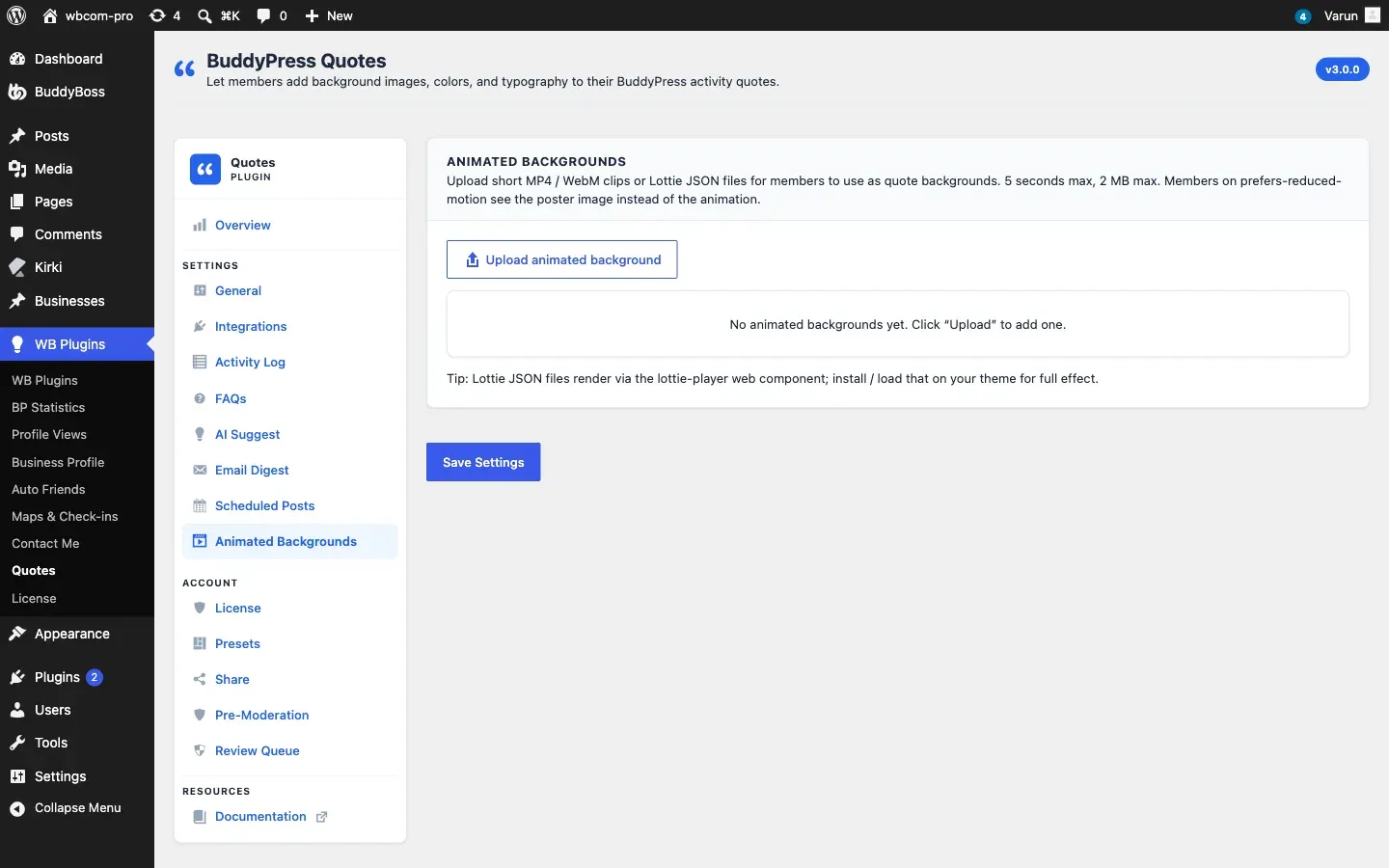
Go to WB Plugins - Quotes - Animated Backgrounds to manage animated backgrounds.
Supported Formats
Section titled “Supported Formats”| Format | Notes |
|---|---|
| MP4 | H.264 video, widest browser support |
| WebM | Smaller files for the same quality |
| Lottie JSON | Vector animation, very small files |
Lottie files play through the lottie-player web component. Load that component in your theme for Lottie backgrounds to show.
Add an Animated Background
Section titled “Add an Animated Background”- Click Upload animated background.
- Pick one or more MP4, WebM or Lottie JSON files from the Media Library, or upload new ones.
- Give each card a Name and optional Tags so members can search for it.
- Click Save Settings.
To remove one, click Remove on its card and save.
Keep Clips Small
Section titled “Keep Clips Small”Each file must be 2 MB or less and be an MP4, WebM or Lottie JSON file. When you save, any file that is too large or of another type is left out and a notice tells you how many were skipped. Clips of about 5 seconds loop best and keep the focus on the quote text.
Reduced Motion
Section titled “Reduced Motion”Members who turn on Reduce motion in their operating system get a calmer experience. The video is paused and a Play button appears so they can start it if they want.
Shared Pictures
Section titled “Shared Pictures”When a member shares a quote that uses an animated background, the picture uses a plain dark background, because a still image cannot hold the animation.