

Presets
Go to WB Plugins - Quotes - Presets to manage presets.
What Are Presets?
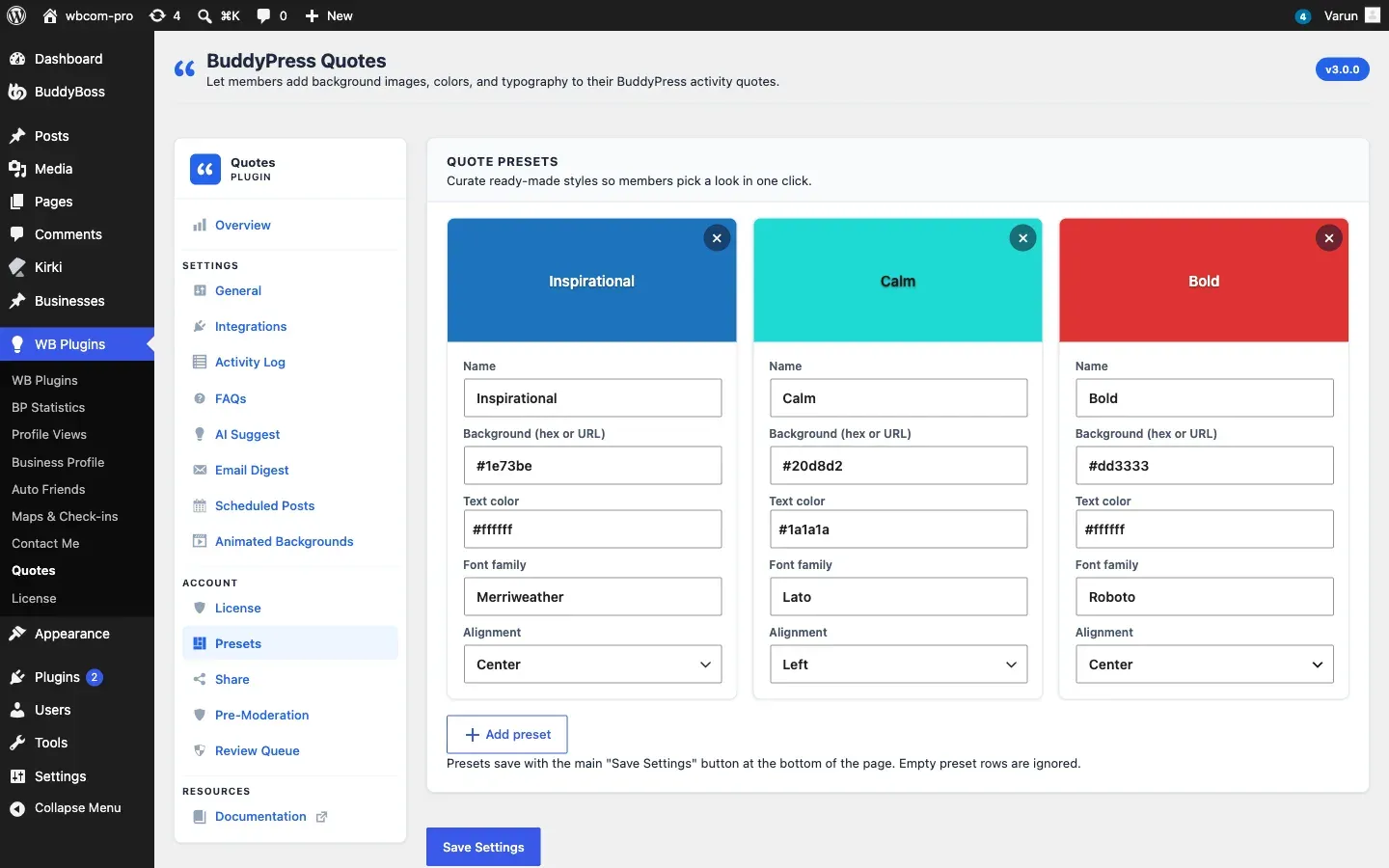
Section titled “What Are Presets?”A preset is a ready-made look. Members click it in the picker and its background and text color apply together. Presets appear first in the picker.
Quote text in the feed uses your General - Typography settings. A preset’s Font family and Alignment, when set, take their place for quotes posted with that preset. Leave Font family empty to use the font set on the General tab, or your theme’s font.
New installs start with three presets: Inspirational (blue, Georgia serif), Calm (teal, your theme’s font) and Bold (red, your device’s system font). These fonts are already on every device, so nothing is downloaded. Starter presets from earlier versions that still use Merriweather, Lato or Roboto switch to these fonts when you update; a font you changed yourself is kept.
Create a Preset
Section titled “Create a Preset”- Click Add preset.
- Fill in the card:
| Field | What it does |
|---|---|
| Name | The label members see |
| Background (hex or URL) | A color such as #1e73be, a gradient, or an image address |
| Text color | Color of the quote text, for example #ffffff |
| Font family | Optional, for example Georgia, serif. A Google font name such as Merriweather is loaded from Google Fonts only when you enter it here |
| Alignment | Left, Center or Right |
- Click Save Settings at the bottom of the page. Rows with no name and no background are ignored.
To remove a preset, click the x on its card and save. Quotes already posted with it keep working only while the preset exists, so edit a preset instead of deleting it when you can.
For Developers
Section titled “For Developers”Use the bpquotes_resolve_preset filter to supply or change how a preset resolves. See the Hooks Reference.