

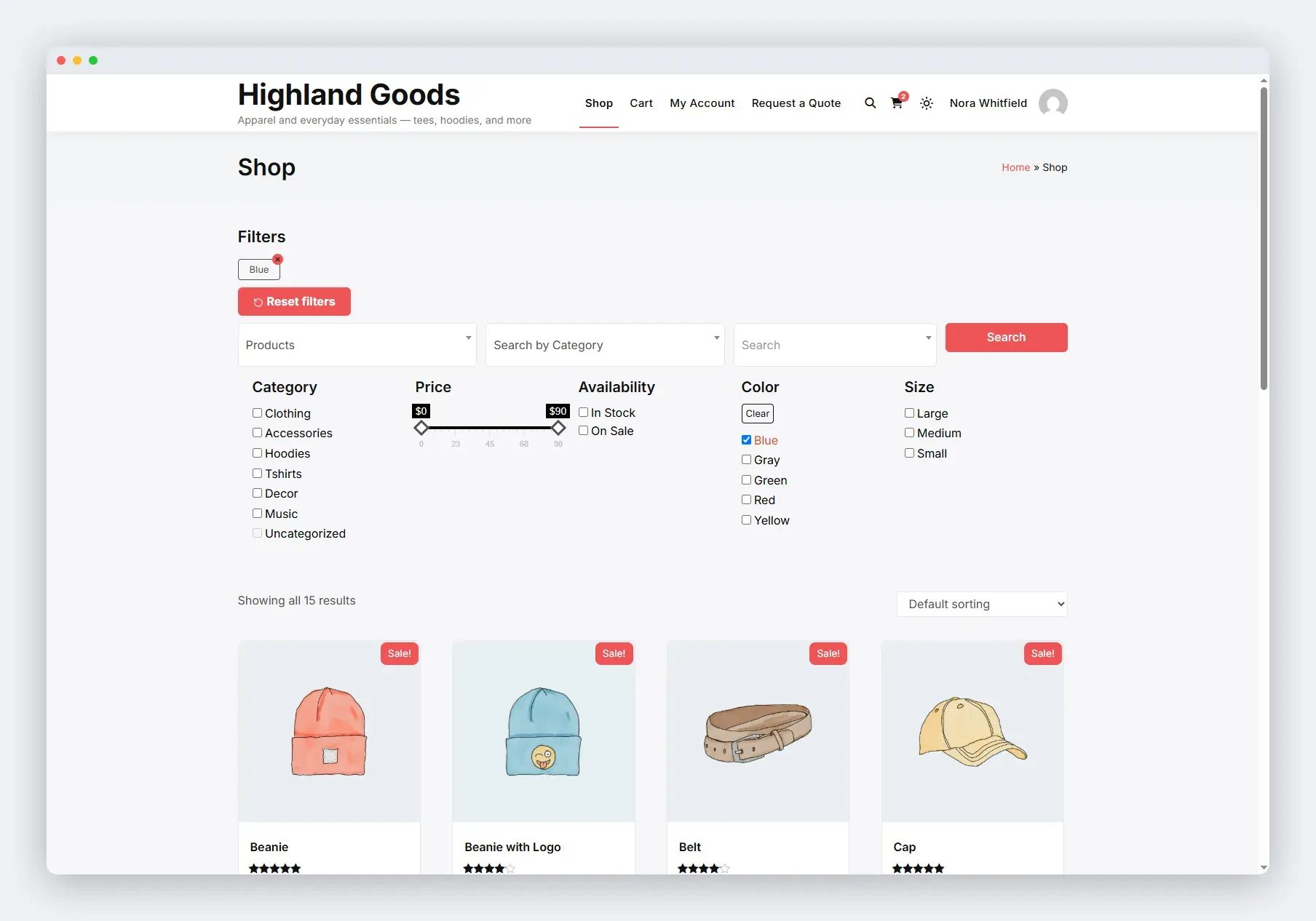
On classic themes the plugin places filters automatically on WooCommerce archive pages - no setup, no shortcode needed.
Where Filters Appear
Section titled “Where Filters Appear”- Shop page - the main WooCommerce shop archive.
- Category archives - product category pages.
- Tag archives - product tag pages.
How It Works
Section titled “How It Works”The plugin hooks into woocommerce_before_shop_loop and runs the same renderer as the shortcode and block, so the markup, styling, and behaviour are identical everywhere. A filtered page with no products still shows the filters so shoppers can change their selection.
Mobile Layout
Section titled “Mobile Layout”Below 640px, the filter stack collapses behind a Filters button with a badge showing how many filters are active. Tapping it opens the panel. Active-filter chips stay visible outside the drawer so shoppers always see what’s selected.
Disabling Auto Rendering
Section titled “Disabling Auto Rendering”The plugin registers its auto-render as an object-method hook, so the removal snippet has to recreate a matching instance. Add this to your theme’s functions.php:
add_action( 'wp_loaded', function () { $public = new Wb_Ajax_Filter_Public( 'wb-ajax-filter', WB_AJAX_FILTER_VERSION ); remove_action( 'woocommerce_before_shop_loop', array( $public, 'add_wb_ajax_filters' ) ); remove_action( 'woocommerce_no_products_found', array( $public, 'add_wb_ajax_filters' ) );} );Then use the shortcode or the block where you want the filters to appear. A plain remove_action( ..., 'add_wb_ajax_filters', 10 ) will not work - the callback was registered as an array on a class instance, not as a named function.
- Automatic rendering works on classic themes that fire
woocommerce_before_shop_loop. Block themes usually do not fire that hook, so on a block theme use the block or shortcode instead. - With no presets enabled, the automatic output renders nothing.
Related Pages
Section titled “Related Pages”- Shortcode - place filters anywhere.
- Block - place filters in block themes.
- Theme Overrides - restyle the filter templates.